
DOWNLOAD THE APP


Customer Services
Copyright © 2025 Desertcart Holdings Limited
DOWNLOAD THE APP
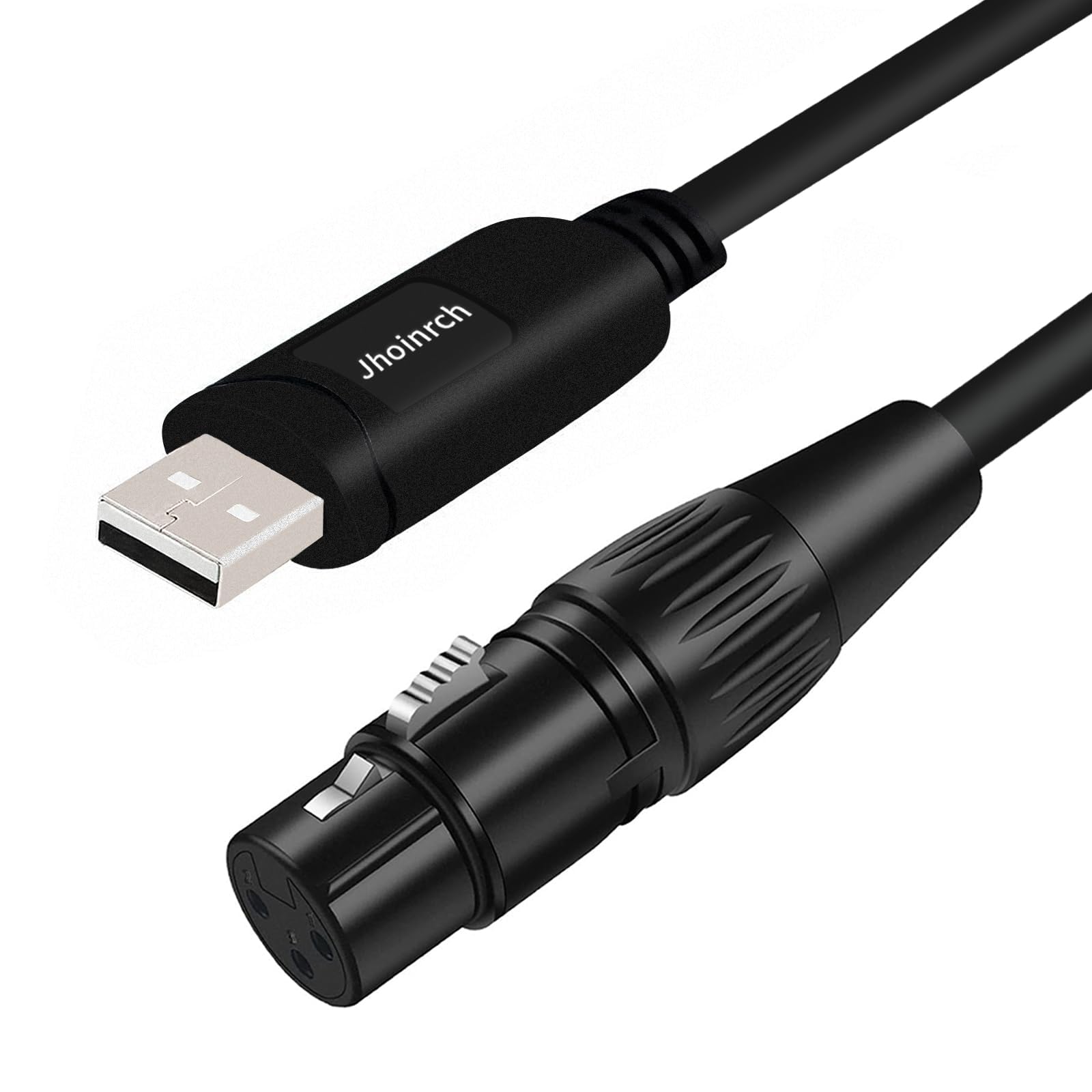
🎛️ Light up your creativity with flawless DMX control!
This USB to DMX interface adapter cable features the industrial-grade FT232RNL chip, ensuring stable and high-speed communication for DMX512 lighting devices. Compatible with major DMX software like Freestyler, QLC+, and Soundswitch, it supports Windows, Mac, and Linux platforms. The plug-and-play design auto-installs drivers for hassle-free setup, backed by lifetime technical support and a one-year warranty.


A**Y
Simple and effective
Simple and effective
R**.
A dmx to USB that really works!!
If you're looking to control your light show via a computer, this USB to DMX adapter seems to work with every program I've tried so far. As a precaution based on other reviews, I did download the latest drivers and so far it has worked great. Great value for the money and quick shipment.
M**.
Works fine
It was recognized and installed automatically. QLC+ works fine with it as generic "USB DMX" device. It functions well. I'm concerned about the longevity of the cable, but time will tell. Good value!
V**K
Out of the box support for Linux
I was able to use this cable with a couple of LED PAR lights and some open source software to easily control the lights. It worked out of the box with my Linux-based laptop, which is always a key success criteria for me.
D**Y
Does not work as advertised. DO NOT BUY!!
I am attempting to use this dongle to control some Chauvet Slimpar Q12ILS RGB uplights for some events at our office. What I have found is that it can control the first light in the chain fairly consistently, but not the rest of the lights in the chain. I have checked DMX channels on the lights to make sure everything is setup correctly and checked the DMX cables between lights, all are functioning. I have tried QLC+ and the LightKey app and I have more or less the same results in both programs. The weird thing is I can still change the color of all the lights in the chain, but the dimmer function only works on the first light. I'm not sure if I received a defective cable or if this is just a cheap dongle not capable of doing what it advertises.
R**O
For the price it definitely worth it
Works great for the price with the proper artnet to Dmx application for FTDI (from GitHub not freestyler) to works with Magicq and basically any artnet program
R**L
Excellent alternative when using a computer
Easy to set up and find correct drivers when using mac studio with popular open source software. Highly recommend this cable.
H**R
Great product
Great product, works as described, easy to use. Thanks
J**T
Ich bin sehr zufrieden mit dem Produkt. Ich hatte mir QLC+ heruntergeladen es an meinen PC angeschlossen und ich muss sagen..... es wurde leider nicht sofort erkannt aber nach 3 versuchen hat es dann doch geklappt und ich konnte meine 8 Movingheads komplett problemlos verwenden und an steuern.
V**N
Worked as expected!
J**N
Simplemente, conectar y que empiece el espectáculo.
P**7
Pour le moment, aucun soucis avec cette interface plutôt abordable. Les luminaires ont plutôt bien réagi et cela assez rapidement lors de mes premiers essais. Elle est reconnue sans problème sous WIN10, sans driver supplémentaire à installer (chez moi). Le logiciel QLC+ la reconnait également sans aucun soucis en tant qu'interface de sortie. Il n'est cependant pas possible de l'utiliser comme une entrée DMX pour y connecter par ex. un contrôleur externe afin d'effectuer des réglages ou des tests sur PC sans luminaires physiques en sortie. J'avais un faible espoir à ce sujet à cause d'une allusion d'échanges de signaux bidirectionnels dans la description du produit, mais non les logiciels ne la voient manifestement pas en tant qu'entrée. Dommage! C'eut été le top du top! Peut-être une future version? Je recommande toutefois cette interface de sortie pour sa simplicité et son efficacité par rapport au prix correct. En espérant avoir pu vous transmettre quelques éléments intéressants.
A**A
Il DMX è uno degli standard utilizzati per il controllo delle scene nel settore dello spettacolo: a livello elettrico è un bus seriale RS485 su cui si possono collegare in cascata più dispositivi - faretti fissi, motorizzati, strisce led ed attuatori di vario tipo. Il protocollo DMX512 trasmette sul bus dei “frames” e può indirizzare 512 "canali" a cui inviare dei comandi digitali; con una frequenza di refresh in genere 30-50Hz. I vari dispositivi collegati (in gergo spesso definiti 'fixture') mappano uno o più canali del bus a seconda delle funzionalità specifiche: io ad esempio ho dei faretti PAR da palco RGBW che utilizzano 4 canali indipendenti, uno per colore. Questo cavetto della Jhoinrch arriva in una semplice busta di pluriball contenente oltre al cavo un foglietto multilingua con alcune indicazioni e un QR che rimanda al sito web per dettagli di installazione e configurazione. Il cavo è lungo 2 metri e appare ben fatto: il connettore USB-A è di tipo stampato e contiene la circuiteria di conversione; all'altro capo un connettore XLR femmina a 3 pin che può essere facilmente smontato se serve una prolunga o per la sostituzione. Internamente utilizza il chip FTDI FT232R come convertitore bidirezionale da USB 2.0 a seriale UART e un convertitore di livello per adattare i segnali TTL a quelli differenziali del bus RS485 su cui si basa il protocollo DMX512. Rispetto ad adattatori più costosi non include un microprocessore: i software compatibili (Q Light Controller, Freestyler, Chamsys MagicQ, ecc.) comunicano col chip FTDI tramite il protocollo "Open DMX" sviluppato dalla Enttec: tutta l’elaborazione e la temporizzazione DMX viene fatta dal software sul computer che compone i frame e trasmette direttamente i pacchetti di byte secondo la tempistica DMX512. Windows 10/11 o comunque un qualsiasi sistema operativo moderno rileva automaticamente il dispositivo FTDI232R assegnandovi una porta COM virtuale. Ho voluto testare tutti i software freeware o opensource indicati: FreestylerDMX, Vixen, QLC/QLC+, MagicQ e DMX Control (con quest’ultimo ho avuto problemi a trovare ed installare il plugin necessario) Tutti i software di controllo DMX sono piuttosto tecnici e abbastanza complessi, non molto intuitivi per un utente alle prime armi: occorre un po’ di pazienza e suggerisco di seguire qualche video tutorial per prendere confidenza sia con le interfacce utente sia con la terminologia dei dispositivi DMX. Gli step per la configurazione iniziale sono: assegnare ad uno degli "universe" il dispositivo di output specificando il protocollo come “Open TX” o “Open DMX USB” (diversamente il dispositivo verrà rilevato ma non riceverà i comandi corretti e non funzionerà); aggiungere le “Fixture” cioè i dispositivi da controllare: in genere è presente un elenco con i dispositivi delle principali marche e se il vostro non compare in genere si può specificare un profilo custom o 'generic'; infine procedere al ‘patching’ cioè alla mappatura dei canali del faretto (es. 4 per un PAR RGBW) sui canali del dispositivo di output (1-512). Per utilizzo con software come MagicQ che non supportano direttamente OpenDMX ho seguito un video trovato su YouTube che fornisce un metodo basato sul software gratuito FreestylerDMX e il plugin incluso “Art-Net to DMX converter”: si avvia questa applicazione inserendo l’indirizzo IP del PC e selezionando come periferica “Enttec OpenDMX”, quindi si chiude e si rilancia: i due pallini azzurri indicano che il bridge è in funzione, e inserendo in MagicQ l’indirizzo IP nella pagina “network” tutto funziona correttamente. A favore: - buona qualità build, prezzo corretto - più che adeguato per utilizzi amatoriali, hobbistici e didattici, piccoli palchi e teatri, e per prendere confidenza con i software di controllo. Altre considerazioni: - interfaccia passiva: costa poco, ma non garantisce timing perfetto; potrebbe non essere adatto per utilizzi professionali o dove la sicurezza dell’impianto è fondamentale. - non ha isolamento galvanico per utilizzo in set all’aperto - prese DMX512 di tipo XLR a 3 poli (verificate che i vostri dispositivi abbiano questo connettore) - può essere utilizzata come DMX-in o DMX-out (non in contemporanea)
Trustpilot
1 month ago
3 days ago