⚡ Upgrade your data game—transfer like a pro, no network required!
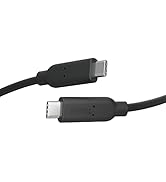
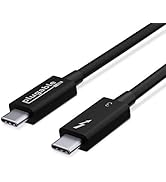
The Plugable USB 3.0 Transfer Cable enables ultra-fast, secure file transfers between two Windows PCs without needing a network. Compatible with Windows XP through Windows 11, it includes Bravura Easy Computer Sync software for seamless drag-and-drop syncing and remote PC control. Ideal for professionals upgrading or syncing multiple devices, it offers lifetime support and plug-and-play convenience.









| ASIN | B01B6X8QP0 |
| Best Sellers Rank | #50,786 in Computers ( See Top 100 in Computers ) #3,464 in USB Cables |
| Item model number | USB3-TRAN |
| Manufacturer | Plugable |
| Product Dimensions | 20.32 x 3.81 x 16 cm; 90.72 g |
R**H
Easy to use on Linux - just enable the plusb driver, if not already enabled in the kernel. Just plug it in, and you'll get a network device on each end of the cable you can configure and run IP over. Amended review - performance between Intel i3-8100 CPU @ 3.60GHz and i7-5557U CPU @ 3.10GHz came in at 155MB/s or 1240 Gbps, about 30% faster than Gig Ethernet.
C**N
Buen soporte por email de Plugable para obtener la clave del software que incluye. En la web y en el manual se indica que hay que enviarles un correo con la referencia del pedido, pero el sistema automatico es valido solo en amazon.com Plugable Technologies.
P**U
Ca marche parfaitement bien pour transférer ses données entre deux ordis sans avoir à passer par un Disque dur externe ou autre. Il suffit de lancer l'appli Easy Transfer incluse dans Windows à qq part dans le panneau de config et suivre les instruction de branchement, puis on pour Windows XP, 7, 8, ... mais pas 8.1, ah ben non ca serait trop simple ... et puis il y a le "Cloud" qu'ils veulent nous enfoncer par tous les trous, avec le Cloud tu donnes toutes tes données à Microsoft et autres filiales de la NSA, donc pourquoi voudrais-tu faire une sauvegarde chez toi : qq chose à cacher ? Pour Windows 8.1 il faut installer l'appli de Plugable, je n'ai pas essayé mais j'ai confiance. Procédure perso sous Easy Transfer pour le transfert de fichiers perso 1. Connecter Cable 2. Ouvrir l'utilitaire Easy Transfer . Lancement automatique sous Windows 7 sur chaque ordinateur connecté. . Sinon par la commande Menu Start > Command Line (= Search Box) > Taper "Windows Easy Transfer" ("Transfer de Fichiers et Param. Windows") > Wizard window 3. Choisir "ancien ordi" sur l'ordi source et "nouvel ordi" sur l'ordi de destination. A partir de là travailler sur le nouvel ordi uniquement, l'ancien suivra. 4. Easy Transfer recherche automatiquement les éléments transférables des comptes Utilisateurs, tout décocher. . Pour info les Utilisateurs sont : <votre nom>, DefaultAppPool, Public (Eléments Partagés) 5. Personaliser (Sous n'importe lequel de ces Utilisateurs) > Avancé > Cocher les fichiers de l'ancien ordinateur à transférer, tout le reste doit être décoché. 6. Options avancées > Tab Mapper les lecteurs > Vérifier que . "Lecteur sur l'ancien ordi" contient la taille correspondant à la sélection. . "Lecteur sur le nouvel ordi" est bien sur le bon lecteur de destination. 7. Transférer 8. Vérifier ce qui a été transférer, fermer les fenêtre. 9. Ejecter le cable sur chaque ordinateur et débrancher le cable.
D**Y
This was my 3rd purchase of transfer cables--and absolutely the best! My first set used USB 1.1 so was interminably slow. The second set from Dell used USB 2.0, so it was faster, but a dreadful user interface. This set from Plugable is USB 3.0 and the transfer speed is fast. (speed tests below) This is important. If all we do is transfer a small file or two it's much faster to use our home network. So, the cables will be used only when we have large, or many, files to transfer. This is where Plugable 3.0 cables pay for themselves. The Plugable Company is excellent. Amazon provides the cables -- with a mini-CD; although most of us will download the software ensuring we have the latest. Plugable sends the software key to your Amazon registered email. It arrived earlier than the cables (2-day express). I sent an email to Plugable. They used auto-reply to acknowledge my mail--but FOUR MINUTES later I received a full response from Plugable. They deal with my issue and added further information which they thought might be helpful to me. FOUR FLEXIBLE OPTIONS 1. DRAG AND DROP This allows you to drag any file from one computer to any destination in the attached computer; unlike a network transfer that limits you to shared folders. I experimented with a folder containing 6 gb video files: From one folder to another on the same computer: 2:45 mins (a fast gaming Asus notebook) From one folder to another on a different computer using a fast (AC3200) network: 6:38 mins. From one folder to another on a different computer using Plugable cables: 4:01 mins. This gave a speed increase of over 65%, with the added benefit of transferring to any folder on the second computer. (Not restricted to a shared folder, which would then require another 2 or 3 minutes to transfer it to its final destination.) 2. SYNC FILES This can be a superb time saver. Say you have 100 books/magazines/comics on computer one, and they are backed up on computer two. You purchase another six or seven books on computer one and want to update the second computer. Simply use the SYNC FILES option, and point to the appropriate directories and Plugable quickly transfers only the new files. 3. TRANSFER DATA TO ANOTHER COMPUTER I prefer to use the two options above, but for those who might not know which files to transfer from an old computer to a new one, this should be a most useful tool. 4. CONTROL OTHER COMPUTER A nice utility that works well, but I can't see any use for it. Why control a second computer while working on the first if the second one is less than three feet away? This is useful when you need to control a remote computer which is miles away; over the internet--but I got the feeling that what we have here is a cure for which there is no disease. Nevertheless, experience suggests that there are probably many people who find this invaluable and use it all the time. Go figure! There is a misleading comment on their packaging, "Does not transfer programs, or executables (protects from malware)". I suspect this is a built-in safeguard when using the Transfer Data option. I was able to easily transfer a folder which had the executable and the uninstall file without any problem. Forgive me if this was long-winded, but for those who are seriously considering this product I hope that the information above will help you decide. IMHO definitely a 5-star product, and a bargain at the price for those who will use it.
W**I
der Übertragungskabel hat meine Wünsche voll erfüllt.
Trustpilot
2 months ago
4 days ago