
DOWNLOAD THE APP


Customer Services
Copyright © 2025 Desertcart Holdings Limited
DOWNLOAD THE APP


🎬 Elevate your stream game—because your audience deserves the best view.
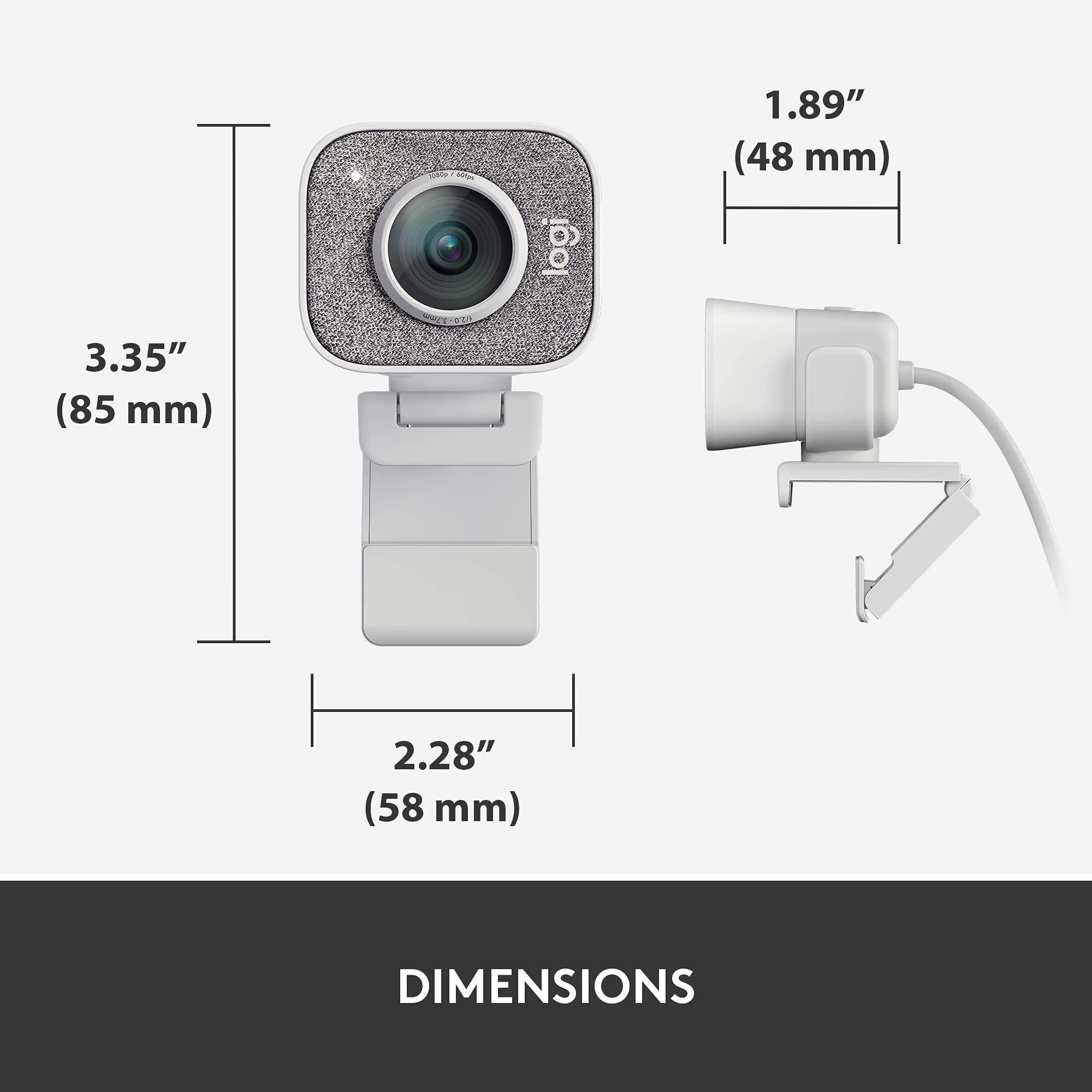
The Logitech StreamCam is a premium external webcam designed for professional-quality streaming and content creation. It records and streams in full HD 1080p at 60fps, featuring a premium glass lens with smart autofocus and auto-framing to keep you centered. Compatible with major streaming software and platforms, it offers versatile mounting options and a fast USB-C connection. Enhanced by Logitech Capture software, it delivers sharp, vibrant video optimized for gaming, meetings, and creative projects.


| ASIN | B07TYWPM67 |
| Are Batteries Included | No |
| Best Sellers Rank | #86 in Webcams |
| Brand | Logitech for Creators |
| Built-In Media | Camera, Monitor Mount, Universal Mount, User documentation |
| Camcorder Type | Video Camera |
| Color | White |
| Compatible Devices | USB-C compatible devices |
| Customer Reviews | 4.4 out of 5 stars 2,948 Reviews |
| Display Resolution Maximum | FHD |
| Effective Still Resolution | 2.1 MP |
| Effective Video Resolution | 1080 Pixels |
| Exposure Control Type | Automatic |
| Features | Low Light |
| File Format | M-JPEG |
| Flash Memory Speed Class | C10 |
| Flash Memory Type | Micro SD |
| Flash Memory Video Speed Class | V60 |
| Focus Type | Auto Focus |
| Form Factor | Webcam-style Camcorder |
| Global Trade Identification Number | 00097855153258 |
| Has Image Stabilization | Yes |
| Image Aspect Ratio | 16:9 or 1.77:1 |
| Image Capture Speed | 60 fps |
| Image stabilization | Optical |
| Item Type Name | Streaming Camera |
| Item Weight | 10.23 Ounces |
| Lens Type | Zoom |
| Manufacturer | Logitech |
| Maximum Aperture | 2 f |
| Maximum Focal Length | 3.7 Millimeters |
| Minimum Focal Length | 2 Millimeters |
| Model Name | StreamCam |
| Model Number | 960-001289 |
| Operating System | Windows, Macos |
| Photo Sensor Technology | CMOS |
| Screen Size | 2.7 Inches |
| Sensor Type | CMOS |
| Shooting Modes | Automatic, Easy, Landscape, Portrait |
| Style Name | StreamCam |
| Supported Audio Format | MP3 |
| Supported Image Format | JPEG, PNG, GIF |
| UPC | 097855153258 |
| Unit Count | 1.0 Count |
| Video Capture Format | MJPEG |
| Video Capture Resolution | 1080p |
| Video Resolution | 1080p |
| Warranty Description | 1 Year Limited Hardware Warranrty |
| Water Resistance Level | Not Water Resistant |
| White Balance Settings | Auto |
| Zoom | Optical |
S**)
Only downside is a wired-in USB cable
If you need a high-quality webcam--and who doesn't these days?--that's also good for streaming (streaming resolution for webcams is about half what the recording or photo resolution is, and not many cameras stream 1080p at 60fps), this is a great choice. I have mine mounted on an arm above my computer using the included universal tripod mount, but you can also attach it to the top of your monitor with the universal monitor mount. Image quality and detail is good enough to be a bit frightening. (Every freckle and wrinkle shows up, even in low light.) I haven't tested the microphone quality because I already use a studio mic in my office. The USB-C cable is great because that means that I could connect it to my smartphone or my traveling laptop if I wanted to, and those only have USB-C ports. And the USB-C cable is annoying because it's wired in, which means that you can't use a longer or shorter cable. Unlike a more typical webcam, you can't easily attach a privacy cover to it. But since it's an external camera, all you have to do is disconnect it. It does have a pretty obvious light on it that shows you when the camera is activated. I haven't quite wrapped my head around the Logitech Capture virtual camera software, specifically how to get it to work with my green screen. But if I use the camera directly with Zoom, the virtual green screen still works perfectly. (And Zoom still touches up my appearance so I don't see every freckle and wrinkle.) Windows did not actually recognize this as a camera until I'd installed the software, which was kind of annoying, but since then it's worked perfectly. Eventually I may manage to exploit some of the more sophisticated features, but even if I never use them, I'll still consider this camera well worth the money.
S**B
Clarifying Product Information
I never write reviews, but wanted to clarify some misconceptions and help other folks. There are some negative reviews about this camera, so I wanted to set the record straight. I only use this camera for work meetings (Zoom, Microsoft Teams etc) and so was content to plug it in and let it run. The quality of the image was terrible. People even told me the coloring was overly white and it looked like a cheap camera. I was debating whether to go back to my laptop camera. However, I took the advice of other comments on the logitech website, and downloaded the free software - on my personal laptop and work laptop. The software controls the image quality. I saw an IMMEDIATE difference in the image quality. I no longer looked washed out, but the quality improved dramatically. You can also control if the camera follows your face etc. There is also a free streaming. program for this camera, to further control the image quality. The Apps to download for FREE from logitech are: Logitech Capture Logitech Camera Settings Logitech Camera Settings is for any logitech camera, and you can control every details - lighting, brightening, camera width etc. Logitech Capture is for for this camera - and its a streaming app. With the app downloads, it is 100% beyond worth the value of the money. I have Microsoft Surface computers, so this could be part of the reason why I needed the apps - maybe other types of computers do not.
A**”
Easiest Streamer Cam to Use!
The Logitech StreamCam feels solid and dependable, with a sturdy mount that holds well in various positions. Built to last, this webcam handles frequent adjustments and setups without any issues. The Logitech StreamCam features a clean, minimalist design that feels both functional and stylish. Its neutral color and smooth contours complement any workspace, adding a modern touch without drawing too much attention. The StreamCam’s look is professional yet understated, making it a perfect fit for both personal and professional setups. Setting up the StreamCam is a breeze. It connects easily to a range of devices, and the Full HD 1080p resolution delivers clear, vibrant visuals right out of the box. The software offers useful customization options for focus and exposure, making adjustments simple. The Logitech StreamCam is an excellent investment for creators seeking reliability, high-quality visuals, and easy setup. It’s a standout webcam that meets the demands of both streaming and content creation with ease.
O**S
Highly recommend getting
Is a great camera for a low price. Higher refresh rate video and auto adjustment. It’s great
Z**L
Great camera imo
Have had this for over a year for streaming and it's fantastic
K**K
Works good with Win11
A good update. Works better with my new Windows 11 computer and provides great video transmission.
B**E
It does ok I guess.
The auto focus is slow and unresponsive, the auto exposure is too bright at times, and the default white balance and colors are way off. Worst of all there is no dedicated software for this camera, you have to adjust all camera settings in OBS (or any streaming software of your choice), so you are locked in to the terrible default settings of this camera if you set it as the source for a live chatting application such as Discord. There is an application from Logitech themselves called, Logitech Capture, that has settings available for the camera, but unfortunately (and this is a case by case basis but very common on my motherboard (asus maximus xi hero) the camera WILL NOT allow 60fps when plugged directly into the USB C port on the io of the motherboard. The camera says it requires USB 3.0 or higher for 60fps. And all my sources say that the USB C port on my motherboard is 3.2 (the standard). I've read some places that it's a power issue and plugging into a USB c on your graphics card works (I don't have one on mine so can't do that) I've read that a USB C to A adapter works as well. Whatever the case may be, bottom line is that this camera is a marketing cash grab. Don't get me wrong, it works fine (after a couple hours of settings tweak and turning off all the auto BS that barely works) but it's just an "ok" product. Definitely better options out there for the money but unfortunately I'm on somewhat of a budget and can't explore those options yet. Should've done more research
D**D
Excellent video quality, versatile positioning options, great seller
I am impressed with this camera. I have had many Logitech accessories over the years and have generally found them to be sturdy, worthwhile purchases. This is the first one over $100 though, and so far I am very happy. The video quality is excellent and smooth at 30fps. It gets super silky at 60fps. The microphone is better than decent too, particularly for video calls or narrating. Sometimes the mic is pretty bad on webcams, not here. It comes with a short tripod that can fix the camera in a very wide array of angles. The second, more traditional mount for attaching it to the top of a screen also articulates very well. It can be used as a mini stand in its own right, though the angle might not be too versatile. I purchased this used from Outlet Digital (Amazon Seller) and it came with all the accessories and in like-new condition. Unfortunately the original owner may have been rough with the plastic mount that connects to the tripod. Or it was a defective piece? No visible damage, but it snapped the second time I removed the camera from the tripod. this didn't damage the metal tripod or the camera, but it was disappointing. However, I sent one email to Outlet Digital and they replied the same morning. They are replacing this part, no questions asked. Even included the tracking number! This just happened so it hasn't arrived yet, but that is excellent customer service. Highly recommend this product and Outlet Digital.
Trustpilot
1 week ago
2 months ago