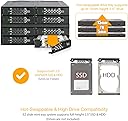
🚀 Elevate your storage game with enterprise-grade speed & reliability!
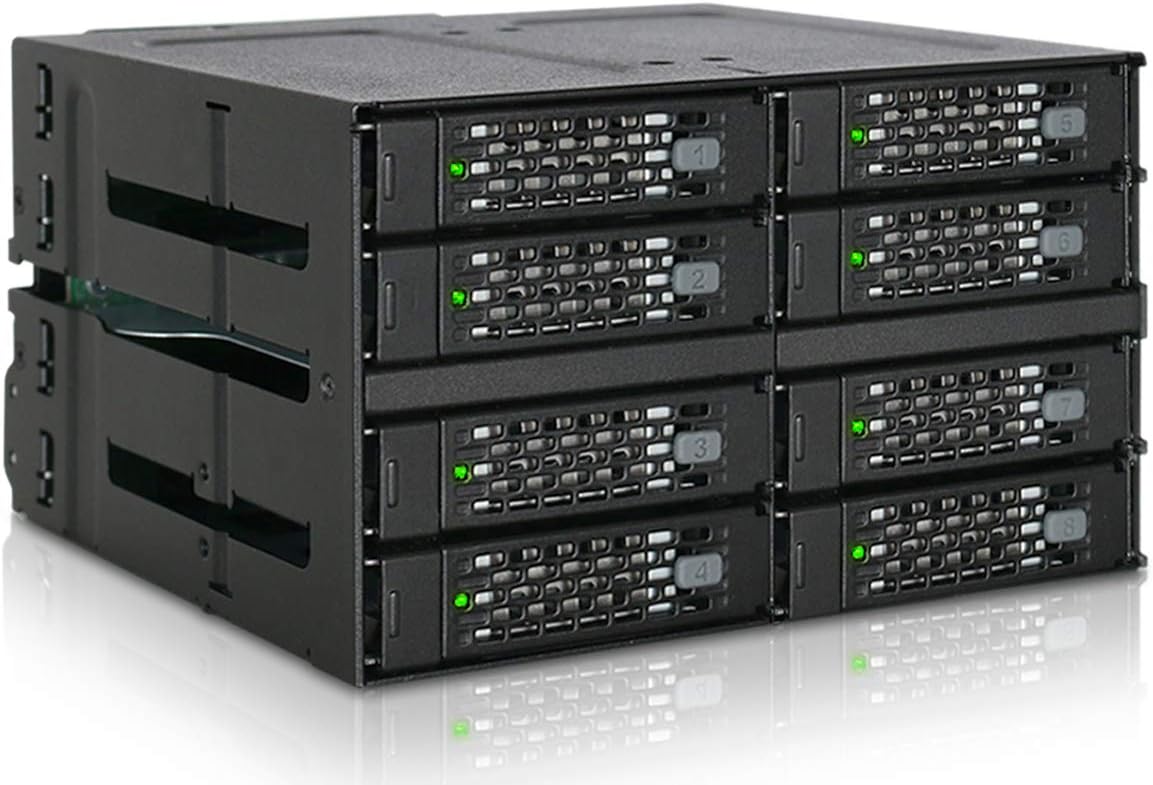
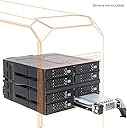
The ICY DOCK MB508SP-B is a rugged 8-bay 2.5" SAS/SATA hot-swap backplane enclosure designed to fit into two 5.25" drive bays. It supports SATA 3.0 up to 6Gbps and SAS 3.0 up to 12Gbps, compatible with top-tier enterprise SAS drives. Featuring a full metal ToughArmor build, dual Mini-SAS HD ports, and flexible fan control, it delivers high-density, high-speed storage ideal for professional NAS, server, or workstation environments.


| ASIN | B07K8PK8JP |
| Best Sellers Rank | #145 in Enclosures |
| Compatible Devices | Laptop |
| Connectivity Technology | SATA |
| Customer Reviews | 4.4 4.4 out of 5 stars (418) |
| Date First Available | November 8, 2018 |
| Global Trade Identification Number | 00884826508090, 04713227445085 |
| Hard Disk Form Factor | 2.5 Inches |
| Is Discontinued By Manufacturer | No |
| Item Weight | 3.22 pounds |
| Item model number | MB508SP-B |
| Manufacturer | ICYDOCK |
| Max Number of Supported Devices | 8 |
| Product Dimensions | 5.75 x 7.7 x 8.5 inches |
| UPC | 884826508090 |
J**D
5/5 Stars - Excellent build quality for my studio setup and huge amounts of data!
Been running this ToughArmor for about 8 months now in my Lenovo P520 and it's been rock solid. Was initially torn between this and some cheaper alternatives, but the full metal construction and MiniSAS HD connectors sold me - glad I spent the extra money. Installation was pretty painless once I figured out the cable routing. Fits perfectly in two 5.25" bays, though you'll want to make sure your case has enough depth. The included SAS cables are good quality and the connectors feel solid. My only minor gripe is that the mounting screws could be a bit longer - had to be careful not to cross-thread them. Hot-swap functionality works exactly as advertised. I've pulled drives while the system was running multiple times with no issues. The individual drive status LEDs are bright enough to see clearly, and the activity indicators actually help when troubleshooting. Build quality is genuinely impressive - this thing feels like it could survive a small earthquake. Running a mix of Samsung 870 EVOs and some older Intel enterprise SSDs with no compatibility issues. Temps stay reasonable even under heavy load, though I do have decent case airflow. The drive trays slide smoothly and lock securely - no wobbling or loose connections. Only real downside is the price, but you get what you pay for. This isn't for casual users - if you're just looking to add a couple drives to your gaming PC, there are cheaper options. But if you're building a proper server or NAS and need reliable hot-swap capability, this is worth every penny. Would definitely buy again for future builds. ICY DOCK clearly knows what they're doing with enterprise-grade storage solutions.
M**N
Works like a charm, well engineered, note on fan
Works like a charm. Solid metal design, good airflow above and below for each slot, and a single power connector for all four (separate SATA data cables, one sata-power cable). Being me, I took the thing apart. Five screws and the backplane comes off, one more and its circuit board can be taken out and examined. Totally trivial, very well seated and secured... notches into the frame... zero wiggle room (good!). I counted 9 capacitors on the power distribution bus so they didn't cut any corners there. Inserting an HDD did not glitch the power for the other drives that were already in. I give the backplane a big thumbs up for design and engineering. The drive bays are solid. Considering that we are cramming four 2.5" drives into a 5.25" enclosure, the design is very good. The bottom of each bay drops out a little to give the bottom of the drive a little space. The areas near the screw holes are flush, though, but it didn't seem to have any issues mounting the seagate HDDs I had without a plastic protector (clearance on the HDD drive mounts is about 1mm to the drive's circuit board). It is not screwless... requires four screws (flatheads are included). Two are round holes, two are oval. Not sure why they didn't use round for all four but the two round holes are near the connector side so the drive's connector is guaranteed to be properly aligned. Easycakes, and honestly you only need to use two screws (in the round holes nearest the connector) anyway. The fan is the only downside, being small and noisy, but I still give the device 5 stars for several reasons. First, they included a fan control switch (OFF, LOW, HIGH settings). Second, airflow looks good for all four slots. In terms of the fan control, no point ever using 'HIGH'. Just use LOW or OFF. The LOW setting is definitely audible which is unfortunate but there isn't a whole lot of room on the design side considering the fan has to fit the height. On the plus side, not only is there an 'OFF' position (if you have SSDs, you don't need the fan), but if the case itself has good airflow you can physically remove the fan with two simple screws to open it up and allow the case airflow to handle any cooling requirements. The fan's power able goes to a connector and just pulls off, so its easy to remove. In fact, if you really wanted to and didn't want the hot-swap, you could unscrew the whole backplane and just use it as four permanent slots. Silly I know, but the case is so well engineered that it has that flexibility if you wanted it. Fan tests, Four 1TB Seagate HDDs. Writing mean all four drives writing continuously for 20 minutes or so. Temperatures taken using SMART info (all four returned the same temp within +/- 1C): idle, low fan: 26C Idle, no fan: 27C (i.e. PC case fan only, no direct airflow) writing, high fan: 38C writing, low fan: 41C writing, no fan: 47C (i.e. PC case fan only, no direct airflow) So with all those features and easy modding, ICY gets 5 stars. ADDENDUM - I had one issue with the dock. On one of the machines I used longer screws to mount the dock in the bay. They turned out to be too long and infringed on the tray area, causing damage to one of the trays which I didn't realize until I tried to pull the tray out and couldn't. This was my own fault. So remember to use the low-profile screws that come with the unit... or at least make sure they don't infringe the bays. ADDENDUM2 - If you purchase your own 40mm fan you may not be able to use the LOW setting. Depending on the fan, it might not startup unless you use the HIGH setting. I still definitely recommend purchasing your own low-noise 40mm fan and not using the cheap noisy one that comes with the unit. You don't need much airflow to cool HDDs (and don't need any at all for SSDs), so find the quietest 40mm fan you can and you will be a happy camper. The only downside to the unit is having to screw the drives into the hot-swap trays... in particular, losing the screws for the trays you aren't using atm. I recommend storing the unused screws in their plastic bag IN one of the unused trays. -Matt
K**.
Tricky installation, but worked well in the end.
I'm using the Icy Dock MB516SP-B in a Fedora 32 (Linux) virtualization server. Overall, I am happy with it. It is solidly constructed and performs well. Installation required a case mod. The MB516SP-B fits in two 5.25 inch external drive bays. On the case that I used (Corsair Carbide Series Air 540), I had to flatten the metal tab between the 5.25 drive bays. The MB516SP-B does have a groove which might accomodate a lower profile tab, but alas, my chosen case had tabs which stuck out too much. Too be fair I've had to make similar case mods for other cases in which I've installed Supermicro mobile racks (5 drive HDD bays). I flatten these tabs by first bending them part way with an adjustable locking plier (vice grips). I then use a BIG C-clamp to flatten the tabs. It's maybe a fifteen to twenty minute job with the right tools. I'm using Samsung and Western Digital SSDs with the MB516SP-B. It's fully populated, i.e. I have 16 SSDs in it. All bays work and the SSDs mounted easily to the drive trays. One small problem is that two of the drive activity lights are kind of dim. The LEDs on the backplane appear to be bright enough; it might just be that mechanism which conducts the light to the front of the tray is not very effective on a couple of the trays. I considered deducting a star for this problem, but IMO is really only a half star deduction. You will mostly likely need a host bus adapter or RAID controller with this SSD backplane. I'm using a Broadcom HBA 9400-16i which also works well. I had problems with the set of (Cable Plus branded) SFF-8643 cables that I purchased; they simply did not work. I then purchased a set of 10Gtek branded cables which worked fine.
Y**S
Le produit est conforme à ce que j'attendais, très professionnel et bien fini. Mais il est trop bruyant pour un usage domestique (2 x Ventilo 40mm).
T**M
Bei diesem Gehäuse kann man die beiden SATA-Stromstecker besser anbringen als bei der günstigen Plastik-Variante (ICY DOCK Wechselrahmen für 6X 2,5 Zoll (6,4cm) SATA/SAS SSD/HDD in 1x 5,25 Zoll (13,3cm) ExpressCage MB326SP-B). Dort befindet sich ein Stecker direkt neben einem Lüfter, der andere ist sehr nahe am Rand, so dass bei einem Dreier-Kabel des Netzteils die Stecker recht heftig "zurecht gerückt" werden müssen. Das ist bei diesem Gehäuse viel besser gelöst. Nachteilig ist, dass jeder Slot bei Nichtbenutzung ein "Dummy-Stück" benötigt, das wie eine SSD/HDD angeschraubt werden muss. So hat man immer einen Beutel mit diesen Platzhaltern rumfliegen. Das ist wiederum bei der Plastik-Variante besser gelöst. Ebenso werden die SSDs bei der Plastik-Variante nur "eingeclipt" und benötigen keine Schrauben. Das ist ein großes Plus der Plastik-Variante. Außerdem fehlt bei der ToughArmor-Variante die Möglichkeit, den Lüfter auf Auto zu stellen - hier gibt es nur "Low, High, Off". Der Lüfter ist allerdings sehr leise. Insgesamt ist die Tough-Armor Variante stabiler gebaut, aber die Plastik-Variante hat einige Details besser gelöst. Wer also nicht allzu oft seine SSDs wechselt und mit den etwas ungünstig liegenden Stromanschlüssen zurecht kommt, wird mit der Plastik-Variante glücklicher. Wer hingegen oft SSDs wechselt und damit leben kann, jedesmal zwei kleine Schräubchen aus- und einzudrehen, wird die Tough-Armor Variante besser finden.
S**N
I used this bay expander to add another four drives to my main PC. I had a number of 2.5" drives lying around, and with the purchase of a new PC I thought I should do something with them. Fitting the bay was easy, it slid straight into a vacant 5.25" single-height bay in the case. A single SATA power cable supplies all four drives. Each drive requires its own data cable. If you don't have enough free SATA ports on your motherboard you'll have to buy a SATA expansion card. It took only moments to fit the drives into the removable caddies, and the caddies slot into the front of the rack. It took less than 30 minutes from opening the box to booting the PC, now with an extra 12TB of storage. The rack was chosen specifically for its all-metal construction and that it could take 2.5" drives up to 15mm thick - I needed this as two of the drives were 4TB fat drives. I don't need the hot-swap function, so I haven't tested this aspect. Should be good for a RAID array though. This isn't a cheap solution, but it is a good solution that should last. Recommended.
C**N
Have a pair of Crucial MX500 1TB SSD's in here, works perfect. Replaced the fans with Noctua units so can't comment on those or the thermal performance per se. Note, thicker drives won't work, and the locking mechanism can be a little bit notchy but no surprise at this density, and it's not proven to be an issue in use.
H**E
Works. Drive number pieces of plastic easily fall out. The fan is not the best quality. For this price level I expect a Noctua.
Trustpilot
3 weeks ago
5 days ago