We remain fully operational. Our teams are working around the clock to ensure your deliveries continue safely.

DOWNLOAD THE APP


Customer Services
Copyright © 2025 Desertcart Holdings Limited
DOWNLOAD THE APP

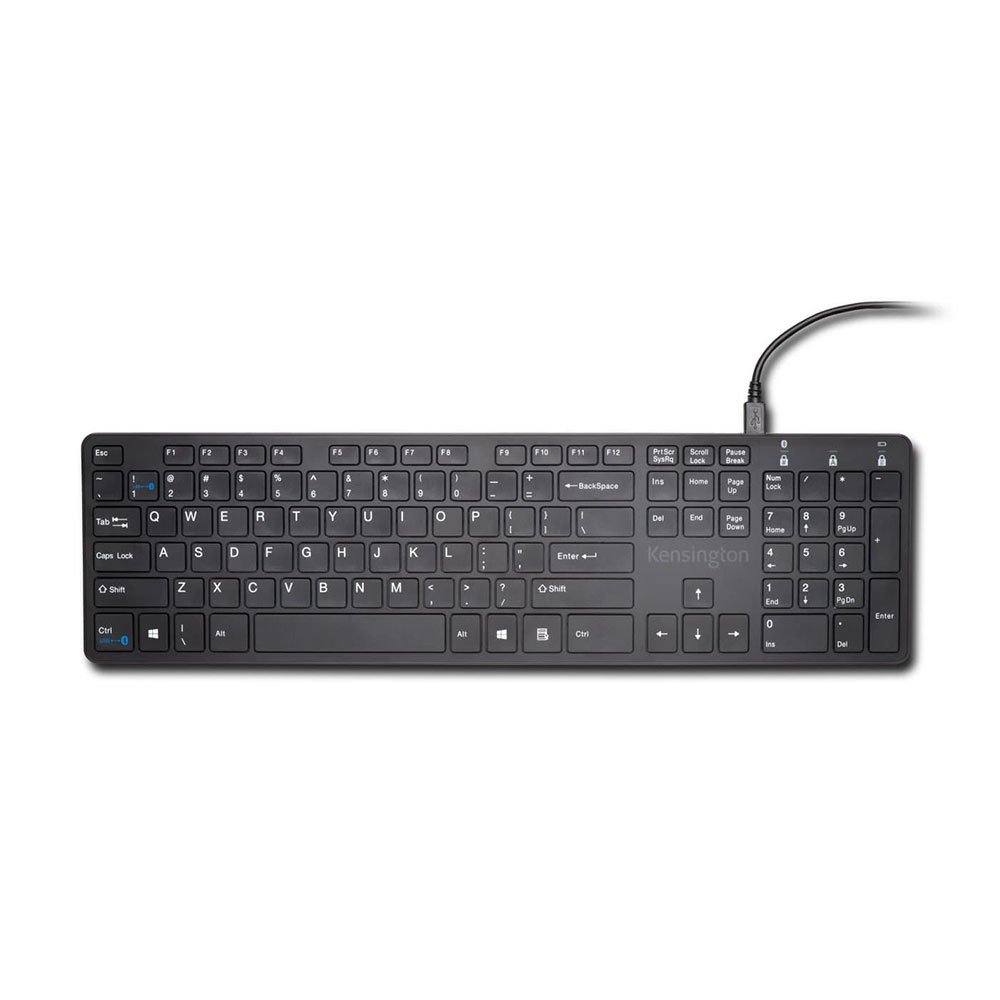
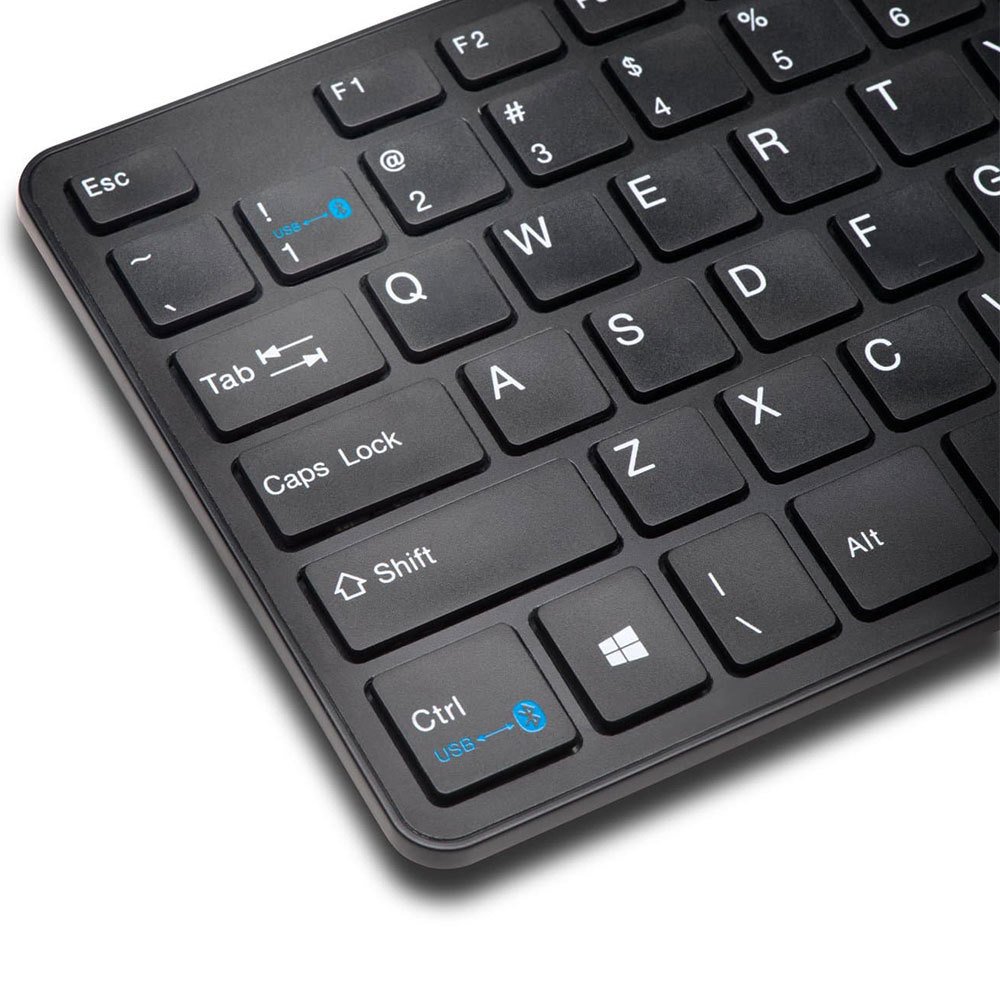
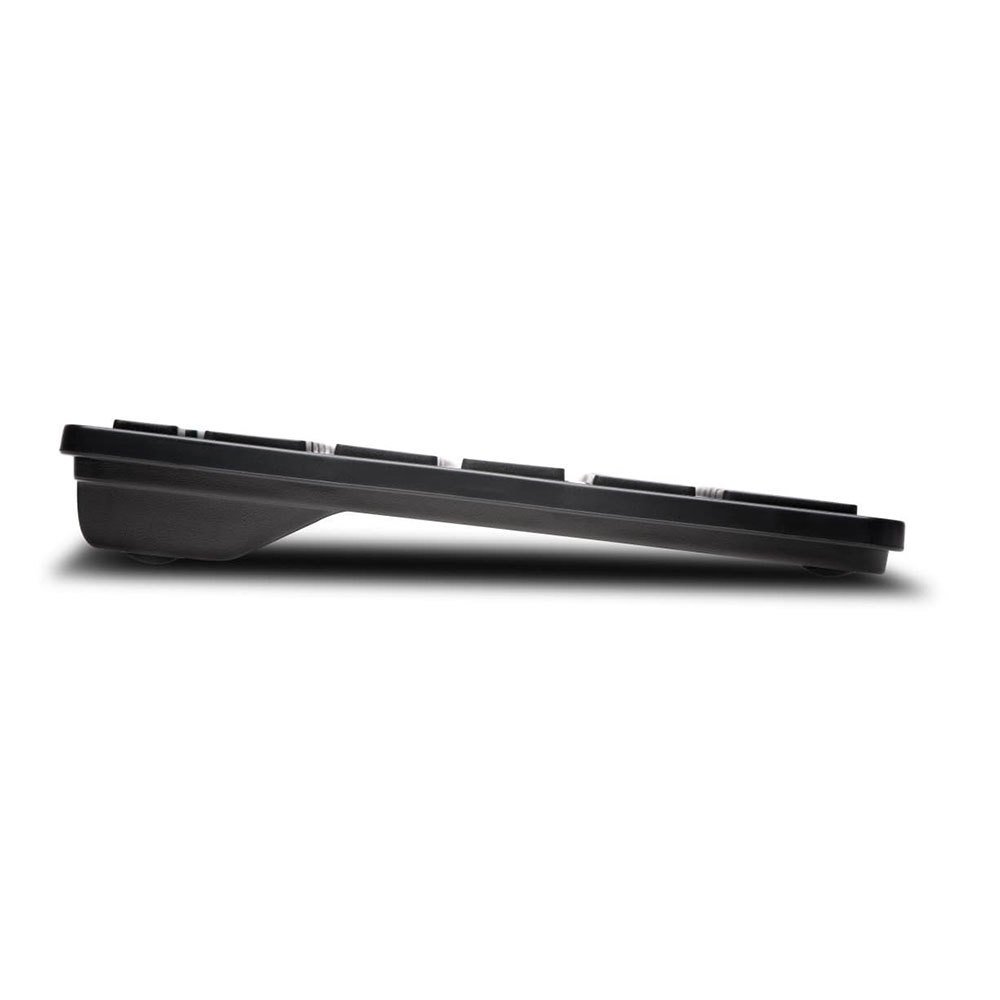
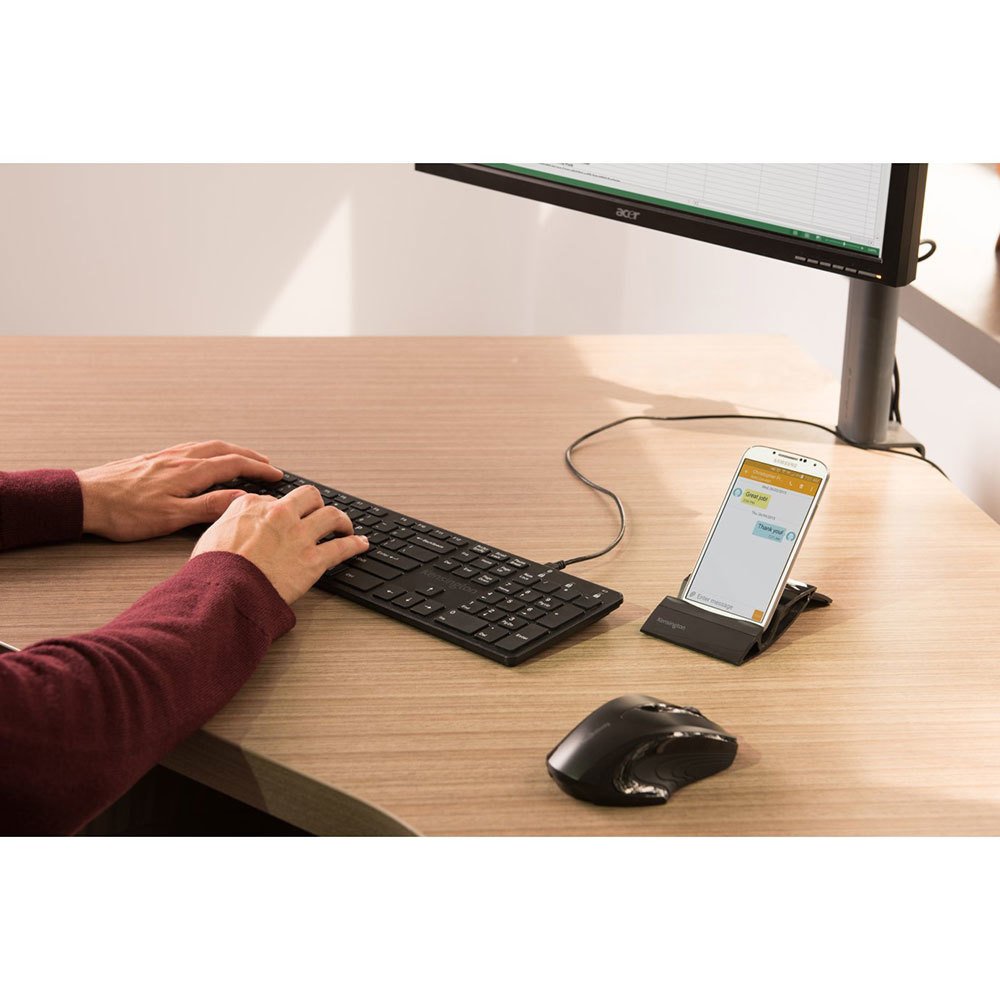
⌨️🔄 Power your productivity, wired or wireless — never miss a keystroke!
The Kensington KP400 is a versatile full-sized keyboard featuring both USB wired and Bluetooth 3.0 wireless connectivity, compatible with Windows, MacOS, iOS, and Android devices. It offers a professional typing experience with a numeric keypad, easy plug-and-play setup, and flexible power options via USB or AAA batteries, making it ideal for multitasking professionals who demand seamless device switching and reliable performance.
| ASIN | B00R61TNTA |
| Batteries | 2 AAA batteries required. (included) |
| Best Sellers Rank | #8,698 in Computer Keyboards |
| Brand | Kensington |
| Color | Black |
| Customer Reviews | 3.5 3.5 out of 5 stars (287) |
| Date First Available | January 31, 2015 |
| Hardware Platform | Smartphone |
| Is Discontinued By Manufacturer | No |
| Item Dimensions LxWxH | 1.35 x 19.75 x 10.25 inches |
| Item Weight | 0.528 ounces |
| Item model number | K72322US |
| Manufacturer | Kensington |
| Operating System | PC |
| Power Source | Battery Powered, USB Powered |
| Product Dimensions | 1.35 x 19.75 x 10.25 inches |
| Wireless Type | 2.4 GHz Radio Frequency |
P**S
Good full sized, straight, Bluetooth keyboard for Windows 7. Pairs easily, good for a touch typist, numeric keypad, etc.
Full sized, straight (not curved) Bluetooth keyboard. Bluetooth pairs easily with Windows 7 on the HP Envy 15t-100 laptop model with Bluetooth 4.0 built into the laptop. Good for a touch typist. Decent typing feel although it is more of the short keycap Chiclet keyboard. But in all works well. One issue, easily fixed with the 1/! (one/exclamation) key not working initially in Bluetooth mode. Plugged in the USB cable to keyboard and HP Envy laptop. Switched to USB keyboard mode with Ctrl-One key combination. Typed one/exclamation characters in USB mode without any issues. Unplugged the USB cable and switched back to Bluetooth keyboard mode using the Ctrl-One key combination. Now the 1/! keys both work fine in Bluetooth mode. Keyboard may have been in some odd state until the USB cable was plugged in. It all works fine now. All keys working.
A**N
Flimsy and Inferior to Logitech Old K800: Also Wireless Systems Compatibility Tips
Not worth getting it. I did so only because I thought (i) a complete change to bluetooth was necessary and had obtained the new Microsoft Precision Mouse, a bluetooth device, that I wanted to use (my old Logitech mouse having had a stroke and refusing to scroll -- with no solution offered by Logitech, despite hours of trying to find one); (ii) my old computer needed a bluetooth dongle since the computer lacked bluetooth; and (iii) my old Logitech K800 and its unifying receiver would not permit me to pair the new mouse with the new bluetooth dongle. I must add here that far too little attention is given to such issues by other commenters here for amateurs like me about conflicts between such strange things as bluetooth dongles and Logitech products that rely on its unifying receiver dongle. In my case it was a big problem if I wanted to use my new mouse: had to get rid of the old keyboard, I thought, and get this awful new bluetooth keyboard from Kensington (all wireless, of course) to get everything on the same wavelength, as it were. Well! More surprises were in store. The supplied batteries for the new KP400 ran out pretty quickly. Then another shocker: the new KP 400 from Kensington uses triple A batteries while the K800 uses double As. So you have have both on hand. Further, the new mouse recharges only by means of a USB connector plugged into your computer with no way of knowing (even using the Microsoft Keyboard and Mouse Center, which you must download and install) when the mouse recharge is done. You are told it is recharging by the Center, but not when it's over. A wireless mouse, a very good one, by the way, that makes my use a new wire just to keep it breathing, as it were. Great! Last surprises -- one pleasing, the other not. After getting the new keyboard, the KP400 which I now detest, paired and getting the new mouse paired and using them for a couple of weeks, I found I needed to put new batteries in the stupid keyboard. (Who knows how old and near death the supplied batteries were (thanks again, China)? When this happens, the whole pairing thing between the KP400 with the computer is lost. Try running your computer with no keyboard. (!!) Pull out the old K800 and plug back in the Logitech unifying receiver dongle, hoping for a miracle. Got one! It all worked! The computer recognized the old keyboard, let me pair it again, and I am using it now. The new keyboard, since I now could navigate with the old one, also was paired again and it worked at the same time. Amazing grace! The good part is that I can now go back to using my old, way better Logitech keyboard through the unifying receiver at the same time use the new bluetooth dependant Microsoft mouse works with the bluetooth dongle. The Kensington KP400 has been retired. Who knows when I might need it again? My hope is never.
M**T
Do not buy this keyboard!
Giving this one a solid 3 stars because of issues I am running into Pros: The size/weoight of the keyboard is perfect for putting into a laptop back to carry with you Typing is very smooth on it Easy to pair** Cons: Seems to go to sleep or lose connection to blue tooth quite frequently (like only after 10-15 seconds of inactivity) When it does go to sleep or lose connectivity it takes several key presses to wake it While it is easy to set up and pair initially if you plan on using it with more than one device you will run into issues switching back and forth between machines. I have to remove the keyboard from the machine and reconnect it each time. **update 5/14/19** Dropping to 2 stars. Battery life is still a complete joke and the keyboard constantly loses the connection to blue tooth. I would not recommend this keyboard. Update 6/5/19 Dropping to a one star. The more I use this at work the less I like it. The keyboard is constantly dropping from Bluetooth and sometimes takes several whacks at the keys to bring it back. I am also noticing more ‘sticky key’ situations where the last key I pressed repeats a few dozen times. Don’t buy this keyboard. Update 12/18/19 *final* I absolutely regret buying this keyboard. It is by far the worst keyboard I’ve ever purchased. For the price I expected much better quality. I am going to try to get my money back but it is doubtful. Buy this keyboard instead Arteck Universal Bluetooth Keyboard Multi-Device Stainless Steel Full Size Wireless Keyboard for Windows, iOS, Android, Computer Desktop Laptop Surface Tablet Smartphone Built in Rechargeable Battery https://www.amazon.com/dp/B07VN47CYW/ref=cm_sw_r_cp_api_i_O5UJFb5J611E4?_encoding=UTF8&psc=1
B**R
This keyboard is perfect. Would definately recommend it. Fast shipping. Nice long cable.
N**D
Awesome piece of tech. Working with it every day and no cons. Just a heads up: work flawlessly between two devices, one through bluetooth, other with usb cable. To work with 2 or more bluetooth devices needs to be paired every time. But, besides that it's an excellent mechanical keyboard for a low budget and no fancy RGBs.
L**N
good luck replacin the atteries= they are such a tight git that you need pliers to remove the second one
W**H
Love this bluetooth keyboard
J**Y
EDIT: I had to change my opinion. I usually used the keyboard wired, but since I tried to use it via bluetooth, it keeps disconnecting, sometimes it maintains a very poor connection, which leads to getting stuck on keys (repeating letters like "amazoooooooooo"). I wouldn't recommend this keyboard. The keyboard works great. I have only 2 small issues - I wish if the batteries were getting charged while being connected to the USB. I would like to be able to set the keyboard little bit higher. The two small legs at the back hardly make any difference. Other then that, perfect and the best mobile keyboard I've had so far.
Trustpilot
1 month ago
2 weeks ago