We remain fully operational. Our teams are working around the clock to ensure your deliveries continue safely.

DOWNLOAD THE APP


Customer Services
Copyright © 2025 Desertcart Holdings Limited
DOWNLOAD THE APP
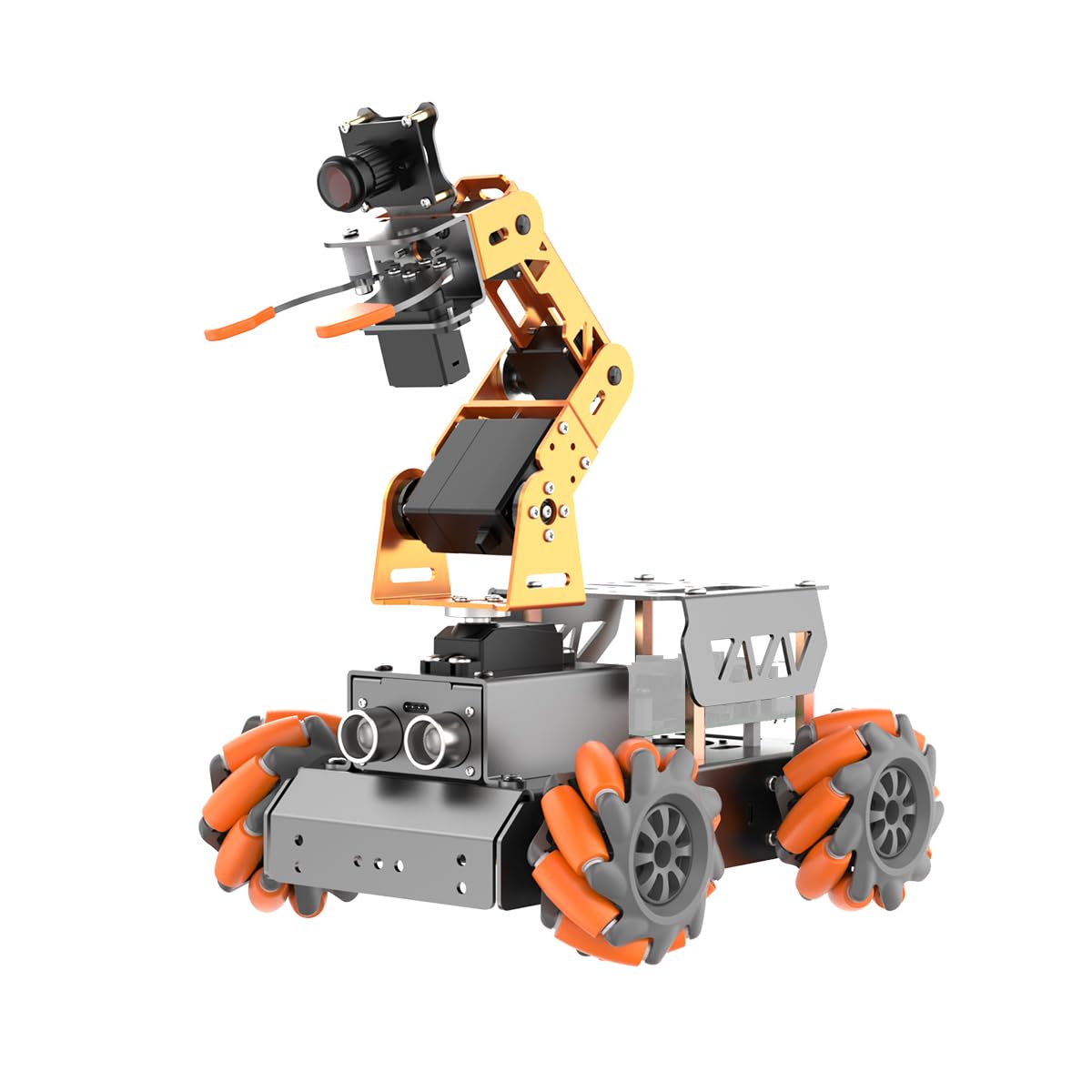


🤖 Elevate your DIY robotics game with AI vision and 360° agility!
The Hiwonder Raspberry Pi 5DOF AI Vision Robotic Arm Kit combines a high-precision 5DOF robotic arm with an HD camera and omnidirectional Mecanum wheels, powered by Raspberry Pi. Designed for beginners and enthusiasts, it supports Python programming and AI applications like color sorting and target tracking. Controlled via a dedicated app, it offers versatile movement and gripping capabilities, backed by extensive tutorials and professional support to ensure a seamless learning experience.


| ASIN | B0C99GD341 |
| Additional Features | AI Vision Robot, Mecanum-wheel chassis |
| Age Range Description | Kid |
| Are Batteries Required | No |
| Best Sellers Rank | #121,735 in Toys ( See Top 100 in Toys ) #1,715 in Educational Science Kits |
| Brand Name | HIWONDER |
| Collection Name | [INF] Robotics or Smart Toys |
| Color | Without Raspberry Pi Board |
| Customer Reviews | 3.7 3.7 out of 5 stars (7) |
| Edition | Without RPi 5(Include Battery) |
| Educational Objective | Learning Robotics, AI, and Programming |
| Is Assembly Required | No |
| Is Autographed | No |
| Item Weight | 1.34 Kilograms |
| Manufacturer | Hiwonder |
| Manufacturer Minimum Age (MONTHS) | 180.00 |
| Manufacturer Part Number | Robot Arm |
| Material Type | Plastic |
| Model Name | Without RPi board |
| Model Number | Without RPi board |
| Number of Batteries | 1 Nonstandard Battery batteries required. (included) |
| Number of Pieces | 1 |
| Occasion | Educational |
| Operation Mode | automatic |
| Outer Material | Plastic |
| Play Activity Location | Tabletop |
| Power Source | AC adapter |
| Set Name | MasterPi |
| Size | L |
| Style | Modern |
| Supported Battery Types | No batteries required |
| Theme | Robot |
| Toy Figure Type | Interactive Gaming Figure |
| character | Robot |
A**Z
Update: the seller reached out and it turned out the motor control board is specific to either rpi 4 or 5. The one I bought was for pi 5 but I was using a pi 4. That is really weird because the two boards have the same pinout. I guess the different internal pull up resistors might make the difference. I hope this is conveyed more clearly but afterwards it works flawlessly. ———- Unfortunately the motor control board doesn't work. It does not connect to RPI with I2C. The app / wifi connects, but motor control does not work. LEDs on the motor board do light up, so it shouldn't be a power-related issue. Ran some debugging, ssh'ed into the RPI, and the issue turned out to be related to I2C connection. I ran `sudo i2cdetect -y 1` and got nothing, which means the board is not talking to RPI properly. I toggled enable/disable of I2c in `raspi-config` but no luck either. I therefore conclude the motor board is defective. I spent time putting it together and the robot looks neat. It's unfortunate that the board doesn't work.
S**.
Why did you pick this product vs others?: We have purchased 10+ various Hi Wonder robots for student projects and they all work perfect. Support is excellent and immediate especially with driver updates. Recent kits with Raspberry Pi5 have upgraded fans and heat exchangers. Image is from another Hi Wonder robots purchased at the same time
J**A
AWESOME Robot can be upgraded
K**Y
parts there and looks ok to build, have not progammed it yet but have booted its pi5 os microsd to look at program items
C**W
Uses the WonderPi app, which is versatile. There are multiple ways to control it, but the app is probably the most accessible for most people. I do have concerns about the long-term support and availability of these apps. They have the option of ordering with or without a Raspberry Pi board. It's very cool. Wheels rotate smoothly, make tight turns. And it's actually faster than you might think. Parts are all good quality. Durable aluminum alloy chassis. It's accessible to a variety of skill levels. There are lots of actions you can perform without needing to code. Stacking functions gives you infinite possibility. For example, color tracking, facial recognition, object tracking, object sorting... and all of those commands can be stacked. Assembly is pretty straightforward.
Trustpilot
4 days ago
2 months ago