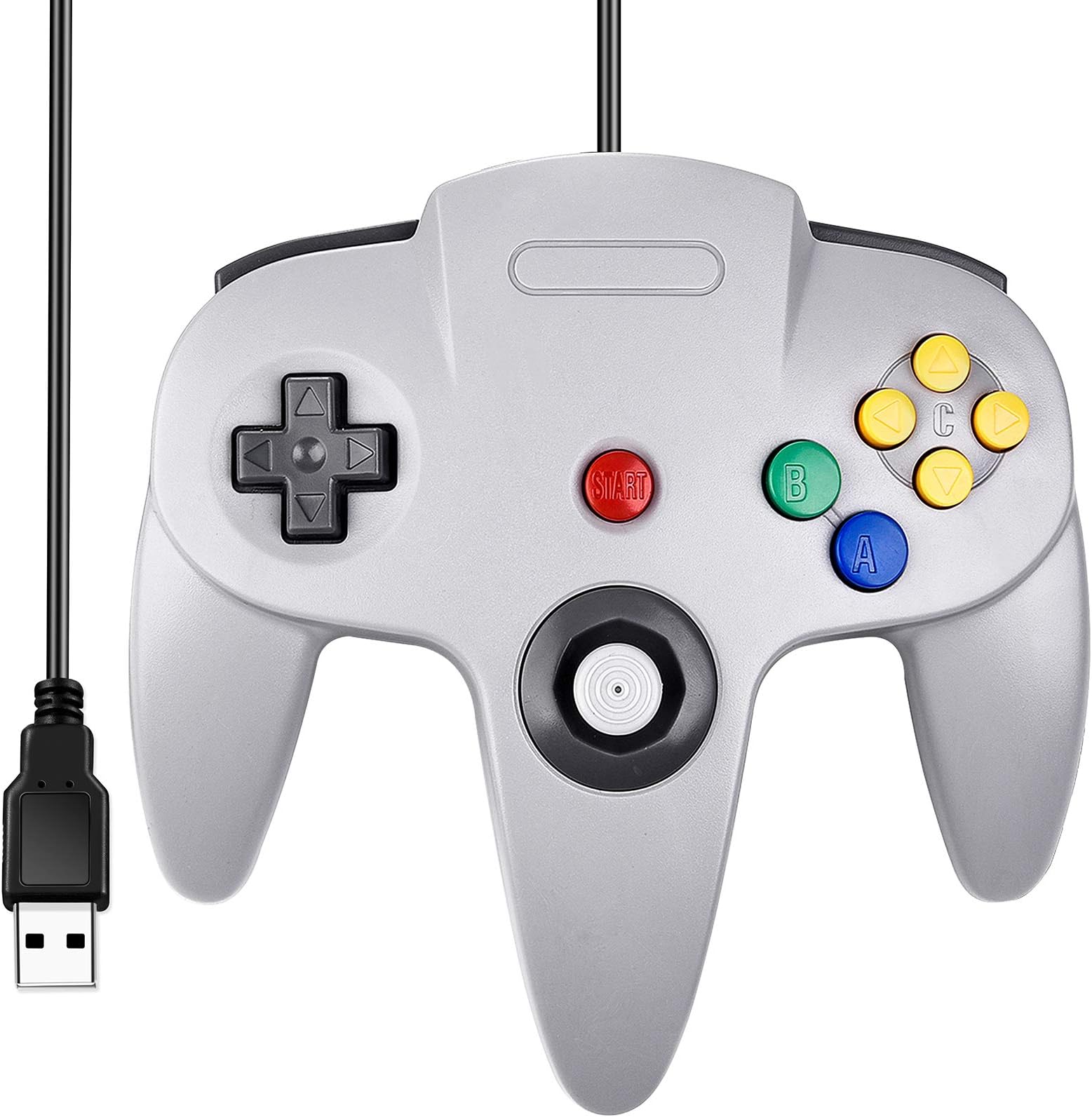
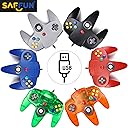
🎮 Plug in, power up, and play like it’s 1996 all over again!
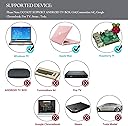
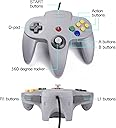
The SAFFUN Classic N64 Wired USB Controller offers a genuine retro gaming experience with plug-and-play USB compatibility across multiple platforms including Windows, Mac, Linux, and Raspberry Pi. Featuring super sensitive buttons and a 5.9 ft cable for comfortable play, this third-party controller delivers authentic N64 gameplay precision at an unbeatable price point.


| ASIN | B07449HLKJ |
| Best Sellers Rank | #2,244 in Video Games ( See Top 100 in Video Games ) #7 in PC Game Joysticks #41 in PlayStation 4 Controllers |
| Customer Reviews | 4.1 4.1 out of 5 stars (2,239) |
| Date First Available | July 21, 2017 |
| Is Discontinued By Manufacturer | No |
| Item Weight | 7.2 ounces |
| Item model number | 8541667118 |
| Manufacturer | SAFFUN |
| Product Dimensions | 6.5 x 4.3 x 2 inches; 7.2 ounces |
| Release date | October 20, 2019 |
| Type of item | Personal Computers |
R**N
Worked for emulator
Bought these for Batocera emulator. They work great. I can't really tell the difference from a regular N64 controller. I hope they last a while. For the price it is an excellent choice.
F**K
Fantastic Controller for the Price!
Overall a very solid controller! Make sure you're completely logged out of Steam when using with emulator or else Steam will fight for dominance and get in the way of configuration. I've been using the grey one heavily for around 2 weeks now and the only thing I noticed is that the base of the stick has grinded down. It doesn't get in the way and the stick is still firm, but the plastic around it has come off from use, which looks a little funny. So far I've played through 20 hours of dk64, 6 hours or so of Smash, 2 hours of Mario 64, and 15ish hours of Banjo-Kazooie and all that's happened was a naked stick base. Still fully functional and snappy, just the plastic at the base is worn. The controller is a bit light, any old gear like rumble packs and gameboy slots for Pokemon Stadium 1/2 are non-compatible. I purchased a black controller as well for two player games and it works great! The stick is a little tight at first but it will loosen up as you play. It's very awkward to play n64 games with modern controllers as they have no c-buttons... I don't regret this purchase whatsoever. I plugged my laptop into the tv and it feels very authentic! Solid controller for a fantastic price! Thank you SAFFUN! 😎👍
C**D
Decent but not the cream of the crop
The analog stick is super tight. There is like NO deadzone on this thing at all. Even came with a replacement stick if the first one wears out. This doubles the life of the controller which is good. However, with this tightness comes a bit of a drawback. movement is a bit janky at times in games. Having a slight deadzone is sometimes preferable, I think. Also, while there is a space for a rumble pack or memory card it is completely non-functional. It's merely there for looks. All in all, the buttons are solid, the build is solid, and the compatibility is perfect. DInput drivers automatically detected. You shouldn't need any special drivers. Although it would be nice if someone made a more feature rich driver and configuration interface for it. I give this a solid 4 stars.
W**S
Great value, easy to use
Feels authentic, though a little lighter and the buttons are significantly more rigid and "hard plastic-y" feeling. You'll know what I mean if you compare this to an original N64 controller. That said, for 15 bucks, this is great value. It feels just like playing N64 on a high quality but still noticeably third party controller. You know the one, its what your mom bought you from KMart, meaning well. It's what you'd make your little brother use and he would blame the controller when he lost at Smash but after trading controllers you still won. That controller. We all had one back in the day. For people having issues getting this to work, here's my experience with Project64 on latest Win10 build - I first plugged it in using a non-active USB extension cable, the PC saw the controller but I don't think the connection was the greatest. Project64 did not see the controller, guessing the controller didn't like the extension (USB connections greater than 15 feet on non-active cables are pretty unreliable). Plugged it directly in to the PC, everything works great. After the initial driver install which Windows did on its own, no input from me required, I put it back on the extension cable and it worked fine. Plug and play with Project64 is a pretty accurate though I did still have to go into the controller config and map all the buttons, but after that everything worked great. Recommend using an active USB extension if you need one. BlueRigger sells some quality active USB extension cables.
F**Y
It'll do, but it's not great. (UPDATE)
UPDATE: Shoulder buttons have failed completely. They dont register commands at all no matter what i do. Very light, very cheap feeling. It does work decently. The only 2 problems are that the shoulder buttons aren't well made. Sometimes they dont register commands as they should. The analog is also not fantastic feeling. Ultra light and the feedback is hit or miss on platformers and shooters.
M**Y
Works great on my oc6
I feel like the old times again.
A**Z
Compatibility Issue with the START Button
I am still fairly new to emulators. I just downloaded Project64 (Version 2.3.2.202) on my Windows 10 PC. I ordered 4 of the iNNEXT N64 controllers with USBs so that I can play the ROMs with the old school feel instead of the keyboard. I've watched a bunch of YouTube videos on configuring buttons for a USB controller, and it looked very simple: Plug in the USB wired controller, open Project64, click "Options", click "Configure Controller Plugin...", and then one-by-one click each button option to assign a new input, and within 10 seconds press the corresponding button on the controller. It worked for most of the buttons, but for some reason when I try to configure the START button, it doesn't work. It just keeps coming up as "Unassigned". Because it's "Unassigned", when I hit START on the controller while running Project64, all it does is go back and forth between making the emulator full screen and exiting the full screen. This one YouTube video I watched didn't have that issue. The guy in the video just pressed the START button, and it calibrated as "Gamepad: Button 9". So I'm just confused as to what I'm doing wrong. Normally I'd presume the controller is broken, but as I said, I ordered 4 of these controllers, and it doesn't calibrate the START button for any of them. Unless, of course, all 4 are broken. Can someone help?
M**Y
C buttons are mixed up, games barely playable, otherwise nice controller
Update: I found the controller configuration file for RetroArch (using the mupen64 plus core (emulator)). The button values for the c buttons did have a mixup. I used Windows USB controller setup to find which c button mapped to which value. Windows shows values 1-13, but the configuration file starts with 0, so just subtract 1 from what Windows shows you to get the value you should put into the configuration file. Here's my update. The old settings are commented out with the # sign at the front: input_r_x_plus_btn = "8" input_r_x_minus_btn = "3" input_r_y_plus_btn = "0" input_r_y_minus_btn = "9" #input_r_x_plus_btn = "9" #input_r_x_minus_btn = "3" #input_r_y_plus_btn = "0" #input_r_y_minus_btn = "8" The file I changed was path\to\install_directory\RetroArch_N64_Emulator\RetroArch\autoconfig\xinput\Retro-Bit Tribute64 - USB (D-Input).cfg This was difficult to figure out, but I also haven't tried it on any other emulator. It's probably a software problem, not a hardware problem. I hope this helps other people who run into this situation. Old review: The left/down c buttons or the right/up c buttons are mixed, depending on how you have it configured. For example, if I have the default configuration: C Right: C buttons X+ C Left: C buttons X- C Down: C buttons Y+ C Up: C buttons Y- Then C left and C down are correct. But C Up acts as C Right and vice versa. If I switch the axes (C right/left on the Y axis, C down/up on the X axis) the problem is reversed: C up/right are correct, but C down acts as C left and vice versa. So, games are playable, but very confusing. Can I have a replacement controller? The positives: The joystick feels very nice, very much like a real nintendo 64 controller. The other buttons are nice and responsive. It was easy to configure. No complaints beyond the c buttons being mixed up. I would give this controller 5 stars without that problem.
Trustpilot
1 month ago
3 weeks ago