Buy anything from 5,000+ international stores. One checkout price. No surprise fees. Join 2M+ shoppers on Desertcart.
Desertcart purchases this item on your behalf and handles shipping, customs, and support to Indonesia.
🚀 Unlock your ultimate multi-screen, multi-device command center!
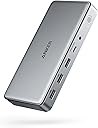
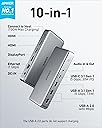
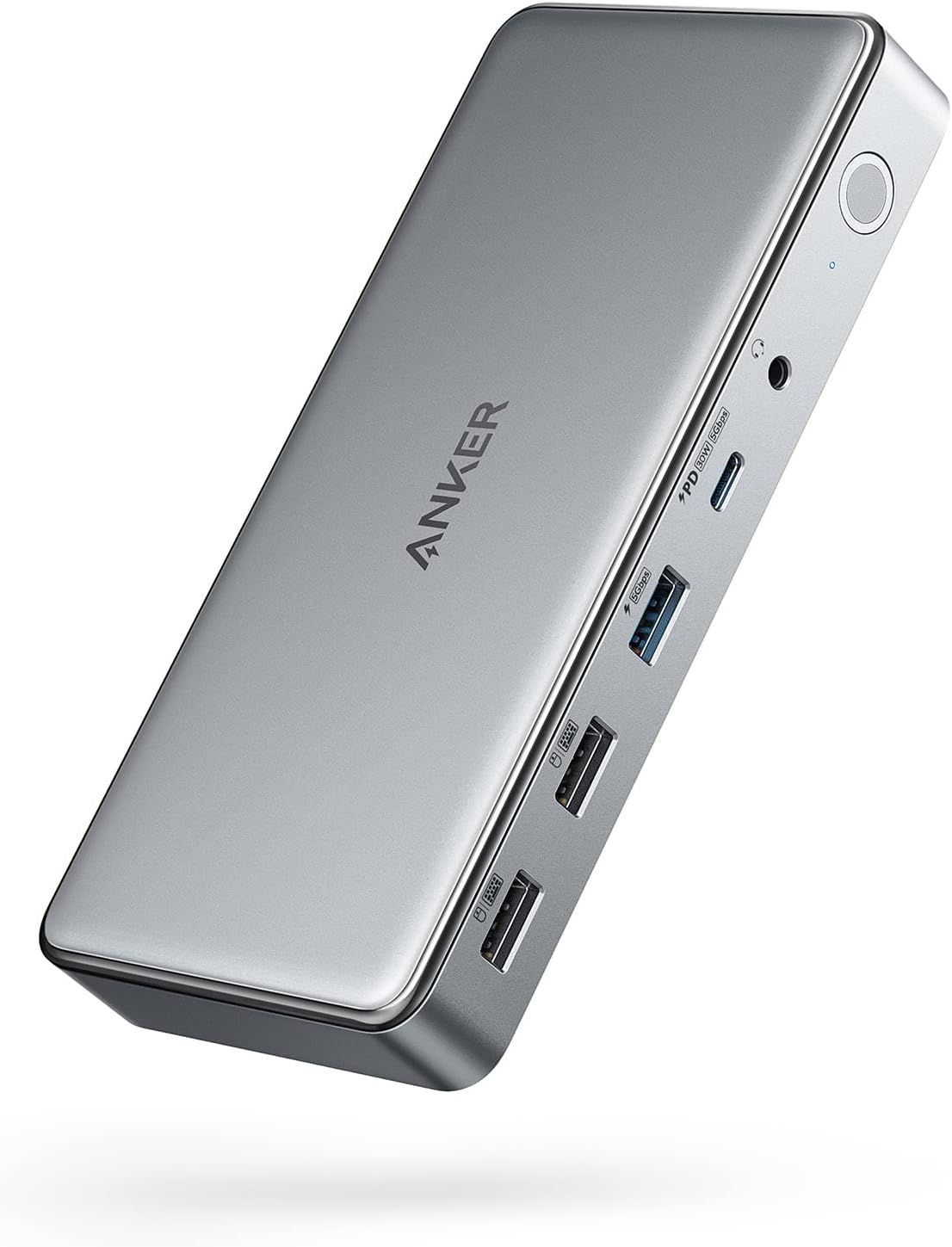
The Anker 10-in-1 USB-C Docking Station is a powerhouse hub designed for professionals craving seamless connectivity. It converts one USB-C port into dual HDMI, DisplayPort, Ethernet, multiple USB ports, and more, supporting up to 100W fast charging and triple monitor setups with DisplayLink technology. Compatible with MacBook Air/Pro and major Windows laptops, it’s the perfect upgrade for a clutter-free, high-efficiency workspace.


| ASIN | B09XH3PD25 |
| Best Sellers Rank | #2,286 in Electronics ( See Top 100 in Electronics ) #27 in Laptop Docking Stations |
| Brand | Anker |
| Color | Gray |
| Compatible Devices | Lenovo ThinkPad,Dell XPS,Microsoft Surface,HP Spectre,MacBook Pro 13,MacBook Air 2020 |
| Customer Reviews | 4.0 out of 5 stars 690 Reviews |
| Hardware Interface | USB Type C |
| Item Dimensions L x W x H | 6.7"L x 3.15"W x 0.96"H |
| Manufacturer | Anker |
| Mfr Part Number | A83951A1 |
| Model Number | A83951A1 |
| Number of Ports | 10 |
| Product Dimensions | 6.7"L x 3.15"W x 0.96"H |
| Smart Home Compatibility | Not Smart Home Compatible |
| Total Number of HDMI Ports | 2 |
| Total USB Ports | 10 |
| Total Usb Ports | 10 |
| UPC | 194644099756 194644099909 |
| Warranty Description | 18 month |
| Wattage | 100.0 |
N**H
Powerful Dock for Triple Screens, Just Be Ready for Setup
I’m a big Anker fan and this docking station mostly lives up to what I expect from them. The biggest reason I bought it was to run triple screens off my Mac, and it actually delivers on that, which isn’t always easy to find. Once everything is up and running, it works great. Displays are stable, connection is solid, and it really cleans up my desk with a single cable setup. Build quality feels premium too, like most Anker stuff. The one downside is the driver situation. You do have to download and run software to get full functionality, which isn’t ideal. It’s not hard exactly, but it does add an extra step and I could see less techy people getting a little confused. I had to poke around a bit to get it all working right. After setup though, no real complaints. It does exactly what I need it to do and does it reliably. If you want triple monitors on a Mac and don’t mind a little setup, this is a really solid option.
A**P
Awesome Docking Station for Mac and Windows
This has been one of my best purchases. It works seamlessly between my work laptop (Windows) and my personal laptop (Mac). It’s super easy to setup and I can finally use dual monitors for my MacBook (2017). It’s high quality, connected immediately, and definitely worth every penny.
L**R
Its a no for me
I really want to like Anker products, but they strike out for me more than they win. This dock is not great. First, you have to have DisplayLink installed on your computer, which makes no sense because it doesn't do anything different than your built-in display settings. The Ethernet port isn't a true 2.5G. I get download speeds of 700-900, and upload speeds of over 2300 (I have 3 GB). There is a bottleneck somewhere in the download speeds, but Anker claims it is not the dock and that they've tested this with the exact two laptops that I currently use, and they have no issues. When I remove the monitors and just use the dock for Ethernet, the speeds do not change. When I remove the Ethernet cord and plug it into an external 2.5G plug, I get full up and down speeds. The dock itself doesn't seem to fully support two monitors. Intermittently, it will lose monitor connection, and my monitors and the dock will start flashing. I have to then unplug and plug the dock back in to get it to reset itself. All in all, it is NOT worth $200+ and does not do what the specs say it does. It looks sleek, has a good number of ports and charging capabilities, and a decent interface, but my biggest issues are the bottlenecked download speeds and the intermittent connectivity with my monitors.
T**N
Great upgrade for a multi-monitor desk
I picked this up for my work-from-home setup, and it was mostly plug and play. I did run into a small issue at first where my laptop wouldn’t connect to the monitors, but after updating my laptop software, everything worked as expected. I use this dock to run three monitors, and it’s been reliable with no lag or display issues. The build quality stood out right away—it feels sturdy and well-made, not flimsy like some other docking stations I’ve used. I also appreciate the number of ports available. I regularly plug in my phone and AirPods at my desk, and it’s convenient having everything connected in one place. I picked this up during a Black Friday sale, which made it a great value, and it’s now an essential part of my WFH setup. If you need a solid, well-built dock for a multi-monitor setup, this one has worked well for me.
J**O
Will Buy Agian
PROS: Using on my mac mini and works great. Just download the software and it does everything i need it to do! Charging on the front or Data transfer and makes it very easy instead of having to get up and move everything around to plug something in. Cons: Make sure you have Free space on your HD. I was making data transfers and my mac HD filled up to almost full. about 2gb left and it turned the screens off. I had plug everything back into the mac to finish the job and then put back into the dock.
H**O
Not great out the box but rocks once set up to preference!
Had to fuumle a bit with the settings and the updates, downloads etc.. It also made my Apple magic mouse very slow. Solved with a console command. Also had to search through trial an error the best reosultion x Refresh rate combination. Once the set up is done (Took me like 20 minutes) it works amazingly and even has 3 super fast charging ports in front. An all rounder devce to make the centerpiece of a setup! Display link connection is great, and had 2 other HDMI ports to boot. You can also tell the materials have a certain quality and weight that feels premium, just like its price.
K**E
A Warning to Macbook Pro Professional Users
This is a VERY Honest review and should be a warning to anyone looking to buy this for Macbook usage. My setup: I have an M2 Max Macbook Pro with 2x 4k 120hz monitors and 1x 2560x2880 LG DualUp 60hz programming monitor. I consider my use case to be the a power user setup but by all means not as hard as pushing 6k or 8k. TLDR: If you need more displays no matter what. This is for you. If you need a high performance product, run away. I will be segmenting this review into a few points: Capability, Style, Performance, Practicality Capability: This device is very "Capable" meaning it can theoretically do quite a bit. So many ports and settings. You'll love that idea. It can deliver more than enough power to all your devices. Its going to work with all your devices with no issue on compatibility. Noise level isn't an issue as I have never heard the fan kick on. Style: The Best part of the device is that its probably the best looking dock under $400. Performance... : This is the part of the review that gets bad. ALL DISPLAYS RUN THROUGH DISPLAYLINK. This means every display needs to be encoded by your computer before its sent to the Anker, which then decodes it for the display. You are not interacting realtime with the display. Its essentially a streaming video. Here's why this is bad: 1. If you are sensitive to crawling compression artifacts in small details, you'll see it when there is motion. 2. If you are sensitive to motion clarity, you'll see jutter. No matter what. 3. If you are sensitive to gradient color banding, you'll see it. Its like going from 10 bit to 6 bit with dithering. Once you see it, you cant unsee it. It gets worse the higher the refresh rate you select as well. Compression reasons. 4. If you are mouse lag sensitive, you'll see it immediately on displays connected and not connected to the Anker (if you have any higher resolution displays above 1440p). Mouse lag is not as bad on directly connected to macbook displays but anything running through the Anker will be minimum 100ms+. 5. Even if you run only a portion of your displays through the device, your laptop will be constantly under load. 6. Due to the constant "screen sharing" nature of this product, you'll always see the screen share icon at the top and if you even try to do any other screen sharing such as sharing the display over Teams, OBS, Discord, Teamviewer or any other features that requires streaming the display, YOUR COMPUTER WILL CRAWL. The slowdown is so intense. 1-2 FPS intense. 7. All advanced monitor features (like HDR, Variable refresh rate, ect.) simply dont work because MacOS is seeing an emulated version of your display which comes with display color profiles and resolutions but thats it. I have to run the displays going through the Anker at 60FPS which at this point only 2 monitors (LG DUALUP and 1 4k monitor) and its still the most degradation of daily performance I've ever seen. If this was less than $100, it would be tolerable for most power users but for me, if I want to use higher refresh rates, I just cant without the computer becoming essentially unbearable. As an entrepreneur, this has probably annoyed me so much it lost me more money than the device cost. Do yourself a favor if you have a M series Pro or Max trim Macbook Pro, get a thunderbolt specific dock because the displays wont be delivered with any lag or missing features. The best part is that those docks aren't always more expensive either. With this dock, you are paying for capability, not performance.
O**O
Best dock I've ever used
I got this on sale during black friday to replace an old Dell dock that only supported a 4k monitor @ 30 Hz (FPS). I'm happy with it. I have a 4k monitor running at 60 Hz now as well as an 2nd, 1080p screen @ 60 Hz (that's all the monitor supported -- the dock can go higher). I tested a 1440p monitor and it was able to go to 100 Hz as advertized (monitor supported 165 Hz). There are a ton of ports including 3 front facing USB-C. As far as getting to to work, I tried a laptop and a desktop that both had Windows 11 installed, but had never connected to a displaylink device and they downloaded and installed the driver automatically. The desktop didn't have another monitor attached and after booting a few minutes later the screen started working. Completely painless for an already existing system. If you need to get into the BIOS / firmware it seems like you will need to connect a monitor directly. I didn't buy it to game on, but the desktop has an older Nvidia 1650 GPU that was used to render the video and display on either monitor and it was pretty close to native. It's pretty pricy at regular price, but I'd still buy it. For black friday pricing I'm extatic with the purchase.
F**T
Delivers three display screens on an Apple M1 MacBook Pro
Unit is surprisingly heavy but very neat. Software download was simple and easy (restart required). Simple and quick to set up, no fettling or faffing necessary. Overall a great purchase and excellent product.
P**S
Best Mac dock !
The Anker PowerExpand Elite DL7400 powers my ultimate 5-screen Mac setup flawlessly: a 34” ultrawide at 3440x1440 for main workspace, two 27” monitors for references and tools, the MacBook screen for quick checks, and iPad Pro via Sidecar for notes—all running smooth at high refresh rates with zero lag, flicker, or dropped frames across both MacBook Pro and Air. No compression artifacts or stuttering during heavy multitasking like code editing, virtual machines, and browser tabs. The 3 USB-C ports completely replaced my old charging station—they deliver fast 100W PD to keep laptops topped off during 10+ hour sessions while powering hubs, external drives, and accessories without a single dropout. Its compact aluminum design makes my desk clean and modern. Perfect macOS dock—game-changer for productivity.
N**R
Excellent Docking Station
Solid build quality and very reliable performance. Handles multiple displays smoothly, charges fast, and keeps my desk setup clean with all ports in one place. Works exactly as expected and feels premium.
B**R
Neat and Very Useful Tool
Straight forward to connect to the laptop. Like the fact that it doubles up as a power adapter for the laptop. All my connections in one tidy area - well recommended.
S**T
Best docking station for home office
Works great, plug and play. Cleaned up my desk from all the cable clutter.
Trustpilot
1 month ago
3 days ago