🔍 See the unseen, fix the impossible — your ultimate inspection sidekick!
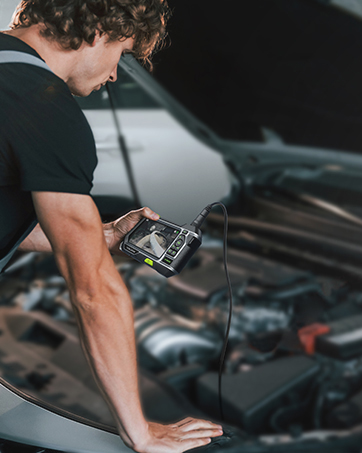
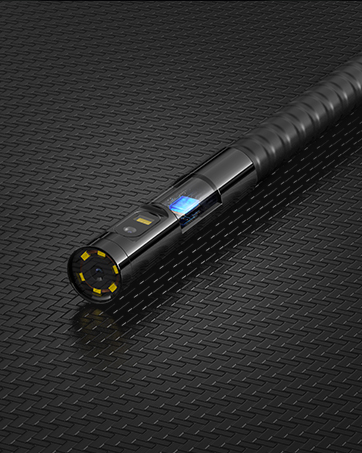
The Teslong 3rd Generation 5MP Auto-Focus Endoscope combines ultra HD 5.0MP imaging with smart autofocus technology and a 16.5ft waterproof semi-rigid cable. Compatible with Android (OTG), Windows, and MacBook via USB, it features adjustable LED lights and versatile accessories, making it the professional’s go-to tool for detailed inspections in automotive, plumbing, HVAC, and industrial applications.


| ASIN | B07HVT2XZL |
| Aperture Modes | Automatic |
| Aspect Ratio | 4:3 |
| Audio Recording | No |
| Autofocus | Yes |
| Best Sellers Rank | #87,292 in Industrial & Scientific ( See Top 100 in Industrial & Scientific ) #234 in Borescopes |
| Brand | Teslong |
| Camera Flash | Built-In |
| Color | black |
| Compatible Devices | Android smartphones with OTG function, Windows PC, MacBook |
| Connectivity Technology | USB |
| Customer Reviews | 4.0 out of 5 stars 379 Reviews |
| Effective Still Resolution | 5 MP |
| Exposure Control Type | Automatic |
| File Format | JPEG |
| Flash Modes Description | Automatic |
| Flash Type | Internal |
| Focal Length Description | 0.7inch to 100ft |
| Focus Type | Autofocus |
| Hardware Interface | USB |
| Has Self-Timer | No |
| ISO Range | 100-1600 |
| Item Weight | 0.46 Kilograms |
| Light Sensitivity | 100-1600 |
| Macro Focus Range | 0.7inch |
| Manufacturer | Teslong |
| Maximum Focal Length | 30500 Millimeters |
| Media Type | ProductImage |
| Photo Sensor Resolution | 5 MP |
| Photo Sensor Technology | CMOS |
| Sensor Type | CMOS |
| Shooting Modes | Automatic |
| Video Capture Resolution | 2594x1944 |
| Viewfinder Type | LCD screen |
| Water Resistance Level | Waterproof |
T**R
High Resolution, Low Price for an Autofocus Scope
Buying this was a learning experience about this device and endoscopes in general. This scope's plusses are high resolution and automatic and close-up focus. But its lack of a wide viewing angle means having to reposition multiple times to get a view of a wide area. Its less rigid cable makes that difficult, but there's a workaround. (Update: After two years, I'm really glad I got this. I don't use it often enough to justify paying more, but every once in a while it makes an impossible job easy. My original review below talks a lot about the viewing angle, but I made it sound worse than it is. Its critical features are autofocus, which cheaper scopes don't have, and good illumination.) An endoscope seems like an attractive solution to viewing an inaccessible area. Just push it in and look around, right? Well, it's not that simple. I learned this trying to view a ceiling space through a light fixture hole using an Android tablet. The difficulties included finding a good app, placing and positioning the device, and getting a good view. I used ShenYao's USB camera Android app. It has multiple adjustments, touch zoom and pan, and respectfully unobtrusive ads. The Android app from this scope's manual couldn't find the camera. (Their Windows app worked OK.) Several "endoscope OTG" apps I tried were a morass of adware, despite 4.5+ ratings and thousands of reviews claiming "ad free". The camera's viewing angle is only about 55 degrees, creating two problems. One is that viewing something requires more exact positioning of the camera, and viewing a larger area requires repeatedly moving it. If the camera has to be pushed somewhere, the lack of rigidity in the cable makes it harder. Also, the image will be randomly rotated. A fix for all of these was to tape the camera into a cradle made from a vinyl coated wire coat hanger - see photos. It was easier to push into position, and the hook on the other end of the wire kept it level. (The camera case needs a mark at the top of the image.) The lack of wide angle also reduces the depth of field. The autofocus helps, but it takes a few seconds to focus, during which the camera has to be held steady. It shows sharp images as close as half an inch, making this a good camera for viewing and working on small objects. In dark areas, exposure is an issue. The light illuminates whatever is close to the camera. If you want to see something further off it will be dark. The apps have some brightness adjustment, but it would be helpful to find an app that could adjust the exposure by touching the desired spot. If I had to start over, I'd pay more attention to a wider viewing angle. But I might still wind up with this high resolution autofocus camera.
S**E
Auto Focus Works Very Well
I bought this unit after I could not find the endoscope I had purchased about a year ago. This scope is far better than the one I couldn't find, and if I do find it, it's going on Craigslist. There are two primary reasons. One - the autofocus is works very well. With my old scope, I had about a 2 inch focal length. This means that one can only see about 2 inches away with clarity, making it difficult to gain an overall view of your search area. With this endoscope, I can look at objects as far away as 15 inches and that means it's possible to see the overall scene before coming in for a closer look. For example, I was looking for a collapsed spot in a 4 inch sewer line. I was able to clearly see the entire sewer pipe as I inserted the scope, then was able to take a closeup look where the pipe had collapsed. Two - Very good image quality, much better than my old scope. I don't know what they mean by 5 MP but the resolution is more than satisfactory. I gave a three for ease of use. First, the endoscope is very stiff. I understand that it needs to be stiff to push 16 feet of scope wherever you want it to go. My old endoscope is the same way so this is not a product complaint, just noting that it can be challenging to get this to go where you want if there are curves and bends. And second, while the Android software works, you have to download an ad laden app, then apply a code so that it works without ads for this product. I would much rather see an app in the store, ready to download, without getting a third party app. For Win 10 the camera app that comes with the OS works fine although it doesn't offer many image manipulation options. I've not tried the available Windows apps since the Camera app met my needs on my Surface tablet.
S**E
SECURITY BREACH?
Never ever ever install an App from an untrusted location. Do you see the instruction? It say to download an app from (a) who knows what website and (b) the site connection is HTTP instead of HTTPS (i.e. not secured). The Windows App is blocked by multiple anti-virus software categorizing it as "Potentially Unwanted Application". That means the Windows App may be misleading and have unwanted behavior, including being spyware. I didn't risk launching it. Thus, who knows what the Android App can be. Then, if you visit the Teslong website, you can't find any app download links. You can find the links only in the manual (you can download the manual from the Teslong website as well). Putting all together, I suspect a potential misleading intent in the supplied Apps. Otherwise, the product has good video quality, and auto-focus works perfectly as advertised.
R**A
Besides Software Great!
This borescope was very useful in helping me find the reason my pipe was jammed and I see future uses in which I can use this borescope but the issue is the software isn’t that great and overall is kind of finiky. Positives: - Easy to Use once it starts working - Case is very helpful for storage - Differnt accessories for differnt purposes, like if a ring gets stuck in a pipe then you can use the hook or magnet to take it out - long so it can go into multiple places - Works on android devices and Devices running windows - Camera is really clear - Led light is on the camera so it can go into dark places - Water resistant Negatives: - Even with a USB C adapter the connection is lose and still needs to be reconnected sometimes - Software is not great on android but there are differnt applications that serve the same purpose so go look around - Does not work on Apple products such as an iphone or iPad which sucks because I have an iPad Pro and I can’t use it on there Predictions: -Software should get better overtime Final Decision? I’d recommend this. Even so there are some underlying issues, these issues will consist with basically almost all the other borescope on the market around this price range. Overall this is convenient and I like it !
B**S
Great value
This camera works well. Price is right. Good build quality. Just plug in the USB cable to your phone after installing app (comes with USB type C adapter) and it fires right up. takes great photos and video. the auto focus is a little finicky but works pretty well. Long enough cable to go down roof vent and see drain connection to toilet in floor below. My biggest gripe is that the light is only bright enough to light the pipe immediately in front of the camera, would be nice to be able to see a bit further ahead of the camera.
W**S
Highly recommend, autofocus works perfectly
Been searching for this since I bought my first endoscope (another maker) which was fixed focus about 1/2 inch from the lens. Autofocus on this model works perfectly. I can examine unreachable objects from any distance. 5 MP lens gives great images. Works perfectly with my Windows laptop. Couldn't get the Google Play Teslong HD Camera app to work on my Note 9 but that was a permission issue. Couldn't grant camera permission to it no matter what I tried. Finally downloaded the apk from the site in the instruction manual and it works. USB C adapter gives a flimsy connection, probably will wrap it with tape if I use this with with my phone. This is a superior product for the price, if I ever need another I will definitely buy this brand. Note I did not try this as a borescope, no idea how useful this would be for pipe inspection but that's not what I bought it for. The cable is semi-rigid so it's much easier to maneuver in tight spaces. Yes, this is a real review. No one gave me anything or even asked me to write this review. Wayne Davis
T**7
Better than others, still rough going
This is a tricky review to write: it depends on your frame of reference. Compared to other consumer-grade borescopes (based on my limited experience) this Teslong model is a significant step up in build quality, picture quality, and functionality: 5 stars right? On the other hand, compared to the experience I'd like and expect to have, there are several disappointments which make me want to leave 1 star. I'll split the difference at 3 stars. Here's the bad stuff: 1. [ App availability ] Although a 1st party Teslong app exists, I could not install it on my stock Android (Pixel) up-to-date phone for a long time. Apparently, something about the app made Google Play believe it was incompatible. While this was eventually resolved, it did force me to get by with different OTG photo/video apps in the meantime, most of which were total garbage full of aggressive ads and lacking basic functionality. FYI if you also cannot install the Teslong app: the least-bad of these 3P apps seemed to be "OTG View" 2. [ Reliability of phone/app connection ] If I plug this into a computer I can use it reliably with camera apps, but I want to use this on the move-- with my phone. Unfortunately, even with the Teslong app installed on my up-to-date stock Android phone, the connection between the app and the camera is highly fragile. The app seems to lose connection with the camera at random several times per minute. The app will be showing the camera image, then switch to a message that you need to connect the camera, and a few seconds later start showing the camera feed again. This is incredibly frustrating. 3. [Reliability of operation ] Sometimes after I have been using the camera for a few minutes, it will stop working and the LEDs will just flash a few times. I assume this is some kind of overheating tripwire or something similar, but it is not a great experience. Trying again later in the day it will usually be working again. 4. [ Reliability of auto-focus ] I've had trouble getting it to focus on items less than a foot away. I can see the camera is trying to focus, but often it will bring focus to some objects in the background of the frame, while the object in the foreground remains blurry. It seems to be a problem of depth or object detection. When the auto-focus does manage to focus on my foreground object, the picture can be impressively sharp.
P**K
Great nozzle cam for 3D printing!
I had an extremely cheap borescope/endoscope before that I mounted up to my 3d printer, and while the video was cool, it was low quality and out of focus due to the fixed focus distance. With this one, I mounted it, and then opened camera controller to set the focus distance and disable autofocus, and it looks fantastic. I've attached a clip to see for yourself!
Trustpilot
2 weeks ago
5 days ago