🚀 Elevate Your Display: Touch Innovation That Commands Attention
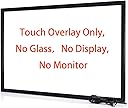
The Chengying 42 Inch 10 Points Multi-Touch Infrared Touch Frame is a sleek, driver-free USB touch overlay designed to convert any compatible 42-inch display into a responsive, multi-touch interactive surface. Supporting 10 simultaneous touch points with a rapid 10ms response time, it offers plug-and-play compatibility across Windows, Android, and Linux platforms. Ideal for professional environments like boardrooms, digital signage, and education, this ultra-thin infrared frame enhances user engagement without the need for a built-in screen.


| ASIN | B07H5P6VY4 |
| Additional Features | Touch pointing device, No monitor No screen |
| Aspect Ratio | 16:9 |
| Best Sellers Rank | #23,977 in Electronics ( See Top 100 in Electronics ) #659 in Computer Monitors |
| Brand | Chengying |
| Built-In Media | USB port |
| Color | Black |
| Compatible Devices | Computers (Windows OS), Poly Conference System |
| Connectivity Technology | USB |
| Customer Reviews | 4.1 out of 5 stars 480 Reviews |
| Display Resolution Maximum | 32768*32768 |
| Display Technology | NO DISPLAY, TOUCH FRAME ONLY |
| Hardware Connectivity | USB 2.0 |
| Has Color Screen | No |
| Manufacturer | Chengying |
| Model Name | CYS-42-p10 |
| Model Number | CYS-42-p10 |
| Mounting Type | Wall Mount |
| Native Resolution | 32768*32768 |
| Number of Component Outputs | 1 |
| Power Consumption | 2 Watts |
| Refresh Rate | 450 |
| Resolution | 32768*32768 |
| Response Time | 10 Milliseconds |
| Screen Finish | Glossy |
| Screen Size | 42 Inches |
| Screen Surface Description | Glossy |
| Series Number | 10 |
| Shape | Rectangular |
| Specific Uses For Product | Education |
| Total Number of HDMI Ports | 1 |
| Total Usb Ports | 1 |
| UPC | 673169391489 |
| Voltage | 5 Volts |
| Warranty Type | fixed warranty (1 year) |
J**M
Seamless Touch Functionality for Enhanced User Experience
As a user seeking to enhance the functionality of my monitor, I recently acquired the 32-inch Multi-Touch 10 Point Infrared Touch Frame, and I must say, it exceeded my expectations. Installing this touch overlay was a breeze. It seamlessly integrated with both my Windows 10 and Linux systems without the need for any additional drivers. The plug-and-play functionality made setup hassle-free, allowing me to start using the touch features right away. One of the standout features of this touch frame is its impressive accuracy, especially considering the size of the screen. Whether navigating menus, selecting options, or engaging in touch-based interactions, I found the touch response to be consistently precise and reliable. It truly enhances the user experience, making tasks more intuitive and efficient. I've found numerous uses for this touch frame across various settings. From education whiteboards to conference touch machines, digital signage, and interactive kiosks, its versatility knows no bounds. Whether for personal or professional use, it offers endless possibilities for enhancing interactivity and engagement. The 32-inch Multi-Touch 10 Point Infrared Touch Frame is a game-changer for anyone looking to add touch functionality to their monitor or display. Its ease of installation, precise touch accuracy, and versatile applications make it a worthwhile investment. I encountered no drawbacks or cons during my experience with this product, making it a standout addition to my setup. Pros: Effortless installation and compatibility with Windows 10 and Linux Impressive touch accuracy for a seamless user experience Versatile applications across various settings Cons: None observed
T**E
Love it! Works great!
I bought this earlier this year and it was very easy to install. It works perfectly as advertised and has never messed up. Works perfectly. Very responsive. I was actually surprised it came together as planned and worked as I had hoped. I’m very surprised actually. The sticky has never even messed up that adheres the panels onto the frame. Very tight and not loose as I had a feared over time. They have maintained their sticky. But to be sure… just make sure you wipe down your tv or monitor frame real good that you use it on. I have a 50 inch Toshiba tv. I can use it for about anything(software) I want and have tried to pull up on the screen. As you can see I have TradingView up now for my cryptos and it works just fine. You can see I have 8 charts up and my watchlist to the right. The scrolling and the touching… precision perfect! I definitely have confidence in this and will buy again for other uses with other computers. I don’t think you can have multiple screens per computer though. I have Windows Professional 10 on this computer. Very happy with the purchase and it was worth it.
R**O
Good quality. 100% Recommended!
Work as expected. Sent in a very strong package to protect the product during the ship. Even the double face tape is supplied with the frame. 100% Recommended!
T**N
Does Not Work! Waste of $350.00!
I bought a 75" touch frame...$350.00+ down the tubes! It does NOT work! I've run the calibration utility program which reports errors and has a diagnostic function...and saved the files and did screen shots and sent it all to their support email. They replied that they had no idea what the error code and diagnostics meant! They suggested that I remove it from the TV and put it on the floor and test it there. I did and checked all the joints and connections. No change. No workie! It's out of return and warranty so no help there! I really have a problem with a company that makes a product, it does not work, and they cannot figure out what the error code is! This is really poor customer service. So it has to go into the trash. And I will try another company, a competitor, with a smaller touch screen frame since I cannot afford a big one right now. I do not recommend this product from this company.
J**L
Does what I purchased it to do.
I ordered this to use for small meeting sessions. I wanted to be able to control a computer from a large screen. I ordered a smaller one because I had an extra 40" TV and I wanted to test before I purchase a 60" setup. When received, it was as expected. It was very easy to assemble. In the instructions, mentioned was mounting this on/next to a glass "front". Problem 1: Most of today's TVs don't have a glass front, but instead a bezel making the screen sit back about 1/2 to 3/4 of an inch from where the frame is mounted. I will probably try placing a piece of plastic/glass between the TV and the frame just to test. Problem 2: I'm not sure where the original measurements for the design of the frame come from, but I tested fitting the frame to 5 different TVs from different manufactures, and it only just fit one (Samsung) correctly. On the rest, the frame was offset too much to function correctly. I guess you would need to make the frame sides adjustable, but I don't see any way this might be done. I did get the frame lined up and centered over the actual TV screen. I was using a Windows 10 laptop. All I did was plug the USB 2.0 plug into the laptop and an HDMI cable (I provided) into the laptop and TV, and it worked. When I moved my finger over the TV, the mouse cursor followed. The cursor was slightly off from where my finger touched the screen, but did follow my movements. I also was able to click etc. by taping the screen with my finger. Things I haven't tested but plan to; Multiple touch points, double tap shortcut menus, use with Google Chrome devices. For my purposes, it does function exactly like I expected. I wish there could be a some adjustments made to fit a TV better, but that would be difficult and undoubtedly raise the price. In most cases, test on the screen you plan to use for fit. All in all, a pretty inexpensive 40" touch screen for under $400, and it will do exactly what I need it to do.
N**O
Turned my 43" LED TV into a touch screen- win 11
This frame was as advertised. It was simple to assemble and works well with windows 11. It turned my 43" LED TV into a touch screen and was worth every penny.
C**R
Yes! This works!
First of all, the packing for shipment was extremely solid so the frame arrived in perfect condition. Assembly was quick and easy. All parts were very clearly labeled and the included instructions, were spot on. This was a 65" frame so installation needed two people to ensure that the frame was lined up with the screen. It mounts with double stick tape and this was the questionable part of the install. But plenty of tape was included and it is very sticky. So make sure that you have it lined up exactly the way that you want it because once it is on, it is not easy to remove. The frame itself is very light weight so the double stick tape holds it just fine. Note: there is NO GLASS in this frame. It is is infrared so you don't even have to actually touch the screen that the frame is mounted on. You merely need to break the infrared sensor for the frame to register a "touch". We turned a 65 inch LED television into a 65 inch touch screen monitor connected to a PC. The manufacturer has calibration software available on their website for easy download but it wasn't needed. The frame came perfectly calibrated. One last thing to note. The frame is about a half inch wide, so if the screen/TV you are mounting to is "Display to the edge", the frame will block part of the screen. So if you are running it as a touch screen monitor connected to a computer like we are, you may need to mount the frame lower so that the frame is not covering the bottom task bar of the operating system. If you are having doubts over whether this product will work, don't. It works!
J**R
Great fit on a 27" iMac, works but has issues
This is a really slick product, I like it overall. Assembly is straightforward if a bit manual; though I enjoy applying my own double-stick tape, others might prefer that it be pre-cut and pre-stuck. It turned an old(er) 27" iMac into a big touchscreen, which is fantastic. The iMac is too old to run the latest macOS, but it runs Windows 10 just fine, and the touch driver loaded automatically, I didn't have to do anything but plug it in and boot the machine. The only physical downside in this specific case is that the frame blocks most of the built-in iSight camera. I may try making a small divot across the top edge of the frame with a Dremel, but that's a bit dicey with the frame already installed. There are other downsides, though, that cause me to take away stars. With this frame installed and connected, the computer will not go to sleep, won’t turn off the monitor. Ever. Removing a star for this. Also, if you run multiple monitors in extended-desktop mode rather than mirrored (e.g., you want to use your computer for touch-screen-driven PowerPoint presos), there’s no way to tell this frame which monitor to control — and in my case, it inexplicably picked the non-primary monitor. Removing another star for this. UPDATE: It is possible to fix the wrong-monitor issue, so I’m replacing the star: https://superuser.com/questions/836416/windows-touch-screen-with-multiple-monitors-puts-cursor-on-wrong-monitor
Trustpilot
5 days ago
3 weeks ago