Buy anything from 5,000+ international stores. One checkout price. No surprise fees. Join 2M+ shoppers on Desertcart.
Desertcart purchases this item on your behalf and handles shipping, customs, and support to Indonesia.
🚀 Unlock Your World: Portable Powerhouse WiFi On-The-Go!
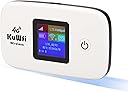
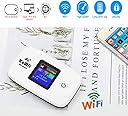
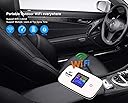
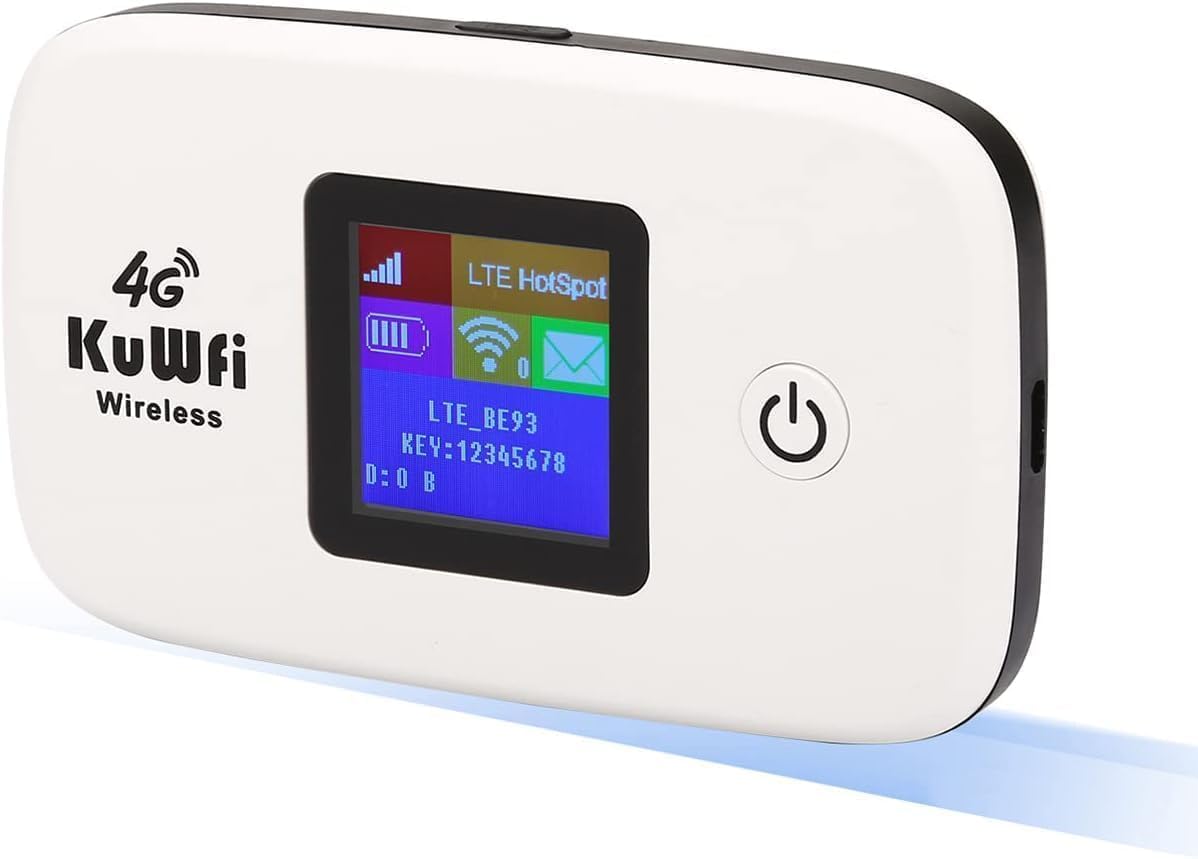
The KuWFi L100US is a portable 4G LTE WiFi hotspot router designed for seamless internet access on the move. Supporting multiple LTE bands (B2/B4/B5/B12/B17) compatible with AT&T and T-Mobile, it features a 2400mAh lithium polymer battery for long-lasting use and can connect up to 10 devices simultaneously. Its compact form factor and SIM card slot make it an ideal travel companion for professionals seeking reliable, high-speed connectivity anywhere without broadband dependency.


| ASIN | B079FNC379 |
| Antenna Location | Business travel, Outdoor activities, General travel |
| Antenna Type | Fixed |
| Best Sellers Rank | #22,261 in Electronics ( See Top 100 in Electronics ) #164 in Computer Routers |
| Brand | KuWFi |
| Built-In Media | battery, router, USB cable, User manual, TF card, SIM card |
| Color | Hotspot L100US |
| Compatible Devices | Smartphone |
| Connectivity Protocol | Wi-Fi |
| Connectivity Technology | Wi-Fi |
| Control Method | App |
| Controller Type | Android |
| Coverage | Up to 50 meters |
| Customer Reviews | 3.3 out of 5 stars 1,433 Reviews |
| Data Transfer Rate | 150 Megabits Per Second |
| Frequency | 1900 MHz |
| Frequency Band Class | Dual-Band |
| Global Trade Identification Number | 06919606416792 |
| Has Internet Connectivity | Yes |
| Has Security Updates | No |
| Is Electric | Yes |
| Is Modem Compatible | Yes |
| Item Weight | 0.16 Kilograms |
| LAN Port Bandwidth | 100 megabits per second |
| Manufacturer | KuWFi |
| Maximum Upstream Data Transfer Rate | 150 Megabits Per Second |
| Mfr Part Number | L100 |
| Model Name | L100 |
| Model Number | L100US |
| Number of Antennas | 1 |
| Number of Ports | 1 |
| Operating System | Android, Linux, Windows XP |
| Other Special Features of the Product | Internet Security |
| RAM Memory Installed | 4 GB |
| Router Firewall Security Level | basic |
| Router Network Type | 4G LTE |
| Security Protocol | WPA2 |
| Smart Home Compatibility | Not Smart Home Compatible |
| Special Feature | Internet Security |
| Unit Count | 1 Count |
| Voltage | 12 Volts |
| Wireless Communication Standard | 802.11n |
| Wireless Compability | 802.11n |
E**U
Not connected
Not work I was east Africa it’s not international motor not work so I want return
D**.
Could not get it to work.
I tried. I was hopeful. But it does not detect the sim card despite it being inserted. Sim was placed in another device to test and an it worked fine. A second sim was also tested in the unit with no luck. I followed then setup video and changed apn to match the settings for T-Mobile . No luck. Reached out to kuwfi for customer support. No response.
C**R
It works
It works fine once you change the setting to "LTE Preferred" as another review pointed out. Drawbacks: 1) case really hard to pry open but since I use it at home I leave the cover off, 2) instructions are barebones and in tiny type but you can download a 14- page manual online, 3)no battery charger included, but I already had a mini-usb charger at home. Speed is slow but that had to do with my cell carrier and other traffic on the cell tower, not a fault of this unit. Update: I had a problem with the device during the one-year warranty period (but after the one month return period and seller solved the problem to my satisfaction.
Z**N
Doesn't work in Nigeria
I read the reviews before buying it and someone says it works in Nigeria. Went to t-mobile to put Sims they said I should use the Nigeria Sims instead. Got to Nigeria they helped me put Sims but didn't bring any network and says the password was wrong or something. I didn't get to use it.. which sucks.
C**S
Poor poor quality
Product is very poor quality. Have only had it for 6 weeks, and it now refuses to charge, tried multiple cables and nothing. Was told nothing can be done for me, Wi-Fi signal is also very intermittent compared to other similar devices I have. Do not recommend
O**A
Died after 9 months of daily use.
It was good while it last in the 9 months that I left it plugged into the charger next to my desk. Luckily it managed to work when I first inserted the T-Mobile prepaid SIM card which is sold for USA use. To keep track of my data usage as shown on the tiny screen, it took me many months to find out how to reset the counter to zero whenever I change to a new SIM. Go to main menu, press bottom right corner "Reset" button. OR, press Router tab, then Reboot button. Shut down this router, replug and counter will show something like 3600 B, then gradually rise to MB and GB as you surf the web. If it doesn't reset to something close to zero, repeat the Reset buton process as described. To pay US$50 for 9 months use is pricey, so I have now moved to USB plug-in router which I got for US27. It has 4G but does not show LTE. However, although this KuwFi router displays LTE on the tiny screen, I still could not get any fast internet, very often sputtering when watching youtube movies, or just the CNN video news. I was willing to pay US50 only because it was difficult to find such a router which run easily on USA T-Mobile SIM card without the hassle of tweaking other brands. That is because most routers in USA default to AT&T cards, and only some wiz nerds know how to tweak them to run other brand carrier SIM.
A**R
It sounds good just waiting on my kid's to set it up
Looks good haven't tried it yet
I**L
An efficient team, complete and at a good price.
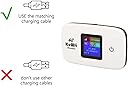
It is a compact and precise equipment for what anyone needs, to be connected. I recommend that you evaluate a lot the bands with which your service provider company works, so that you can get to use it without problems. We speak of a team that is set up very quickly and easily. If you do not know about the computer theme, it includes a small manual with everything you need to achieve your short configuration. The equipment comes in a compact box, with its USB cable, battery and instruction manual. To be able to charge it, you must have an identical device to that of mobile phones, with 5 voltages to achieve efficient charging. The first load that is left for 24 hours is what the manual and other users report, that way you can keep your warranty and take care of the useful life of your equipment. You can connect 10 computers at the same time, so you will not have problems to be connected.
J**S
Utulise uniquement avec une carte Chart dans la region de montreal
Utulise uniquement avec une carte Chart dans la region de montreal, alors sa compatibilite avec d autre fourniseur je l ignore, par le passe un autre appareil du meme fourniseur etais compatible avec lucky mobile... ce dernier ne semble pas en reconaitre la sim...(juste essayer quelque minutes sans insiste avec la carte dun amis ) alors pour la question il fonctionne ici aux quebec, aux moin avec le reseaux de roger-Chart mobile.
G**S
RECLAMACIÓN DE EQUIPO
EL ARTICULO VIENE RAYADO DE LA PANTALLA COMO SI TUVIERA USO PREVIO
S**D
Not sure how it even works
Instructions weren't very good. I couldn't even set it up to use it. Seeems like garbage to me so that's where I put it.
R**N
Would recommend
But this to replace a WiFi stick I've been using at my camo for security camera. My connection was always slow and would take forever for a camera to connect. Set this one up today, seamless connection with Rogers SIM card. Much stronger connection and cameras not connect in seconds. So far, seems to be a great little device. Will update should I have any problems.
K**S
Pretty nice device but it does have LTE connection issues
I like the portability of this device and the speed but I know myself and others on Amazon have issues with connection drops and signal issues even with moderate signal strength well, I work as a network technician and I know the exact cause for the connection drops and issues. It all had to do with the modem chip in the device that is also known as a cellular signal receiver which has issues on the LTE network and I'm with Bell Mobility in a strong signal area and this boils down to the specific LTE portion of the modem chip and I manually switched to "3G" WCDMA only and it works so smooth although the speed is not as fast as LTE for obvious reasons but at least I have a solid connection with no drops on 3G only mode. And I just wanted to let others on Amazon know about this and the fix for the issue. Kenny T From Ottawa Canada
Trustpilot
4 days ago
3 weeks ago