We remain fully operational. Our teams are working around the clock to ensure your deliveries continue safely.

DOWNLOAD THE APP


Copyright © 2025 Desertcart Holdings Limited
DOWNLOAD THE APP
Buy anything from 5,000+ international stores. One checkout price. No surprise fees. Join 2M+ shoppers on Desertcart.
Desertcart purchases this item on your behalf and handles shipping, customs, and support to Indonesia.
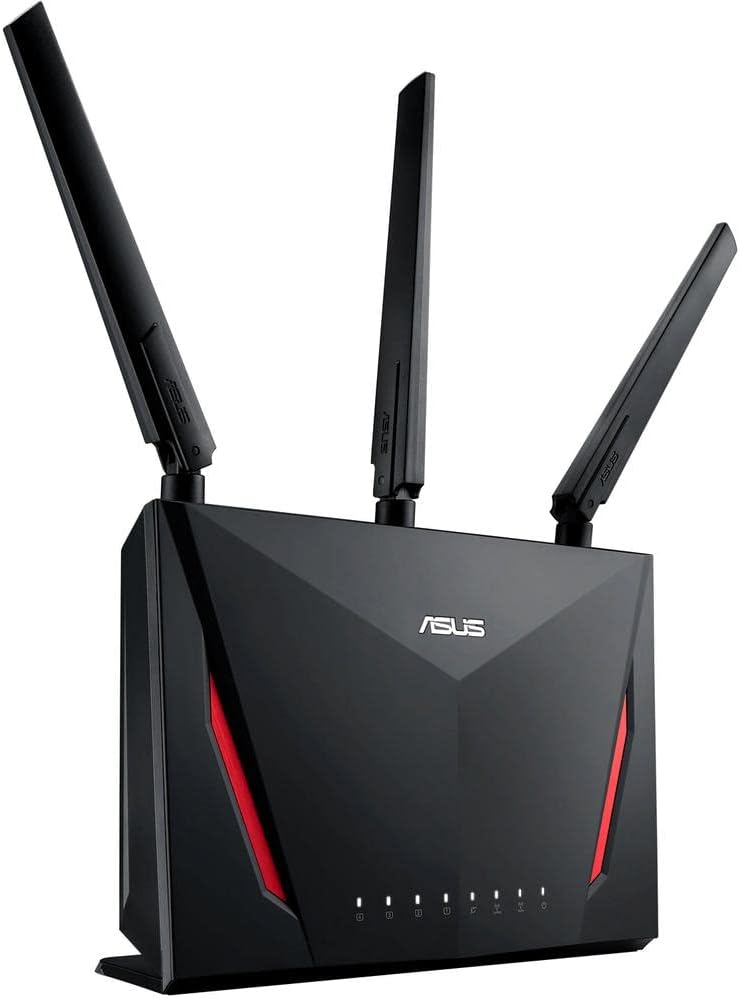
🚀 Level up your home network with ASUS AC2900 — where speed meets security and gaming domination!
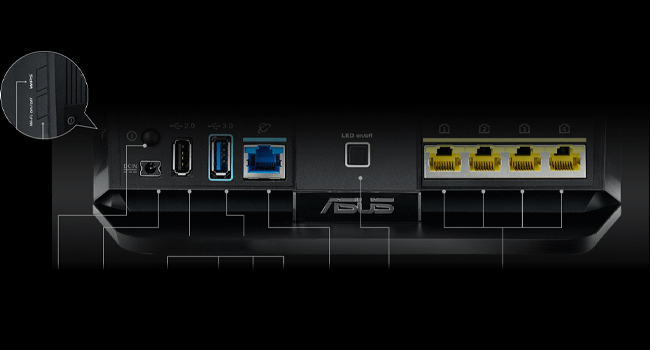
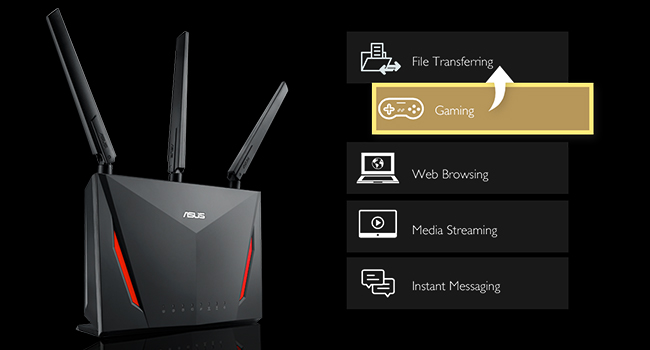
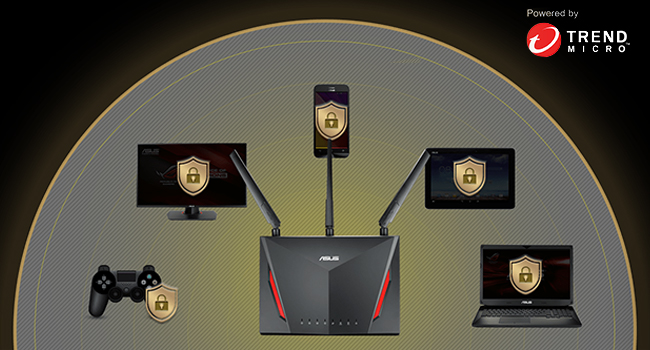
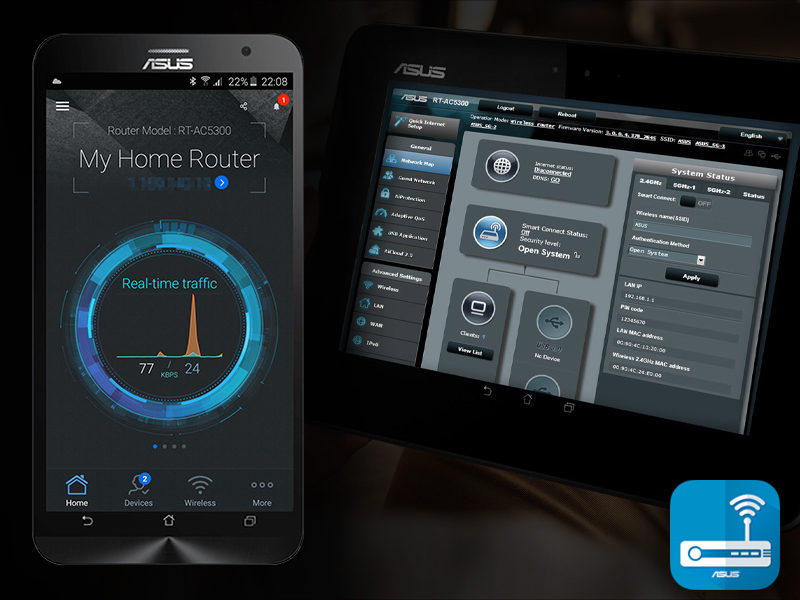
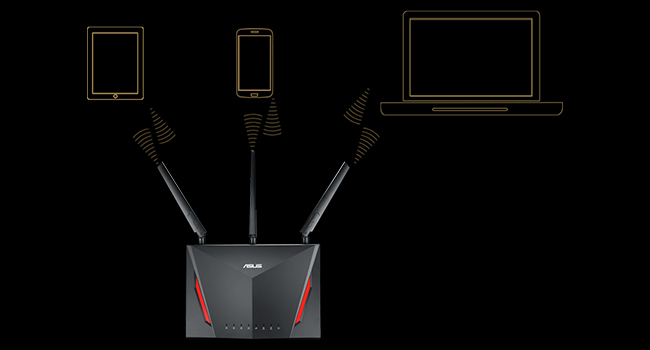
The ASUS RT-AC86U AC2900 WiFi Gaming Router delivers ultra-fast dual-band wireless speeds up to 2900 Mbps powered by a 1.8 GHz dual-core processor. Designed for gamers and streamers, it features WTFast game acceleration, adaptive QoS for lag-free performance, and AiMesh compatibility for seamless whole-home coverage. With built-in lifetime Trend Micro internet security and an intuitive ASUS router app, it offers robust protection and effortless network management for the modern connected home.







| ASIN | B0752FD3XJ |
| Antenna Location | Gaming |
| Antenna Type | Retractable |
| Box Contents | Quick start guide, RJ-45 cable, RT-AC86U networking router, power adapter |
| Brand Name | ASUS |
| Colour | Black |
| Compatible Devices | Personal Computer, Tablet, Laptop, Smartphone, Security Camera, Gaming Console, Smart Television |
| Connectivity Protocol | wi-fi |
| Connectivity Technology | USB, Wi-Fi |
| Control Method | App |
| Controller Type | amazon_alexa |
| Coverage | Improved wireless signal coverage with AiMesh technology and dual-band frequency |
| Customer Reviews | 4.3 4.3 out of 5 stars (16,264) |
| Data Transfer Rate | 2900 Megabits Per Second |
| Frequency | 2.4 GHz |
| Frequency Band Class | Dual-Band |
| Global Trade Identification Number | 00889349624609, 04712900663402 |
| Has Internet Connectivity | Yes |
| Has Security Updates | Yes |
| Is Modem Compatible | No |
| Item Dimensions L x W x H | 15.7L x 8.4W x 22H centimetres |
| Item Type Name | ASUS RT-AC86U Dual Band Wireless Router AC2900 WiFi with 4-Port Gigabit LAN, 1.8GHz Dual-Core Processor, USB 3.1 Gen1 and Aiprotection Network Security Powered by Trend Micro |
| Item Weight | 907 g |
| LAN Port Bandwidth | Gigabit Ethernet |
| Manufacturer | ASUS Computer International Direct |
| Manufacturer Part Number | RT-AC86U |
| Maximum Upstream Data Transfer Rate | 750 Megabits Per Second |
| Model Name | Ac2900 |
| Model Number | RT-AC86U |
| Number of Antennas | 4 |
| Number of Ports | 6 |
| Operating System | Windows® 10;Windows® 8;Windows® 7;Mac OS X 10.6;Mac OS X 10.7;Mac OS X 10.8;Linux |
| Other Special Features of the Product | Aimesh, Internet Security, LED Indicator, Parental Control, QoS |
| RAM Memory Installed | 512 MB |
| Router Network Type | Dual Band |
| Security Protocol | WEP |
| UPC | 889349624609 |
| Unit Count | 1.0 count |
| Voltage | 19 Volts |
| Wi-Fi Generation | Wi-Fi 5 |
| Wireless Compability | 802.11ac |
W**Y
Great Router, caveat on the seller
OK, first up I bought this from Hot Deals 4Less, what isn't clear when I purchased it from the seller was that they were based in the US. Shipping took longer than I'd have liked to the UK but the package did turn up duty paid at least. The issue from this seller if you're based in the UK is that the router is a US SKU and only comes with an American power supply. There are no UK or Euro adaptors included ( or indeed mentioned by the seller). The power supply itself is multi-voltage and I happened to have the necessary US to UK adaptor lying around so wasn't a major issue for me but others need to be aware if using this seller. I bought this router to work with my BT Infinity 2 package to replace a BT Homehub 4. Luckily it's just a case of plugging the OpenReach modem into the routers WAN port and looging in the the BT credentials. For me they were [email protected] with a password of BT. Range is much improved over the Homehub on both 2.4ghz and 5ghz bands I've been able to remove a second wireless ap that I was using to fill in some poor reception areas in the house. Throughput on 2.4ghz is a match for the homehub but slightly down on the 5ghz band tested using my Oneplus One in the same location. It's not clear to me why this would be the case but this router does utilise two 5ghz networks so I suspect it will be much better at sustaining any rate as the number of clients increases versus the homehub. It is rather large and somewhat imposing to look at, mine is in a study but I can imagine it looking somewhat out of place in a living room for example. The set up is very simple and the gui is probably the best I've ever used in a router. I've had some issues with disconnects but overcame these by not using the smartconnect option for wireless and removing wpa key recycling option. Others have reported the same elsewhere with the same fix, I'm sure a later firmware update may see this fixed but I'm happy seeing separate networks anyway. There are a complete myriad of options available from network attached storage to using 4g modem as a failover, it's all the router you'll ever need I'm sure.
E**O
Monster of a router
Fast delivery, was worried when I found out it ships from USA(after I purchased) but it arrived within a few days via FedEx with no duty or VAT to pay (rightly so) set it up last night, excellent traffic monitoring and wifi range, using as my main router with 1 RT-AC68U & 1 RT-AC66U as access points upstairs and in garden, running gigabit switch with about 15 clients all DHCP ETC NAS working great. Asus are the best! Getting 156-160mbps internet download speeds across all devices as well as gigabit transfer speeds across whole home network (wired) 802.11AC link speed shows as 1300mbps but in reality it does not transfer at that speed.
E**A
Excelente router, inicialmente lo compré por su gran alcance y para usarlo como access point, pero durante ese tiempo cambié de ISP (De Telmex a Axtel) y me actualicé por fin a la fibra óptica, y qué decir, el Módem/Router que te da Axtel es horrible, es común que a ratos las páginas no quieran cargar y debas actualizar la página para que termine de cargarla. Y como tenía este router, aproveché y pedí a Axtel me cambiara su módem a modo puente, de esa forma, el router administra toda tu conexión y el módem sólo se encarga de "Darte Señal de Internet", para quien quiera usar este Router de esa manera, el mismo sí cuenta con la opción de clonar la MAC, que es lo que piden los ISP para poner sus módems en modo puente. En mi caso, a lo mejor el router me queda grande, administra muy bien las conexiones, nunca me he quedado sin Internet, y eso que lo tengo conectado las 24 horas, pero la máxima velocidad que aguanta es de conexiones de 1 Gbps, cuando en México las más rápidas llegan a 500 Mbps, o sea, este router te aguanta velocidades hasta 2 veces más rápidas que la más rápida que tenemos en México. En mi caso funciona más que excelente con mis 50 Mbps simétricos. Como advertencia, a pesar de que el router se los notifique, NO actualicen el firmware, el que ya trae de fábrica es el más estable hasta la fecha, evítense dolores de cabeza. Y aunque creo no debo aclararlo, este router tiene configuraciones digamos "fáciles" para el usuario promedio, pero si no usarás muchas de las opciones, como filtrado de MAC, soporte de IPv6, control y disparo de puertos, DMZ o incluso asignar manualmente tus IPs, tal vez deberías optar por una opción más barata, en caso contrario, el router contiene todas esas opciones esenciales para alguien que siempre administra su propia red o incluso la red de una empresa. Llevo con el router ya 6 meses y hasta la fecha sigo muy satisfecho con mi compra.
A**A
Excelente módem-router proporciona una señal bastante potente, tiene un radio de alcance muy amplio, la banda de los 5ghz hace que funcione muy rápido, que se conecte a los dispositivos móviles y accedan al contenido de internet con gran rapidez, sea una página que solo contenga información escrita, para descargar software o ver una película, funciona excelente.
S**V
Before I start let me just say that wifi performance can vary depending on your home/apartment walls material and interference. I've read some great and some good reviews about the GT-AC5300. Some reviews say it's way too much money to spend and some say it's great in every way. At the end of the day, the only way to know what you will like is BUYING IT and TESTING IT for days. I ended up testing both the RT-AC5300 and the GT-AC5300 to see which one I liked more. I ended up sticking to the GT-AC5300 for some good reasons; hardware specs, tools and the awesome webui that I liked the most. I will go over the things I liked first and then what things I didn't find too great which was totally not a deal breaker at all. If 8 ports and gaming boosts with the different webui is not a thing for you then the RT-AC5300 is more than enough to support your network. Plus with the RT version you can get merlin firmware (asus alternative firmware that is a more minimalist approach which I really like. I spend a good time also on small netbuilder website and its forums to watch how the GT-AC5300 firmware improved over the past year. Hardware - This router has pretty insane specs. A 1.8Ghz CPU with 1GB of ram. This thing is like a gaming computer, pretty nuts. The bootup is a bit faster than the RT-AC5300. The 8 ports are one of the reasons I liked this one including the link aggregation. By the way, if you will not use this feature you need to turn it off so that you can use port 5+6 with different devices or they won't connect! I tested the network under heavy load with my smart TV doing netflix 4k along with my laptop transferring files to my NAS in the same time over wifi at over 75 MB/sec and the wife watching her youtube videos on her cellphone with zero issues. I do know that the GT-AC5300 and the RT-86U both have the newer wifi chips so that's nice. Connectivity - A neat feature are the first two gaming ports that I use for my two gaming stations. I noticed they get a little nice performance boost. Things just respond faster on the network, the web and gaming wise. Lovely feature. I also really like the dashboard webui that shows network ping and ping deviation. Another feature that I have yet to test but is really awesome is the VPN fusion where you are able to assign specific clients on your network to be on VPN. I attached speed tests I did on speedtest by ookla and dslreports.com. DSLreports one can vary as their servers aren't really the best but it shows that the QOS I setup works well so I have zero complaints there. Keep in mind that these tests can vary time to time depending on the server load. There are times you can have bit slower speeds which doesn't mean you have any issues on your end. Before I got these two routers to setup I actually had spectrum come out to improve my cable signal since the signal was too strong (I only have the cable modem I use in my apartment complex so usually they send stronger signals since most homes have more than one device). I was also getting more error logs in on my Netgear CM600 cable modem before the fix and after the fix I only would get maybe one T3 error in 3 weeks now instead of a few daily. Wifi range and speed are absolutely incredible just amazing. Gaming/Performance - I really love the gaming features of this router. When you combine the WTfast gaming network with the game boost for specific game like how I tested for Destiny 2 for PS4, you can get some pretty damn low pings in the low 10's. I really like also the game radar that shows you the servers that are close to you in your region. For the WTfast network, it only boosts one device for free which is perfectly fine as I mainly do online gaming more on the PS4. I used to play world of warcraft a lot on my PC but I quit that game a while back. Overall compared to the RT-AC5300 I like these small features that the GT version comes with that helps in small ways. Anything that helps to me is good in my book! Here are some other things I noted that weren't maybe the best about the GT-AC5300 which I can improve over time. Wifi radar. When I initially tried this the feature just did not work. I found out that you actually have to click the "start data collection" button to be able to scan the wifi in your area to get information.The information you can gather is quiet nice and can be useful. 5GHz-1 and 5GHz-2 Wifi performance. The two wifi bands actually have different performance. The 2nd 5GHz has better signal and performance than the 1st one. I verified this using the wifi analyzer app on my phone and the wifi radar app on the router. I disabled the 2.4GHz and will leave the 1st 5GHz for visitors/friends to use while I use the 2nd faster wifi band. I am using the latest firmware that is dated 9/19/2018 which has noted "fixed wifi stability issue." Not that I have any wifi problems or stability issues but that's kind of interesting. I sort of was hoping that maybe in future Merlin would support this router and make firmware for it but that is definitely not going to happen as the hardware is quiet different. That's all. Overall I highly recommend the GT-AC5300 if you really are going to use the awesome features it comes with, want the 8 LAN ports and better hardware specs. I am just in love with this router and it's awesome features.
S**R
Great router. Installation was a breeze. The Asus router app is intuitive and gets the job done. Compared to the router given by the ISP this one is phenomenal... Big boost in speed and coverage. Have two of them and linked to the app. Slightly on the expensive side for the features and performance. But a single router, well placed, can easily cover a large house.
R**B
While this is a great router from ASUS and everything now works perfectly, this purchase required the use of Google Translate as the initial setup is in Chinese. Once I'd figured out to use the translator, I could then change the language to English, update the firmware and now everything is fine. Given the price saving, this was a small inconvenience.
Trustpilot
1 month ago
1 month ago