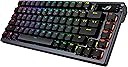
Just note, I'm a gamer, I don't do programming and all I do with my keyboard at home is chat with friends, play games or sometimes type up documents. I rarely use function keys like home/end/pgup/pgdn etc etc. I'm the type of guy that is ok as long as we have the F-keys and arrows keys available. I'm not a big backlit keyboard guy, nor do I really care of being fully customizable program or hardware wise. So I've been looking around keyboards, buying and returning, or keeping it and disliking it by the time the return window is closed for around a couple of years now. I've touched a few of the cheaper brands, the logitech wireless G915 low profile, Ducky Keyboards, and the Asus ROG Falchion. General review was logitech feeling sort of cheap, ducky keyboards were wired :'(( , Asus Falchion was way too compact for me (not an ASUS issue, just "it's not you it's me" issue) and the metal back plating reverbed with metallic sounds when typing. Ducky keyboards were honestly really good but they do not have any wireless options that I know of which, as a person who wants as minimal cords and wires visible on the desk, it was just a no-no. I couldn't settle myself to seeing the keyboard wire stretching all the way to the back of the desk, even with those aesthetic cords. I was hesitant on getting this Azoth keyboard as the Falchion wasn't that great of an experience. I preferred the cheap felt G915 over the Falchion, which I don't mean to disrespect either keyboards/manufacturers, but they both had their pros and cons. The G915 cons were more forgiving in comparison to the Falchion, but I just decided to give it another go for this keyboard and I definitely do not regret it the slightest. The Azoth keyboard is amazing on the physique, it feels really heavy and solid, the snow switch is quiet but has the most relaxing and satisfying tactile and audible feedback. They completely solved the issue of the backplate reverbing metallic sounds as they described and they really isolated the sound of the keys. The snow switches sound so soothing, I made my friend listen to the keyboard and she's the type to judge harshly, but even she was like, "Oh my god, that sounds so good." The keycaps feel pretty nice too, unlike the G915 I have. The G915 felt flimsy, as it was low profile, but there were reviews talking about the material and build for the keycaps. I did feel it was cheap but didn't think much about it. I used the keyboard for about 6 months and as I sweat a lot on my hands, it does give a toll on the keyboard. The w-key's black coating/paint was chipped and as much as it doesn't affect the performance of the keyboard, it was disappointing that the keycap coating chipped after not even a year. This Azoth keyboard definitely has a keycap that feels more solid and I definitely do not feel it'll be chipping anytime cause of my hands sweating so much. I'll update the review if it does go under my expectation but, I can already feel it's going to meet my expectation. The customization is really in-depth and there's a lot of lighting patterns you can customize to. The top right OLED display is pretty nice, kind of hard to see when you set your keyboard on the desk but that's whatever. You can put any picture you want on the top right display, which is pretty awesome. The control knob isn't bad, it's very easy to control but it'll probably take time for me to get used to. Yet, as earlier I explained, I haven't really checked in depth cause I don't really give a care for these but I'm pretty sure if you enjoy these details, you'll have quite a bit of fun. Battery life, I'll be honest, I fell in love with this keyboard the moment I started using it, I'm only on day 2 writing this review, so if I experience anything in the future, I'll come update but if there's no update, I'm probably still with this baby with no complaints for it being unreasonable. **update/1.5month - The battery life is long enough, I have the OLED screen on, dim backlighting on and I probably charged it maybe twice throughout this span. Definitely good battery life. They also have customizable keys, lubes and what not, so if you're interested in changing keys, lubing keys or doing customized keyboards, maybe this might be a good way to start since it lets you do some maintenance on your own? It seems to be a good introductory/starter kit for if your interested in the customizing the keyboard physically. Only a few cons I can think of right now, such as how the ArmoryCrate UI (the keyboard program on the PC) is pretty jumbled and hard to maneuver around in my opinion. The other one might be the connectivity switch being a small hassle because if you charge your keyboard while using it, the keyboard must be swapped to the wired setting from the wireless setting or it won't connect properly. Yes again, just have to get used to it and if the battery life is long, how many times will you be doing this procedure? Not much so depending the battery life, this QoL issue may be very miniscule. ***update/1.5month - It definitely is very miniscule, because of the good battery life and rather, it doesn't bother me that I have to change positions of the switch. There's three modes, wireless, wired, and bluetooth. I don't use bluetooth so I just had to remember two modes, the switch to the left is wireless, the switch centered is wired. *3months update: I found the one, is all I can say. I usually start looking around Amazon for different keyboards on the market because I feel there's something always better, but I've yet to browse the market. Which really says a lot because I feel I was always on the hunt for keyboards. It seems I found my one true keyboard before I found my one true love LOL.