Buy anything from 5,000+ international stores. One checkout price. No surprise fees. Join 2M+ shoppers on Desertcart.
Desertcart purchases this item on your behalf and handles shipping, customs, and support to Indonesia.
🚀 Upgrade Your Home Network Without Rewiring!
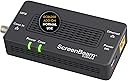
The ScreenBeam Bonded MoCA 2.0 Network Adapter Starter Kit (ECB6200K02) delivers up to 1 Gbps internet speeds by repurposing your home's existing coaxial cables for wired Ethernet connections. Ideal for 4K streaming, gaming, and remote work, it supports up to 16 devices on a single network with carrier-grade reliability. The kit includes two adapters, power supplies, Ethernet and coax cables, enabling quick, plug-and-play installation without the need for new wiring. Compatible with most routers and devices, it offers a cost-effective, high-performance alternative to Wi-Fi and powerline adapters.


| ASIN | B013J7O3X0 |
| Best Sellers Rank | 80,626 in Computers & Accessories ( See Top 100 in Computers & Accessories ) 541 in Network Switches |
| Box Contents | ECB6200 2 Pack |
| Brand | ScreenBeam |
| Brand Name | ScreenBeam |
| Color | Black |
| Colour | Black |
| Compatible Devices | Computer, Laptop, Router, Smart TV, Printer, Game console, Smartphone, Tablet, IP Camera, Speaker, Projector, Webcam |
| Compatible devices | Computer, Laptop, Router, Smart TV, Printer, Game console, Smartphone, Tablet, IP Camera, Speaker, Projector, Webcam Compatible devices Computer, Laptop, Router, Smart TV, Printer, Game console, Smartphone, Tablet, IP Camera, Speaker, Projector, Webcam See more |
| Customer Reviews | 4.4 out of 5 stars 2,683 Reviews |
| Data Link Protocol | Ethernet |
| Data Transfer Rate | 1 Megabits Per Second |
| Data link protocol | Ethernet |
| Global Trade Identification Number | 00789286808943 |
| Hardware Interface | Ethernet |
| Hardware interface | Ethernet |
| Item Dimensions L x W x H | 13.7L x 6.6W x 2.8H centimetres |
| Item Type Name | MoCA Adapter |
| Item Weight | 295 g |
| Manufacturer | ScreenBeam |
| Manufacturer Part Number | ECB6200K02 |
| Model Number | ECB6200K02 |
| Product dimensions | 13.7L x 6.6W x 2.8H centimetres |
| UPC | 789286808943 |
| Unit Count | 2.0 count |
A**R
A stunning result.
In my house, the UHF TV signal is distributed throughout the house by a 12 way distribution amplifier fed from a log periodic aerial in the loft. There is a restrictive covenant covering all houses on the estate that prohibits any aerials other than satellite dishes and these must be fitted below the roof line. My house is in a dip and out of sight of the transmitting aerial some 15 miles away. The signal can be intermittent and prone to distortion especially in certain weather conditions. To provide a good signal to the two main reception rooms I used an existing SkyQ satellite dish to receive Freesat satellite signals. This meant that the two coax cables from the distribution amplifier in these rooms are not needed. However, a consistent high speed network feed for streaming is essential. This led to a decision to unplug these coax cables from the distribution amplifier in the loft and connect them together so that there is a continuous coax cable between the lesser reception room which houses the FTTP (Fibre to the premise) broadband feed and the main reception room. They are 15m apart. Initially, I purchased the ScreenBeam starter pack of MoCA Network Adapters (ECB6250) and they were an immediate success. Installation is very simple and quick. I had the link working in ten minutes. I was so pleased with the setup that I then purchased an additional single adapter to connect the Office computers to the net. I replaced the coax cable connector in the loft with one of the splitters included with the kits and then connected the Office cable to the splitter. I was delighted with the results. The average of a series of Ookla broadband speed tests using the computer in the office returned a download speed of 941 Mbps and an upload speed of 110 Mbps. If you are interested in using these MoCA adapters I would suggest using F Type cable connectors throughout. In my setup, the coax cables to the distribution amp were already F Type and I replaced the face plates in the Reception rooms and Office with F type faceplates. Also you will need to purchase USA to GB plug adapters as the kits come from the USA. That said, service from the company via Amazon was outstanding and the units were delivered within days and update information was timely and informative.
A**E
Compatible with the ECB6250
Given the number of properties in the UK with coax distribution, this is an excellent way to link rooms together. Purchased the ECB7250 add-on to work with an existing ECB6250 starter kit pair. It's worth nothing that despite the manufacturer's table, this IS compatible with the ECB6250. The difference being that the ECB6250 has a 1Gbps ethernet port and the ECB7250 has a 2.5Gbps ethernet port. It's unlikely your network equipment will have a 2.5Gbps port (nothing I do has one) so it'll work at 1Gbps perfectly fine. In theory, the ECB6200 should also be compatible, even though the 6200 runs MoCA 2.0 and the xx50 models run MoCA 2.1 but as I don't have any 6200s I can't test. Other than that, the three devices now work perfectly and we've got three rooms connected.
N**O
Cannot understand why this is not being used more in the UK
As mentioned in title I cannot understand why this is not a product sold in the UK, except to let internet providers make money on us. I tried power line adaptor in the past but I had three issues with them (tried few brands) lost bandwidth, phone stay connected to other room until it loose signal and get new one. And doesn't work well with smart home devices as they ended up not seen depending on what adapter they are one. This adaptor is plugged in straight to my modem in my office, go in the attic via the existing coax cable made for the TV, and is then distributed back to the bedroom and living room on the ground floor opposite side of the office. A new adaptor on the other end of the coax, and the ethernet goes to a ethernet splitter. TV PS4 mesh router, Chromecast dongle, smart home gateway.. everything is plugged in as if it was on the office router. No loss of bandwidth. The only reason this product is not advertised in the UK is for providers to force more expensive services or cheap power line adaptor.
G**.
Great alternative to routing ethernet cables
Had decent WiFi speed of around 300Mbps but now have a more stable speed of around 940Mbps. Obviously not as good as ethernet, and much more expensive but save lots of hassle. Another downside is the running cost since these are powered units consuming around 10 watts per pair when active and virtually nothing when idle. Nevertheless I'm happy with them.
D**N
wifi through coax
good product wifi is good through these
S**7
At first so easy and worked so well, but now having problems.
Below is my original review… as I was so excited about how well this works. I am having stability issues and so need to get into troubleshooting. Basically the speed is fast, but unstable. So all is good unless I am using Zoom where I keep having dropouts. So hopefully I can report back soon with what the fix was. Until then my five stars is dropped one!?! … (Original review below) This works and blew my mind! I don’t often write reviews, but thought it good to share my experience with this one. First the negative - came with US power plugs so I needed to use adapters… the plugs work with 100v to 240v so basic adapters are all that is needed. Now the positive - I live in a massive old house with no way to get Ethernet cables to the third floor. The walls are thick. I found that there was some old coax cable in the walls. First I tested this on a table. It just worked. There is a light on each box to show the box has power, and then a light on each box to show the two boxes have found each other over the coax cable. Then I connected it to span a considerable distance and I am getting near gigabit speed (barely loosing anything). As far as I can tell Ethernet would be a little faster (Ethernet might get 920mb/s when this gets 900mb/s), so not by much. Also, in my setting, it adds a little to the ping (so it might be 15ms instead of 10ms). This is all from only about a half dozen tests so it could all be within a margin of error. Regardless it was super easy. It works well. If you have coax cable in an old house where you can’t run Ethernet I highly recommend this. This isn’t cheap but works well and came with a great array of extras in the box. The only thing it didn’t have (that I needed) was little adapters that go from wall plugs to the screw fitting on the end of coax cable, and the earlier mentioned US to UK power plug adapters. So if your wall fittings are not the screw on type you will need similar coax adapters, but may already have them.
M**Y
Incorrect Product Description - DO NOT PURCHASE
This is a misleading product description. This only game with a single adapter, not 2 as mentioned... now I have to go through a lengthy return process because of an inaccurate product description. Do better.
E**L
not working in UK.
if you are in UK and you have VIRGIN MEDIA broadband is not going to work..better keep spend your money on something else.. i was try it to work all day long,even i was speaking with an IT engineer..
S**P
Adapters are amazing, careful with your cord prep
I was previously using Powerline for most of my house, which is unbeatable for convenience. However, after numerous configuration changes (signal transferring through multiple breakers, etc), the highest speed I could ever achieve on Powerline was 170mbps (once). Usually ran in the 100-150mbps range. This was on the lower end of what I'd like to see for seamless 4K streaming from a NAS, or multiple streams from the same NAS (e.g. one 4K to the bonus room and 1 HD to the bedroom). Although the MoCA adapters can be a little touchy when it comes to perfect coax cable prep and condition, the speed really does blow Powerline out of the water. My internet connection is 300/300mbps, and I've seen as high as 330 in either direction with MoCA. In most cases, the Powerline is sufficient (gaming consoles, 1080p streaming), but to fully utilize the 300/300 internet connection, it was either MoCA or start pulling some CAT7 cable to futureproof the home network. These should be plug-and-play for the most part, again depending on the coax wiring in your house. That being said, they definitely deliver much higher network speeds than Powerline, as there are fewer issues to worry about (load on the electrical system, jumping circuits). NOTE: My internet comes in through fiberoptic so the coax infrastructure was completely free for MoCA purposes.
A**A
Funciona
Funciona perfecto he pasado de 40Mbps con un PLC a 1gbs
J**K
Awesome way to get wired network speed and reliability
These really work well to create wired network speed and reliability utilizing existing physical plant. Our two-story house was built in the mid-nineties. I'm assuming many 1970's to 1990's, multi-story houses are in a similar situation; so I will describe in detail below. As in many houses from that era it has lots of cable jacks (like 1-2 in almost every room). Most are on RG-59 wiring and a few newer ones are on RG-6 wiring. Since the house is two story, getting WIFI to propagate through multiple walls, ceilings, and floors is difficult. We are also at the top of a hill and pick up lots of interference from our neighbors' WIFI routers. Plus the total number of WIFI clients these days limits throughput making WIFI okay for low-bandwidth applications (like smart home devices) but poor for streaming devices. Also, running new wires is basically impossible in rooms that have rooms above them as the plenum is too narrow to crawl (about 6" tall). The mid-90's phone network is pre-Ethernet and as such is a hub network on cheap phone wire not a star network on Cat3 or Cat5 like many newer homes. Basically this meant we had three choices: 1.) use wireless only, 2.) find a way to use existing wiring, 3.) cut open walls to run Cat7. Option 1: WIFI works for low-bandwidth devices, but with so many devices these days (easily about 50 for a smart home) the throughput is very limited. We decided to keep WIFI for portable devices and low bandwidth requirement devices, but go with something else for our streaming devices. Option2: Using the existing wiring to create an Ethernet seems like the best option. I decided to make this happen one way or another. The house had lots of coax and quite a few phone jacks too. I researched options. Phone is limited to VDSL adapters. The problem with these are they are just point to point. So you get one connection and that is it. I wanted to connect all my major streaming point (office computer, game room TV, living room TV, and bedroom TV). So VDSL was a no go. I discovered both MOCA and DECA. DECA is much cheaper, but won't interoperatre with cable. We use a cable modem, which would have meant a lot of work at the cable box to separate all the ports in the house except the cable modem. This would have required running at least one more line up to my attic as the cable modem line was shared with my office line. Also MOCA 2.0 supports about 9 times higher bandwidth than DECA. I decided these two things made MOCA worth a few hundred extra dollar, especially since this is a one-time investment. Option3: Cutting open walls is messy and expensive. I really don't want to do that. Updating my coax network: 1.) I went to the box and installed a MOCA POE filter at the input from the cable company. Don't forget this, or you maybe sending your LAN to your neighbors' houses. You can buy this on Amazon. 2.) I went to the box and also all lines I could reach in the attic and replaced all splitters with new ones rated for up to 2.4 gHz. A two way splitter comes with each Moca adapter (or set of adapters). I used one of these. Likely you need a larger one at the box. I bought a 4 way Moca compatible splitter from BAMF here on Amazon. Don't "daisy-chain" the splitters. Buy the appropriate size. You will get better bandwidth. Also don't skip this step. In doing this I replaced two splitters that were rated to 1 gHz. The Moca 2.0 channels are at 1.0-1.2 gHz. This would certainly have lowered my bandwidth, if I had not done this. The install: I installed five Moca adapters as follows: 1.) One is attached to my router - "coax in" line previously attached to the cable modem input, "tv out" out to cable modem input, Ethernet port to my router's Ethernet switch 2-4.) "coax in" attached to the cable jack by my TV's, "tv out" is terminated with an f-terminator, Ethernet is connected to a 5 port TP-Link Gigabit switch connecting my Fire TV and Smart-TV or Smart DVD player. 5.) Connects my office desktop computer the same ways as 2-4. After bringing my coax network up to date (described above). I just plugged these adapters in and it worked. No configuration needed. After installing my Internet speed tests with a laptop hooked to the switches maxes out at our ISP's limits. A network speed test using a 512mb file copy using LAN SpeedTest Lite shows the following 500-600 Mbs downstream 300-400 Mbs upstream I think the difference in downstream and upstream speeds is due to greater isolation on the output side of the splitters. After the install I was finally able to Steam stream games from my office computer to my FireTV in my Game Room.
S**W
Einfach, Stabil und verlustfreie Übertragung (auch im Altbau)
Mein Problem: - Altbau - Mehrere Zimmer + Stockwerk zwischen Router und PC - WLan nicht möglich (zu schlechte Verbindung, zu viel Datenübertragungsverslust) - Kabel ziehen war mir zu aufwendig (50-70 Meter wären notwendig gewesen) Nachdem wir inzwischen in einem Zeitalter von Amazon Prime, Netflix und anderen Anbietern leben, nutzen wir unsere Satelliten-Schüssel inkl. der Verkabelung nicht. Also kam mich auf die Idee dieses Produkt auszuprobieren. Inzwischen ist auch der Preis von 100€ für beide Geräte komplett gerechtfertigt. (Beispielsweise ein WLan Repeater kostet schon um die 100€ und hier hätte ich gut 2-3 Stk gebraucht) Als der Netzwerk Adapter kam war ich erst noch Skeptisch. 1) Ich musste das Antennenkabel bei meinem Router durchschneiden und habe mit einem "F-Stecker für Koaxial Kabel" einen neuen Anschluss eingebaut. Anschließend konnte ich das Antennenkabel und Router verbinden. (Den F-Stecker an ein Antennenkabel zu machen bekommt jeder hin, hierfür reicht lediglich ein Cutermesser) 2) Bei meinem PC musste das gleiche gemacht werden, allerdings war hier die Anschlussbuchse für den TV schon vorhanden und konnte direkt in den Adapter gesteckt werden. optional 3) Unsere Verkabelung wurde stillgelegt (Keinen Verteiler bei der Satellitenschüssel), daher habe ich am Dachboden einfach beide Kabel (zum Router und zum PC) miteinander Verbunden. Hierfür habe ich den mitgelieferten Y-Adapter benutzt, diese sind eigentlich dafür gedacht Internet und TV gleichzeitig zu übertragen. 4) Sobald die Verbindung steht, verbinden sich beide Module automatisch und können benutzt werden. Ich musste hier keine Einstellung mehr vornehmen. Internet Übertrag: Ich habe eine 300MBit/s Leitung und bekomme auch die volle Bandbreite am PC an. Ich war hier mehr als überrascht, dass eine verlustfreie Verbindung über das alte Koax-Kabel möglich ist! Beide Adapter sind jetzt seit 4 Monaten durchgehend im Einsatz (tägliche PC Nutzung dank Homeoffice). Bis jetzt hatte ich noch keinen Ausfall der Adapter!! Hinweis: - Es müssen 2 Adapter für die Deutsche Steckdose bestellt werden "US to DE", diese haben mich 4,95€ gekostet. - Die F-Stecker haben mich für 4,90€ für 10 Stk gekostet
S**A
(Update) As Advertised - Brilliant Piece of Engineering and Respectable Customer Support
If you need a hard-wired solution because wifi is not reliable in your home and/or not fast enough then this is your answer. Don't bother with Powerline Adapters. I had powerline adapters in my home for years and they are flaky. I would routinely lose connectivity at least once a day (usually twice), which would require me to physically pull out the adapter from the receptacle. Frustrating. And worse, the speeds that it claims were total BS. Enter Moca 2.0 (ECB6200). Night and Day. These things worked great out of the box. I have a gigabit network and my real-world speeds between PCs is 940Mbps. It's as fast as you're gonna get. Anyway, there are two versions of the ECB6200. The v2A and v2C. The 2C is the newer model and has vents on top (as u see in this product picture). It already comes with the latest firmware. Don't make the mistake asking support to give u a firmware that you think is a higher version (the v2A firmware has a higher # than then the 2C) because it will cause your 2C to act erratically (which can be fixed by reinstalling its original firmware). Also, you can access its admin page via 192.168.144.30 -- you will need to set your NIC card with a static IP with the gateway set to 192.168.144.1 .. Not much to do in there besides check the stats. Also, other things to note. In the adapter's admin page under Node Info don't be concerned if your Phys Speed is 600Mbps+ ... due to bonding it means you are 600 x 2 = 1200Mbps. If you are below 600 it means you have some issues on your coax, which is fixable e.g. you may need a moca filter, you might have one or more DVR units using the MOCA frequency, or you simply need a terminator on your moca adapter. All of these are simple fixes. Sorry for the rambling and the raw review. I'd clean it up and make it more coherent but i am not sure anyone will ever read this. Update: It's been some years since buying these and to this day i am still using these MOCA devices. They are still working perfectly. ScreenBeam, the manufacturer, still provides quality support for them. Just the other day i reached out and asked if there were firmware updates. And indeed there were. They walked me through on how to upgrade my moca devices. Very smooth. And it adds some new, unique features not present before. Fantastic!
Trustpilot
2 days ago
1 month ago