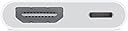
📺 Elevate your screen time—big screen, zero hassle.
The Apple Lightning to Digital AV Adapter enables seamless mirroring and streaming from your Lightning-enabled iPhone, iPad, or iPod to any HDMI display in crisp 1080p HD with full audio support. Lightweight and compact, it offers plug-and-play convenience backed by Apple’s trusted quality, ensuring flawless performance for presentations, entertainment, and gaming.
| ASIN | B0D7FCG1BB |
| Date First Available | July 23, 2024 |
| Item Weight | 1.44 ounces |
| Item model number | MW2P3AM/A |
| Manufacturer | Apple |
| Product Dimensions | 2.64 x 0.71 x 6.14 inches |
S**A
Legit works for basically everything
I finally found one where I can stream whatever I want it’s so refreshing abd nice to finally be able to play some game in the tv from my ohine or if I choose to watch a movie from my ohine it’s so nice
B**.
Works perfectly
Don’t fall for the made in china knockoffs they do not work proper. I know the apple one is twice the price. But do yourself favor and buy it the first time. I tried two knocks thinking they were Apple products on the cheap. Nope just cheap Apple knockoffs.
C**B
SWEET HDMI/Power Adapter
Operation iPad Streaming: Alternative to an expensive streaming uni-device for my audio system Alton Brown, Good Eats, has only one uni-tasker – the fire extinguisher. All other kitchen stuff needs to serve more than one function. Good advice even for audio/video. Rather than buying a fancy-smanchy streaming uni-device for my audio set-up I bought this little adapter to see if it would first work with my iPhone before buying an iPad. I don't have Spotify or other streaming services; HOWEVER, I do have XM-Sirius in my Outback and the iPhone App. I connected my iPhone to this gizmo, connected an HDMI cable to my McIntosh MHT-300 and a USB/Lightning cable to an Anker Nano 100W USB-C Charger (sweet little charger), set the MHT-300 input to HDMI 3 and fired up SirusXM’s Cool Jazz Chanel on the iPhone 13 Pro (IOS 18.1.1) and I have great Christmas music pouring out the La Scalas! I’ll need to try the Miles Davis channel later. I wanted to make sure I identified the iPhone and IOS version in case others have a different config. Next, I need to video, not a big deal as I have wireless ApplePlay and my Sony Bravia handles ApplePlay from my iPhone. Using an iPad with HDMI on the MHT-300 means I don’t to light-up the TV. So now I just need to buy an iPad. The reason for an iPad is: 1) I want to keep my iPhone portable; 2) The iPad can also be used as a handy computer when needed and stay docked with the audio 99% of the time; 3) I can also use Music/iTunes on an iPad that I’ve collected over the years; 4) Buying another iPhone is more expensive as I don’t need the phone service. I rarely need an iPad as I use my Lenovo laptop as my computer - it will be replaced next year with a MacBook Pro as I've had it with Lenovo. My Lenovo (Yoga X1, 7th Gen, 2 years old.) has a funky random hardware problem with the USB-C ports with a connection to a dock for video monitors and power when not docked. I won't buy another Lenovo product as their support has been poor at best even with a contract upgrade that has now expired. I've used ThinkPads since 2000 when they were IBM and now Lenovo. I always had great service and quality as I traveled 100K miles for 4 years back in the mid-2000s, real road warrior laptop that never a problem. The past 2 years was rough enough that I'll now migrate to Apple. Did you need to read through all this? I hope it helped. This is a really nice HDMI adapter! Now to buy my iPad Christmas present for me!
G**F
Does not allow streaming
I got this so I could stream from my iPad to a projector. It worked for a bit, but then it stopped. Now get an error message that the device is incompatible. It clearly doesn’t work with HDCP protected streams. But then, what’s the point of getting the official Apple adapter? Overall a waste of money and totally useless.
T**S
Official Apple product
This works with rayneo glasses
R**R
Works well but can be tricky to use at times
I’ve been in a hospital for six weeks so far and I bought the Apple brand AV connector and a high quality (braided and thick) 15 foot lightning to HDMI cable so I can watch various streaming apps from my iPhone. Maybe it’s different when streaming from a different phone brand. Probably no surprise that the Apple TV app seems to mostly work without issues. Although, anytime I accidentally move or even slightly bump the HDMI cable (and maybe there would be less issues using a shorter cable), it causes the video to pause or in some cases crash. There’s also an issue to play content that I downloaded to my phone before I tried using the Apple brand AV connector, and I’ll explain that later in this post. If it crashes, SOMETIMES just shutting down the app and disconnecting the cable from my phone, then reopening the app and reconnecting the cable resolves the issue. More often, however, I have to reboot my phone, turn off and unplug the tv, wait 30 seconds before plugging the tv back in, then turn on the tv, turn on my phone, open a streaming app, start a video playing, and then plug in the AV connector and select the HDMI source in the tv’s settings IN THAT ORDER to get it working again. Whew! Somewhat of a pain, but my other option is the fuzzy 480 resolution quality and extremely limited channel options on the hospital tv, so it’s worth it to me to get a clear 1080 HD picture and watch what I want to. I don’t know if the adapter supports 4k output (I don’t think so) but since the hospital tv isn’t 4k I can’t tell for sure. Other things to keep in mind based on my experiences include which streaming app I’ve tried, the quality of my internet connection, and playing live vs downloaded content. Unfortunately my only internet option right now is a cellular connection, and usually only one or two bars of signal strength, and I’m guessing that adds to any streaming problems I’ve had. In general, except for using the Apple TV app, downloaded/saved content just will not play in any scenario that I’ve tried so far. It seems to be an issue of the video format of the downloaded movie or TV show. In fact, previously downloaded content in the Apple TV app won’t play through my setup either. However, the good news is the Apple TV app will tell me this and then give me the option to re-download the video I’m trying to play in a different video format that WILL WORK when playing it through the AV connector. This is great because I can play a saved video and I don’t have to worry about it crashing due to my crappy internet connection. For any other app that I’ve tried, including Hulu, Netflix, Amazon, Max, Disney, STARZ, and Paramount, saved downloads will NOT play using the AV connector. BTW, I’ve had the best success with the Apple and Hulu apps, and the most issues with the Paramount app, to play most any video using my particular setup. Just saying. Using the Paramount app, I can eventually get a video to play, but it sometimes takes an unreasonable amount of resetting everything in order to get it to play. This stinks because I really like some of their original shows and movies. Except for Apple TV, only streaming (not downloaded/saved) content will play for me. Period. The biggest problem I seem to have in this case is when my internet connection is so slow that it crashes pretty much any app that I’ve used to stream a video. This is ESPECIALLY the case when I’m trying to stream a “live” football game or other streaming content that includes HDCP encryption protection. And unfortunately, trying to FF or Rewind often leads to a crash. Forget using the ESPN app for live streaming, it hasn’t worked in any scenario I’ve tried, although part of that might be my lousy internet connection. However, I have used the ESPN app to stream previously aired football games or whatever, and I have ESPN+ to get access to those. The Fox News app (and other network apps) mostly have a great picture quality when live streaming, but crashes almost every time during a commercial break. Hulu with live TV (and obviously not everyone has that) seems to be the most stable connection I can get for watching live TV. Paramount live content seems to mostly work okay too. Watching live using the Hulu app doesn’t seem to have quite the same level of picture quality as when using the Fox News or ESPN apps, but the stream is stable (as long as I don’t accidentally move or even slightly bump the HDMI cable). Bottom line is the Apple brand lightning to HDMI adapter will work in many scenarios, but it requires some trial and error, and LOTS of patience sometimes. Just my experiences. Yours might be better or worse, but I wanted to share all of this because even though I found some of this information in bits and pieces when searching online, I didn’t find it consolidated anywhere. Plus, after six weeks in multiple hospitals, I’m bored to tears and putting this post together gave me something to keep my mind occupied. Also, at the end of day, even though it can be frustrating at times, the Apple brand AV connector is mostly working for me for most streaming apps and my specific situation, so I can absolutely recommend it. I wouldn’t dare try one of the many less expensive but “generic” lightning to HDMI AV connectors. It’s difficult enough using the genuine Apple device, and that’s why my rating is only four stars. Just my two cents.
V**E
Get it for a non smart tv to watch your streaming apps on the big tv
It works I bought it for when there is nothing showing on tv. I had a non-smart tv. So I could just watch whatever streaming apps instead using this with my IPhone.
D**E
Great for seeing mobile apps on your tv
Works great, it’s been almost completely perfect. For some reason my phone keeps “adding accessory downloading firmware” almost every time I use it, but it just takes a couple of seconds and then it’s good. I’ve had an app refuse to let videos pass through, which stinks. It was the Netflix app, so I don’t really get why, every platform out there has the app, so it’s not like they’re stopping anything. Otherwise it’s a great way to see anything on your phone that isn’t on your streaming device’s App Store.
P**L
Sirvió muy bien
C**N
This is perfect for mirroring IPad and IPhone to my portable monitor. No issues playing Netflix, Prime, binge and plays both downloaded and streaming contents. I was worried it would not work but it does! Very happy with the functionality and is a genuine apple product
B**8
After cheating out and ordering a couple of "third party adapters", I bit the bullet and purchased Apple. All devices that plug into it work and charge flawlessly. Ideal for camping and downloading shows / movies to my iPad and playing via HFMI to an old pc monitor for movies night when camping (nothing like watching Freddie when the camp fire's dying down....) Streams all popular available services (Apple TV+, Netflix, Disney, Prime TV, YouTube, tubi, pluto tv) without a hiccup, plays files from device and shows device screen plain and simple. A great, luxury item to have when camping and the weather possible turns... I'd recommend spending the extra for piece of mind over the stress of one of the others that probably, definitely will fail and spoil your escape.
R**V
After wasting money on multiple third-party adapters that either didn’t work or stopped working after a short time, I finally gave in and bought the original Apple Lightning Digital AV Adapter — and I wish I had done it sooner. The money I spent on unreliable alternatives could have easily covered the cost of the real thing. I use this adapter to connect my kids’ iPad to the rear entertainment system in our car, and it works flawlessly every time. The video and audio quality are great, and there are no glitches or connection issues. If you're on the fence, don’t bother with cheaper options — go with the original. It’s reliable, well-made, and does exactly what it’s supposed to do.
S**T
This Adapter workd fine with everything bar Prime. Error saying not compatible with HDCP compliance. The product reviews say the opposite to this adpater which says it works on all Live subription bvased Apps.
Trustpilot
1 month ago
2 weeks ago