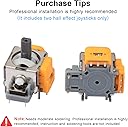
๐ฏ Upgrade your PS5 control โ never miss a move again!
The RGEEK 2Pack Hall Effect 3D Analog Stick Joystick Replacement is a precision-engineered upgrade for PS5 controllers, featuring advanced electromagnetic induction technology for drift-free control, ultra-low power consumption for extended gameplay, and a durable ABS and metal construction designed to match the original joystick feel. Perfect for gamers seeking reliable, long-lasting performance and seamless compatibility.


| ASIN | B0D5CLTKDF |
| Brand | RGEEK |
| Color | Orange |
| Colour | Orange |
| Compatible Devices | Playstation 5 |
| Compatible devices | Playstation 5 |
| Customer Reviews | 3.6 out of 5 stars 30 Reviews |
| Enclosure Material | Acrylonitrile Butadiene Styrene (ABS) |
| Manufacturer | RGEEK |
| Material | Acrylonitrile Butadiene Styrene (ABS) |
| Number of Items | 2 |
| Number of Packs | 2 |
| Unit Count | 2.0 Count |
| Unit count | 2.0 Count |
T**W
Perfect
Perfect fit
K**A
Only one works
One works and the other is faulty. After installing I calibrated them. only one would go to center the other stayed at -1 and would not go to 0. I put them on another controller's board and the problem was the same with the same joycon. I am sure it is to late for me to return them.
B**.
Quality rebranded Ginfull V2 hall effect joysticks
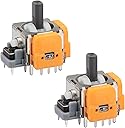
Ok, so these replacement RGEEK PS5 hall effect analog sticks appear to be Ginfull V2 hall effect joysticks. You can see the "G" on the outer orange cover. They are not the V6, which is the newest version (see photographs). The Ginfull Hall Effect joysticks are reported to be good replacements for your analog sticks. They aren't perfect, but they are a considerable upgrade to standard ALPS sticks. These things are game-changers (literally) vs. the sticks that come in the PS5. My old controller drove me nuts with joystick drift, so I disassembled them. I cleaned the contacts with BW-100, but the fixes were only temporary. But then I found these bad boys, and let me tell you, they do not disappoint. First, the installation is tricky, even for someone like me who has soldered before. I watched a ton of YouTube tutorials (iFixit), grabbed my soldering Iron (Pinecil), and got to work. There are 14 soldering points for each replacement. That's 28 total solders, so I would recommend flux, solder wick, and a solder sucker if you want less frustration. A solid 45 minutes later, I had the controller put back together. My controller was as good as new with these Hall Effect sticks. The response and feel are seriously upgraded, and I know I won't have to deal with joystick drift again. If you're the kind of person who's up for DIY and loves a challenge, I recommend these RGEEK/Ginfull joysticks. They're a total game-changer and will save you money compared to buying a new controller or dealing with Sony's customer service. Just be ready to get your hands on a quality soldering kit, as the solder needs a high temperature to melt! Note: After replacement, the analog sticks will need to be calibrated. Tutorials for recalibrating these are available online. UPDATE: All is working well after installation. Getting used to the stick feel.
T**J
Did not work for me but could have been user error.
These RGEEK 2Pack Hall Effect 3D Analog Stick Joystick Replacement for PS5 Controller seem to be decently constructed and have the 'G' on them Ginfull which is reportedly better than the stock PS5 ones. I am a novice solder user but thought I had successfully installed one of these after a few hours of work. However, the stick didn't work and I have no way of knowing whether the product failed or I failed due to my limited knowledge and skill of doing this. One thing I can say is I did use a different one and was successful. These can be difficult to install so be sure to watch some tutorials about the process and try to have everything you need ready to go. One thing I also learned is you most definitely want to replace both at the same otherwise you or your kids will complain about the difference in feel between the stock stick and these ones or any others. It is just better to do it all at once in my opinion. Also, don't forget to calibrate them. I can't say much beyond that since they didn't work for me but again may have been due to my lackluster solder skills. Overall, was still worth the try compared to getting a new PS5 controller.
R**S
Great Replacement SticksโNo More Drift
So far, so good. Since replacing the original sticks with these, I haven't experienced any drift at all. They fit perfectly and seem to be a great value for the price. That said, this is not a beginner-friendly repair. The job is much easier if you have a hot air rework station, although it can be done with a standard soldering iron if you're patient and have some soldering experience. I would also highly recommend using a board clamp to hold the circuit board securely while you work. Overall, the parts fit perfectly, resolved my drift issue, and saved me the cost of replacing the controller. If you're comfortable with soldering and electronics repair, these are an excellent option.
Trustpilot
2 months ago
3 weeks ago