![SPARIN [2 Pack] Screen Protector for Surface Pro 7 Plus/Surface Pro 7 / Surface Pro 6 / Surface Pro (5th Gen) / Surface Pro 4, Tempered Glass with Surface Pen Compatible/Scratch Resistant](https://m.media-amazon.com/images/I/41JmX3ZZ98L.jpg)


🛡️ Protect your Pro in style—clarity and defense, perfectly paired.
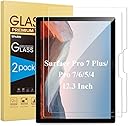
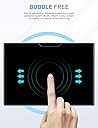
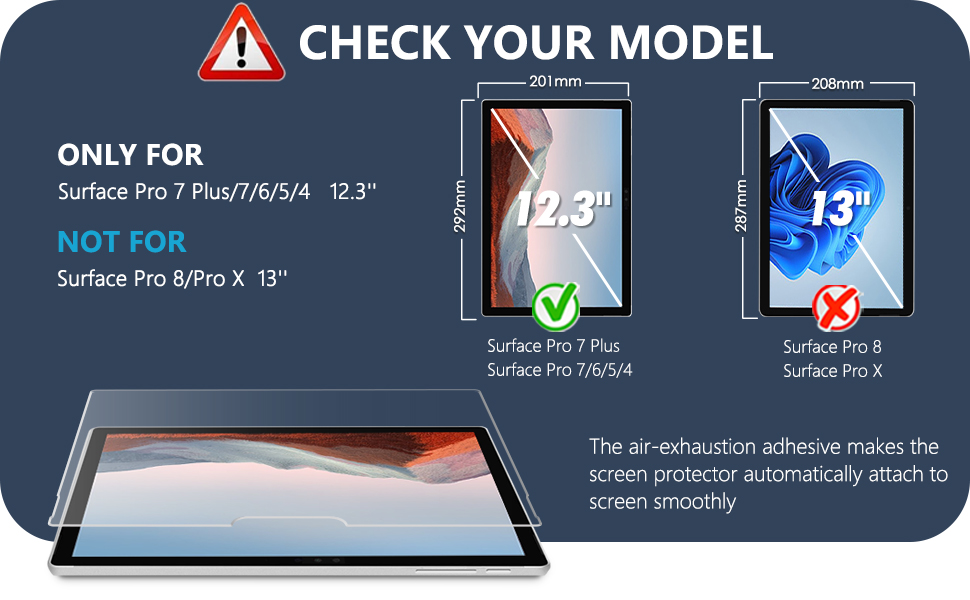
The SPARIN 2-pack tempered glass screen protectors are engineered specifically for Surface Pro models 4 through 7 Plus, offering ultra-thin 0.26mm coverage with 9H hardness for superior scratch resistance. Designed for easy, bubble-free installation, these protectors maintain 99% high-definition clarity and full Surface Pen compatibility, ensuring your device stays pristine without compromising touch sensitivity or display quality.


| ASIN | B07B4VB9RW |
| Best Sellers Rank | #127 in Tablet Screen Protectors |
| Color | Clear |
| Customer Reviews | 4.5 4.5 out of 5 stars (4,384) |
| Date First Available | March 1, 2018 |
| Is Discontinued By Manufacturer | No |
| Item Weight | 9.1 ounces |
| Item model number | IM-SPRO4SP2P-01 |
| Manufacturer | SPARIN |
| Other display features | Wireless |
| Product Dimensions | 11.34 x 7.76 x 0.01 inches |
| Special features | 9 H Surface Hardness, Oil Resistant, Scratch Resistant |
| Whats in the box | 2* Screen Protector, 1* Accessories Kit |
H**R
Good screen protector
The screen protector fits perfectly and was easy to apply. It provides good protection without affecting touch sensitivity or screen clarity. No major bubbles and works well with the pen.
G**G
Great short-term Solution for Cracked Screen
I bought these screen protectors for a Surface Pro 7 I recently bought at a drastic discount because it had a cracked screen but worked well. I will eventually replace the screen but had to go an a trip shortly after the computer arrived and I wanted to take it with me, but the cracked screen was irritating my finger. The screen protector was easy to install and works perfectly. Now the computer works like a new screen at a fraction of the cost of replacing the screen.
F**N
Easy install
Just purchased the new Microsoft surface pro 12 and needed a screen protector. It works great and was very easy to install.
F**H
Great Product, Great Value
I really like this screen protector because it was fairly easy to install. It gave step by step directions and all of the tools that were needed to ensure a good fit. The only issue I might say I had is that it might be 1 millimeter short (laying the screen horizontally). It covers most of the screen except a tiny portion which causes you to really focus on which edge to apply the screen on. Other than that it has been great. No sensitivity issues.
A**R
Good product
Easy to put on. Good price.
L**R
Great product for Surface Pro 6
This is a nice protector. I gave 5 stars on installation relative to screen protector installation, which is not necessarily an easy process. But, no bubbles or clouding at edges and fit perfectly. As to fit, however, other than around the camera, this protector goes all the way to edge, with little margin for error. That is, if you start off slightly angled, it's not going to fit on the other side, because the margin is too tight (which is actually a good thing other than at install); it did allow me to "back it up" a couple of times on the rollout laydown without issue. I did it with my eye and without guides, but it's not for the faint of heart. If you have a clean room, clean product screen, patience and a good eye, it went on perfectly, or I just got lucky, which is possible. There were a couple of bubbles that squeezed out to the side, and one persistent one that would not squeeze out to the side, but actually squeezed out to center which is unusual. As to usage, no clarity or sensitivity issues. Excellent product for the intended use.
A**S
Easy to Install!
Great product! Easy to install!
X**9
Air Pockets
The package contained two screen protectors, some wipes, a soft cloth, some guide stickers and some dust/lint picker-up-ers, which are just some stickers that have light adhesive. Contrary to the instructional video I was directed to search for on YouTube, my package didn't come with an alignment guide. But that wasn't my problem. I was able to align it just fine. My problem was that the first of the two screen protectors cracked as soon as I picked it up. In the garbage it went. But no matter, I was supplied with a second, backup, screen protector. I followed the directions as best as I could, but no matter how I tried, I couldn't get all the air pockets out. I removed it and re-applied it a number of times, cleaning the screen with each attempt, and there was improvement each time, but one corner would just not cooperate no matter how much I cleaned the screen of the Surface Pro, and no matter how I tried to push out the pockets, and no matter how much I cleaned small specks on the protector with the adhesive dust/lint picker-up-ers. I noticed that if I accidentally touched the side of the protector meant to be applied to the Surface Pro's screen, it would cause problems - probably because of the natural oils on my skin. Do yourself a favor and buy yourself some latex exam gloves before attempting to handle the screen protectors. The gloves are cheap and available at any pharmacy. Put them on before handling the screen protector. Also, if you do like I did by repeatedly attempting to apply and remove, and you notice lint getting on the protector, do NOT use the soft cloth to clean it - use one of those dust/lint picker-up-er adhesive tapes. Only use the soft cloth to clean the screen of the Surface Pro. After a number of attempts to get the air pockets out of that one corner, I ended up cracking the second protector. I gave it three stars (as opposed to one) because obviously there are people who were able to put the protector on without issue. Unfortunately, it didn't work out for me.
F**O
Pellicola in vetro temperato ottima per proteggere il notebook. Viene consegnata all'interno di una confezione che ne garantisce l'integrità. Dentro si può trovare, oltre al necessario per applicare la pellicola, anche un richiamo al video su youtube che fa da tutorial e spiega passo per passo sia come mettere la pellicola sia come eliminare la presenza di eventuali bolle. Unico problema è che si riduce sensibilmente la sensibilità del touchscreen quindi non adatto a chi usa il notebook per disegnare.
R**S
This was very good value for money. You need to take a bit of care to follow the helpful instructions on the Video link but I found that it was pretty straightforward once you did. The protector went on very smoothly and without any bubbles. The protector itself is surprisingly sturdy and yet does not appear to affect the sensitivity of the touch screen on my Surface Pro. And it arrives with a spare!
ج**ي
وصل المنتج مكسور
C**N
Producto perfecto para proteger la pantalla de mi surface pro 7 antes de comprar leí q dejaba muchas burjujas q era imposible quitarlas todas, otras quedaba perfecto así q es cuestión más de la mano q se tenga q de él producto este mal, mi instalación se quedó con alguna burjujas en los marcos pero alos días han desaparecido queda perfecto, recomiendo instalar con la luz del sol a contraluz para poder ver cualquier microfibra y no deje burbujas. La durabilidad no pongo nada porque no se lo resistente q es y q no voy dar un golpe a posta jejeje
F**.
Produit 100 % compatible avec surface 6. Tres bien protégé lors de l'envoi, la pose c'est faite sans problème grace à un kit complet. Aucune bulle, le verre est très bien adapté aux dimensions de l'ecran.
Trustpilot
2 weeks ago
1 month ago