Buy anything from 5,000+ international stores. One checkout price. No surprise fees. Join 2M+ shoppers on Desertcart.
Desertcart purchases this item on your behalf and handles shipping, customs, and support to Indonesia.
🎯 Elevate your PC gaming with precision, speed, and style — don’t just play, dominate.
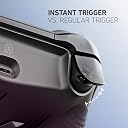
The SCUF ENVISION PRO Wireless V1 (2023) is a premium PC gaming controller featuring 16 programmable buttons including 5 G-Keys and 4 back paddles, ultra-fast Corsair SlipStream wireless connectivity, and adjustable instant triggers. Designed for competitive gamers, it offers full customization via iCUE software, ergonomic steel grey design, and OMRON mechanical switches for crisp, responsive inputs—delivering a significant upgrade over standard controllers.


| ASIN | B0CM728YPY |
| Additional Features | Wireless |
| Best Sellers Rank | #3,006 in Video Games ( See Top 100 in Video Games ) #179 in PC Game Controllers |
| Brand Name | SCUF |
| Button Quantity | 16 |
| Color | Steel Gray |
| Compatible Devices | PC |
| Connectivity Technology | USB C, Wi-Fi |
| Controller Type | Gamepad |
| Customer Reviews | 4.0 4.0 out of 5 stars (828) |
| Global Trade Identification Number | 00853426007593 |
| Hardware Platform | Desktop |
| Item Dimensions | 6.5 x 4.23 x 2.5 inches |
| Item Weight | 0.29 Kilograms |
| Manufacturer | Corsair |
| Model Name | SCUF ENVISION |
| Package Quantity | 1 |
| Power Source | Battery Powered |
| UPC | 853426007593 |
| Warranty Description | 1 Year Manufacturer |
P**S
Absolutely Incredible Controller! A True PC Gaming Upgrade!
I honestly don't understand the negative feedback some others have about the SCUF ENVISION PRO Wireless for PC. For me, this controller has been nothing short of a revelation and a massive upgrade from my standard Xbox controller. First off, the overall feel and build quality are exceptional. It feels premium in my hands, with a comfortable and ergonomic design that allows for hours of gaming without fatigue. The textured grips provide excellent control, and the button placement feels intuitive. The customization options are fantastic. While some mention issues with Corsair iCUE, my experience has been seamless. I've been able to easily remap buttons, adjust trigger sensitivity, and fine-tune the performance to perfectly suit my gaming style in various titles. The ability to create different profiles for different games is incredibly convenient. The wireless connectivity has been flawless. I haven't experienced any lag or dropped connections, providing a smooth and responsive gaming experience. The transition from a wired connection to this wireless freedom has been fantastic. The back paddles are a game-changer, literally. Having those extra inputs at my fingertips has significantly improved my reaction time and allowed for more complex maneuvers in fast-paced games. It took a little getting used to, but now I can't imagine gaming without them. Switching from a regular Xbox controller to the SCUF ENVISION PRO has been a night and day difference. The increased level of customization, the responsiveness, and the added functionality of the back paddles have truly elevated my PC gaming experience. It has given me a competitive edge and made gaming even more enjoyable. If you're looking for a high-performance, customizable wireless controller for your PC that offers a significant upgrade over standard options, I wholeheartedly recommend the SCUF ENVISION PRO. Don't let any negative noise deter you – for me, it has been an absolute game-changer and worth every penny!
P**O
After the update it works fine.
I use this for competitive CoD MWIII and this controller work great after you mess around with the icue software. Trust me the software is a headache, but the controller is worth the hassle at least for me it was. There are videos on YouTube to help adjust the controller to your liking. Out the box it was weird for me i had to adjust the deadzone because the triggers would fire themselves and i had slight stick drift, but all of it was fixed and now i dont notice anything at all.
R**A
Great Hardware, Terrible Software
I had high hopes for the SCUF Envision Pro Wireless Gaming Controller. The build quality is excellent, and it feels great in hand—solid, premium, and perfectly designed for competitive PC gaming. The paddles and G buttons are a fantastic addition in theory, and I was excited to integrate them into my gameplay. However, all of that potential is squandered by the absolutely awful iCue software. The software consistently fails to recognize the controller, causing the paddles and G buttons to malfunction or stop working entirely. I’ve spent countless hours troubleshooting, reinstalling drivers, and updating firmware, but the issues persist. Sometimes it works perfectly, but more often than not, I’m stuck with a controller that feels crippled by poor software support. For a device in this price range, the reliance on such an unreliable software ecosystem is incredibly disappointing. If SCUF could fix the iCue integration, this would be one of the best controllers on the market. Until then, it’s a frustrating experience that makes it hard to recommend.
O**R
great controller with plenty of customization!
it's been a week since I bought it as of the writing of this review, the controller arrived well packaged and with care, nothing was open, inside the box the controller itself with extra accessories 2 extra thumb sticks and some side buttons cover. the side buttons are nice for accessibility nicely place but I canceled them because they were interrupting a lot of my gamer play like tossing a nade before time and what not. the controller feels good and very sturdy I kept it in wired connected as I like it, but there's a -USB type- Bluetooth connection for people who prefer wireless, trigger stops are my favorite part of this controller they are firm and very responsive no stick drift yet, but I will update in the future if it happens. the extra buttons on the bottom of the controller are nice addition to the controller and add more functionality like mute, play, stop I think, the cable is long enough for my set up, it's about 6' long. the iCue app is not as complicated as I thought it would be pretty straightforward to navigate but you need to tweak the controller as the default dead zones are set high and may add input lag. so far, it's a 5/5 stars and would buy again.
T**O
Good controller, weird design flaws
This is a good controller - I really like the quality of the sticks, the side buttons, and configurability. It has one big design flaw that explains (to me) all the returns and frustrated me for days when I first got it. On the back of the controller, there is a mode switch - you can switch it between USB and wireless. When set to wireless mode, it will use the USB dongle to communicate. What I have found is that: a) If you plug in using usb, but leave it using the wireless mode, the controller does not charge. b) If you plug in using usb, but leave it using the wireless mode, the back paddles stop working. If you want to charge the controller/use it as a wired controller, you need to slide that control on the back, or it doesn't charge and the back paddles don't work. That is a bizarre choice. I should not have to switch a toggle to connect my controller to the PC and have it charge. The profiles also differ depending on whether you use wired or wireless mode - there is a mode where it can use the device memory for the button settings, but you can only enable that if it is connected via usb. (icue software is functional but the UI could use work.) I should be able to configure my controller regardless of how it is connected to my pc. If you can deal with these quirks, the controller is fine and seems to work well otherwise.
L**N
10/10 will purchase every time
Best controller I’ve ever had, I love the fact I’m able to bind keyboard buttons to it as well as controller buttons
A**X
A great feeling controller held back by horrible software
This controller absolutely needs the iCue software to work, and my god is it awful. I want to start off by saying the good. The controller feels incredible. The ABXY buttons, the adjustable triggers, the shoulder buttons, the D-pad, they all feel super satisfying and clicky like a mouse. The ability to map 6 buttons as well as the additional shortcut buttons on the bottom adds so much functionality, it actually gives you an edge over other controller players. Your buttons have less travel which make you perform actions quicker. The physical feel of this controller makes you want to play your video games even more than you did before, that’s how I felt…. In the beginning at least. Here comes the bad. The iCue software. This is the interface that needs to be open on your desktop for the controller to turn on and work in your games. Granted, it worked fine for the first day or two. I connected my controller through USB and programmed my buttons. It’s relatively easy, a little janky, but nothing terrible. It’s not that beginner friendly but I’m not a beginner so take that as you will. The iCue software started to bug out on me really bad. When I switched the controller to wireless mode, my RT button would activate on its own when holding forward on the Left joystick. My character would walk and shoot at the same time. I switched the controller back to wired and the issue stopped. I checked all my mappings and there was nothing that should have caused this to happen. I closed the app, reopened it, switched back to wireless, the same issue popped up. I deleted the app, reinstalled it. iCue tells me my controller needs an update. I check for updates, it says my controller is up to date. I close iCue, reopen it, prompts me to update again, nothing pops up. There’s a “force update” button available so I press it, it updates my controller, I switch it to wireless mode, guess what? Left joystick causes my character to move forward and shoot the gun by itself. It does not want to work in my preferred way of playing. Also, switching it to wireless mode doesn’t carry over my mappings. I have to enable device memory mode so that the mappings stay installed onto the controller. But there’s a problem with this. The options you have for mapping is limited in device storage mode. I am not able to map the “tab” key from my keyboard to any button, which I need to use to look at the scoreboard of a game. Why use “tab” to look at a scoreboard? Because the iCue software does not let you map the “start” and “select” buttons on the controller, WHAT?! So if I want to use the controller wirelessly, I lose features. Unbelievable. So I have a controller I paid extra money to use wirelessly, that doesn’t work wirelessly. And when it does work wirelessly (which was only for a day), I lose features compared to wired. And even when playing wired, some of the programmable buttons that I left inactive/not mapped randomly caused me to throw grenades in call of duty. I had insanely high hopes for this thing and have only been left with disappointment. Huge caution to those buying
J**Y
Solid controller. Worth the price and effort of setting up.
Solid controller. Worth the price and effort of setting up. To those complaining about the software, maybe consider going to console. It's not difficult to set up and they have a ton of videos up showing you what you need to do step by step. This is probably one of the best controllers I've used. Feel premium and I'm happy I can use it wirelessly or via USB. The headphone jack is also great. ICue software isn't as bad as they say. I actually keep it open while I game to monitor my PC temps. Overall, great buy.
G**Y
Si il n’en fallait qu’une !
Je viens d’acheter la SCUF Envision Pro en Steel Gray (la version grise mate avec accents orange/noir) et franchement, c’est une claque. Après des années à switcher entre Elite Series 2, DualSense Edge et autres, celle-ci est clairement au-dessus. La finition matte grise est super classe et discrète, pas trop criarde. Les accents orange sous les sticks et le RGB discret en dessous donnent un style premium sans faire bling-bling. Elle respire la qualité dès qu’on la prend en main : grip texturé agréable (caoutchouc doux mais qui accroche bien), poids parfait (pas trop lourde, pas trop légère), et construction ultra solide.
L**R
Top Verarbeitung, kleine Software-Schwächen
Erfahrungen & Nutzung Ich nutze den SCUF Envision Pro nun seit über zwei Jahren fast täglich am PC. Die Verarbeitungsqualität ist absolut erstklassig – kein Abrieb, kein Wackeln, keine schwammigen Tasten. Der Controller liegt perfekt in der Hand und vermittelt ein sehr hochwertiges Gefühl. Auch der eine aufgetretene Stickdrift ließ sich problemlos mit der Software beheben. Besonders gelungen sind die Back-Paddles, die sich einfach konfigurieren und direkt auf dem Controller speichern lassen. Egal ob wired oder wireless, die Verbindung ist stabil und die Latenz minimal – im Spiel merkt man keinen Unterschied. Verbesserungspotenzial Die notwendige Installation von iCUE ist ein klarer Minuspunkt. Die Software bringt viel unnötigen Ballast mit, läuft im Autostart und ist insgesamt etwas träge. Auch das Programmieren der G-Tasten ist nicht besonders intuitiv – deutlich komplizierter als das Anpassen der Back-Tasten. Fazit & Empfehlung Ein Premium-Controller mit exzellenter Haptik und Langlebigkeit, ideal für ambitionierte PC-Gamer. Wer sich an der etwas umständlichen Software nicht stört, bekommt hier den besten SCUF-Controller, den ich bisher genutzt habe. Klare Kaufempfehlung für Qualität statt Kompromisse.
B**K
Worst peripherals software I ever experienced
The software named iCUE just randomly turns off. It crashes like every 30min of gameplay. If it thappens, your controller just doesn't work. In hardware mode, without iCUE app you can use only half od the controller functions.
D**R
Came with stick drift
Came with stick drift do not buy terrible product
G**O
Scuf Envision Pro, controller per il gaming competitivo
Ho comprato questo controller dopo aver venduto la mia PS5 in modo da averne uno per il PC, ho optato per questo modello sia per la nota qualità del marchio sia perché non volevo un modello con le levette analogiche asimmetriche stile controller XBOX. I materiali sono ottimi e l’impugnatura è fatta in modo da non scivolare nemmeno qualora aveste le mani sudate, il feeling dei tasti è pazzesco e fanno capire sin da subito che non si sta parlando di un controller qualsiasi. È possibile personalizzare la configurazione dei tasti e l’illuminazione del controller, inoltre è possibile salvare fino a 5 preset e switchare facilmente tra un preset e l’altro utilizzando i tasti in basso. I tasti programmabili si comportano bene, riguardo ai tasti dorsali è possibile personalizzarli tramite una levetta in modo da togliergli la corsa e renderli dei normali tasti a bottone, molto utile per chi gioca competitivo. Il controller si comporta bene sia in modo wireless che cablata e non ho lamentele riguardo la durata della batteria. Consigliato per chi gioca in modo competitivo, un po’ eccessivo per l’utente medio. Il prezzo è perfettamente in linea con la qualità del prodotto.
Trustpilot
1 day ago
5 days ago