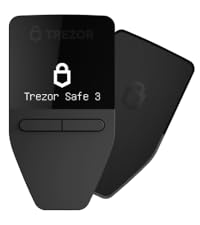
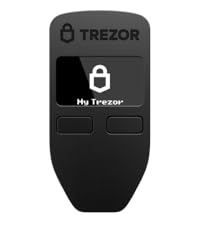
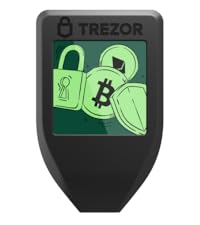
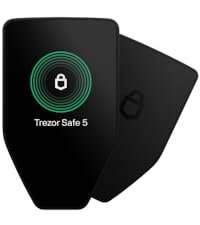
🔐 Own your crypto future with Trezor Model T — security that speaks your language.
The Trezor Model T is a premium hardware wallet featuring a full-color LCD touchscreen, advanced offline security, and open-source technology. It supports Bitcoin and thousands of other cryptocurrencies, offering multi-layer PIN and passphrase protection. Designed for professionals who demand privacy and control, it integrates seamlessly with the Trezor Suite app across desktop and Android devices, ensuring your digital assets remain safe from hacks and malware.


| ASIN | B07B8Q2G3K |
| Additional Features | Touchscreen |
| Age Range Description | Adult |
| Best Sellers Rank | #702 in USB Flash Drives |
| Brand Name | Trezor |
| Closure Type | Snap |
| Color | Black |
| Customer Reviews | 4.6 out of 5 stars 2,742 Reviews |
| Form Factor | Slim |
| Included Components | USB-C cable, user manual and Trezor Suite software |
| Item Dimensions D x W x H | 5.91"D x 5.91"W x 5.91"H |
| Item Weight | 91 Grams |
| Leather Type | Leather |
| Lining Description | Leather |
| Manufacturer | Trezor |
| Manufacturer Part Number | 0661646842098 |
| Material Type | Acrylonitrile Butadiene Styrene, Plastic, Polycarbonate (PC) |
| Model Number | Model T |
| Number of Compartments | 1 |
| Number of Sections | 7 |
| Pocket Description | Coin Pocket |
| Product Care Instructions | Wet Wipe Clean |
| Style Name | Modern |
| Target Audience | Unisex |
| Theme | Cryptocurrency, security, digital asset management |
| UPC | 783325615660 661646842098 |
| Unit Count | 1 Count |
| Wallet Compartment Type | Coin, Paper Money |
P**A
Trezor model T is the best hardware wallet!
I got the Trezor and was going to use it with the Exodus Wallet, but I realised Trezor has the Trezor Suite which can be run on Chrome or on a Windows / Mac / Linux app. It supports various coins and supports Bitcoin (Native SegWit) which is the latest version with low transaction fees, your wallet address starts with 'bc1'. Trezor still has the older Trezor Wallet which does not support Native SegWit for Bitcoin and they will transition to Trezor Suite totally soon. As for 100% total protection you can enable a passphrase or hidden wallet feature where you need to enter an additional passphrase to access your wallet. This way someone has to know your PIN and Passphrase which only you will know to access your wallet. With the Trezor model T you can enter the passphrase on the Trezor and not the browser or app, this way no connection to the internet with a compromised malware affected PC with a keylogger. I love it! You can have many passphrase wallets, each accessible with a different passphrase. Make sure you remember them well as they are case sensitive and there is no way to recover if you forget the passphrase. Works on android mobile with Chrome, have to connect the Trezor with a USB-C to USB-C cable to the android phone. Works just like on the PC with Chrome or the separate Trezor Suite App. To recover your wallet with a passphrase incase your Trezor is lost or damaged, I think you will need another Trezor to setup your wallet with the recovery phrase and then load your wallet again with the passphrase. There is a lot of information on Trezor website about all this. All in all a great device. Nobody can physically hack the Trezor model T and get to your wallet if you have a passphrase wallet. No privacy issues as well where you need to give any details about yourself to Trezor. I know the Ledger had a privacy breach where database with user information like names, addresses and emails were hacked and stolen. Nothing like that will happen on the Trezor model T. Use it with confidence!
G**5
Trezor Model T and Ledger Nano X are the best out there
You get what you pay for. I would never risk buying an unknown or cheap hardware wallet... WHY? Think about it. The Trezor X is Perfect and met expectations for a hardware wallet. Note though that Trezor won't accept Solana (yet), but accepts BTC and all ERC-20 Tokens. Ledger will accept Solana. But Trezor has a nice color UI and easy to use desktop app. WARNING: Never get a hardware wallet from a trusted retailer or the manufacturer. eBay and unknown vendors etc. risky bet, can be loaded with malicious firmware. You get what you pay for. Amazon is a trusted source, be careful though of 3rd party sellers though. I'd also suggest purchasing a steel indestructible seed phrase card. Paper is destructible and Human memory is useless especially if you get hit in the head. Maybe buy a fireproof safe too and give the combo to a few trusted people / family in case you kick the bucket :)
E**A
Un buen producto
Excelente
J**T
As my first cold storage wallet, this worked perfectly on the first try. Smooth, no issues.
This is my first cold storage wallet. I have recently read that I shouldn't have the bulk of my cryptocurrency on exchanges like Binance, Gemini, Coinbase, etc., because it's not very secure (for a variety of reasons). So I heard that the Kubikey and the Trezor were very well liked by people smarter than I am. I got the Trezor because the article I read said that "it doubles as a cold storage wallet." So far, I'm pretty sure that's all this is--a cold storage wallet. It's not a U2F device, as far as I can tell. I don't think I can use this in lieu of my phone number as a U2F (using your phone # for 2FA is not very secure--not many people know that, I just read about it only recently). UPDATE: This does function as a U2F! It integrates with gmail (and I'm sure other sites) easily. U2F is like 2FA (2FA is when, for example, you put in your password (1FA), then the website sends a text message to your phone with a verification #. You put in that number as well, just so someone can't log in with just your password; problem with 2FA is that hackers have workarounds for 2FA, so they don't even need your phone. U2F solves all the security vulnerabilities that 1FA (password alone) and 2FA (password + verification code) carry with them. The only way to log into the website is to enter your password, AND ALSO have this special device and press the checkmark on it. This means that, even when the hacker knows your password (they probably do) and can gain access to a verification code sent to your phone (they might), they can't gain admittance to your website account unless they also have this device plugged into their computer (and know your secret PIN code for the device as well). In short, this is a hacker's worst nightmare. Before this arrived, I was worried that the USB cord was too short, which would mean it would be awkward every time I wanted to access my wallet. However, it is long enough for me to remain seated in my normal spot and comfortable use the Trezor. Other reviewers mentioned the keys being small, but I didn't encounter any problem at all (I have thin fingers though). One or two reviewers said something about the firmware tripping up when they tried to install, and one reviewer said you have to plug it directly into a USB port on the rear of your laptop (I don't know what he's talking about). I have a 4 port USB thing that plugs into one USB port on my laptop. I just plugged it into one of the 4 ports, and everything worked fine.
A**L
Me encanto!
Excelente
C**.
Excellent Hardware Wallet
Could never get it to work -- connection to the PC (tried 2 different computers, both with Windows 10 installed) was unpredictable, and firmware installation failed every time. Finally gave up after 2 days of trying, because I'm not trusting my cryptocurrency to a device that is less than utterly reliable. Went with a Ledger Nano S instead. UPDATE 7/27: Finally got it working by connecting to a USB 3.1 port directly on my motherboard (the computer's back panel) -- worked instantly and perfectly. The software is very polished, and the device is more straightforward to use than the Ledger (no apps!). I'll post another update after I've used it for some length of time. UPDATE 8/1: I've now given the Trezor a thorough workout, and I have to say that I really love it. It's very easy to use, and it connects reliably every time (do NOT use a USB hub, as mentioned above -- the front panel of your computer may be using an internal hub, so if you have a desktop, use one of the USB ports on the rear: those are on the motherboard itself). Entering your pin is quick and easy on the touch screen, though big-fingered me sometimes hits the wrong number, because the screen is small. A nice security feature is that the device changes the positions of the numbers each time so that no one can guess your PIN by looking at the fingerprints on the screen, and so it's harder for people looking over your shoulder to guess what you're entering. The wallet software is best run under Chrome, which supports WebUSB. It's very simple to use, and there's a clever integration with Dropbox to allow you to label your transactions and addresses if you desire. (You want this, I promise.) My only complaint about the wallet software is that it doesn't support Ethereum/Ether directly. The Trezor itself, does, but you have to use a different wallet software (MyEtherWallet) which is not nearly as simple as the Trezor folks make it sound. They are rumored to be working on adding Ether support to the Trezor Wallet software, but until then, I'm using my Ledger Nano S for Ethereum transactions. When using a hardware wallet like the Trezor, you need to know you can recover access to your funds if something happens to the wallet (loss, theft, destruction, etc.). Before sending any money to my Trezor, I wiped it, then recreated it using the recovery seed that's generated when you first initialize the device. It worked perfectly. I bought a Billfodl to secure my recovery seed, and I'd highly recommend that or something similar to keep your own recovery seed safe. After all, if something happens to your wallet, you can recreate it using the recovery seed; but if you lose your recovery seed or someone steals it, your funds are gone. tl;dr -- 5 star device, minus 1 star for no Ethereum support in the Trezor Wallet software
P**L
Trevor - very secure, easy to use
I am very happy with my Trevor Model T. It is very secure and very easy to use. I recommend also purchasing a cheap magnetic pen (ie used for tablets etc) as you need to enter your PIN on the Trevor screen (ie. you do not use the keyboard directly on your computer - a great security feature) and it is hard to this with your finger. The Trevor Keep also works extremely well - a brilliant idea.
J**D
Didn't Work
When I initially connected the wallet to my computer to download the necessary "firmware" from the official Trezor website, at first the download process ran smoothly. Ultimately, though, the process froze up at about the 80% margin. Apparently the idea was that, following completion of the download, the wallet would reboot on its own; and then at that point it would be necessary to click on the "START" button again through the Trezor website to complete the process whereby the passphrase would be displayed on the actual hardware wallet screen and so forth. In my case, I happened to notice where the wallet rebooted anyway despite the fact that the download process had frozen up and was effectively aborted. So after clicking on the "START" button again several more times anyway, I kept getting an error message. Disconnecting the wallet from the computer and reconnecting it in an effort to start over on the firmware download process also didn't work, as the same error message kept appearing. At that point, I connected the wallet to a different computer just to see if that might work, but it didn't. And in that case, instead of simply getting the aforementioned error message, I was getting a different message indicating that the wallet was essentially not even being recognized by the system platform. So not quite giving up at that point, I looked up the technical support page for the Trezor website thinking that - for sure - I would be able to contact somebody via either email, a form submission, or to be able to create a technical support ticket in some way. But no, there are no such options available. No email links; no phone numbers to call -- NOTHING! Instead, what the Trezor Company expects you to do is this: a) Browse through their archive of various trouble-shooting issues that are based on both past and concurrent technical problems that have ALREADY been experienced by other customers, which is in the interest of seeking to determine if anyone else's particular problem happens to mimic your own problem. How lame! b) Then the OTHER option was to join a discussion board of current users to AGAIN see if anyone from the public community of users might be able to give some pointers on trouble-shooting any particular issue. Again, how lame! So at that point, I was done! I applied for a refund from Amazon the same day I received the product. Cryptocurrency hardware wallets are, in theory, the most secure means of offline storage for digital assets other than paper wallets in those instances where paper wallets are even available depending on the given asset in question. This may be true, but obviously it is necessary to connect to your online wallet interface through the wallet provider website portal (in this case Trezor) in the interest of accessing the assets and being able to transfer them, exchange them, spend them, or whatever. So I think the big moral to this story is that a hardware wallet is ONLY as good as the underlying service provider for the wallet. If the service provider is unreliable, and seemingly otherwise "aloof" like in the case of my experience here, then the wallet itself is obviously nothing short of being a piece of garbage. So in this case, I found the Trezor Company to be unreliable and aloof in the way they conduct their business. Last but not necessarily least is the fact that when I bought the wallet in the first place, there was ZERO indication showing through the advertisement here on Amazon that the product was still in the "BETA TESTING" phase of development, at least concerning the actual wallet interface itself that would be provided through the Trezor website. I didn't realize the product was in BETA until after I first attempted the download process of the suggested firmware. However, had I known beforehand that it was indeed still undergoing BETA testing, then I definitely would have thought twice about making the purchase when I did. Probably I would not have made the purchase with the knowledge it was still in BETA; but in any case, had notice of the fact for the BETA testing been given through the advertisement itself here on Amazon, then at least I would have been able to make an educated decision on the matter...
A**Y
Very secure wallet for crypto
The Trezor Model T is a top-tier hardware wallet that delivers strong security, excellent coin/token support, and a quality user experience. For those serious about keeping their crypto safe, it is very much worth considering. The main compromises are cost and somewhat larger size/footprint than minimalist alternatives.
Ö**R
Ağ eksikliği
Desteklediği ağlar çok az
W**Q
Perfect!
The best way to get into hardware cold storage. Saves a bunch of money ordering from the authorized reseller here instead of importing from Trezor directly.
I**O
Excelente
Muy buen producto.
F**M
Cool stuff
I ordered this for my cousin back home. It came packed with all the right 3D holographic seals. I don’t know what it does but whatever it does it looked really cool.
Trustpilot
3 weeks ago
1 month ago