Buy anything from 5,000+ international stores. One checkout price. No surprise fees. Join 2M+ shoppers on Desertcart.
Desertcart purchases this item on your behalf and handles shipping, customs, and support to Indonesia.
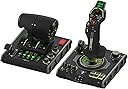
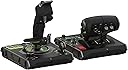
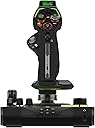
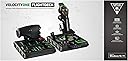
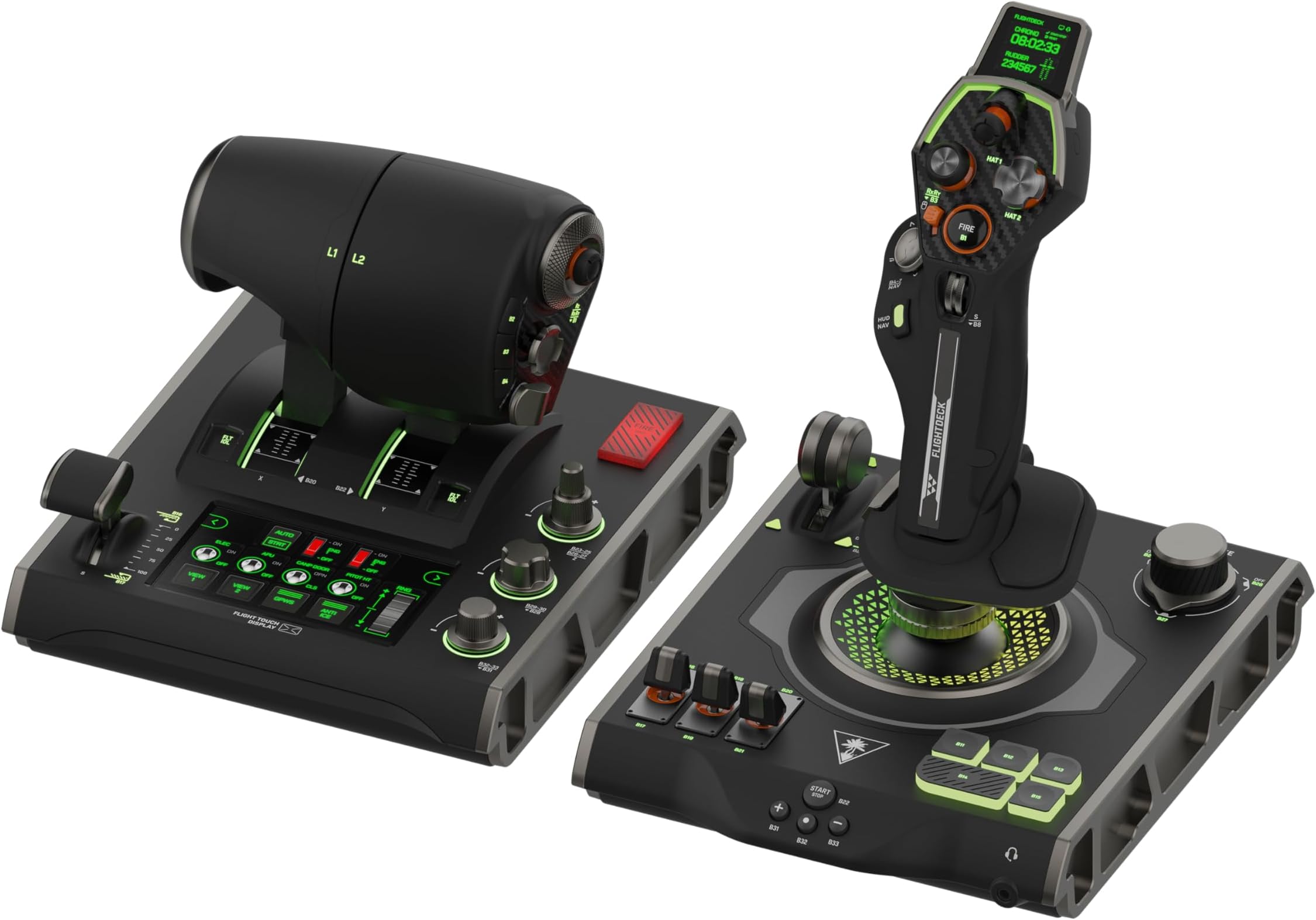
✈️ Elevate Your Flight Sim Game with the VelocityOne Flightdeck — Control, Customize, Conquer!
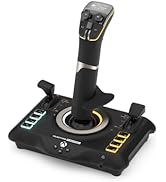
The Turtle Beach VelocityOne Flightdeck is a premium HOTAS system designed for Windows 10 & 11 PCs, featuring the world’s first fully programmable Flight Touch Display, 139 programmable controls, and contactless Hall-Effect sensors for precision. Its modular stick with adjustable height, OLED Head Up Display, and customizable RGB lighting deliver unmatched immersion and comfort. Compatible with top flight sims like Microsoft Flight Simulator and DCS World, it offers extensive customization via the Flight Hangar app and integrated audio enhancements for a truly immersive combat flight experience.


| ASIN | B0CPQ7RF6Z |
| Additional Features | Audio Advantage, Flight touch display, HOTAS System, Modular Stick, Throttle controls |
| Best Sellers Rank | #904 in Video Games ( See Top 100 in Video Games ) #5 in PC Game Flight Controls |
| Brand Name | Turtle Beach |
| Button Quantity | 139 |
| Color | Black |
| Compatible Devices | PC, Windows |
| Connectivity Technology | USB |
| Controller Type | Joystick, Throttle Quadrant, Yoke |
| Customer Reviews | 4.0 4.0 out of 5 stars (2,242) |
| Global Trade Identification Number | 00731855007240 |
| Hardware Platform | Desktop, PC |
| Item Dimensions | 6.93 x 20.63 x 10.04 inches |
| Item Weight | 9.41 Pounds |
| Manufacturer | Turtle Beach |
| Model Name | VelocityOne Flightdeck (TBS-0724-05) |
| Package Quantity | 1 |
| Power Source | Corded Electric |
| UPC | 731855007240 |
| Warranty Description | 1 year limited manufacturer |
A**X
Amazing HOTAS for the price
(Bought on sale) I have owned this HOTAS for a few weeks at this point with regular use in combat flight simulators (DCS World, War Thunder), and I can confidently say that this is an amazing HOTAS system for the money, Turtlebeach really outdone themselves with this product. The build quality is amazing and all the buttons and switches function perfectly. However, and this was stated quite a lot before me- The three switch covers on the Joystick base feel loose and wobble on the metal switch arm itself- However for me it is not an issue at all. _Stick_ Pros: - Stick grip is very ergonomic and fits most hand sizes with the sliding feature. - A lot of programmable buttons, switches, HAT switches, joysticks and rotary switches. - Build quality is amazing for the price. - Very satisfying buttons and switches. - Very responsive gimbal. Cons: - Pretty useless screen ontop of the stick - "Mouse" feature on the pickle button is very rough and unresponsive, as well as also being useless as it is right now with how choppy it is. _Throttle_ Pros: - Very accurate throttle readings. - Extremely smooth throttle sliding. - "Fire" button extremely satisfying to press (personal opinion) - Many useful buttons, HAT switches, 3 position switches and joysticks all over the throttle grip. - Split throttle feature, can prove useful in certain twin-engine aircraft. - Useful programmable screen (Can make your own switch panel using keyboard bindings in the software) that makes use of digital switches, dials and buttons. - Satisfying knobs and dials near the throttle grip Cons: - Never found a use for the "flap" lever as no game I tried recognizes the lever moving (as an axis), instead recognizing the switch clicks on the bottom and top of the travel - Touch screen is pretty low framerate and can wash out at certain angles. Overall, I really recommend buying this HOTAS system as it is a great product overall and you get an amazing system without breaking the bank like some of the more higher end HOTAS out there by Thrustmaster, Winwing, Etc. And you get a lot for what you pay which is always a big plus!. and I really recommend buying the Turtlebeach Rudder pedals along with this HOTAS system for an immersive flying experience!.
R**A
It died 5 minutes out of the box
Was looking forward to trying out my first HOTAS setup. Was in the market for an entry level throttle and joystick combo and saw a few reviews on this combo unit. Some of them had some comments about quality being unsatisfactory in some areas but I just brushed it off as nitpicking. When the unit arrived I noticed it was shipped in box within another box within an Amazon box with a bit of paper packaging. Inside the product box was just some cardboard packaging. No foam or any kind of impact packaging. Not exactly what I would want to see after paying $400 but again was going to brush it off as nitpicking. That opinion changed when I was updating firmware for both units when suddenly the throttle unit turned off. I was updating the UI for the display on the joystick when this happened. I had only just plugged in the USB cable for the first time and had the unit out of the box for about 5 minutes. Joystick works just fine with no issues while updating firmware. Tried swapping cables. Using different USB-C to A cables I had for other peripherals. Tried power cycling PC. Did the recovery process on the support page. No luck. Device won't power on and no data signal detected in control software. At this point I accepted the fact the throttle unit was defective and would need to be sent back. Updating the firmware was rather easy but does take some time to complete. While I didn't have a chance to use the setup, some things I noticed about the HOTAS are the fact that they used a lot of plastic which make it somewhat light weight. This could be an issue for those who don't have proper mounting points for their controls as they could accidentally lift their controls off the desk. Another thing I noticed that also was mention in reviews is how "loose and wiggly" some of the caps on buttons and switches are. The throttle grip seems a bit on the large hand size as trying to reach some of the buttons either on the back or side could be difficult and might require frequent repositioning of your hand's grip on the throttle controls. The left throttle also doesn't seem to go all the way down to Max Rev but the right throttle does. The grips are also covered in a rubber like plastic coating or material to give you a good grip but it feels like it could lose that characteristic with frequent use. All in all this would be a hard pass for me in future as it's not worth the time spent trying to get everything set up only for it to give up the ghost after unboxing the unit.
C**.
Will last until the warranty expires.
I would love to leave a good review. This was a great product. Looks amazing, feels good, plenty of buttons and customization. Everything on the outside looks like what the price tag works suggest. Until it inevitably stopped working. Owned it for about 14 months, used it for about 4 or 5. Turtle beach support is entirely uninterested in their own products. Long story short, the internals of are not what you'd want to see for a $400+ piece of hardware. Loose wires, cheap clips, thin plastic, messy glue/ adhesive. I resorted to trying to fix it myself after going back and forth with support to ultimately get told I'm just outta luck. There are no parts, no spec sheets to reference, no repairs, and no options for repair or replacement. They sent me on my way with a 10% of next purchase (ironically the thing was on sale for more than that). Credit where it's due, like I said when it worked out was phenomenal. It's a great first hotas because it requires very basic setup and is pretty much a prepackaged ready to go controller. The touch screen on the throttle is so versatile, and the stick is responsive and smooth. Research online says the ball style movement is the cheapest option, but playing almost exclusively Elite dangerous i never found myself in need of a higher degree of precision. If you have $400 you're going to drop on a hotas go look into vkb or virpil. I grabbed a vkb gunfighter space edition stick for under $200, leaving the other $200 to save for my next throttle. I wish TB had the desire for a sturdy, reliable product and the care to put as much effort in keeping it functional and well made as they do making things look pretty and feel good.
A**R
EXCELLENT. BUY IT.
Amazing. Switched my thrustmaster 16000 and rudimentary throttle quadrant for this to play Warthunder sim in VR and DCS and so far all I’ve played is Warthunder, but it works like a charm. Haven’t had this much fun flying in a long time, you have to map out each button for Warthunder and DCS but anyone who plays will know this already. The only complaint I have is that one of the 6-8 hat buttons doesn’t have a binding for if you click down and only works directionally. Would be an issue if there weren’t FIVE OTHER hat switches that do let you bind clicking it. Buy it you won’t be disappointed.
R**R
RETURNING THE POS. from 5,4,3 and now 1 star which is to much RETURNING.
update I have 10 more days to be able to refund from amazon. It's GOING BACK. Nothing but trouble. The forums all say the same. Mine now stopped working on the stick side. Doing a firmware update again and will see. Original revoiew below. I LOVE the rubber coated feel. HOWEVER a week later the throttle lighting started to FLICKER. I looked online and found other saying this and some say they don't work (left side throttle "at all". Other commends in reddit about it is some guy has on his 5th replacement, other guys talking about things not working and I'm on the verge of sending it back for a refund. TORN as the 500-600-800 units are massive metal and I love the layout, side and feel of this. But I can return now? or fight with warranty later? It may be best to return it... I have a month or more to do so. Love the weight, size, design. Lots of controls... wow. Don't like Tension is to strong, (on throttle and spring on the stick). Not horrible, but not comfortable either. Lacks a USB port to plug the throttle into the stick, so I have TWO CABLES running to the PC. I'm buying 3 extension cables to route them together under my chair. I wish it had more mounting holes on the bottom. It has 3 and they didn't line up with my hotas CLAMPS. More holes doesn't cost more on their part. Just a hair more time. Instuctions are weak. It should be in depth. However after a couple hours I did figure out most of it. But I'm a long time computer geek. Doesn't seem to be supported by FS2024 yet. I can use it and program it myself but there are hundreds of buttons if not more and FS2024 wants a setup for each plane. Means 10's of thousands of programming steps. STILL: I was so so at first, the more I learn it and use it the more I love it. If it had more mounting holes on the bottom and better (online) full documentation - I'd give it 5 stars.
J**S
Very nice controllers BUT game compatibility is lacking (11 games) - support is awesome
I bought Everspace 1 hoping I could use the Flightdeck with it, and while I like the game to a certain extent, I am thoroughly P!$$3d 0ff that my flight stick and throttle aren't compatible with it. I have played with both the keyboard and mouse, as well as an Xbox contoller; while the game is playable with either (each has definitive pros and cons compared with each other), I would have much preferred using the flightstick (Turtle Beach Velocity One Flightdeck, so shame on them for not supporting their hardware better). Supposedly they are compatible with Everspace 2, but I just wasn't impressed with the first one enough to want to spend money on the second (at least I'll probably buy it when it goes on a good sale). To be fair, while my Flightdeck is nice, really nice, however, the support for multiple games REALLY $uck$. At this time Turtle Beach is only showing they are compatible with only 11 games, WTF??? for as expensive as it is, really? But I suppose that part of that is in the game makers too, having so little compatibility with more "elaborate" controllers, which again is why I'm kind of disappointed in Everspace, so shame on them as well. Truthfully, I don't really like using the Xbox controller for most games other than some platformers, for flight games, even this one which is a more "basic" sim (well okay, not sim, more of a shooter), I just don't like controlling with it (forget using it in an FPS, it feels like you're playing gimpy-games). Regardless, any game that offers any kind of flight mechanic, I'd prefer to use a flightstick, just as any driving game I'd prefer to use a wheel... Anyhow, it would have been REALLY nice if the Flight Hangar software offered better flexibility to allow users to at the very least emulate other controller profiles, such as the mouse for flight stick or having you be able to mimic a game controller input so at the very least be able to play "legacy" games, like the old Star Wars games, No Man's Sky, any number of mech games. Really any game you can ride or fly something, a compatibility mode or legacy mode would be really nice. Right now, I only have 2 games that this system is actually compatible with, Elite Dangerous and Star Wars: Squadrons. The others that are compatible I don't have or have much interest in playing. I should have researched this system more than I did to be honest, but I had faith in Turtle Beach products, at least until now. This was a LOT of money to spend to be only able to use it for two games :s I'm really hoping more game compatibility is to come, and more games. So yes, I really like the Flightdeck system, but I am really disappointed in the games supported and the ability to modify control settings. To be fair, on behalf of Turtle Beach, their support is really top notch. I had a problem with the controllers out of the box, and they immediately sent me a replacement. The support staff was extremely polite and efficient. Kudos to them. PS another future add-on that would be nice is to be able to have more control over the skins the throttle display, stick HUD, and tablet controls (nice feature BTW) can have applied. The stock ones could be nicer (or at least Turtle Beach could add some more).
A**R
Awesome setup
This wasn't necessarily a wise investment, but it is objectively the coolest thing I own. It works great. Tons of customizability, you'll spend a lot of time setting up key bindings if you want to use it to most of its potential. If you're really creative (and have undiagnosed autism) you can use JoyToKey to bind arbitrary inputs or macros to either controller for crazy things, I spent 4 hours setting up the joystick to be my brush controls for a 3D sculpting application, which is obviously not the typical use case, but it works. It has options you wouldn't think to realize you're missing, e.g. skipping the use of a mouse entirely with a sort of trackball (touch based), look that up if you need accessibility options or a way to use a mouse without moving your hand. Really this has way more gizmos than I can explain here, the customization on the menus for the throttle controller are also pretty crazy with arbitrary digital button arrangements and inputs (you can have multiple presets too). A lot of the triggers are both analog and binary, meaning you could press shift to activate the trigger as an analog controller for zoom, and then have it continue to operate to fire when it's fully depressed. You don't have to use that functionality, but it's great that you can. This flexibility applies even to something like a scroll wheel: it can operate as a simple plus or minus, or an analog scale. If you need something to continuously provide a value, not just shift it, that's why that's so important—think having a smooth gentle rudder input vs. tapping it fully for a short moment repeatedly. My only gripe was that my firmware upgrade didn't go through initially when I tried it with their application (which is also great itself.) No harm done, but the scare kept me off from ever trying the update again.
C**S
Promising but lots of QC issues and mediocre software.
Multiple buttons on the stick base would stick when pushed which would get better with use but would still end up sticking occasionally when used which I consider a critical failure in QC. The throttle touch screen doesn't support holding down a button, you can configure it to do multiple button presses but it doesn't let you press and hold a button even though it has various ON/OFF toggles but they are all momentary with virtual toggle UI but not actual toggles with separate keys or held down buttons. A very promising design but for the price it shouldn't have these shortcuts.
I**R
Flight Deck not working from package
Flight deck not working from the box, but bought it for xmas for my son, so now too late to return. Terrible product it seems
C**N
Perfecto
Su funcionamiento es perfecto no ha habido ningún problema a la hora de conectarlo con el PC
ソ**郎
自由度高い
msfs2024及びxplane12で GA機体のみ使用 スティック センターが強めにホールド ボタンが多い 設定自由度 良し バイブ振動も感覚を高める スロットル プログラム設定 自由度 お気に入り! オートパイロットやアプリ操作にも設定出来る! バイブ振動でスロットル位置を設定出来る 視野の切り替えも可能 自己流コックピット構築とすぐに 撤去して ブラボーとハニカムに変更も可能。 あくまで 自己流に徹し こうあるべきはこだわらない 楽しめる環境が1番 正面 15.6タッチパネル littlenavmapやBGM再生 air manager用
S**I
Firmware‑kaos och noll tillförlitlighet
En produkt som hade kunnat vara riktigt bra, men som faller platt på grund av Turtle Beachs bristande kvalitetskontroll och otillräckliga funktionstestning innan leverans. Resultatet är en enhet som känns som ett lotteri att få igång. Firmware‑uppdateringarna fungerar ibland, ibland inte alls, och jag har lagt betydligt mer tid på att felsöka än på att faktiskt använda produkten. En snabb sökning online visar att många andra upplever exakt samma problem. Mitt råd är enkelt: undvik den här produkten, spara både tid och pengar och välj något mer pålitligt.
G**X
Déçu,..
Un bouton ne fonctionne pas et hier tout le système tactile m'a gentiment dit d'aller voir ailleurs si il y était, ça aura fonctionné une semaine, je vais demander un échange ou un remboursement, sinon bel appareil, en jeu pas de soucis fonctionne au top
Trustpilot
2 weeks ago
5 days ago