Desertcart purchases this item on your behalf and handles shipping, customs, and support to Indonesia.
🔄 Switch smarter, work faster, stay connected.
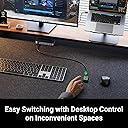
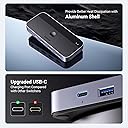
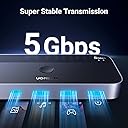
The UGREEN USB 3.0 Switch is a professional-grade USB sharing hub that allows two computers to share three USB-A and one USB-C port with ultra-fast 5Gbps data transfer. Featuring a tactile push button and a remote control for effortless switching, it supports broad OS compatibility and is built with durable aluminum housing rated IP55. Ideal for multitasking professionals, it eliminates cable clutter and streamlines peripheral management in hybrid work or gaming setups.

| Actuator Type | Push Button |
| Asin | B0C8MSP967 |
| Best Sellers Rank | 2,762 in Computers & Accessories (See Top 100 in Computers & Accessories) 4 in KVM Switches |
| Brand | UGREEN |
| Circuit Type | 4-way |
| Colour | Grey |
| Compatible Devices | [Keyboards, Mouse, USB Sticks, Hard Discs, Scanners, Desktop Computers, Laptops] |
| Connectivity Protocol | USB |
| Connector Type | USB-A, USB-C, and remote control port |
| Contact Material | Aluminum |
| Contact Type | Normally Open |
| Control Method | Remote |
| Control Type | switching |
| Controller Type | Push Button |
| Country Of Origin | China |
| Current Rating | 3 Amps |
| Customer Reviews | 4.4 4.4 out of 5 stars (2,987) 4.4 out of 5 stars |
| International Protection Rating | IP55 |
| Item Dimensions | 12.3 x 5.3 x 1.8 centimetres |
| Item Weight | 0.34 Kilograms |
| Manufacturer | Ugreen Group Limited |
| Manufacturer Part Number | 15705 |
| Material | Aluminium |
| Model Number | CM662 |
| Mounting Type | Surface Mount |
| Number Of Items | 1 |
| Number Of Positions | 4 |
| Operating Voltage | 5 Volts (DC) |
| Operation Mode | manual |
| Product Warranty | 2 Year Manufacturer |
| Specification Met | Ip55 |
| Switch Type | tact |
| Terminal | Physical |
| Unit Count | 1.0 count |
| Wattage | 10 watts |
User
Amazing, does the job
Very good switcher. I’ve been using it for over half a year to switch between my PC and my MacBook and it manages to handle mouse, keyboard, camera and microphone well, without adding any noticeable latency. The extended button is also quite useful, as I could mount it under the desk. Will see how long it lives, but overall worth the money
User
Works as intended
Works just the way you would expect, but bear in mind that the hub requires a USB A port on the host devices. You can attach a USB C device to the switch itself, but the two computers you connect the switch to will need USB A. I’m using it with a PC and a Mac, and it works just fine. I haven’t has issues or felt any input lag, so this is a very decent solution even for gaming.The extended device-switcher button is pretty convenient, especially if you’re trying to make a more aesthetic setup. The extended button doesn’t include indicator lights, though, so you can’t tell at a glance which host device is connected to the switch at any given time. If you want to see an indicator, then you’ll have to look at the switch itself.Also bear in mind that this is only for USB peripherals and won’t allow you to share a screen between two computers.
User
Great for working from home.
I've been using this switch for my work from home setup and it has quickly become one of the most essential pieces of gear in the room. I have it connected to my main desktop PC and my Laptop dock. It handles the transition between the two flawlessly. It also works with Gaming keyboards if they have two USB cables for one device.The remote is a game changer, the switch itself is hidden away, with the remote switch plugged in and on my desk. No more finding the switch itself to change outputs.I used to constantly unplug and plug my peripherals, concerned over wear and tear, i purchased this switch, I can't remember the last time i had to hunt through the tangle of cables.This also works well plugged directly into a laptop.
User
Good, no identifiable latency.
Switch does what it says. The included remote switch is useful. Only thing preventing 5 stars is that there is no clear visible indicator to tell you which output you're on. The main unit does have a light but it does not clear which output is active and the light isn't clear. So it's a bit of a guessing game which is a minor inconvenience for an otherwise good product.
User
Works as described
I bought this to share my speakers, headset, and DualSense Edge controller between my PS5 Pro and PC with a single button press. It switches everything over seamlessly without any annoying dropouts.Just a heads-up on the power side: If, like me, you're using a DualSense Edge, its power draw (around 7.5W–10W) is higher than what the switch can output (4.5W max per port) when this is hooked up to mains power. As a result, the controller will slowly drain while playing rather than charge, so you'll still want to plug that directly into the console to top it up regularly. Otherwise works as described!
User
Ability to move between operating systems at the flick of a switch
My Windows 10 PC has all the software I need, but no longer safe to go online. So I have bought a mini PC running Windows 11 to access the Internet. The UGREEN switch enables me to operate both using the same Monitor, keyboard, and mouse, switching from one to the other at the flick of a switch. A cost effective and efficient way of being able to continue use my Windows 10 PC safely.
User
It works but needs an ergonomic rethink
This is a competent unit enabling you to have one keyboard between 2 computers. The only drawback for me is on the older computer when booting it needs to detect the presence of a keyboard otherwise it won’t boot. So the only way I can use this successfully is to have a keyboard plugged in permanently to the older machine. This sort of defeats the purpose but I have that permanent keyboard sitting out of sight. The other drawback is the push button switch in that you only know via 2 teenie weenie hard to see little blue lights as to which computer you are switched to. So you could be prodding away your password on boot not realising it’s not connected to the booting computer. I had contemplated returning it but with the use of a labeller it is working for us. Not the typical well designed Ugreen product though.
User
Worked for a week
Worked as described, switching between my pc and work laptop perfectly for about a week or two. Then frequently every few minutes it would disconnect and reconnect (made playing games on pc pretty hard). Most painfully, random keys on my keyboard would randomly be activated and stuck at any given moment. I could be typing and suddenly I have written 'sssss' 200 times. Especially given my keyboard has `Fn + Z` as a sleep command, leading to me frequently sleeping my pc when doing `Ctrl + Z` to undo something as the Fn key would be stuck and then sleep my pc for about a minute. Ironically, writing this review using it became too hard so I switched my peripherals back over to my pc directly (no hub) to finish this. When it worked it was good, now not so much.
User
USB switch that can be used for Nintendo Switch
This works perfectly as a usb switch / hub for pc and Nintendo switch 1 and switch 2.
User
Çok kaliteli ürün
Kaliteli ürün rahatlıkla alın kullanın işini gecikmesiz anında yapıyor.Geçişler hızlı ve stabil.
User
Perfetto per gestire due postazioni con un solo set di periferiche!
Utilizzo questo KVM per condividere mouse, tastiera, microfono e soundbar (collegata tramite AUX–USB-C) tra il mio desktop fisso e il dock del MacBook. Si configura in un attimo e permette di passare da una postazione all’altra semplicemente con un pulsante dedicato, separato dal corpo principale del KVM: una scelta davvero intelligente che consente di nascondere l’unità sotto la scrivania e tenere solo il controllo a portata di mano.Un piccolo dettaglio da tenere a mente: se entrambi i dispositivi collegati non forniscono alimentazione da spenti, il KVM non memorizza l’ultimo ingresso selezionato e, all’accensione, parte sempre dallo slot 1. Per aggirare la cosa, ho collegato a quella porta la postazione che uso più spesso, così non devo pensarci più di tanto.Dopo oltre sei mesi di utilizzo quotidiano, tutto funziona ancora alla perfezione. Ottimi anche i materiali: solido, ben costruito e con una scocca in metallo. Una rarità per prodotti di questo tipo!
User
The Perfect KVM Alternative for High Refresh Rate Gamin
The Perfect KVM Alternative for High Refresh Rate GamingIf you run a dual PC/Mac setup with high-end gaming monitors, this USB switcher hub is the missing piece of the puzzle. I needed a way to share my mouse, keyboard, and headset between my work MacBook and my gaming tower.I initially looked into KVM switches, but KVMs bottleneck monitor refresh rates. When you are running 540Hz and 720Hz ASUS ROG monitors, you absolutely cannot run your video signal through a standard switch—you need the monitors plugged directly into your GPU. This USB hub solves that perfectly. It handles only the peripherals. One end is plugged into my Mac's dock, the other into my PC, and everything switches over instantly with a single button press. It’s cheap, incredibly reliable, and allows me to keep my raw display performance completely intact. Highly recommended for any hybrid workstation/gaming setup.How My Dual Setup WorksBuilding a seamless dual setup without a KVM requires very specific wiring so that you get the raw power of your Mac for work and the maximum framerate of your PC for gaming. Here is exactly how I have it routed.1. The Video Routing (No Compression)The Work Setup (MacBook Pro M4 Max): The Mac is connected to the iVANKY dock. Because the dock uses a dual-cable connection to the Mac, it provides enough uncompressed bandwidth to run all four monitors using the Mac's raw GPU power. Since my ASUS ROG monitors don't have native USB-C, I use four HDMI-to-USB-C cables running from the monitors directly into the dock.The Gaming Setup (PC Tower): My gaming tower (running an RTX 5090 and Ryzen 9 9950X3D) is wired to the exact same four monitors using standard DisplayPort cables. Because they plug directly into the graphics card, I get the full 540Hz/720Hz experience with zero lag or compression.2. The Peripheral RoutingInstead of plugging my keyboard, mouse, and headset directly into the computers, they all plug into the USB Switcher Hub.Output cable 1 goes from the hub to the iVANKY dock.Output cable 2 goes from the hub to the Gaming PC.3. The Switching ProcessBecause the monitors are plugged into both systems simultaneously, here is the exact process to flip the entire desk from work mode to gaming mode in about three seconds:1.Switch the Peripherals:Press the single button on the USB switcher hub. Your keyboard, mouse, and headset instantly disconnect from the Mac and connect to the PC.2.Lock the Active Computer:Lock the screen of the computer you are currently using. If moving from Mac to PC, lock the MacBook. If moving from PC to Mac, press Windows Key + L.3.Wait for Monitor Auto-Switch:By locking the screen, you kill the active video signal. The ASUS ROG monitors will automatically detect that the signal has dropped and scan for a new one, instantly picking up the feed from your other computer.
User
Works as intended
Works
Trustpilot
3 weeks ago
2 days ago