🖨️ Elevate your home office game with speed, style, and smart efficiency!
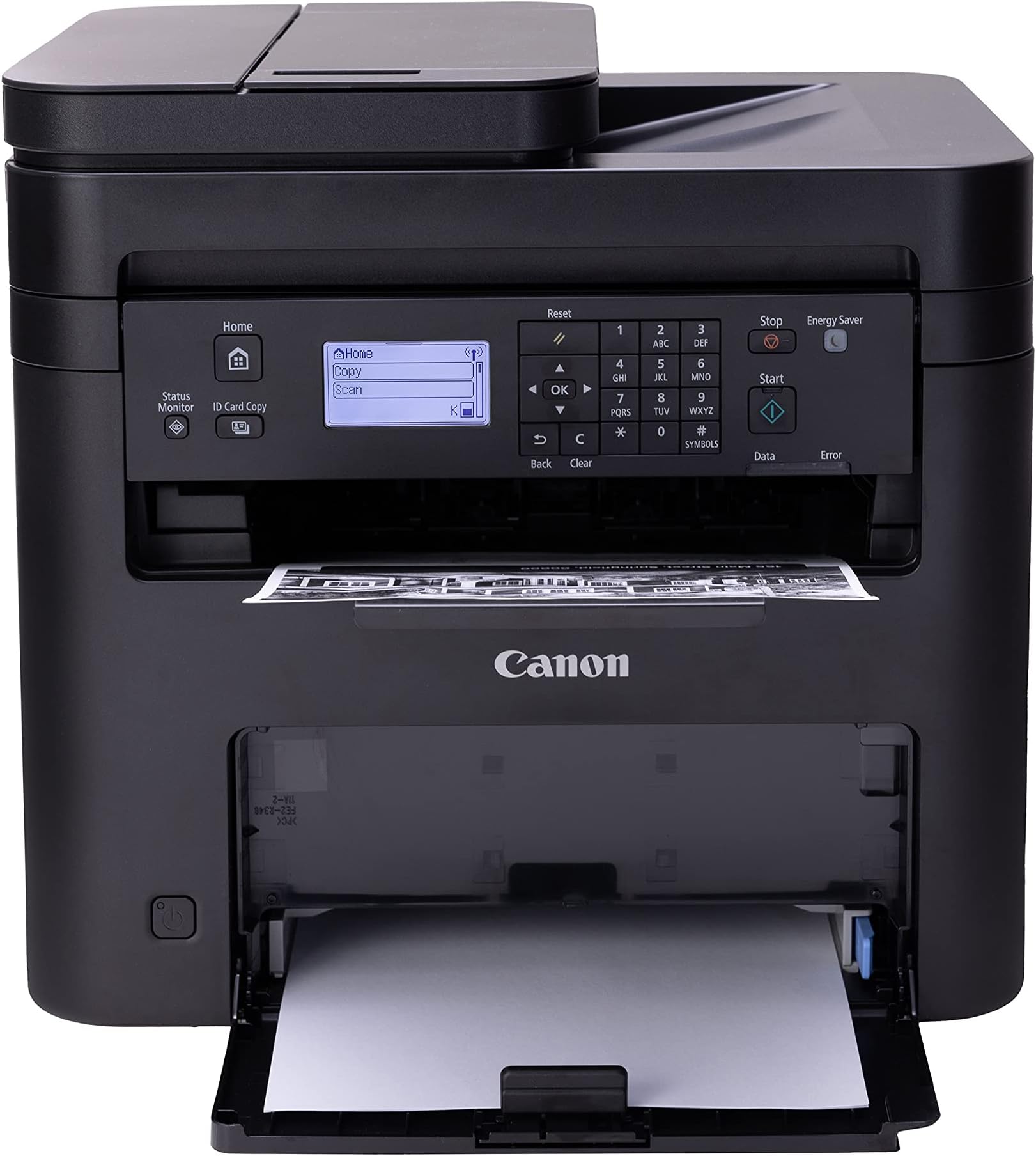
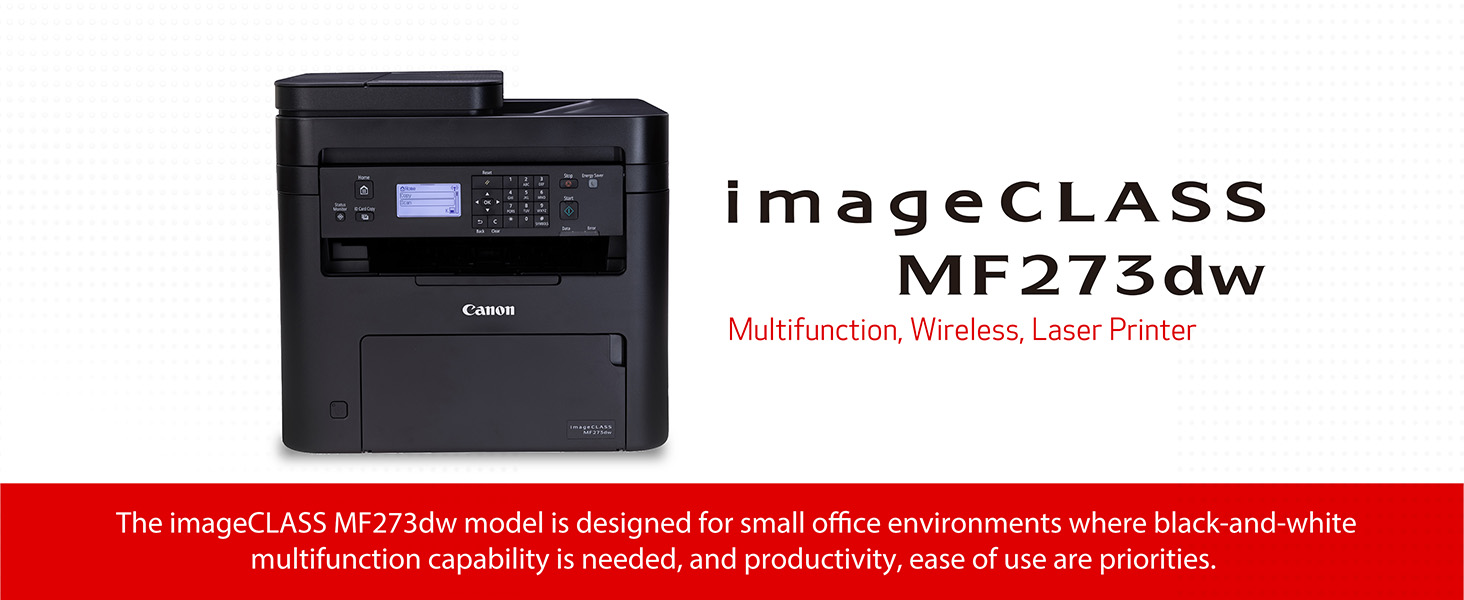
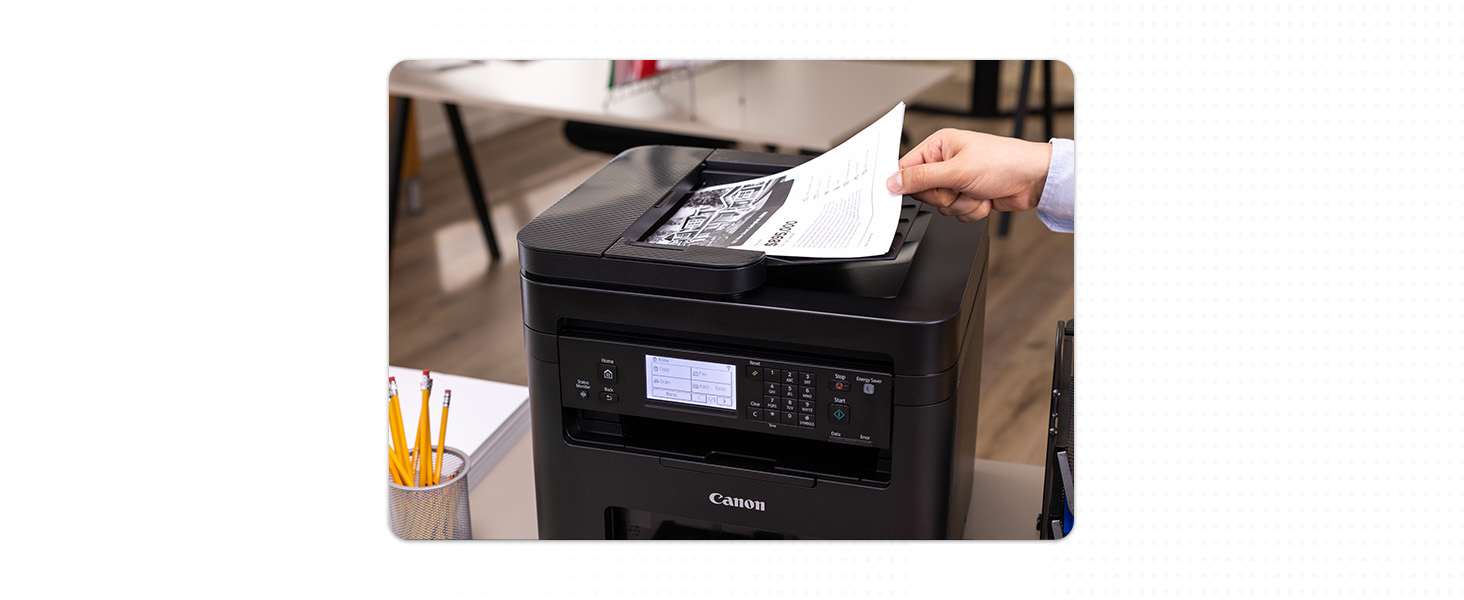
The Canon imageCLASS MF273dw is a monochrome wireless laser multifunction printer designed for home and small office use. It delivers fast printing speeds of up to 30 pages per minute, features automatic duplex printing, and includes a 2-sided auto document feeder for enhanced productivity. With high-resolution laser output, versatile connectivity options including Wi-Fi and USB, and Energy Star certification, it combines professional-quality prints with eco-friendly efficiency. Backed by a 1-year limited warranty, this reliable device streamlines your printing, scanning, and copying needs in one sleek package.


| ASIN | B0C34DKSCN |
| Additional Printer Functions | Scan |
| B&W Pages per Minute | 30 ppm |
| Best Sellers Rank | #14,248 in Office Products ( See Top 100 in Office Products ) #27 in Laser Computer Printers |
| Brand | Canon |
| Built-In Media | Cartridge 071 Black, Starter - 700 Yield, Documentation, MF273dw Product, Power Cord |
| Color | Black |
| Compatible Devices | Laptops |
| Connectivity Technology | USB, Wi-Fi, WiFI Direct Connection |
| Control Method | Remote |
| Customer Reviews | 4.2 out of 5 stars 395 Reviews |
| Display Type | LCD |
| Dual-sided printing | Yes |
| Duplex | Automatic |
| EU Spare Part Availability Duration | 1 Years |
| Global Trade Identification Number | 00013803347463 |
| Hardware Interface | USB |
| Initial Page Print Time | 5.3 Seconds |
| Ink Color | Black |
| Item Dimensions D x W x H | 14.6"D x 15.4"W x 14.4"H |
| Item Type Name | Laser Printer |
| Item Weight | 24.7 Pounds |
| Manufacturer | Canon |
| Maximum Copy Resolution Black and White | Up to 2400 x 600 dpi |
| Maximum Copy Speed Black and White | 30 ppm |
| Maximum Media Size | 8.5 x 14 inch |
| Maximum Print Resolution Black and White | Up to 2400 x 600 dpi Dots Per Inch |
| Maximum Sheet Capacity | 150 |
| Model Name | imageCLASS MF273dw |
| Model Number | 5621C011 |
| Model Series | MF273 |
| Number of Trays | 2 |
| Other Special Features of the Product | Auto Document Feeder, Auto-Duplex, Display Screen, Energy Star, Epeat Qualified |
| Output sheet capacity | 150 |
| Paper Size | Min. 3" x 5" to Max. 8.5" x 14" Inches |
| Print media | Labels |
| Printer Connectivity Type | USB, Wi-Fi, WiFI Direct Connection |
| Printer Output Type | Monochrome |
| Printer Type | Laser |
| Printing Technology | Laser |
| Processor Count | 1 |
| Resolution | 2400 x 600 |
| Scanner Type | Sheetfed |
| Series Number | 273 |
| Special Feature | Auto Document Feeder , Auto-Duplex , Display Screen, Energy Star, Epeat Qualified |
| Total Usb Ports | 1 |
| UPC | 013803347463 |
| Warranty Description | 1 year |
| Warranty Type | Limited |
L**E
My most important home-office tool
Great price for a good working printer. It came with toner included so I was able to print right away. I connected it to my laptop with a USB printer cord (not included). Set up was easy by downloading the drivers from the Canon website. The computer came with the drivers on a cd, but I don't have a disk drive anymore. It is similar my 14 year-old printer which no longer is supported, so using this new one was easy. I wish it had a separate paper feeder for envelopes and other sizes, but I can still print those by taking extra steps to select the paper details manually on the control panel. I like that I can scan using the feeder or the flat tray. The control panel is fairly easy to use, but you have to remember to use the arrow keys and OK button to make your selections, as it is not a touch screen control. It is nice looking, but most of all, it makes my home office more professional, as the laser copies are better than inkjet ones. It can print documents double-sided, which helps save paper and space in my file. Also, the laser printer is more cost-effective when it comes to laser toner vs ink-jet ink. Before you make your selection of a printer, make sure it has all the features you want / need.
A**M
Excellent wireless monochrome printer-copier
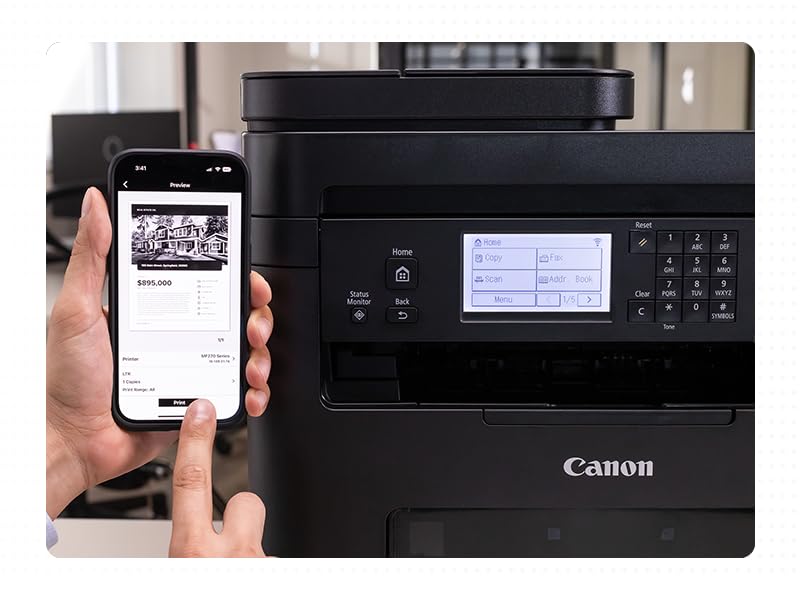
Wireless setup was pretty easy if you just follow the prompts on the 3” display the first time it is turned on. Took me a bit of searching on how to change from upper and lower case. (It’s the asterisk on the keypad.) Works great with all my iPads and iPhones. For use on my PCs, I went to the printer menu and let it Find Printers. I clicked on the MF270 series icon and it automatically downloaded the appropriate driver. Couldn’t be easier. Print quality is excellent. It prints multiple pages pretty quickly but just a bit slower for copying. It’s about 14 inches cubed so it’s a bit bulky and heavy, but that’s not a problem for me. The operation isn’t silent when printing but its isn’t excessively noisy either. The print function does two sided printing. It holds about 50 to 75 sheets is my guess which it fine for my family. The multiple sheet copying feature feeder works flawlessly. The control panel rotates upward if needed, making it easier to see and use from a standing position. This multifunction model does not do fax, but I don’t have a landline to connect it to anyway. Replacement generic toner cartridges abound on Amazon. This one is a winner, so I bought a second one to give as a gift.
P**O
Excellent reliable wireless printer for Mac, PC's and iPhones.
A solid reliable, no fuss printer. I have bought two of these. Easy-setup, works well over wi-fi. Mac, PC and iPhone compatible. Great scanning to Mac, PC and phone (as PDF or Jpeg). Very impressed with quality and price! Highly recommended.
L**C
ms273dw printer
I like the product, but tiring to update the firmware at the printer it keeps failing. I've tried it several times. I've even downloaded it to the computer and doesn't install. That would be my biggest problem. Otherwise, it prints great. We'll have to see about the firmware upgrade. Not much help at canon's web site for support. Three stars because of the update and their web site. Update: The printer doesn't scan half the time from the computer or the printer scan function. It does print but that's all I've gotten it to do every time. I've tried connecting direct to the usb and also wifi (which is my preferred way.) Thinking of sending it back before it's too late to do. Update: returned the printer because of the scanning problems and no help from there tech support. I never did get through to them for help. That was one big reason to look for other printers.
D**N
It prints, copies, maybe even faxes (?)
Trying to think of the last time I received a fax. Must be thirty years since I sent one. But this Canon claims it can do that. As a B&W laser printer, it works just fine, no complaints. As a copier, ditto. Pun intended. My only criticism might be that this thing is huge; measure your space when deciding on a printer. You'll need 25" of vertical clearance on your shelf, about 16" deep and 18" wide. Documentation is minimal beyond a "quick setup" guide, so you'll want to load in the manual from the provided CD. I don't care for the envelope feeder, but it's workable. This Canon replaces an ancient Brother. But I will say that the Brother was built like a tank, compared to the slightly flimsy feeling plastic of the Canon. Nothing wrong with it, I don't suppose, but it doesn't feel as substantial. Also, allow for clearance for the paper in-tray. It projects out from the printer eight inches or so and be sure to put in where nobody is going to bump into it. Because, the tray is pretty lightweight and seems breakable. For the price, this seems to be a good, versatile unit that provides a quality print job, and it runs a lot quicker and quieter than the old Brother. Good as any, better than some, and will not nag you to join a toner subscription program. I don't care for machinery that nags me.
V**E
Good quality printer & reasonably priced.
I prefer laser printers because they are usually cheaper to operate in the long run. I had a very basic Brother black & white printer for years. I loved it because it was incredibly cheap to operate and it was durable. This time I decided to pay a little more and get this Canon IMAGE CLASS MF 273dw with many more features than my old Brother printer. This printer is black & white printer that prints, scans and copies. I rarely really need color prints so I prefer b&w printers over more expensive color printers. It has a 150- sheet paper cassette and a 35-sheet automatic document feeder. It also does duplex printing. This printer prints via wired and wireless WiFi network and Bluetooth. It's also ENERGY STAR and EPAT Silver rated. My only complaints about the printer that it doesn't come with a paper manual. You have to download the manual. I know that's standard procedure with tech products but I prefer paper manuals. It's also a little complicated to set up, especially if you don't use the full manual instead of the quick set-up guide. While the set-up can be a little complicated, especially if you haven't set up a new printer recently, Canon's tech support is excellent. I had a problem with my printer not finding my Wi-Fi network automatically and I had problems manually setting it up. The tech support person I talked to was friendly and knowledgeable. He gave me the information I needed to manually set up the WI-FI connection and when that didn't work he suggested, politely, that it might not be a problem with the printer. After the call I tried to set up the WI-FI connection again and that time the automatic connection worked immediately. A couple of days later I realized my router was intermittently failing and that had caused my initial set-up problems with my printer. I am very happy with my Canon laser printer. The print quality is excellent, it's inexpensive to operate, and it's easy to operate after the set-up is completed. I'm also impressed with Canon's customer service.
H**S
Easy to setup. Fast and clear prints.
Replaced my old HP printer with this one. The installation videos made it a breeze to hook up to my WiFi. The videos made it straightforward to install drivers on both my MacOs and Windows PC's. iPhone setup was even simpler since my phone immediately recognized the laser printer. Printing was fast (both one-sided and double-sided) and the quality was what I expected from a laser printer.
S**S
Not thrilled... but Canon Did Come Through
This is one of the most basic all-in-one printers out there, at half or less of the price of others... so... remember... you usually get what you pay for. Buyer Beware! This wasn't working properly from the start, and then 2-3 days in, with minimal use, it clearly had problems too big to overcome. At that point, we found a small piece of plastic inside, and called Canon. We had registered the product upon receipt ~ which is so important! ~ so they could see it was brand new. While still on the phone, asked us to send a photo of the broken part. As soon as they received the photo, they made arrangements for replacement. Yes, very displeased with 1. Not having a printer for a week while waiting for replacement and 2. Having to drive *2 hours round-trip* in pouring rain to get it to FEDEX for return, struggling painfully to lift/carry the heavy box on both ends, etc!! (although Canon sent a free shipping label with the replacement printer, they refused to pay for at-home pick-up/return). If Canon ships a printer that doesn't properly function, and then is wholly useless in under a week ~ then they should also make arrangements for FEDEX to pick the broken printer up *from. your home, for free*. Would have been nice if they'd sent a free replacement ink cartridge for all the time, trouble, loss of use ~ especially as the "starter" ink cartridge ran out of ink in less than a week!! It's important to recognize that all the internal parts are made of very cheap, shoddy, flimsy plastic, obviously intended to easily break (just as the 'starter' cartridge very quickly runs out) ~ because they want to force you to purchase more, more, more. So be extremely gentle any/every time you need to open up the printer for any reason/service whatsoever. Treat it like a newborn child, or some flimsy plastic part will break. We just got lucky because it happened immediately (or it arrived already damaged). It's also probably a good idea to order a replacement laser ink cartridge *along with the printer*, so you don't get surprised when it runs out and has to be replaced so very quickly ~ and get stuck waiting for it to arrive (it takes *days* for Amazon purchases to ship to our location. The only saving grace was that the Canon Tech Rep on the phone was very professional, courteous and quick to order a replacement.
Trustpilot
1 month ago
1 month ago