Desertcart purchases this item on your behalf and handles shipping, customs, and support to Indonesia.
🔥 Stay warm, stay smart — control your heat like a pro! 📲
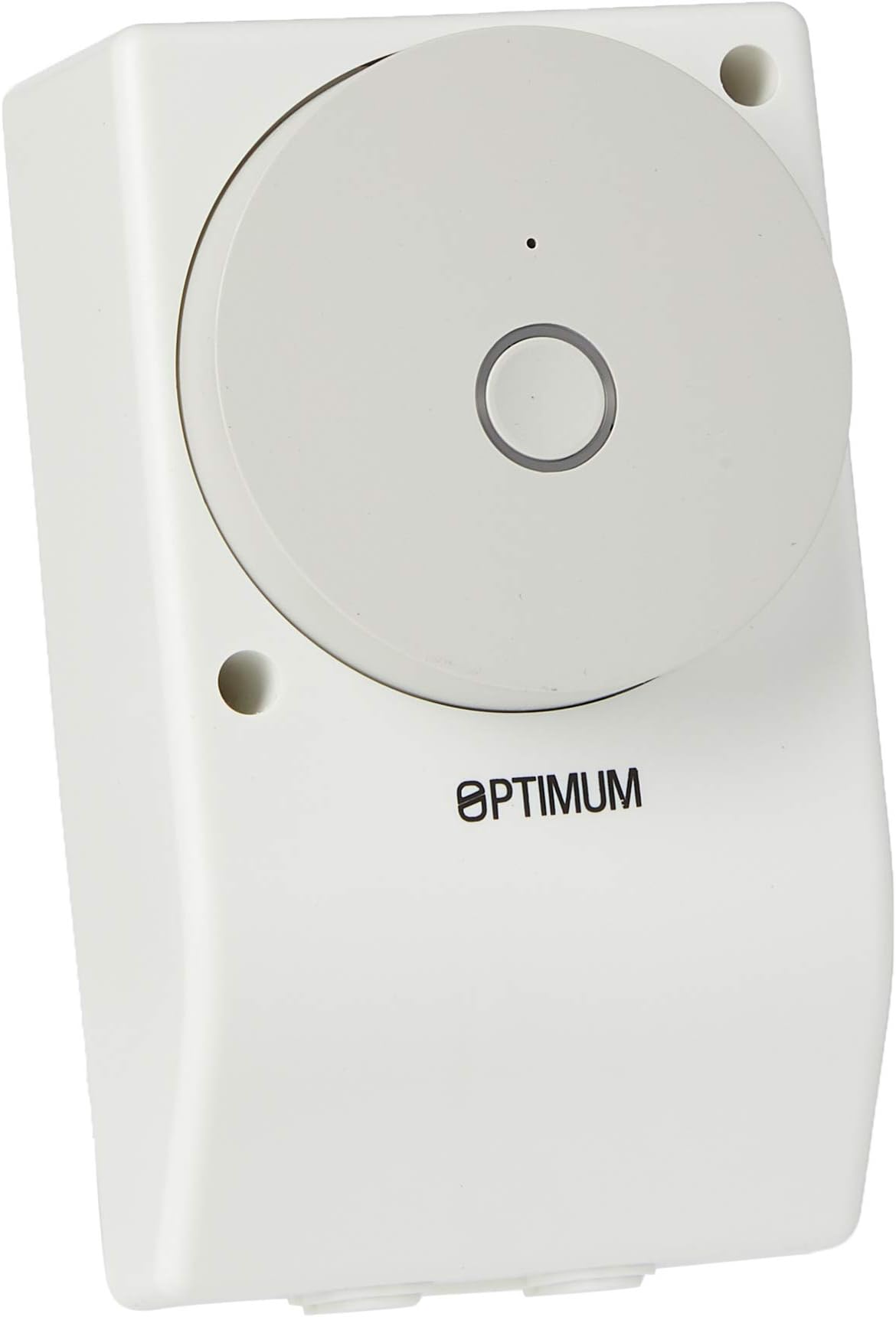
The Optimum OP-BM/IHTWF01 is a Wi-Fi enabled universal boiler and immersion heater control module offering 20 programmable on/off schedules, secure AES encryption, and manual override functionality. Compatible with Alexa and Google Assistant, it supports 230V systems with volt-free SPDT contacts rated for up to 16 amps, making it a versatile and reliable smart heating solution for modern homes.
| ASIN | B077NBZ3LD |
| Best Sellers Rank | 128,634 in DIY & Tools ( See Top 100 in DIY & Tools ) 200 in Water Heaters & Parts |
| Brand | Optimum |
| Colour | White |
| Country Of Origin | China |
| Customer Reviews | 4.0 out of 5 stars 177 Reviews |
| Global Trade Identification Number | 05028415006078 |
| Included Components | 1 x General Purpose WiFi timer; 1 x Installer Instructions; 1 x User Instructions |
| Item Type Name | Wi-Fi Enabled Universal Boiler Module/Immersion Heater Control |
| Item Weight | 0.14 Kilograms |
| Item weight | 0.14 Kilograms |
| Manufacturer | Tower Flue Components |
| Manufacturer Part Number | OP-BM/IHTWF01 |
| Material | Plastic |
| Material Type | Plastic |
| Model Number | OP-BM/IHTWF01 |
| Number of Items | 1 |
| Number of Packs | 1 |
| Product Warranty | 12 months. |
| Unit Count | 1.0 count |
| Voltage | 230 Volts |
| Wattage | 3000 watts |
A**R
Love these
I love these,, I’ve bought a few of them now. They work consistently and are easy to set up. We have a holiday property in France and we can use these to switch on the emersion heater or solar power when someone is staying. Brilliant!
M**K
Tricky to link with Google Home (but not impossible)
Arrived promptly and relatively easy to install, provided you understand how to safely fit mains electrics and know which wire is which. Note the switch is not compatible with a standard socket box width and the screw holes don't match up so if you're replacing one that's currently using one, you'll need to remove that and make new holes. Luckily it's narrower and fits flush against a surface, but do check the dimensions given in the description before buying. The 'C-Home' app to control the timer is 'Chome' on Android as there appears to already be another 'C-Home' app which is not the app you want. This makes it tricky to find on Google Play which assumes you might have mis-typed Chrome, but it does appear in the list just further down. The app's a bit quirky too and includes a Programmer function for time related controls (on/off, days of the weeks etc.) that you'd expect. The countdown allows you to flick switch after a specific time interval. Its a bit confusing, but if you want to the device switch to be on for a period of time (eg for a boost, say) you have to switch the device on before you set the countdown timer - a bit more fiddly than the usual 'boost' function you have would on a traditional controller, but workable once you've sussed it. There's a random function in the app too - presumably intended for controlling lighting rather than a water heater. Probably the most frustrating thing has been that the app looks as tough it should link to Google Home / Assistant, but just seems to hang when you try to connect. Google Home does not include the C-home in the apps that come up under its Works with Google setting. In the end, I used the Chome app to connect and name the device and programme in the timer function, then uninstalled the app and connected it manually in a smart switching app I had for another device which then allowed it to be added to Google Home. Once added to Google Home you can then use the app or smart speaker to switch it on or off outside the programmed timer settings. I thought I'd then be able to ask the Google Assistant to switch it on for 1 hour (to replicate the boost function), but apparently Google don't allow that on switching devices for safety reasons. Not sure why a boost while you are likely to be in the house is less safe than allowing a programmed timer operate the switch (possibly unattended), but someone somewhere in Google towers has obviously decided to programme that option out. So on balance, relatively easy to physically install if you know what you're doing electrically, certainly appears robustly made physically, does connect to its' own app (once you have the right one installed) but, the app is not so clever functionally, and was even trickier to incorporate into Google Home. Once you've got round those issues, though, it appears to work well as a programmable timer, overrides programming via a button on the unit and also over wi-fi by app and does most of what you'd need from an immersion heater switch. A single step boost option would have been useful.
T**3
Great For Immersion Heaters On Economy 7
Brought this with a little scepticism as I've never installed or used smart home tech before. Installation was a breeze and takes no more effort than a standard emerson timer to fit. Connecting to the app was a little tricky, I found ensuring the router was set to 2.4Ghz before turning the plug on helps. I installed the app and selected the unit as a water heater rather than I smart plug, which worked just fine. The timer options in the app are amazing and allow a lot of flexibility with on/off times and days. The lag time between the mobile app and the unit physically switching is indistinguishable, even when on GSM rather than wifi. I have also linked the unit into our google nest so the boost can be used without even having to lift a finger, very cool. Overall I'm super impressed with this unit and would recommend to anyone with an immersion heater and a economy 7 meter.
N**N
Octopus Agile | Update
This device is great for both convenience and saving money. I am on an Octopus Agile tariff which means the prices for energy change half hourly based on wholesale prices. Using Home Assistant I am able to run the timer at the cheapest 4 hour block to heat my water (typically overnight) or use as an energy drain when we are paid to use energy. I've experienced good connectivity through a wall in an airing cupboard and setup is simple. The backend is backed by Tuya and had no luck flashing Tasmota or ESP home unfortunately, which means I can't control this device without a working internet connection (as it has to talk to the cloud). Wiring was relatively simple although you need to strip back a lot of wire as the poles are far away from eachother and common is a bit of a stretch. You can also take out the bus bar and effectively isolate the switched side of the device if you want, if you leave it in it will jump it from the mains. I noticed the device get slightly warm under a 3Kw load. UPDATE: Unfortunately after ~3 months the unit has failed. It looks like the internal relay/smart controller component has melted. Very unfortunate...
G**S
Excellent
Easy to fit and to set up a schedule. Works well despite being on the edge of my wifi range.
A**R
21st century smart immersion heater controller.
I have to confess to being an elderly, short-sighted, lazy technophile so, when the opportunity to replace my trusty old Timeguard analogue immersion controller with a WiFi enabled, Alexa compliant substitute which could also be controlled by an app on my smartphone (which I could easily see!), I spent all my Father’s Day money to acquire this neat, capable piece of digital kit. Installation was straightforward - it pretty well covered the hole left behind by the Timeguard. I used the Smart Life Ahome app to connect it to my home WiFi since I have a number of smart plugs which already use it and off we went. I doubt that I’ll have much need to use the various timers or scenes available through the app, but they’re there if needed. What I most wanted to be able to do was to be able to sit in my armchair and tell Alexa to heat the water and I can confirm that she dutifully obeyed my instruction. What I also wanted to achieve was to have the switch turn on then off after a preset interval using a single Alexa command. This proved to be a little more challenging but, after much fiddling about, it was accomplished using an Alexa routine consisting of a “turn on” command and a “turn off” command with a “wait” command in between. The trick to make it work was to place the three commands in the routine in the correct order since Alexa placed the wait command at the end rather than in the middle of the routine. Drag and drop came to the rescue and placed the wait command in the middle where it belongs. Now I can tell Alexa to turn hot water on, have the immerser power up for an hour and then switch off without moving anything more than my facial muscles! Needless to say, I would recommend this product to all my fellow wrinkly techs out there.
D**T
Poor phone App.
The timer itself is very good it works very well. The phone app that is recommended for this product it's a third party app it's not 100% good. The worst part of this app would like access to your phone and data. Avoid the box when you open the app keeps coming up asking for access for your location. Do you have to cancel this several times before you can get to use the app. From my opinion it's a app to control the switch with a tracking app built-in be very careful of this.
S**O
Great item for a greaat price
We had a one of those expensive wifi bolier controls with a thermosts that cost in excess of £100, it was great while it lasted but after 2.5 years it has packed up. So we had teh boiler man come out to take it out and put in an old style pin clock. I was not happy with having to get up to put the heating on, and I was not going to pay over £100 to be able to do this. Decided to look around and see what was available, the closk was under £35, asked a question on here and had loads of replies (thanks) about if it could be used for a boiler. So one is rdered, arrives 2 days later, unbox and read instructions, swap the clocks over in the boiler (take care as we had 2 wires the same colour on our old clcok so make sure you know which is which), easy spade like connectors, one off and one on, turned on boiler, bobs your uncle clock lights up and switch operates boiler. Now connecting to the wifi took a while, eventually after setting router to 2.4 it connected. I really cant see why we didnt get one in the first place. OK so you have to rely on room radiator thermosts but it works a treat from my phone, I hve also linked it to my Alexa so can turn the heating on and off via Alexa as well. Easy to program on your phone, more flexiable than a pin clock, would recommend. I have to say if you are unsure about the electrics get a sparky or boiler engineer to do it for you. Who needs and Nest or a Hive when you can have this for under £35.
Trustpilot
1 month ago
3 weeks ago