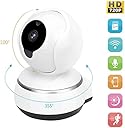

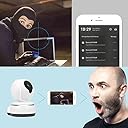
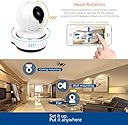
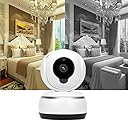

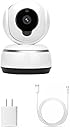
Zonlaky Wireless IP Security Surveillance System , 720p hd night vision two-way audio network monitor camera, indoor Camera for Pet Baby Monitor, Home Motion Camera ( with TF card slot)
Product ID: 50137281
Desertcart purchases this item on your behalf and handles shipping, customs, and support to Indonesia.
Network video playback and remote image capture720P wide angle viewSupport two-way voice intercom.Portable smart WIFI camcorderupport Android and apple app softwareSupport TF card storage up to 64G ( TF card Not included)Notice1). Is there any special character in your wifi password or wifi name, like ' or &? Our camera does not support special symbols as WiFi password settings. 2). Make sure your wifi password is less than 35 characters. 3). Make sure your wifi is not 5G wifi, because our camera doesn't support 5G wifi network.Installation steps1. Scan the QR code to download the Ⅴ380 software and install it.2. Connect the camera to power (you will hear the voice that prompts the system to start up.)3. Press the reset button to restore the initial state, then press the reset button three times in a row to open hotspot configuration mode ,Place the phone 30 cm away from the monitor location. Open Wi-Fi on your phone, and find the MV hotspot and click connect.4. Going back to the V380 software, click on the local login and then click the plus sign in the top right corner. Select the network, and add your device.5. Select the Wi-Fi router, enter the password and save. The installation is complete. Or you can go to Youku to see the V380 installation video.
Trustpilot
2 months ago
1 week ago