🎬 Edit smarter, not harder — own your timeline like a pro!
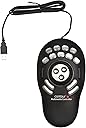
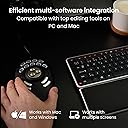
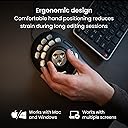
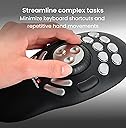
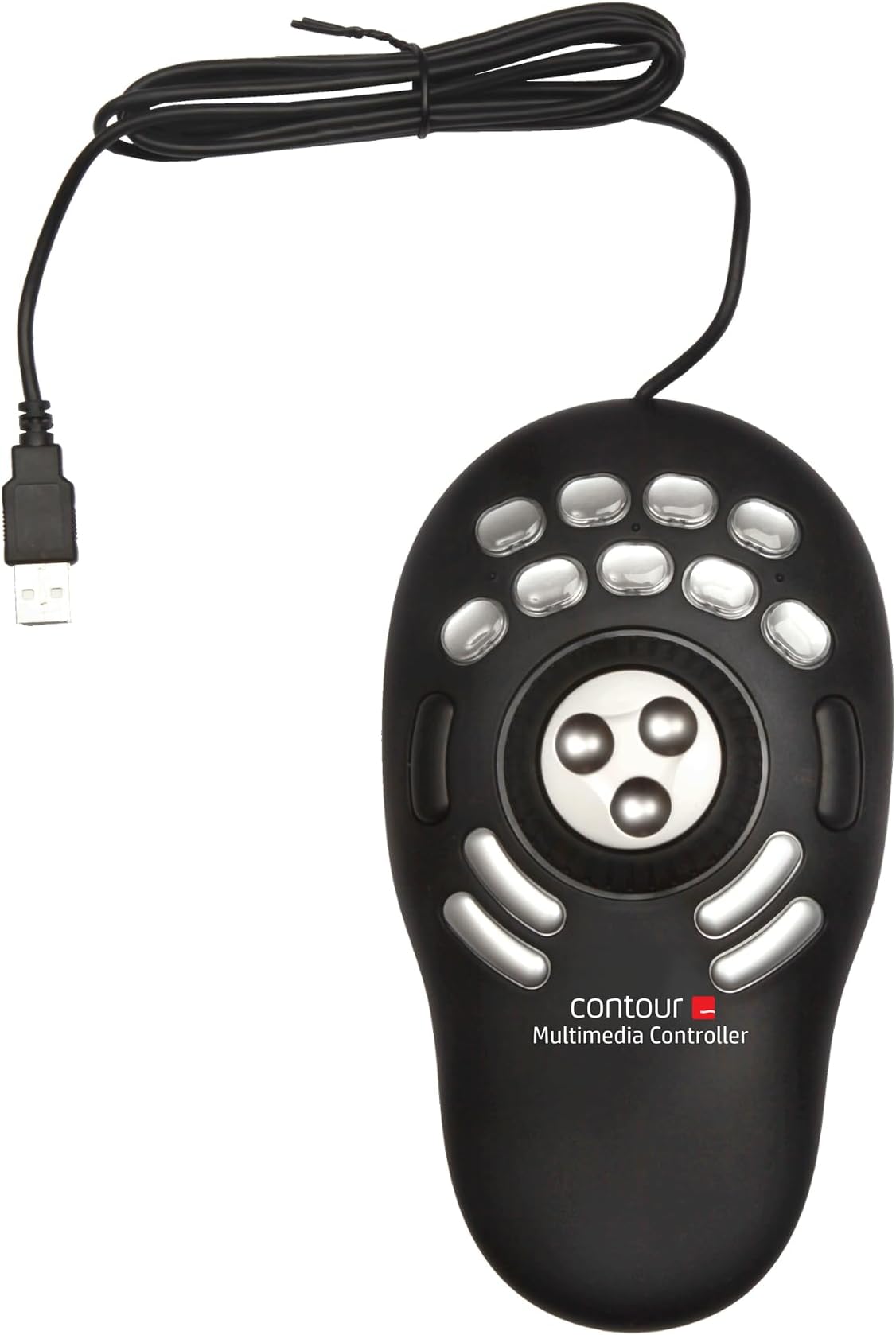
The Contour Multimedia Controller PRO v2 is a premium USB device designed for professional video, audio, and photo editors on PC and Mac. Featuring a 360° alloy jog dial with 7-speed shuttle ring and 15 programmable buttons, it offers precise, ergonomic control that integrates seamlessly with over 100 industry-standard applications. Its smart app detection and macro capabilities streamline complex workflows, making it an essential tool for creative professionals seeking to boost productivity and reduce reliance on keyboard shortcuts.


| ASIN | B0032XQP1K |
| Are Batteries Included | No |
| Best Sellers Rank | 24,323 in Computers & Accessories ( See Top 100 in Computers & Accessories ) 559 in Mice |
| Brand | Contour |
| Colour | black |
| Customer Reviews | 4.0 4.0 out of 5 stars (700) |
| Date First Available | 5 Jan. 2010 |
| Guaranteed software updates until | unknown |
| Hardware Platform | Desktop |
| Item Weight | 260 g |
| Item model number | Shuttle Pro V.2 |
| Manufacturer | Contour Design |
| Operating System | Macintosh |
| Power Source | Corded Electric |
| Product Dimensions | 23.5 x 13.34 x 5.08 cm; 260 g |
| Series | Shuttle Pro V2 |
K**A
Speed up editing
Wow. Only had this for a day and really impressed. Once the software is downloaded it works with most programs out of the box effectively. The software detects the current software in use and automatically maps the keys according to presets. I use for Davinci Resolve 16 and its brilliant. There are pre-named button labels included and also blanks so you can name them yourself. It has really speeded up my editing in Davinci already and i'm not used to it so looking good for the future.
R**D
Puts you in control!
The shuttle was delivered on time and in good condition. I do a lot of wedding video work and this in the short time I have had it, has proved to be well worth the money. It makes both movie and slideshow editing much easier and quicker to perform. I use it in conjunction with a wireless scroll mouse and find for the most part, my keyboard has become almost redundant. I say almost as I still need the keyboard for titling and naming files, etc; My preferred choice of editing software is Sony Vegas, along with Sony DVD Architect and Sony Sound Forge Audio. The control works well with these programs. Would highly recommend this shuttle to others who need a good editing tool, but cant afford the more expensive deck type editing controllers. Its very slim and fits nicely under my left hand while editing. Like other reviewers, I have customized the buttons to suit my own style of editing. Update! 23.02.2013 Just recently I noticed the ShuttlePro was cutting on and off which I eventually discovered was down to the connecting cable. Today it has packed in completely! Question now is, would Contour supply me with a replacement cable which I could fit myself, as the cable terminates in a small plug to fit the circuit board. If not it would mean having to shell out for a new ShuttlePro! The unit it self is still in good condition and seems a waist to have to throw it away. Moving this unit into place each time for use has for me shown up the only weak point and that is the cable. Otherwise has been a damn good unit, which over time has helped to speed up the editing process. Would still recommend to others!
M**E
A good step up from it's baby brother
A friend of mine initially gave me the smaller ShuttleXpress, and it didn't grab me much at first. It takes a while to adjust and adapt your workflow to new things but once you have them setup it's very efficient. Eventually I upgraded to the ShuttlePro v2 and it's a big increase in quality over the plasticky Xpress. If you're on the fence about which to get, go for this one. The extra number of buttons is great (you can put a small included printed icon under each one to highlight the function, but as each app can have different functions I wouldn't bother), they feel tactile and have a satisfying click and the middle wheel is actual, proper metal (shock horror) and feels heavy and is lovely to rotate with a finger. It costs 50% more than the Xpress but the quality is 2-3x as good. Spinning it round to scroll up/down or zoom in/out never gets old. It would be nice if it was a little more responsive (you have to turn it quite a way to register a movement) but I appreciate that this limitation is more because it would react to things too fast with the default Windows setup and not a design issue with the device itself. There's also a collar around the wheel you can grab and rotate - again it moves in quite large steps but you can bind a specific action to each step of this movement which is useful. The software however is very old and I'm concerned by the lack of updates it receives. The application detection works fine for most things, but with newer (and stupid) UWP apps you can expect some issues as they don't have a standalone .exe executable file which the Contour software needs to be pointed at. UWP apps (mostly things you download from the MS store) use a wrapper process that the software can't detect on a per-app basis. Blame Microsoft for that, but I'm sure there is a workaround and I don't see any movement from Contour on fixing it. Setting up specific settings for every single app you use is a pain, but once it's done it's done. For example, opening/closing/switching tabs in Chrome, jumping to the search box etc. is all a breeze once you take the time to set it up (and you don't even need to look down at the keyboard like you would with hotkeys), and while the software does have default setups for popular apps there's no onscreen display or anything so you're best off setting it up yourself in a way that makes sense to you, instead of learning someone else's profile. It is *effort* to get this thing working for you, and a certain amount of muscle memory has to be built up before it becomes truly useful. TLDR; If you need something to streamline workflow and that feels pretty damn nice to use (and kinda futuristic) then go for it. If you can't think of a use for 15 extra keys/macros you can use instantly without looking at your keyboard, a spinny wheel and a rotatey thing, you don't need it. But it will still make your desk look cool. It's quite an old device now and software updates seem few and far between, I don't know if a v3 is coming but be warned, this may be as good as it gets. Price paid, £89.99. It has been around since 2015 but has maintained approx. the same price throughout. I'm happy enough.
D**S
Do Not Buy This Product - Contour Abandons New OS Users
So today marks the 4 month anniversary of the consumer release of MacOS 11 (Big Sur), with developer previews having been available for around 5 months prior to that. So Contour have had about 9 months to produce a driver and they have REALLY dropped the ball. For the first couple of months after Big Sur was released there was a notice on Contour's website advising customers not to upgrade if they wanted to continue using the Shuttle. Of course if you want security and bug fixes, or to use the new features of the OS this gives you Hobsen's Choice. The screenshot above was taken today to mark 4 months since the consumer release; using that just in case Contour are too impoverished to be able to afford a second Mac to develop on. Still in beta and unreliable. So before you spend £90 on a specialised controller that works with a limited number of apps, ask yourself this: Why would you give that amount of money to a company that cannot develop what is essentially a stable mouse driver in NINE MONTHS? A human child can be conceived, gestated and born in this time frame... Experience has show Contour are happy for your expensive purchase to become a paperweight unless you are happy to use an old operating system with security vulnerabilities for months on end and abandon a segment of their market. I bought this device after the developer edition of Big Sur was available - if I had known how little regard Contour have for their Mac customers or that they were not planning on releasing a driver in good time, I wouldn't have wasted the money.
D**.
nothing to dislike, I use this with Software Defined Radio application SDRuno RSPDX and makes using this application a breeze.
P**D
Best $99 bucks I have spent in years! I do a lot of audio editing, and the ability to swap out keystroke short cuts for the press of one button has cut my editing time probably by half. The real power of the shuttle pro v2 is the Key Composer, a way to create macros that can be assigned to buttons. Simple example: when I want to paste some room tone over a breath, I used to tap a key to find the zero crossing before Ctrl+V. Now I have a macro that fires off zero crossing and then it pastes. I assigned this paste macro to a button on the shuttle pro. Now instead of two actions, I only do 1. Add to this the fact that my mouse never leaves the right hand and the shuttle pro is always on the left hand, so there is no jumping from the mouse to the keyboard and back each time I want to execute a command. That is far more then a 50% increase in efficiency! Long example: I've created several macros called Special Processing [client name] that contains all of the special effects processing needed depending on client. With one press of a button, the macro fires off high pass filter, noise gate, compressor, eq, and normalization. Boom! I don't have to remember, let alone execute, a complex set of commands once I set up the macro. It's cool that the shuttle pro knows what application I am in so has the commands available right away. Yes, there are preset button assignments for a ton of applications, but I ended up re-assigning all the buttons to my habits and workflow anyway (most assigned to macros, even Delete needs zero crossing as a first step.) HIGHLY recommended.
M**Z
Empujado por la experiencia de un amigo con un dispositivo destinado al mismo fin, me decidí por éste, al ser directamente dedicado para la función. Todo un acierto. La experiencia ha sido tan satisfactoria que solicité otra unidad para casa. La ergonomía, en mi caso,la encuentro sobresaliente, mucho más favorable que con los teclados gaming que se dedican a estas tareas mediante Paddy. Los materiales son de calidad pero el acabado en gris de una de las unidades, no está tan bien rematado por la parte que se apoya en la mesa y la superficie de contacto con la mano, es más delicada y proclive a sufrir algún arañazo.De hecho,la segunda unidad que solicité, en color gris, llegó con un par de arañazos en esa zona debido seguramente al contacto con el cartón protector, que lo inmoviliza perfectamente pero parece resultar demasiado duro y contundente para el fin que se le supone. La funcionalidad y configuración posible, me ahorra muchos minutos en la ejecución de lotes de procesado en LH, tareas en PS, video con Vegas, y operaciones con el explorador de archivos de Windows. Al principio, es un poco engorroso de programar pero una vez lo realizas, todo se facilita y aceleran las operaciones de una manera notable. Totalmente recomendable.
R**I
Thank Amazon and seller, product is original and working perfect, price is higher from local market, but all ok. Packing and all is fine. 100% recommend. M use this for vmix reply, it's working great. Very easy to use.
J**N
使いやすいデザイン! キー割付設定はちょっと…(英語マニュアルなので…) 動画編集がすごく楽でイチオシアイテムです。
Trustpilot
1 month ago
2 months ago