🎮 Level Up Your Mobile Gaming Experience!
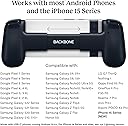
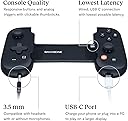
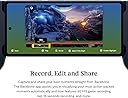
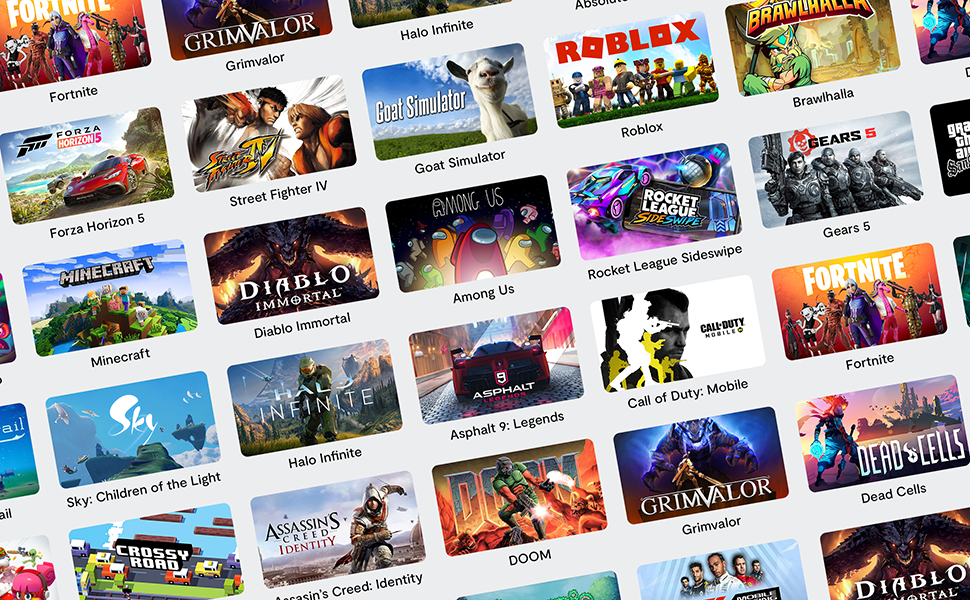
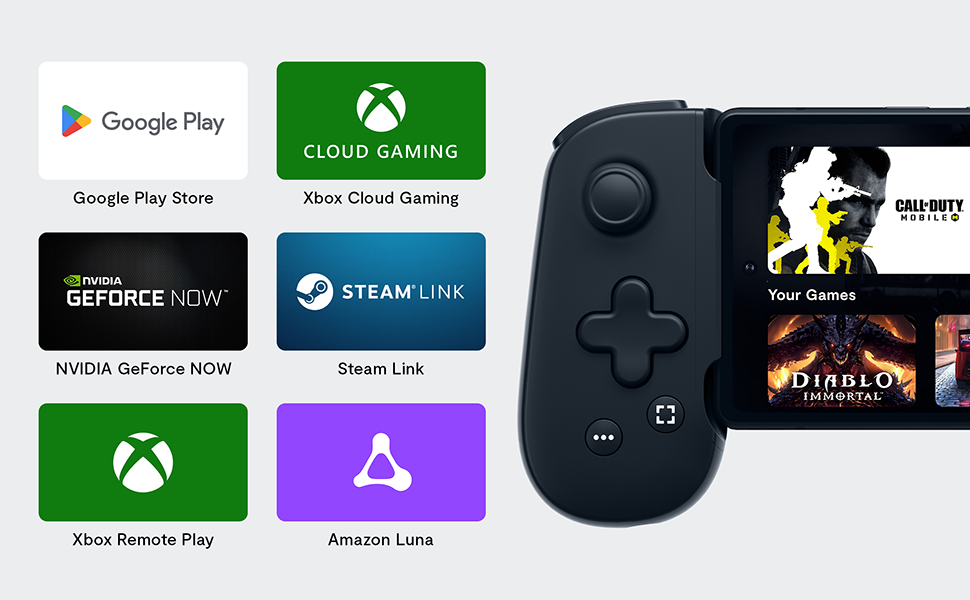
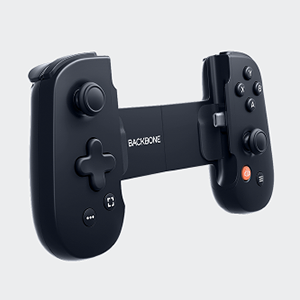
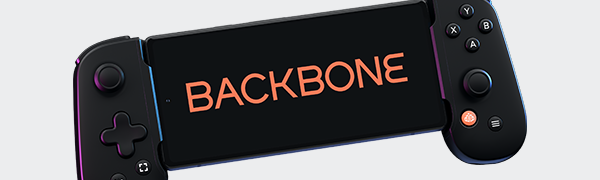
The BACKBONE One Mobile Gaming Controller is designed for gamers who want to elevate their mobile gaming experience. Compatible with Android devices and the iPhone 15 series, it features responsive controls, low latency, and pass-through charging, allowing you to play your favorite console and PC games anywhere. With the Backbone app, you can record, share, and connect with friends, making it the ultimate gaming accessory for on-the-go entertainment.


| Best Sellers Rank | #248,401 in Cell Phones & Accessories ( See Top 100 in Cell Phones & Accessories ) #386 in Cell Phone Gaming Controllers |
| Customer Reviews | 4.3 out of 5 stars 1,895 Reviews |
V**N
Better than expected
I didn't expect much from this, it took me by surprise. It works very well and let's me play game pass easily on the go, it fits perfect on my S23 Ultra but it doesn't fit with a phone case on, so you have to remove your phone case. It's quick and responsive and has no input lag. The only downside to it is that it has no vibration in the controller, apart from that it makes my phone the perfect handheld console. Edit: I would only recommend it for Xbox users, Playstation only has remote play which is only usable when you're near the console which, in my opinion, defeats the purpose. Whereas Xbox has cloud gaming that streams the game directly to your phone without the need of a console. So if you plan to use it with Xbox cloud gaming I would say it is 100% worth every penny.
M**Z
Perfect controller to fill the gap between console and large portable devices like the Switch
The backbone is an amazing addition to any gamer's arsenal. The hands feel is great, and the controller is ergonomically sound. The backbone is a combination of sleek design and ultimate comfort, which can be enjoyable for everyone who does any type of gaming on their Android phone. The USB-c passthrough, headphone jack, and app make this thing a game-changer. I mainly used it for Call of Duty and loved how the backbone had embedded controls for the game. Gameplay felt smooth and the controls were responsive. The utility provided by the headphone jack and usb-c passthrough guarantee longer gaming sessions can be done without running out of battery, as well as bothering anyone in your home. As for durability, I have had the iPhone version for about a year and a half, and it has been functioning without any issues. This thing is definitely the best mobile controller out there and if you do want to pull the trigger for one, the backbone should be it.
M**.
Finally! A Mobile Controller I LOVE!
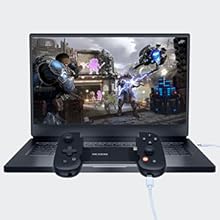
Whether you’re a casual or dedicated gamer, this mobile controller should be at the top of your list if you’re looking into getting one. The Backbone doesn’t feel janky or clunky at all in your hands and it responds amazingly!! If you own a Switch, imagine that but with your phone and Backbone. There’s passthrough charging for your longer gaming sessions and a headphone jack (if you’re still on the wired headphone bandwagon instead of everything Bluetooth :P). Also this controller is more than just that - the app that goes with it is another thing of its own! Not sure if I got everything, but you can create your own reels, join different chat rooms or create your own with friends, and change the controller setting in the app so that you can connect the Backbone to your computer! So many things you can do with the Backbone besides just mobile gaming - I highly recommend!!
D**D
A must-have, multi-purpose controller
Before I got the backbone one, I never even considered gaming seriously on my phone ever. Now, I take every opportunity to try and use this controller with all kinds of different games. In fact, this thing is a complete boon (and maybe even a requirement) for fast-paced, competitive games FPS games. It's pretty comfortable to hold, but I find my PS4 controller feels better. I know this thing is primarily aimed at cloud and remote gaming, but it can work as a regular controller on PC as well (at least the android version can) without a subscription. And even on Linux without an issue! Once I found out I could play my games with this controller on both my phone and Linux box, I stopped carrying around my PS4 controller in favor of this, even though the PS4 controller feels better. It really is just that good. The only downsides IMO is that every time I plug in the controller to my phone, it tries to open the backbone app which I never want to do (I already have the game I want to play up). Also, I hate the fact that this thing tries to get me to pay for a subscription although I understand why. But I just don't need it for what I do. Also, the joystick can be a little rough to push all the way forward. As far as the design goes, its flexible so it can fit many different phone sizes. I was especially surprised that I was able to fit my OnePlus Open with the controller with a case, but only when unfolded. Unfortunately, I haven't been able to play at all folded or unfolded, and the fit can still be a little awkward because of the massive camera bump that comes with the phone. Still, I think this is a great controller and something worth considering if you want to game more seriously on uour phone. One last thing worth mentioning: the button placement can feel a bit awkward, especially if you hold your controller a different way for certain games.
E**N
Use with Galaxy s21+
I have been playing my game (Sky: Children of the Light) solely on my PS5. I figured I should probably give my family some TV time so decided to try this out. I really hated playing my game on my phone as I'm not as coordinated you need to be to play Sky on mobile. I easily connected my PS5 account and did download the Backbone app. I did not get the PS5 version since the button labels don't matter too much to me. It does not resemble the PS5 remote which I thought would annoy me, but actually doesn't. I compare the learning process comparable to going from a normal keyboard to an ergonomic keyboard. You just get used to it. I like the fact that I screen record SO much easier than on the PS5 and also take pictures better. With this game in particular, I am also able to grab the PS5 IAPs that sometimes don't show up on the PS5, but will when I am connected through mobile. It has made that process easier too. I got this on sale, which I feel the sale price should be the true price. I don't feel full price is worth the month. It is really lightweight, but does feel a little fragile to me, which is where I feel full price isn't justified. The size adjusts to your phone really well though, which I was surprised by how far it stretches out. II have recommended this to my other Sky players who are on PS5.
L**K
An OK experience
I've waited the better part of a year to write up my thoughts on the Backbone One for Android. First off, my user experience has been.... ok. It hasn't blown my skirt up. Not sure if it's my own network connection at my house (PC on ethernet, PS5 on wifi, and sufficient bps to game the most demanding games on both of those), but my connections to Steam and PS remote play applications has been less than thrilling. I do not blame Backbone for this, however, it has left me with whatever's left: Google Play, a mixed bag of games that even bother to provide controller support. Not horrible but only a handful of games even work, and with most mobile games, are of varying quality. Further, I'm not fond of the Backbone+ model. I spent $100 on a device where a good number of features (of questionable/debatable usefulness) are hidden behind a monthly subscription paywall. That brings me to the device itself. I dislike that I can either not use a case at all, or have to remove my case to use the Backbone One. Other mobile controller accessories are working to make this a non issue, but for Backbone it's of prime concern. It's annoying and frankly not worth the effort. The idea of the Backbone is to pop your mobile phone in, stream some game content from anywhere. I'm not a huge "gamer-on-the-go" type, but I like having the option in front of the TV in the evenings, so my wife isn't having to watch me play the PS5, and I haven't sequestered myself in another room of the house to play on my PC. I can be present, pay a modicum of attention to whatever nonsense we watch together and still play something diverting. Or even take it to bed and play while she tries to get to sleep. At least I would, if the darn thing wasn't (in her words) "so clickety." The buttons are noisy, that's for sure. All that said, I will say, I found their offer to swap out a purchased Backbone One with the PlayStation Edition was a nice bit of customer service upon which I took them. Not sure it wipes out the negative vibes for Backbone+, but it's a check in the "Nice" column. So, if you have great network speeds with ethernet cables running all over your living space, don't mind noisy controllers and (no matter how big your phone's screen) a tiny display, and aren't bothered by removing your phone from its case all the time (or maybe don't use a case), then by all means..... Backbone One is a device you should consider. Or not. I'm sure there are equitable devices out there. For what it's worth, I graduated to the Steam Deck and hardly look at the Backbone anymore. Pros: Gaming on the go(?) Company makes some good choices in regards to customer service Generally does what it's made to do. Cons: Limited by network connectivity concerns Click-it-tee, noisy. (You're partner may not appreciate you gaming from bed) Doesn't accommodate cases Subscription model to unlock all features.
R**N
Not a bad product
It's a pretty good product. It does what it says " gives your phone a game system feel" I bought 2 one for me and one for my ten year old daughter. Bought it because it seem like her running her thumbs one the iPhone screen was taking away from the view of the actual game. She liked it but I'm guessing since you have to remove the case of your phone inorder for it to be used was a big turnoff for her because I would find her back to playing roblox with the screen controls. Me on the other hand use it but it is really just to play a game that I downloaded from the list that get when connecting the controller and downloading the app. ..sky.. I used a old phone because I too found removing my phone case quite annoying. It's not too bad all in all but not all phones are going to fit in the device. My fold looks like it would but neither closed or open it just wouldn't work.
A**X
Unleash the Power of Mobile Gaming with BACKBONE One
I've always been an avid gamer, but as adulthood encroached, my free time dwindled. Enter the BACKBONE One Mobile Gaming Controller for Android. It's my secret weapon to reclaim some of that precious gaming time. In the midst of a busy schedule, it gives me the flexibility to enjoy a quick gaming session without needing to take over the living room television. My phone and the Backbone One have become my personal portable gaming console, with Nvidia's GeForce Now cloud gaming service at the helm. It's truly game-changing. Titles like God of War, which I would typically play on a dedicated gaming console, are now readily accessible right at my fingertips, anytime, anywhere. The Backbone One controller is surprisingly lightweight. It gives a feeling of freedom, not being weighed down by a hefty gaming console controller. However, don't let its weight fool you. The build quality is decent and holds up well. It's durable enough for everyday use, though it may not endure rough handling. One of the most impressive features of the Backbone One is how seamlessly it integrates with my phone. It turns my mobile device into a powerful gaming console in an instant. The controls are intuitive, responsive, and feel comfortable in the hand, making gaming sessions a breeze. Despite its lightweight feel, the Backbone One doesn't compromise on performance. The connection is reliably strong, allowing for smooth and responsive gameplay. I've yet to experience any significant lag, which speaks volumes about its performance. In the grand scheme of gaming, the Backbone One Mobile Gaming Controller for Android has brought a sense of freedom and flexibility back to my gaming experience. I can now enjoy high-quality games, even with a demanding schedule. It's a game-changer, literally, for anyone who wants to balance their love of gaming with the realities of adult life. For the price, this controller is a solid choice for any gaming enthusiast.
J**.
Se mea a la competencia.
Ni GameSir con su plástico barato, botones que duran 2 telediarios e incompatibilidades de carga con muchos modelos Kishu 2: Los sticks tiene una zona muerta exagerada y poco recorrido. La recurrencia en unidades nuevas de botones que no hacen casi click (mushy buttons) es alarmante. Los botones tienen poca presión y corto recorrido por lo que es fácil meter la pata. Los botones (A,B,C,D) resultan difíciles de alcanzar, tienes que sortear el stick que de alguna manera se interpone al acceder a los botones. Los pulsadores cuadrados M1 M2 asignables justo al lado de los triggers son suficientes para desechar este Kishu V2. Parece que los hayan puesto por el simple hecho de joder, de que estén ahí molestando. Deberían fusilar al autor intelectual de la idea. No tiene entrada para Jack 3.5 mm. Backbone One: Un clásico para los usuarios de productos Apple, y ya sabemos lo particulares que son en estos temas. Así que no es de extrañar que su esperada versión para Android cumpla las expectativas. Tiene los mejores botones, triggers, sticks y cruzeta que puedas encontrar. Haciendo pruebas con la app Game Controlet Tester comprobamos que la precisión analógica es brillante. Buena calidad de construcción. Se adapta a cualquier móvil, excepto los Samsung Ultra puede ser. La carga es compatible con casi todo, incluso modelos previos de OnePlus. Tiene Jack 3.5 mm, que otros tomen nota. El firmware se actualiza frecuentemente desde la app Backbone, la cual no es necesaria para el día a día. La vibración (force feedback) es espectacular para un dispositivo de este tipo, es otro de los puntos fuertes del Backbone. Defectos: a mi me resbala pero la app no deja reasignar botones, lo cual me consta que para muchos es un factor decisivo. Desconozco si hay apps al uso que hagan esta función. Pues eso. Si nunca has tenido un chisme como este, lo recomiendo por ser una apuesta segura. Si vas a usarlo para GeForce Now o streaming en red local ten en cuenta que el factor de escala es un impedimento ruinoso en la mayoría de los casos. Antes de comprarlo haz una prueba en Moonlight, Steam Link, Xcloud, GFN, etc. para que compruebes si te resulta jugable antes de soltar los 120€. En mi caso, un OnePlus 11 de 6,7 pulgadas resulta insuficiente para juegos que no dejan tocar el tamaño de la UI, textos, subtítulos, etc..
J**1
Best controller I've bought
I have one to play xbox cloud gaming when out and about and the playstation one for at home when other people are using the TV. Best controller I've bought! Buttons are sturdy and the quality is spot on.
L**A
[LEER CON CUIDADO] Revisión para usuarios de Android y de iPhone 15+ (Revision larga)
Inicio está reseña como inicie mi reseña del Razer Kishi; Yo soy un afortunado. Un afortunado que ha tenido posibilidad de jugar videojuegos toda su vida, y eso me ha vuelto un apasionado de los mismos. He pasado por una infinidad de controles. Desde los horribles controles de los 80s-90s de Nintendo o Sega, hasta maravillas de costo premium como lo son la Saga Elite de Xbox. Cuando has jugado de todo, y casi que con todo, te haces una idea muy buena de tus preferencias. De aquello que sabes que funciona bien y aquello que sabes que funciona mal. Y bajo esta premisa, vamos a hacer una revisión de este control destacando lo negativo, lo positivo y lo que considero se pudo mejorar; COSAS A MEJORAR. 1.- NO viene listo para iPhone con USB-C. Backbone había anunciado completa compatibilidad de los modelos USB-C con los nuevos iPhone 15 (o superiores) que ahora usarán de forma estándar el puerto. Hasta aquí, todo excelente. Pero debo advertirle a todo mundo que el control no me llegó listo para usar tal cual lo he sacado de ls caja. Como pueden ver, poseo un iPhone 15 Pro y al conectarlo, el dispositivo aún que iluminaba el led de Backbone, no funcionaba en nada. La solución a este problema es conectar primeramente el dispositivo a un teléfono con Android. Para luego forzar la actualización del Firmware a al menos, la versión 1.14 para no tener problemas. 2.- Los botones de menú izquierdo y derecho están posicionados mal. Esto es 100% a propósito, se siente extraño y son casi que inútiles sin práctica. Pero ya lo mencionaré más a fondo en la sección de lo peor del control. 3.- Las palancas son excesivamente cortas. Dejando de lado que sean palancas tipo Nintenfo Swtich (conocidas mundialmente por generar Drift al poco uso). Estas son tan, pero tan cortas, que cualquier mínimo movimiento de pulgar ya activa al 100% el traslado de las mismas. Te puedes acostumbrar, pero si estás muy acostumbrado a jugar en consolas premium como una Xbox o un Playstation, lo vas a notar de inmediato. LO PÉSIMO (O LO MUY MALO) 1.- La app de Backbone ¿De verdad esperan que pague 50 dólares anuales para ganarme el derecho de remapear la funcionalidad de algunas teclas, o para usar el botón de captura de pantalla?... Ridículo. Entiendo a toda la gente que le tira Hate a este control. Con su suscripción sin chiste todo el valor del hardware se va a la basura. Una pena en verdad. Muchísimo cuidado al aperturar la cuenta de la app para actualizar el firmware, en especial si lo hacen con apple-id. Porque te pueden meter un cobro anual del que ni tú estabas enterado. LO MEJOR. ¿Saben?, me sabe mal decirle a la gente que no se compre el control por una suscripción, en especial porque el control en Hardware sería EL RIVAL a vencer. 1.- Puedes elegir layout de Playstation o Xbox en botones 2.- Aun que ruidosos, los botones son de un material al tacto exquisito, se siente rugosos y de una respuesta inmediata. 3.- Está perfectamente calibrado, cero Drift de salida y todo vuelve a su justa posición tan pronto dejas de tocar los botones o las palancas. 4.- POR FIN, alguien que agrega un Jack de 3.5 mm funcional, situado del lado izquierdo y con capacidad de recibir micrófono cableado. Es el único del mercado que hace esto y debería ser ES-TAN-DAR (¿Me escucharon Razer y compañía?) 5.- Puerto USB-C compatible con carga rápida de hasta 15 Watts. Para iPhone, no puedes pedir más. 6.- Un D-PAD hecho y derecho. Formidable en direcciones transversales y horizontales, increíble en juegos de precisión y con un tacto increíblemente sólido porque está hecho del mismo plástico que los botones de acción. Recomendadísimo para juegos de arcade. 7.- Compatibilidad absurda. Creía que caería ente el Razer Kishi en este apartado porque no se abre tanto como la opción de Razer, pero fue compatible con todo lo que el Kishi ya lo era. 8.- Formidable desempeño de batería, a pesar de incluir un led de diferentes colores en el botón de Backbone, su desempeño de batería está a la par de otros mandos. Cosa que es notable porque incluye el Jack de 3.5 milímetros. .... CONCLUSIÓN Si programan su control en un teléfono Android y lo pasan a un iPhone sin toca la membresía, simplemente no hay nada, pero nada en el mercado que te ofrezca lo mismo. Este es el todo en uno definitivo. Sacrificas las palancas del Razer Kishi y te llevas a casa la excelencia de los botones de acción, el mejor D-PAD que he probado en estos productos y de paso, te llevas extras diferenciadores como un Jack 3.5 mm que es funcional y universal. Difícil no justificar su compra. Por esta razón, le doy 5 estrellas. Porque muy a mi pesar del costó y de la trampa de su app propietaria, es la mejor opción sin dudarlo.
D**L
Funktioniert richtig gut!
Ich war die ganze Zeit am überlegen, für Gaming Unterwegs einen Ayn Odin zu kaufen. Da ich aber eh ein recht neues Android Handy habe, dachte ich, dass der Backbone One eine gute Alternative sein könnte. Und das Gadget funktioniert richtig gut, alle Mobile-Games, die ich spiele unterstützen den Controller und alle Emulatoren die ich nutze, kommen auch super damit klar. Ein echtes 10/10 Gadget.
K**K
iPhone 15 Pro で使用
アップデートにはAndroid端末が必須だが、持っていたので問題なし。 アップデートは何か更新ボタンを押すわけではなく、繋いだら勝手に終わっていた。 持っているケースを付けたままでは接続できなかった。ケースを付けたままでも、このコントローラーに接続できるケースを知りたい。
Trustpilot
2 months ago
3 weeks ago