Desertcart purchases this item on your behalf and handles shipping, customs, and support to Indonesia.
🖱️ Stay active, stay ahead — the ultimate stealth mouse mover for pros on the go!
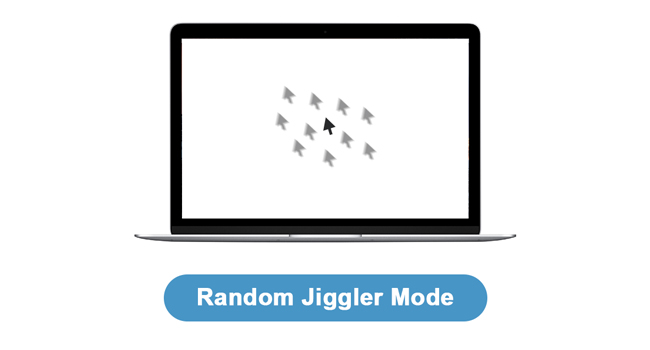
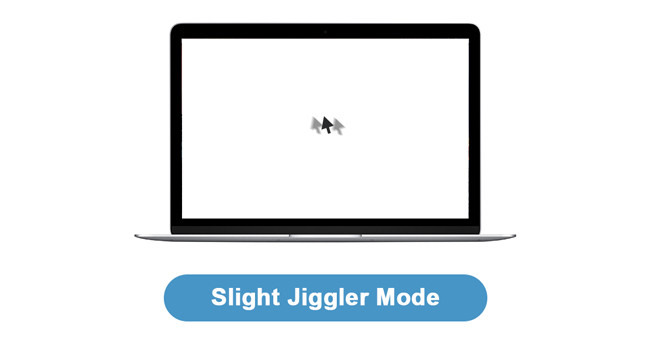
The AUEDROT Mouse Jiggler is a compact, driver-free USB device designed to prevent your computer from going idle by simulating mouse movement. Featuring two selectable jiggle modes—subtle and random—it’s crafted from durable aluminum alloy and recognized as a trusted USB composite device by your system. Compatible with major operating systems, it keeps your status active on communication platforms like Microsoft Teams and Skype, making it an essential tool for professionals who need to maintain presence without interrupting their workflow.


| ASIN | B0B7M8GZR4 |
| Antenna Location | Office |
| Are Batteries Included? | No |
| Are Batteries Required | No |
| Best Sellers Rank | 1,556 in Computers & Accessories ( See Top 100 in Computers & Accessories ) 66 in Mice |
| Brand | AUEDROT |
| Brand Name | AUEDROT |
| Button Quantity | 1 |
| Colour | Grey |
| Compatible Devices | Desktop, Laptop, Tablet |
| Connectivity technology | USB |
| Country of Origin | China |
| Customer Reviews | 4.7 out of 5 stars 3,076 Reviews |
| Enclosure Material | Metal |
| Hand Orientation | Ambidextrous |
| Hardware Platform | PC |
| Item Dimensions L x W | 22L x 16W millimetres |
| Manufacturer | Shenzhen Paisheng Technology Co., Ltd. |
| Manufacturer Part Number | HU-XI-30 |
| Minimum Required Operating System Version | Windows 11 |
| Movement Detection | Optical |
| Movement detection technology | Optical |
| Network Connectivity Technology | USB |
| Number of buttons | 1 |
| Operating System | Android, Chrome OS, Linux, Mac OS, Windows |
| Power Source | Corded Electric |
| Product Features | Ergonomic Design, Lightweight, Portable, Wireless |
| Product Warranty | 1 year manufacturer |
| Special feature | Ergonomic Design, Lightweight, Portable, Wireless |
| Style Name | Classic |
V**.
Really useful little gadget
This item is fantastic for keeping my laptop awake. It was very easy to use, just plug and play. It has two modes - one that just nudges your cursor slightly ever second or so. The second one it moves quite quickly which is really annoying when using the computer. I keep mine on the slow setting so the time as I'm often reading documents and my laptop locks after about two minutes without this which is really annoying. So this has been totally worth the money. Would buy again if needed.
M**Z
ONE OF THE WONDERS OF THE WORLD
Since my company have upgraded our laptops to the new windows11 they took over control and locked the screen time out option away its been a total pain keep logging back in with your password every 10 to15 minutes when you don't touch a keys or the mouse to keep the laptop alive I've been banging my head repeatedly This was a recommendation to me by someone who purchased one i was a bit sceptical due to the cost to use on a company laptop but i took the hit and ordered one I took delivery today and strait away popped it in my usb port on my laptop and it really works in an instant with no downloading to make it work and stops totally any screen lockouts the on/off Switch Button works great this is a must for people who is having the same issues as i did because you just turn it off when you need to use you mouse its very small and discreet with no sound and is a good quality design it connected strait away with no fuss its a small piece of magic I would highly recommend this its got too be one of the best gadgets I've purchase and at a great price I totally give it a 5 star rating *****
M**N
Cool little screen-lock defeat dongle
As an IT-professional I was intrigued by such a device. I wondered how it behaved when working alongside an actual mouse. I want to prevent screen-lock when its inconvenient but I don’t want this to interfere with my day-to-day work. I have to report that it works just fine! It has a tiny switch so you can adopt “Mode 1” or “Mode 2”. Mode 1 moves the cursor by a tiny amount. You can actually see it moving but it is by such a small amount it barely has any detectable effect upon positioning the cursor when using the real mouse by hand. So, you can just leave this little baby plugged in and working all the time. You can switch to Mode 2 if you wish in which case the cursor goes crazy all over the screen. It is fun to watch but it then means you cannot practically use your mouse! The USB dongle is plug-n-play fire-and-forget. I just plugged in and it started working immediately on my work Windows 10 (Enterprise) Dell. There were no pop-ups or anything to do. It just works. Your computer thinks it is a completely benign mouse. However, it all just begs the question: who legitimaly needs this and why? (Anyone using this device to “look busy” whilst “working from home” is asking for trouble and nobody should endorse this or find it funny.) If using your own person PC/Laptop then you can simply disable the screen lock. Most technologies (such as Teams or Click-Share presentation middleware) will automatically disable screen lock whilst using them or in a call. So, we guess this is for corporate users. Screen-lock on time-out is a security feature deployed by commercial IT organisations to help secure their network from outside intrusion. However, unless you fantasise that you are living your life in a “Mission Impossible” movie, these sort of security measures are more-often-then-not pointlessly draconian. You are far more likely to have your device physically stolen than you are to have a stranger sit at it to steal commercially sensitive data. Getting hacked by somebody on the other side of the planet is far more of a big deal. Personally, I find this device useful to keep my second device active whilst working on another. This is so I can monitor emails, messages and take Teams calls whilst working on another machine physically next to it. This is in a safe and secure environment of my own home. Nobody here is going to access corporate data whilst I am sitting here! However, my circumstances might be unique. You certainly do not want to use this device in a public space and using at in the office might lead to a disciplinary if you get caught. Seriously, such precautions are there for a reason. Unless you have a secure lockable workplace then make sure your screen locks if you are going to walk away for any period. ...and switch it off at night too!
J**M
Keeps the computer awake and does not interfere with work
I run simulations that can take many hours. Windows has a bad habit of sleeping my computer while those simulations are running. Yes, I know I can set my screensaver, power options and other features to 'never' - it doesn't work because Windows simply ignores these settings most of time. There is probably some registry hack I could do (and believe me I have looked for one) but now I don't need to. This device is incredibly easy to use, just plug it in to a USB port. I have it sitting in the hub / docking station and it works fine so you don't have to put it directly into the computer. If I am not actually moving the mouse, I can see small movements every couple of seconds. But I don't notice it at all if I am moving the mouse, the jiggling is small enough to not interfere with normal mouse movements. Someone doing fine graphic design would probably need to disable it temporarily, but for general coding and documents, it's no problem. For the first time in years, I was able to run simulations overnight without any tinkering. Now all I need to do is switch off the monitor to avoid burn in, the computer stays awake and keeps processing as expected. I expect it would also be useful for people who use their computers to watch movies or listen to music or anything else that is reasonably passive.
J**E
Perfect for work
I absolutely love this. It had two speeds, just click the button and it will move the mouse slow or fast, then hold it down to turn it off. It works really well and has been great for work
R**U
Good
good
L**S
Quality and Discreet.
Working really well for the purpose I need. A little more expensive than some models, but worth it for the quality materials and discreet design. The LED is tiny, dim and badly positioned, but better that than something distracting. I just leave it plugged in all the time and it does the job when needed.
E**N
Great product
Works great! Highly recommend.
C**O
No se puede pedir más
Funciona perfectamente, pug and play, conectar y nada más. Perfecto para el teletrabajo. Vienen 2. Además tiene 2 modos de movimiento, uno indetectable a simple vista y otro (al apretar el botoncito) parece que hay una persona invisible trabajando. Mueve el ratón con cierta coherencia. Alucinante el tema. Vale lo que cuesta.
M**K
Robi robotę, ale przez krótki czas...
Urządzenie robi robtę i to naprawdę dobrze, jest praktycznie "nieprzeszkadzające" w codziennej pracy. Niestety, po lekko ponad miesiącu przestało działać, więc pozostaje mu pełnić funkcję ochrony port USB przed kurzem.
M**H
Wszystko gra
działa bez zarzutu, spełnia swoją funkcję
J**S
Perfecta
Ha cumplido holgadamente las expectativas que tenía en el producto. Funciona muy bien desde el primer momento, es supersencillo... plug an play, se acabo tener que estar pendiente de si la pantalla se apaga, además, como anuncia el vendedor es indetectable, nadie del servicio de informática me ha comentado que hayan detectado nada extraño en mi ordenador en remoto. El ratón funciona perfectamente a la vez que el dispositivo, por lo menos con la primera configuración que es la que se activa a conectarlo, con la otra no he probado. Mi observación final es que recomiendo totalmente la compra.
F**L
Parfait pour simuler un mouvement de souris
Si vous avez besoin de simuler un mouvement de souris pour empêcher une mise en veille (mon cas lors de certains calculs qui ne bloquent pas nativement ce processus), alors c'est parfait !
Trustpilot
2 weeks ago
1 day ago