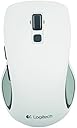
🖱️ Elevate your workflow with comfort and control — never miss a click!
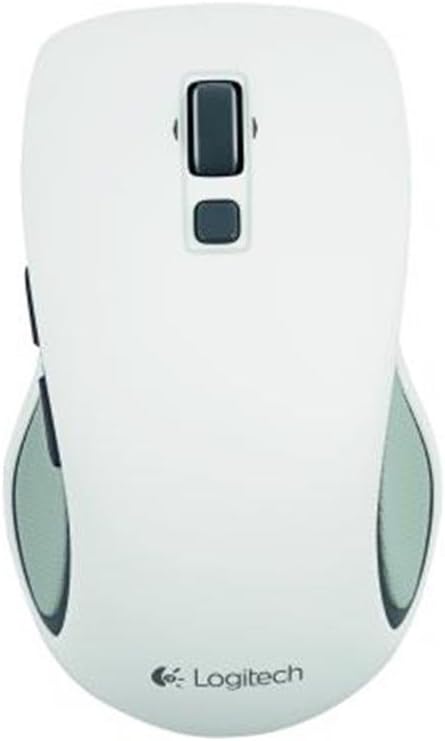
The Logitech M560 Wireless Mouse combines ergonomic ambidextrous design with advanced 2.4 GHz wireless connectivity and 1000 DPI optical tracking. Featuring a hyper-fast scroll wheel and dedicated Windows 8 thumb buttons, it offers seamless navigation and productivity. Powered by a single AA battery lasting up to 18 months and paired with a compact USB Unifying receiver, this mouse is built for professionals seeking comfort, precision, and long-lasting performance across PC and Mac platforms.
| ASIN | B00ENAMNVC |
| Antenna Location | Office |
| Are Batteries Included? | No |
| Are Batteries Required | Yes |
| Battery Average Life | 18 months |
| Best Sellers Rank | 297,332 in Computers & Accessories ( See Top 100 in Computers & Accessories ) 5,187 in Mice |
| Brand | Logitech |
| Brand Name | Logitech |
| Button Quantity | 8 |
| Colour | - white |
| Compatible Devices | Laptop, Personal Computer |
| Connectivity technology | USB, wireless |
| Customer Reviews | 4.0 out of 5 stars 233 Reviews |
| Enclosure Material | Rubber |
| Hand Orientation | Ambidextrous |
| Hardware Platform | PC |
| Item Weight | 200 g |
| Item height | 3.07 inches |
| Manufacturer | Logitech |
| Model Number | 910-003914 |
| Movement Detection | Optical |
| Movement detection technology | Optical |
| Network Connectivity Technology | USB, wireless |
| Number of Batteries | 1 AA batteries required. |
| Number of buttons | 8 |
| Operating System | Mac,Windows,Windows 8 |
| Power Source | Battery Powered,Corded Electric |
| Product Features | Wireless |
| Product Warranty | 2-year Limited hardware warranty |
| Special feature | Wireless |
| Style Name | Modern |
| Unit Count | 1.0 Count |
C**E
Five Stars
Good value for money, very pleased with product and service.
G**S
Like another Reviewer said.. ALMOST PERFECT.
PROS: nice feel softish feel nice ratcheted system on the scroll wheel, not too firm and not one of those annoying free rolling ones (ugh) side buttons(I have used software to modify for zoon) Middle button below the scroll wheel (re-mapped as middle button anyway (which it doesnt have for some reason) see cons.. one needs one battery and lasts 18 months! (which means it beats its co-models by miles.. some saying they last 24 months but with 2 1.5v alkaline batteries, well do the math 18months x2 means with one battery it outlasts the dual batteries by 12 months , one entire year. That is quite good. In addition I use 1.3v battery and have NO PROBLEMS, very responsive and smooth (more so than my old wired) grips on sides are nice but read cons for why its irrelevant. CONS: grips on side are nice but because of smallish size on mouse can't be fully realised.. no middle button on scroll wheel (will take some getting used to)* side buttons could be a few mm further up mouse could be bigger!** a few mm higher and about 2 cm longer and I would be in PC HEAVEN :( (please someone let me know if such a mouse exists or becomes announced :) Lastly.. erm oh it seems I can't think of much more so I guess just one or two things separating this mouse from the history books :/ AH sorry, as someone mentioned the click system is not separated from left or right but to be honest I didnt even notice and doesn't seem to have affected my usage of it.
P**C
as mentioned before this mouse is great does what i need when i need it
as mentioned before this mouse is great does what i need when i need it. I was a bit worried about what i would get for the price paid but very happy to say it does what it says on the box. perfect
A**R
Almost perfect
This is a quality mouse, like Microsoft mice, ie it is robust, solid, well put together, nothing is rattling or lose. It is also very unlikely to break a few days or weeks in, as happens with other cheap mice. I had to return 3 or 4 cheaper mice as they all developed faults within weeks: one's scroll wheel became loose and would not register, the other two mice started to double click on a single click and so on. In addition this mouse does have two side buttons, which Microsoft have decided is not a needed feature... Finally the scroll wheel, while not the best I have seen, is the best of the current crop of mice. It revolves in two modes: single step mode where it registers a mechanical click as you turn it, so you know exactly how much and how to turn it. This provides the feedback and accuracy required, for example in games to enable weapon switching. If you push the wheel down hard it enters a free-wheeling mode, where it spins without resistance and allows you to scroll up/down long pages quickly. I mean you give it a spin and off it goes spinning. In this mode there is no accuracy and of course you will be turning it accidentally as you go along. As a comparison the Microsoft mice (4000 and 6000) have a free wheeling wheel that is almost impossible to avoid accidentally turning and impossible to click down (middle mouse button) while not turning at the same time. It is like trying to push down on a slippery eel. So Microsoft mice are retarded, this one is not. Because in the free-wheeling mode it is impossible to press middle button down, no matter what Microsoft were thinking, this mouse has a real middle button right behind the wheel which you can press with no possibility of rolling the wheel at the same time. Based on the above 5 stars. The bad points are: 1) you have to install the Logitech drivers to be able to map and use the side buttons, but in many instances the mouse "forgets" these settings and the side buttons revert to an idiotic mapping of "start menu" and "show desktop". The Logitech support forums have plenty of people complaining about this, but this is a software issue, not a mouse issue. 2) The two main buttons, left click and right click, are covered by the same piece of plastic cover, which if you are into games, maybe you will discover somehow interfere when one button is already pressed down and you are trying to press the other as well. To be honest I had not noticed any issues until my 15 year old brought it to my attention. That is really bad design on an other wise very well designed mouse as it is unnecessary - the two halves could be separated.
D**S
Lovelty mouse
nice easy to use mouse which works great with windows 8 as at a push of a button pops up the right menu bar.
P**E
Excellent mouse, I would have preferred the hyperscroll on ...
Excellent mouse, I would have preferred the hyperscroll on a seperate button as it was on my last logitech mouse.
S**K
Does the Job
Very comfortable and works very well with Windows 8. Recommend as easy to navigate and use and looks very smart in white
K**R
Set it up and now everytime i try to use ...
Set it up and now everytime i try to use my middle mouse button i get a black screen, i am back to using my old mouse but still cannot use middle mouse button with that, this mouse and software has buggered everything up.
Trustpilot
1 month ago
1 week ago