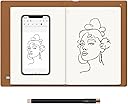
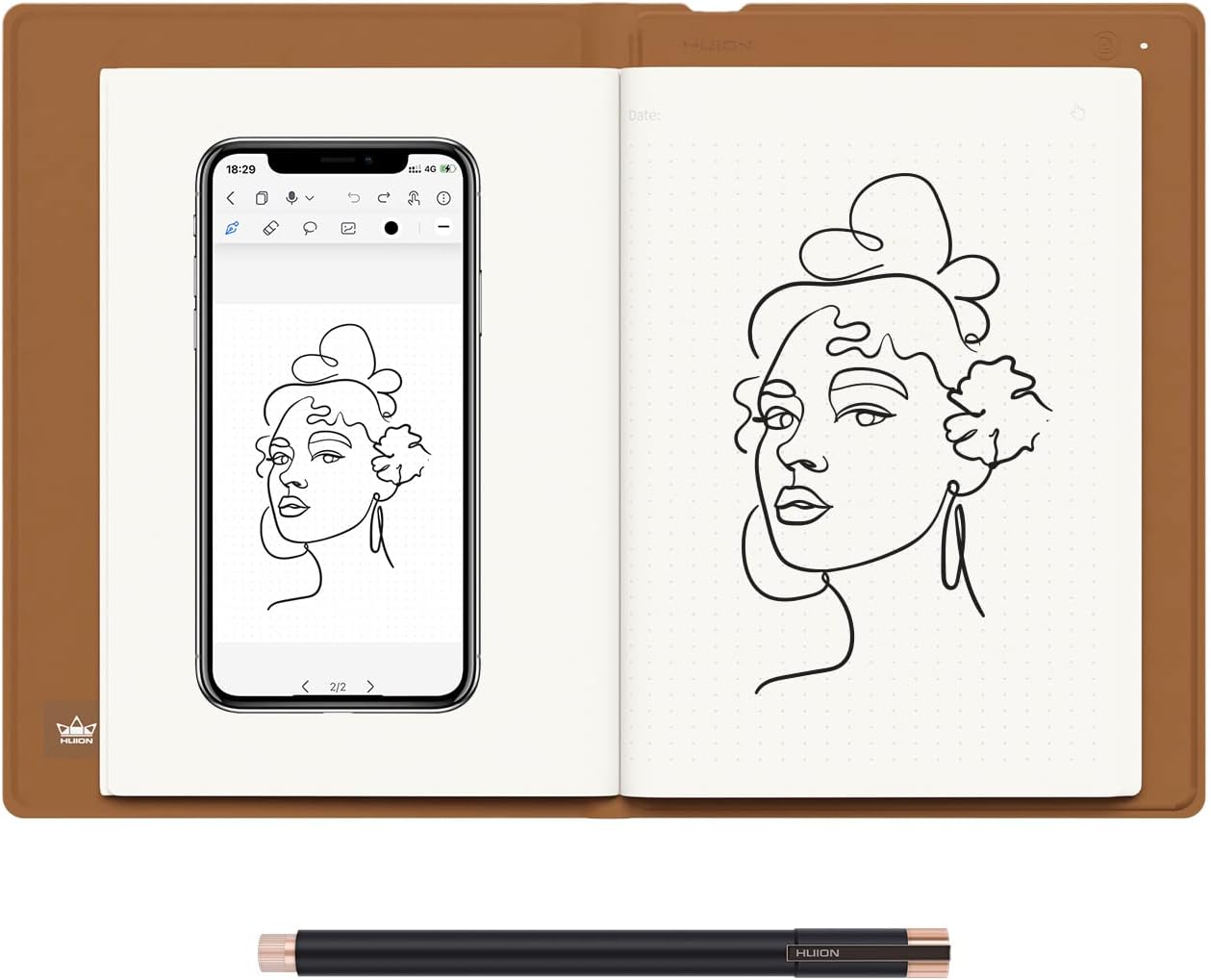
✍️ Digitize your ideas, amplify your productivity — all in one sleek notebook!
The HUION Note 2-in-1 Digital Notebook combines the tactile feel of an A5 paper notepad with cutting-edge Bluetooth 5.0 connectivity to instantly digitize your handwritten notes and sketches. Featuring an 18-hour battery life and a battery-free pen, it doubles as a drawing tablet for PC, making it perfect for professionals and creatives who demand seamless note-taking, smart organization, and effortless sharing on the go.


| ASIN | B0BG2T9SGV |
| Batteries | 1 Lithium Ion batteries required. (included) |
| Best Sellers Rank | #21 in Computer Graphics Tablets |
| Customer Reviews | 4.2 4.2 out of 5 stars (512) |
| Date First Available | September 21, 2022 |
| Item Weight | 15.3 ounces |
| Item model number | X10 |
| Manufacturer | Shenzhen Huion Animation Technology LTD. |
| Product Dimensions | 9.5 x 7 x 0.1 inches |
A**.
Limited drawbacks, if any...
The Huion Note x10 is really cool. I first started looking to digitize my notes years ago and went with the Rocketbook brand. It was ok. Being stuck to specific pens that only do decent with left-handed writing, the re-useable notebook was neat but cumbersome to use. The Note x10 is also stuck with a single specific pen, however it seems there are replacements readily available, and the quality of the ink standard/nice enough. The Huion Note x10 does everything that I was looking for. First and foremost, ease of use. It is instantaneous when using it. The longest part of setting up the device was when creating the account I had to wait a couple of minutes for the verification code to come through in an e-mail. I'm not even sure if creating an account is necessary. Once you scan the QR code from the Huion Note App, it's paired and re-pairs itself fairly quickly as you open and close the pad. Similarly for tablet mode, I installed the driver first and then plugged it into the computer. Right away it was connected and usable. It should be noted that I found it most reliable to unplug and replug the device in when you put it into sleep mode. The Huion App is very good, which is great. Often these are the shortcomings for such a device. In this case, the app has a multitude of notebook selections, pen styles, and a few tools for note-taking. Honestly, just in itself it is a very good note app (though not ideal without the Note x10!), and given that it is how you will likely primarily be interfacing with the Note x10, this is a very important aspect and they did a good job. A couple of outstanding points -- you are able to create notebooks in the app, so I create a "Daily Tasks To-Do" list and each page is a separate part of the house. I also created a "Blueprints" and standard "Notes" notebook. This alone sets the app apart from others I've come across. Another nifty trick is to use the pens Tablet Rubber Nib on a blank page. You get the feel of writing, but of course there is no ink. It takes a second to get used to, as you'll be looking at the phone screen for where you've written on the page, but it's nice for when you want to take notes but without using up one of the 50 pages. So far I have used it the most this way, as I wanted to digitize existing notes, but without using up pages. Tablet mode is also very serviceable, while it may not have gestures or buttons like a fully fledged Wacom tablet would, that's not really an issue since that's not it's main purpose. So far I've tried it out with photoshop and with storyboarder and it works exactly as you'd expect. Possible negatives to look out for: First on this short list is the notepad paper itself just happens to be semi-easily affected by humidity. I have found that some papers tend to fold with use and perspiration. The default A5 paper that comes with this notebook seems to have this happen. However, the paper quality itself is very good and feels pleasant to write on. Next is the possible longevity of the pen tips -- each tip is about 1/4th to 1/3rd the length of a normal pen. They advertise 400m, which I'm sure is plenty. I'm more thinking long term, say 8 years from now if everything will still be available. Finally, it sounds like only their brand of pen works -- to be expected. Don't lose it! The pen does come with a leather carrying case that can magnetically attach to a specific spot of the front of the Huion Note x10, however I wouldn't rely on it alone were I to carry mine out and about. That is about it. In terms of positives: The A5 Paper can be any replacement pads. This is really great for longevity. The device itself feels fairly high quality and has few moving parts, nothing that seems like it would break. The app is very, very good for note taking and it looks and feels really cool taking notes with it. And being able to use it in tablet mode means that even at the very end of its life it can still have a purpose. In short: The Huion Note x10 is very well advertised, delivering on everything it promises. Connecting to the App via Bluetooth on your phone is very easy, using it is very fluid, and interfacing between the two of them has next to no downsides that I came across. In addition to all of this, it can very easily connect to the computer to be used as a drawing tablet. The downsides that I tried to list are honestly not even about the device or the app itself, but just possible concerns about long term supply of pen tips and being extremely nitpicky. This is a great device. If you want to digitize your notes, I highly recommend it for that alone and you get the added bonus of having a drawing tablet.
C**H
Great quality
My 13yr old loves it, great value for the price, works well
R**W
Okay but still pricey
It works as advertised. You can use any paper (loose or in a same sized notebook) but you can only use the pen provided. It has refills usually available ( bit pricey to me) but I've seen them out of stock on amazon before. It connected to the phone nice but I didn't try my laptop since that's not how I intended on using it.. Nice quality but the pen case magnet is super weak! I could knock if off by bumping the case against something. It's not strong enough to align itself either, I had to nudge it into place. It is sensitive enough to get most dots but not gradient shading or very light handed scribbles. I was super excited to get it on sale and I'm glad I did. It's not really worth the money unless you want/need to take notes or really like pen only drawing. If I was in college this would have been amazing. Now, not so much. I just don't like pen drawing and don't need to take notes in abundance. There is an erase function but only one of the marking options are adjustable. The app lacks the capacity and functions of even a cheap drawing tablet and I'm not going to try finding another app to do so. Again, did not try on full computer since I got it for drawing on the go. At home I'll just use my actual pencils. I'm returning it since its a bit pricey to not use it.
W**.
Perfect
Perfect. My child loves this
I**!
READ NOW!!
I have been dying to get this and I finally got i for Christmas!! I had originally saw this on an ad on YouTube, and it finally came back to my mind for Christmas. Reading the Amazon reviews, every bad review was mainly just people not actually understanding how to use it!! For example, the product’s ‘factory smell’ disappeared almost immediately, and just using the app in general was so easy! The ‘loading’ screen isn’t actually a loading screen, it’s just some pages to scroll through but swiping to the left (to scroll right) until you get a start button!! I was a little confused at it at first and I thought it just wasn’t loading like other reviews said, but after tapping/swiping on the screen, I discovered how to use it. It took a few minutes of trial and error, but syncing the tablet was easier than expected. The little pamphlet that comes with the tablet says to ‘change the pen’ out, but you just have to take off the waxy tip, don’t waste the pen!! I personally like the app, and even though this request might be hard to make true, I think if there was a way to tell which page is 1, 2, 3 etc and when you write on the page, it automatically goes to that page if it’s online rather than making a completely separate page for something that is on the same page as what was originally written. Yeah, it’s a bit of a stretch, but it would be nice if it existed. I love the tablet, it’s great, I love the app, it’s great! I would probably add something on the first load screen that says ‘Swipe’ or something with an arrow so customers don’t get confused. Also, maybe add in the instructions *where* to put the stick on drawing pad on the tablet for the drawing bad sheet…? I still haven’t put mine on yet :( also, I would personally point out the drawing pad pen nib to make it easier to define which job is which, because I think I read a review about that, too. Just to make things less confusing!! Another thing I would like to add as recommendations for future designs, maybe have a little attachment or something that can store extra pen-nibs so they don’t get lost or someone can easily use both the drawing pad nib and the regular pen nib? That would be great!! Thanks for reading this!!
V**A
El gran problema es conseguir otra pluma ! Si la pierdes no conseguirás una ! He comprado ya 3 modelos y nada que son compatible. La escritura y después guardado en la nube es deficiente ! Tienes que escribir con el teléfono al lado , para eso lo hago en un block de notas
A**R
I have been very happy with this product. I use it daily for research work and the quality is excellent. I've used the android app for uploads, but I also use the Windows and Linux drivers with OneNote as a sort of "live copy", which I find works best. The android app took a short time to understand but I have not had it crash or lose data. I would suggest you get an elastic band to keep it tightly closed in your backpack, as if you have a thick notebook, the sensor may not indicate closed, and the battery runs down. I keep a cellphone battery bank just in case. Android app has a nifty "playback" feature that re-animates your pen strokes. Great for deriving equations when teaching a class!
P**R
It's easy to use and worth to purchase
L**A
شكراً جزيلاً منتج وصلني كامل وممتاز واستخدامه سهل كنت احتاج منتج بهالسعر وبهالمواصفات
T**A
Now I want to go to China)))))) this one makes me thinking I live in the future! And it has the price like for two people lunch. Quality is outstanding 100%. Will get as gifts also for my best friends.
H**M
I work as a full time digital artist and draw on a screen tablet everyday. My eyes get fatigued often and I miss drawing on the sketchbook. Of course I could get a sketchbook and scan it in, but that's a long and tedius process. I found that this tablet/sketchbook fulfills my both my needs perfectly. I'm able to carry this tablet anywhere and turn my drawings to digital art on the go. I think something that needs to be emphasized more is pressure sensitivity, I thought that since the ball point pen is pretty uniform in width that it would not register pressure sensitivity, but it does! And I really like that I can lightly draw on the paper and having that reflected on the app. I also like that I can carry around a sketchbook that can also act as a tablet when I need it for making quick sketches or more refined work through the mobile/laptop version of clip studio for example. Everything considered, this is a great tablet/sketchbook and I hope more products like these are made to bridge traditional and digital art.
Trustpilot
1 week ago
2 weeks ago