


🔗 Connect with Confidence!
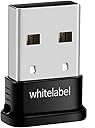
The HACI Whitelabel Bluetooth 4.0 USB Dongle Adapter is a versatile and compact solution for enhancing your PC's connectivity. Compatible with a variety of Windows operating systems, this plug-and-play device allows seamless communication with Bluetooth-enabled devices, boasting impressive speeds of up to 3Mbps and a long-range connectivity of up to 50 meters.
| ASIN | B00E86EFY4 |
| Brand | HACI |
| Brand Name | HACI |
| Color | Black |
| Colour | Black |
| Compatible Devices | Desktop, Keyboard, Mouse |
| Compatible devices | Desktop, Keyboard, Mouse |
| Customer Reviews | 4.0 out of 5 stars 1,527 Reviews |
| Data Link Protocol | Bluetooth, USB |
| Data Transfer Rate | 3 Megabytes Per Second |
| Data link protocol | Bluetooth, USB |
| Data transfer rate | 3 Megabytes Per Second |
| Global Trade Identification Number | 00840144100163 |
| Hardware Interface | Multipronged Audio |
| Hardware interface | Multipronged Audio |
| Item Weight | 0.01 Pounds |
| Manufacturer | HACI |
| Manufacturer Part Number | ADAPTER06K |
| Model Number | Dongle |
| Product Warranty | 1, 1 year |
| UPC | 840144100163 |
A**G
Problems With License And Connecting To Device
It works as expected, but the major issue i have it the license activation and the website itself. The website is too slow. For some reason my password didn't match my gmail so i requested a new password, and have not received any email for 30 minutes and counting, it seems you cant activate the license on more than 1 pc but one of the forums said you can clear the activation from the PC you activated on, i have yet to try it. If you pair a device with the Bluetooth DON'T FORGET TO DOUBLE CLICK THE DEVICE YOU PAIRED TO to actually use it, if you pair with headphones for example double click the headphones to actually use them, took me a while to find this out and you should use the disc that came with the dongle to install the Bluetooth drivers, it is recommended by me of course. After my issue with the activation is resolved i will rate this product higher, probably a 5 star ------------------- EDIT: 4/15/2016 ------------------- I had help from the whitelabel team and thankfully they actually helped me and it was very quick, so basically the bluesoliel program you installed and required the serial/license key to is NOT required so you can remove it if you wish (i did and no problems for me), it is just plug and play and if your using windows 10 (i haven't tried in any other operating system) all you need to do is set your bluetooth headset or speaker that you wish to use as default communication and your done and you are ready to roll. I gave this product a 5 star because they deserve it for their good product and easy and clear instructions on how to deal with the serial issue.
B**S
with a shiny black finish that will blend in seamlessly with a laptop or desktop system unlike some USB devices that stick out l
After using this device for over a week I can say it is worth the (modest) price you pay for a functional, efficient and unobtrusive USB Bluetooth device. The item comes in a small clear packet with a cardboard back with some information regarding the installation of the product, inside the packaging is the USB Bluetooth device and a small disc with the necessary drivers. The product is less than an inch in size, with a shiny black finish that will blend in seamlessly with a laptop or desktop system unlike some USB devices that stick out like a sore thumb. The product is easy to install, simply plugging it in was enough for Windows 10 to recognize the USB device and begin functioning as intended, though I installed the driver disc just to be sure and iron out any potential compatibility issues that could arise. The driver installation was quick, lightweight and was user friendly for any level of expertise. After installing the product, I was able to connect to a number of Bluetooth devices such as a portable speaker which could then be used to play music from my PC in another room! (This particular speaker has had issues connecting to other Bluetooth devices such as my mobile phone - but worked perfectly fine with this product, a testament to the compatibility and range the product offers). I've used the product a number of times since purchase and have been completely satisfied with the purchase, anyone who's looking for a lightweight, compact USB Bluetooth adapter, look no further, this product is for you.
A**W
This dongle works, but not everywhere
I did not expect too much for this price but this bluetooth USB dongle works very well so far. I could connect my bluetooth mouse and head phones easily on my Ubuntu 14 Linux desktop. However I had difficulties with this dongle on my Windows 10 machine where I wanted it to use primarily. It took a long time to finally connect my devices but the dongle can not find all of them. Sometimes it works, sometimes it doesn't. That's why I am not giving five stars. Good for Linux, not so good on Windows 10 (at least for me ...). On Linux it works fine, no connection issues. Good streaming quality and good range.
E**D
range seems bigger then 10m, you're forced in win7 to use ad-ridden bluesoleil that might also have license issues
The device itself seems capable, it worked with bluetooth headphones for longer than 10m i think. However on a windows 7 all you can do is install the blue soleil software provided which works even thou its heavy and ugly full of adds and i'd rather not use it at all. Also after my computer resumed from stand by i get pestered about the license. I asked the vendor about some generic drivers for the dongle, the ones that windows 7 needs without the bluesoleil application or at least give me info about the chipset used in the dongle but so far haven/t received an answer. Not sure about the dongle, but seems ok, materials look cheap (as in easly broken). If the range is 20 m or more i'm happy with it The software i hate, the fact that they don't provide drivers separate from bluesoleil its a big minus from me, actualy -2 stars. I'll look forward for their answer and will update if necesary.
F**D
Bluetooth perfection
The reason for the purchase was that I wanted to use my Playstation 4 controller, without it being connected via USB on my PC. (Wireless). I looked into software, and found DS4 - which allowed the use of Bluetooth. A quick search on Amazon found this dongle to be one of the highest rated at a very good price - and that's why I trust you reviewers! You're rarely wrong. I thought I'd add to the positive reviews because: This came next day (even better if you have Prime). It was plug and play, very easy to install and set-up. My PC registered the Bluetooth technology very quickly (Windows 10), and the Playstation 4 controller works wonders. I can now play with my PS4 controller, connected via Bluetooth on a wide range of games across my Steam Library. Good Dongle is good.
F**S
Does the job after a lot of faffing around and doing stuff you shouldn't have to do.
After leaving a 3 star review I have now downgraded this to a 1 star. Crappy CSR driver dongles are a PAIN with Windows 10. Firstly you can get this thing to work if you use the disk and the software. Until you find that, out of the blue, Bluesoleil downgrade you to an evaluation copy of the software and then they want payment for a licence to use the dongle, which you purchased in good faith without knowing it didn't come with a serial no.!!!! How cheeky is that?!?! You can get it working again by uninstalling and reinstalling via the disk, but it will only work for a while before they play the 'buy the serial number' scenario again. I absolutely refuse to buy a serial number when it wasn't stated that this is required upfront. Try and just go to the device manager and just change to a generic driver doesn't work .... this is for ALL CSR dongles in Windows 10. WHAT!! you say. However after googling around, looking at a load of advice that didn't work, I finally found an answer and got this dongle up and running WITHOUT the Bluesoleil software rubbish. Uninstall the Bluesoleil stuff. Unplug and replug the dongle so it shows up but without a working driver. Go to the Device Manager (type in the Search if you don't know where it is) Right click on the CSR device that is showing up with the exclamation mark, choose Driver, Update Driver. select the YELLOW icon Bluetooth device (not the usual Blue icon). That will probably make your dongle turn up as a device under Universal Serial Bus Controller called CSR Bluecore Device. Right click on CSR Bluecore Device, select Properties -> Update driver -> Let Me Choose -> Generic Bluetooth Adapter. And Bob's your uncle, you've got Bluetooth on your toolbar. Phew.
S**O
Exceptional device.
Absolutely no setup was required when I plugged this perfectly compact device into my Windows 10 laptop. I simply placed it into one of my USB ports, then less than a few seconds later the Bluetooth icon displayed on the bottom right corner; where you normally find your wifi icon, battery icon, etc. Pairing my Bluetooth devices was a breeze. Every one of my Bluetooth devices was able to connect successfully. This includes my Sony BTN200 Bluetooth headphones, my Bluetooth sports headphones (a very cheap pair from an unknown brand that I bought for running), my Samsung S4 smartphone, and my Samsung tab 3. I didn’t run into a single problem with any of them which is big for me, particularly with the cheap headphones, as I have come across some Bluetooth devices which find it difficult to recognize electronics that are not by big brands. It also has an amazing receiving/ sending range. I currently live in a three storey house, and my laptop stays in my bedroom on the 2nd floor, yet this Bluetooth adapter enables me to walk around the entirety of the house with my headphones on, without my music wavering at all. In 2014, my laptop had a fault which at one point prevented it from turning on, this resulted in the laptop being sent off for repairs, repairs which left it with a lot of basic data and software being removed; software including the webcam, Bluetooth and quite a few others. I have been enjoying this Bluetooth adapter for a full 3 days now and I honestly don’t have one bad thing to say about it. Right now I’m just overjoyed to have a Bluetooth enabled laptop once again, at a frankly spectacular price for what it has restored to my PC. (I have included a photo just to show how beautifully compact this device is - you can see it doesn't look much bigger than the escape key when plugged in. It has been a few years, but the last time i saw a Bluetooth adapter, it was the same size as those USB dongles that you'd use to transport your work files, so this is an added bonus to me.)
M**E
Nice
Plugged it in to my windows 10 laptop and it worked pretty much immediately. Range is pretty good, it picked up a device about 10ft away in the next room, through a wall, which my old Advent branded dongle couldn't. Haven't had any connection problems, it seems to work perfectly with everything I threw at it. I didn't even bother with the supplied bluesolil software as its not needed with win 10. I don't know why these dongles come with bluesolil to be honest as it usually causes all sorts of problems i.e. licence keys not working resulting in limited functionality and the company itself seems quite dodgy. Anyhoo, to sum up, this is an excellent dongle, just don't install bluesolil, plug it in and let windows find the driver instead.
Trustpilot
3 weeks ago
1 month ago