🎯 Level up your PC gaming with the ultimate Wii remote adapter!
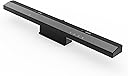
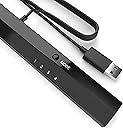
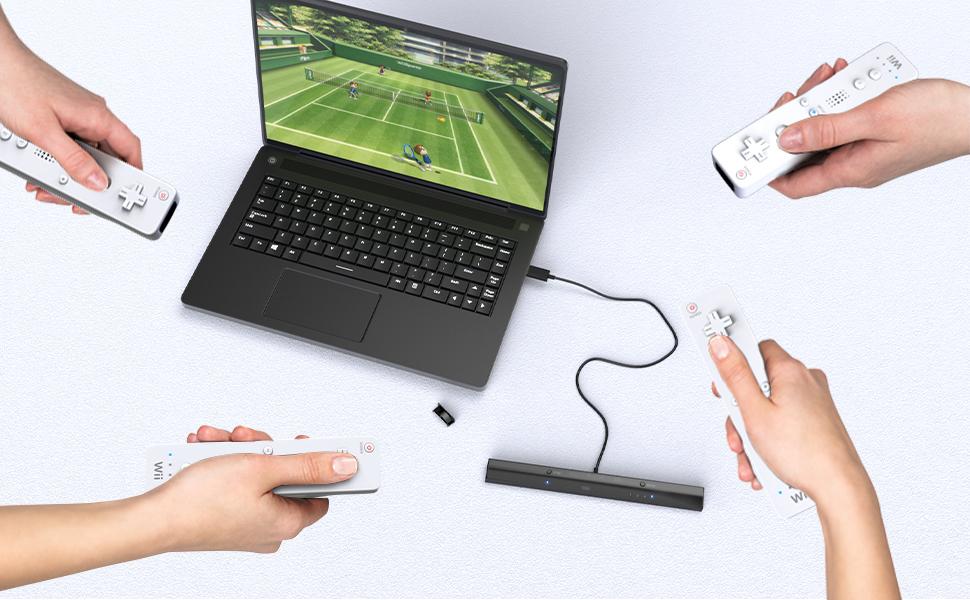
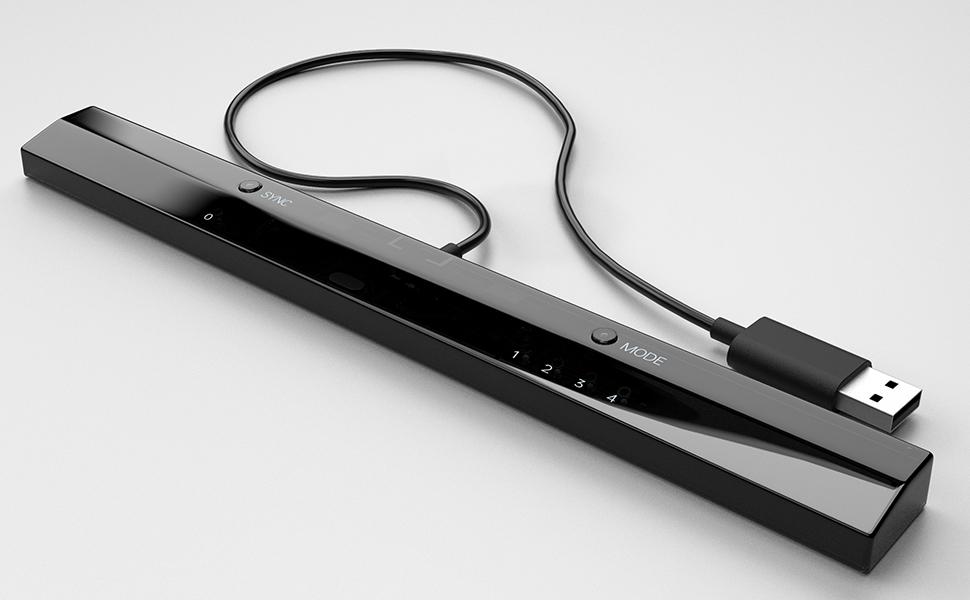
The MAYFLASH W010 DolphinBar is a wireless Bluetooth USB adapter that connects your Wii remotes and controllers to your PC with zero lag. Supporting up to 4 controllers simultaneously, it offers four distinct modes including keyboard/mouse and Wii emulator compatibility. Features like cursor anti-shake, G-sensor for racing games, and vibration feedback deliver precise, immersive gameplay. Plug & play with Windows 10+ and compatible with the latest Dolphin emulator, it’s the perfect bridge between classic Wii controls and modern PC gaming.


| ASIN | B00HZWEB74 |
| Best Sellers Rank | 1,320 in PC & Video Games ( See Top 100 in PC & Video Games ) 255 in PC Accessories |
| Country of origin | China |
| Customer reviews | 4.6 4.6 out of 5 stars (5,261) |
| Is discontinued by manufacturer | No |
| Item model number | W010 |
| Product Dimensions | 25.4 x 2.54 x 1.78 cm; 68 g |
| Rated | Ages 3 & Over |
| Release date | 6 Nov. 2016 |
J**S
Amazing product! I've always had issue getting Wii Remotes ...
Amazing product! I've always had issue getting Wii Remotes working properly, they seem to disconnect or just not provide the input correctly. The Mayflash Dolphin bar however, is a plug and play device and just works. No drivers are needed if you are running Windows 10, it installs as soon as it is plugged in. Choose the mode on the back (Mode 4 just for a Wii Controller for games), choose Top or bottom, depending on where the bar is placed and sync the controller(s). Done! I've had zero lag with this and it works wonderfully for every game I have tried it on. Connection is super fast too and LEDs are very bright. I believe it now comes with a longer cable as mine is plenty long enough! Manual recommends turning off the bar when done, which is easily done with the on/off switch on the back. Would definitely recommend this product to anyone who is considering getting one, don't go for the cheaper, bluetooth adapter method, you will regret it!
N**L
As expected… Good product.
Does as it is designed. Good product… not seen any issues yet. Hope I wont get any.
P**N
Good piece of kit for emulators :)
Works great with dolphin emulator and as a screen pointer. Just got it to work with my Mame setup. Best option is to use it in setting 2 as a mouse. Make sure to set multimouse to 1 in mame.ini then you can change settings for the game using tab key while playing. Pics of this included. Seems more accurate than actual wii sensor bar as well :)
J**N
Worked well for mobile usage
Works well when used with the Android port of Dolphin, however the anti-shake functionality only works on official remotes. The knock off ones tend to shake more and be more unstable due to the multiple LEDs present in the device. Sound quality tends to be better (still not perfect) on non-official remotes, because official ones just make garbled noise.
J**C
Amazing product flawless with Windows10 and dolphin emulator
unwrapped it, read the manual plugged it in, tested out wii remote, connects instantly with the sync buttons, nothing unusual, tested dolphin found a lot of cursor shake, updated firmware cursor still happening, decided to randomly tape some cardboard over the sensor for my LEDS on my wall which receives the signal from the remote so i can turn on off (use them for streaming cheap simple lights) to prevent it from having some annoying issue with another remote, constantly googling stuff, tried dolphin again, 0 shake or jitter works perfectly even works with motion plus and skyward sword on dolphin. Its amazing.. One bad thing about it, doesn't seem to do audio for the wii remote like its awful quality sound really awful ive had better with a usb BT dongle plugged in but i have headphones on i dont need that. The bar has mode 4 for dolphin a couple other modes and mode 3. Also it works with the pair wiimotes app just use it in mode 4 for it so it doesnt cause weird problems on the pc (due to the bindings of buttons as this is all built in and can't be configured on dolphin bar). Honestly its amazing. Good price Great fun in games. I have done multiple videos of using a wii remote in the pc using an actual nintendo WII to power the sensor bar. This one does that just in the usb i can finally unplug my wii. The sensor bars infrared light things and the bluetooth is built in. Honestly its so simple to set up. Its just.. plug in.. sorted. Remember to sit further back when using the IR on the wii remote like pointing forward at the screen so it can pick up the lights. It wont work if it is too close. If you want to see my videos just search me on youtube JaayOnPC
N**L
Works with Dolphin Emulator and as a Mouse on M1 (silicon) Mac
So I took a punt with this as officially it's windows only, however I use a MacBook M1 (not an Intel Mac). Thankfully the dolphin bar works very well, perhaps not perfectly but it's very suitable for the machine. Plugging it in with a usb c adapter, it asks me to setup the keyboard if in Mode 1 or 2 but this can be skipped. In Mode 4 it works first time in Dolphin, happily playing Mario Galaxy 2 with the controls exactly as I remember them on the original Wii. The gamepad set to mode 3 also worked as a GameCube controller and in PS2 emulator, Cemu, Ryujinx, Ship of Harkinian, Redream, PPSSPP, Duckstation etc. It doesn't work with Retroarch in mode 3 unfortunately. It does however work on Retroarch...kinda. it works on certain cores like NES when set to Mode 2 (mouse and keyboard) if you fiddle with the controls. But I couldn't get it to work on Saturn, PS1 or Dreamcast. But standalone emulators above do work. I'd definitely recommend, it's a bit more expensive these days and kinda fiddly to setup but a great solution for light gun games on Mac
J**N
Works Like a Charm, but the price has doubled since I had purchased it
I don't understand how the value of this adapter has literally doubled since I had purchased it a couple years ago. It's a great piece of kit and wasn't too hard to set up with my pc.
L**Y
Superb product which works without a hitch
I was hesitant to spend this much money when a bluetooth dongle can be had for a fiver and a cheap sensor bar for a few quid. After wasing an afternoon on precisely the above combination I decided to bite the bullet and pickup a Mayflash Dolphin bar. Put simply it is a superb product which works straight out the box with minimal fuss. The documentation is bare bones but covers the basics: bottom line is plug it in to your PC, set the bar to Mode 4 using the Mode button on top, fire up Dolphin emulator, choose Real Wiimote in Dolphin's controller settings and check Continuous Scanning. Finally sync your Wiimote with the Dolphin bar by tapping sync on the remote and then on the bar. Remote buzzes after a few seconds and is assigned a number. Games work perfectly. In addition to the above the other remote modes let you use your Wiimote as a mouse (Mode 1). You can even switch modes from the remote rather than touching the bar. Simply press Home + Direction button to switch between Mode 1 and 4 (Native Wii mode). End result is I can fire up Dolphin and a game without even touching my PC keyboard and mouse!
J**A
Llego en buen estado, tardo un poco pero funcionan correctamente tal cual como un Wii, probé solo con wiimotes originales además que con este accesorio ya no ocupas un módulo bluetooth adicional, desconozco si también funcionan con terceros, solo he probado en SteamOS y todo correcto. Recomiendo leer el manual antes de usar, tiene varias configuraciones
I**.
While I was impressed with the great build quality and apparent functionality of this product, it ultimately didn't suit my needs because my controllers weren't compatible. I'm confident it would perform flawlessly with original Wii controllers, so I didn't want to penalize the rating for my specific situation. For anyone seeking a quick and easy solution that bypasses the complexities of Bluetooth passthrough, this is an ideal choice. Just a heads-up: if you're using third-party controllers, they might not work with this adapter, even if they're recognized through Bluetooth passthrough – that was my experience
S**N
Why I Bought It Dolphin, of course. Seeing how my Wii sensor bar is proprietary and wouldn't connect to an HTPC, I looked into getting a wireless sensor bar and luckily heard about the DolphinBar before spending money a dedicated wireless bar. Having been through the pain of futzing with getting Wiimotes recognized on a PC, I was instantly intrigued by the DolphinBar. A couple of caveats: My HTPC is Windows so I can't speak to its effectiveness on Mac. I also have my original Wii controllers with the Motion Plus attachment so I can't speak to third party wiimotes either. What I like * It just works. I didn't even install the enclosed drivers, upgrade the firmware or read the manual. When you plug it in, it defaults to mode 4, which is the mode you want for Dolphin. Mode 3 lets your Wiimotes work as HID controllers for other apps. I didn't spend much time in Mode 1 or 2, which appear to be keyboard/mouse emulation. The amount of time you'll save by just getting this bar is worth the price alone. * Worked fine with my classic controller and my Intec fighting stick (which oddly enough sometimes has issues on my actual Wii) * Pairing - super easy. Just press the pairing button on the bar and the one on your controller and bang, you're done. * Dolphin - click on "Refresh" in the controller config and the Wiimotes are detected right away * Optional stand elevates it about an inch * Looks nice enough What I don't like * It is super lightweight, which means it will possibly shift around or even get knocked onto the floor if you even just touch the cord. This applies to both the bar and the stand. * The cord is super short -- just a few feet. * Your mileage may vary, but those LEDs in the front of bar may be a distraction. You can cover it with electrical tape, but then you wouldn't know the status of the bar. Perhaps the solution to that would be a hole punch? * Would have been nice if the cord was detachable. This way you can replace it with an extra long cord vs having to use an extension. Tips * In Dolphin's controller configuration, enable "continuous scanning" - I found that it automatically detects your controllers when you restart Dolphin * You probably don't want Windows Explorer open while messing around with the mouse/keyboard emulation, it's very easy to accidentally drag a folder and drop it somewhere * If you don't have a USB extension cord, make sure you add one to your cart before checking out, otherwise you may be scrambling to find one after it arrives, due to the short cord. * If you're using it with a laptop, make sure you're a decent distance from the bar, otherwise the Wiimote may be too close to be picked up as a pointing device. * You will definitely want to find a way to securely mount the bar, it looks super easy to knock onto the floor. Other Notes * While the bar uses Bluetooth to talk to the Wiimotes, it is NOT a Bluetooth dongle. If you want to connect additional Bluetooth devices, you will need a separate Bluetooth dongle. * I did not not test it with my nunchuk, but I assume it should work fine. * I did not test it with my Wii balance board, although I have seen reports that it will work fine.
B**D
It’s working fine except the IR it’s working with lots of issues that’s why it’s 4 stars
K**I
Product received in good condition . Thks
Trustpilot
1 month ago
1 month ago