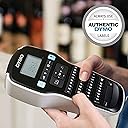
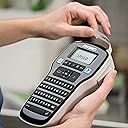
🖋️ Label like a boss — organize your world with style and speed!
The DYMO LabelManager 160 is a handheld label printer featuring a full QWERTY keyboard for quick text input, high-resolution 1200 dpi printing, and versatile formatting options including multiple font sizes, styles, and symbols. Compact and lightweight, it’s perfect for home or office use, powered by 6 AAA batteries with an auto shut-off feature to extend battery life. Crafted with FSC certified and recycled materials, it combines professional performance with eco-friendly design.


| ASIN | B006O87KUA |
| Are Batteries Included | No |
| Batteries | 6 AAA batteries required. |
| Battery description | 6 AAA |
| Best Sellers Rank | 24,146 in Business, Industry & Science ( See Top 100 in Business, Industry & Science ) 176 in Label Makers 305 in Labels & Labelling Equipment |
| Colour depth | 1 bpp |
| Compatible devices | six font sizes, eight text styles, four boxes, plus underline, 228 symbols and clip art |
| Controller type | Push Button |
| Customer Reviews | 4.6 4.6 out of 5 stars (9,961) |
| Date First Available | 20 Dec. 2011 |
| Dual-sided printing | No |
| Guaranteed software updates until | unknown |
| Included components | Label Tape (12mm) |
| Item Weight | 390 g |
| Item model number | S0946320 |
| Lithium Battery Energy Content | 4 Watt Hours |
| Lithium Battery Packaging | Batteries packed with equipment |
| Lithium Battery Weight | 10 Grams |
| Manufacturer | Newell Rubbermaid |
| Max copy speed (black and white) | 15 ppm |
| Max input sheet capacity | 160 |
| Maximum Supported Paper Size | 160 labels |
| Maximum black and white print resolution | 300 dpi |
| Maximum colour print resolution | 1200 dpi |
| Maximum copies per run | 1 |
| Number Of Lithium Ion Cells | 2 |
| Number of Lithium Metal Cells | 1 |
| Number of USB 2.0 Ports | 1 |
| Print media | Labels |
| Processor Count | 1 |
| Product Dimensions | 2.55 x 0.22 x 10.35 cm; 390 g |
| Scanner type | Portable |
| Sheet size | 21.59 centimeters |
| Standing screen display size | 4 |
| Warranty type | limited warranty |
R**M
Little gem.
EDIT: March 12th 2016. Six months down the line and my little machine has broken. I bought a mains charger so it didn't gobble up batteries and it was used maybe once a week for about 20 minutes at a time. It suddenly decided it was fed up with printing and so started to spew out copious amounts of tape with no print on it. However, if you held it up to the light you could faintly see the outline of the writing on it. I contacted Dymo and one of their associates took me through the process of attempting to find the fault. This didn't work so on receipt of proof of purchase and a photo showing the non-existing printing I was immediately offered a replacement. I duly produced the evidence and packaged the offending article back to Dymo (freepost). I then sent them a copy of the proof of postage and the next day after the phone call to Dymo I received an email telling me a replacement had been dispatched. Thanks Dymo. Good customer service is obviously one of their strong points and it is so refreshing to experience it. I am totally in love with my little label maker. For years I have been writing on 2ml perfume decant bottles with tiny writing. Granted I do have rather nice handwriting because I study calligraphy but the old eyeballs are not as sharp as they once were and tiny writing has to take a back seat now. I will come clean though. I actually called the Dymo company and explained what I needed one for especially as some of the more expensive models only seemed to have larger font/tape sizes. Thanks to Rick who took the time and trouble to tell me what I needed I now have a very modestly priced machine to make proper printed labels and all topped off with sticky backs so I don't have to put clear sellotape over the labels anymore. I also want to say how easy it is to use. I haven't tried to use any of the more elaborate symbols etc. but then I can't actually foresee a need to use them. Besides if I do, there is an excellent review by a fellow reviewer who actually went to a lot of trouble to compare it against another brand of label maker which is well worth checking out to see which would be best for your needs. I am also something of a luddite when it comes to modern technological gadgets. If anyone can break them within minutes I can. Even an abacus is not safe in my hands. But this little machine is a dream. I had it up and running within minutes of it arriving and will now probably spend a lot of time making little stickers for perfume bottles. I think I will invest in a 9volt adapter though as I can imagine it will whizz through 6 AAA batteries in no time. Also it will be interesting to see how many labels one replacement tape will make. I know they are much longer than the one given with the machine. Just for interest here is a photo of the first tape I made. One of the letters was a little squished but each one afterwards came out fine. I used font size 8 and it fits a 1ml perfume decant perfectly.
R**D
Professional Labels at Your Fingertips: The DYMO LabelManager 160 💼📋✨
Professional Labels at Your Fingertips: The DYMO LabelManager 160 💼📋✨ In the fast-paced world of organization and labeling, the DYMO LabelManager 160 stands out as a compact yet powerful ally. Whether you're tackling projects at home or streamlining operations at the office, this handheld label printer is designed to make your life easier, one label at a time. 🏡🖨️ Let's dive into the features that make this label maker a true game-changer: 1. Keyboard Convenience 💻: With its familiar QWERTY keyboard layout, typing and formatting labels becomes a breeze. No more fiddling with tiny buttons or struggling with awkward interfaces – just good old-fashioned typing bliss. 2. Formatting Finesse 🖋️: Customize your labels to perfection with a wide range of options at your fingertips. From six font sizes and eight text styles to four box styles and over 200 symbols and clip art, the LabelManager 160 lets you unleash your creativity and create truly professional-looking labels. 3. Portable Powerhouse 🌐: Compact and lightweight, this handheld wonder is the ultimate labeling companion, allowing you to tackle projects anywhere, anytime. No more being tethered to a desk or lugging around bulky equipment. 4. Battery Efficiency 🔋: With automatic shut-off functionality, the LabelManager 160 ensures extended battery life, saving you from the hassle of frequent replacements and keeping your labeling game strong. Now, let's address some potential drawbacks: 1. Readability Concerns 👓: While most customers rave about the ease of use and versatility, some have raised concerns about the readability of smaller font sizes, especially for those with vision impairments. 2. Batteries Not Included 🔋❌: It's worth noting that the LabelManager 160 requires six AAA batteries (not included in the package), which could be an inconvenience for some users. From my experience: "The DYMO LabelManager 160 has been a game-changer in my organizational endeavors. Its user-friendly interface and versatile formatting options have allowed me to create professional-looking labels for everything from file folders to storage containers. While the readability of smaller fonts could be improved and the lack of included batteries is a minor inconvenience, the overall convenience and portability of this label maker make it an essential tool in my arsenal." ✨ In conclusion, if you're seeking a reliable, feature-rich, and truly portable label maker that can elevate your organizational game, the DYMO LabelManager 160 is an excellent choice. With its impressive array of customization options and user-friendly design, you'll be able to create labels that not only look great but also serve as a testament to your professionalism and attention to detail. Just keep in mind the potential readability concerns and the need for batteries, and you'll be well on your way to labeling nirvana! 📝🌟
L**E
easy start up and quality labels instantly
I bought this because my label manager PnP would not work after updating my IOS. I loved this as I could save labels, easily write labels using my keyboard and view what they looked like before printing - BUT I was stuck until a new update is created - which would probably be ages... I bought this simple Label Manager 160 as a standby/ fill in until that day. I found that it really was not a hardship using a button push qwerty keyboard and was able to fire off ten or more labels so easily after getting to grips with the size fonts needed - I was even able to generate two liners so really pleased with myself. I was nearly tempted to buy the label manager 280 which can also be connected to the computer to design labels (but not on mine until the software is updated) has a rechargeable battery and wall adaptor supplied with it. I opted for this cheaper version as other reviews mention that the batteries last for a very long time so decided not to worry about that aspect. This is supplied with a starter Dymo D1 tape (3m only) but enough to get by with. I bought some very cheap alkaline batteries from a budget grocery store for £2.59 so this was a real deal as I purchased a previously returned item and as it turned out a true bargain as this really works well.
W**H
practical good quality
D**S
Funciona muy bien. Lo recomiendo. Llego antes de lo previsto
B**N
TL;DR I recommend this label maker. The print quality is good. I had some problems with print quality over the past few months that I eventually traced down to one bad AAA battery (more on this later). Usage I use this label maker to mark cables for my work test setup. I work a hybrid job, testing embedded systems. I find it useful to know what cable is what by looking at the labels, thereby saving time from having to trace each through the rat's nest of cables on my desk. I label the devices, too, so that I know what changes I made to the insides. I use this to label things for my hobbies and things around the house, too. It's a great time-saver to quickly know what's what. By labeling things, I force myself to declutter, clean, and organize. By nature, I'm a messy person and have stacks of junk everywhere in different parts of the house. I'm doing better these days though about cleaning up the clutter. Initially, Print Quality Was Great When I first got this Dymo label maker, the print quality was excellent. Yet, over the next 6 months the print quality gradually decreased to the point that text was illegible in the last few months. I followed the Dymo cleaning instructions. This involved using wiping the printhead with 70% isopropyl alcohol on a q-tip. The print quality did not improve. I noticed the printhead had two dimples, and I seriously doubt I did this with my q-tip. These two dimples seem consistent in depth and at the same distances from each edge of the printhead. So, they looked like a design intention. The next thing I tried was to recharge the lithium batteries so that they are at full charge. These batteries worked well with the Dymo months ago. Still, the print quality was alright, even after I increased the strobe value from 4 to 8 (max). While writing this review, I decided to measure each of the 6 AAA batteries with a multimeter. 5 had 1.517 V and 1 had 0 V. I replaced the bad battery. The print quality improved significantly! As you can see from the included picture of the print quality, “Test”, “Test8”, and “LED turns green when charged” are both at strobe 7, 8 and 8, respectively, but with the one bad AAA battery installed. "PSUB" is at strobe 8 with the good cell. "PSUB" is at strobe 4 with the good cell. Even at a lower strobe value, the print quality looks great. So, it matters that each battery is providing enough juice, or you will see noticeable degradation in print quality. There's no onboard diagnostics that warn you batteries are low. The telltale sign is gaps in the formation of the lettering.
S**S
Easy to use and generally creates good quality printed customizable labels. I use it to print out sayings and Scriptures for my tags, cards, and other paper crafting projects instead of relying on pre-made stickers that might not say exactly what I want to say. I had an issue the second time I used it (so far I have only used it three times, so we will see if the problem repeats) in that it didn't print (tapes came out blank) until around the fourth try (thus wasting precious tape), then it worked perfectly. It is a bit cumbersome to use--I thought the process would make things more efficient for me and I can't say it necessarily has--however it is an invaluable tool to add to my paper crafting tools and I am happy I bought it.
M**K
İlk aldığım da ilk baskı kötü çıktı.Sonra acaba derken sonraki baskılar iyi çıktı derken kartuşu bı çıkardım ne kadar kaldı diye sonra geri takınca yinr baskılar kötü çıktı ama 5-6 sonra yine düzeldi.Demek ki fazla oynamamak lazım kartuşla.İhtiyacımı çok iyi gördü.Yurtdışından 6 lı paketi var kartuşların ondan sipariş ettim 2 tane.Muhtemelen 10 sene etiket ihtiyacımı karşılar.Emojiler aşırı fazla olmasa da evcil hayvan resimleri var.Etiketler çok büyük olmasa da etiket ile bütün ihtiyacınızı fazlası ile karşılıcak bi ürün.Yapışkanı ilk başta çok iyi hissetirmedi ama kuruyunca biraz daha iyi oluyor etiketler.Ama yine de rahat bir şekilde çıkartmanız için yapışkanı çok çok sıkı değil ama kötü de değil.Ben aletten fazlasıyla memnun kaldım.
Trustpilot
2 weeks ago
3 weeks ago