


🎨 Draw Your Dreams into Reality!
The HUION H420 USB Graphics Drawing Tablet is a versatile tool designed for artists and designers, featuring a 4-inch active surface, 2048 levels of pressure sensitivity, and compatibility with major graphics software. Its USB plug-and-play functionality ensures a hassle-free setup, while the pen scrolling and express keys enhance your creative workflow.
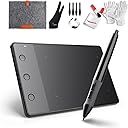
| ASIN | B00TB0TTAC |
| Active Surface Area | 8.92 pulgadas cuadradas |
| Box Contents | Digital Pen, USB Cable, User Manual, 4x Spare Tip for Replacement, Remove Tool, Driver CD, 10Inch Wool Liner Bag, Glove, Cleaning Kits |
| Brand | HUION |
| Brand Name | HUION |
| Colour | Black |
| Compatible Devices | Laptop, Desktop, Tablet |
| Connectivity technology | USB |
| Customer Reviews | 4.1 out of 5 stars 12,350 Reviews |
| External Testing Certification | Não aplicável |
| Item Dimensions L x W | 17.6L x 11.2W centimetres |
| Item Weight | 0.29 Pounds |
| Manufacturer | Huion |
| Manufacturer Part Number | FBA_H420 |
| Model Name | FBA_H420 |
| Model Number | FBA_H420 |
| Model name | FBA_H420 |
| Native Resolution | 4000 LPI |
| Network Connectivity Technology | USB |
| Operating System | Windows XP/Vista/Win7/8/10 and Mac OS 10.8.0 or above. |
| Operating system | Windows XP/Vista/Win7/8/10 and Mac OS 10.8.0 or above. |
| Pressure Sensitivity | 2048 Levels |
| Pressure sensitivity | 2048 Levels |
| Product Features | Pen Scrolling and Three Express Keys |
| Special feature | Pen Scrolling and Three Express Keys |
| Specific Uses For Product | Drawing, Designing |
| Target Audience | Teacher |
| UPC | 601706970934 702334861660 710382907506 |
K**Y
Good tablet for complete novices
I received this the day after purchasing so delivery was extremely prompt. I opened it up to find the tablet, a case, a cleaning kit and a 2-fingered glove as well as spare nibs and a AA battery for the pen and practically War and Peace for an instruction manual (turns out there's only actually 3 pages in English). In terms of installing the drivers, it was relatively simple though my Macbook Air doesn't have a disk drive so I had to download them from the Huion website. It comes with two instruction manuals (one for Windows and one for Mac users) which explains very simply how to install the drivers. I had some issues with the pen working and then not working in the initial set-up but my laptop needed updating so I'm not sure whether it was that or another issue. The size of the tablet is relatively small but it is good if you're a first timer like me and don't want anything too show off and the weight of it is practically non-existent so it's very easy to carry it around with you. I use it with Sketchbook and Krita which are both free to download and it works absolutely fine. The pressure sensitivity on it is good and you can change to your desired sensitivity settings when installing the drivers. All in all, a good tablet and good value for money. Would definitely recommend to people wanting to get into digital drawing but not wanting to drop a lot of money on a tablet.
L**R
Very good pad. Shame about the size.
This pad works very well and I have had no problems with the function of the pad. Installed quickly and is very easy to use. Love the accessories you get it with however the gloves are not essential to use (and they are a little bit big for me). The only downside to this pad is the size. It's really small. Whilst this has not stopped me from using it, it makes long drawing jobs hard. As the pad is not big enough for your whole hand (unless you're just working on the left hand side of your screen) it started to make my hand ache due to the different levels of hand and pen. This hasn't stopped me from drawing properly. Just hand ache! Definitely recommend for amateurs (which I am myself) and people who want to try a pad out without spending loads of money.
W**X
Easy to take
Well made, seems to be strong enough for the job, and very easy to set up and get going. The driver software is on the CD and can be downloaded. There is a quick start guide but, to get the most out of what this tablet can do, you will need to download the full manual as a PDF. There were a few items which came with the tablet, including extra tips, PSU, wireless pen, usb lead, and an AAA battery in the box. Further to this, the seller also supplied a half-glove to wear while using the tablet, a cleaning kit, and a soft fabric/felt carry case. I use a free art/photo editing programme called "Photofiltre7", which also works well with my scanner. I installed the tablet driver, loaded the program, and the pen worked almost immediately. The problem was me, the last tablet I had worked more or less as a mouse, needing right or left clicks to make it do anything, so I had to get used to lifting the pen away from the tablet between actions. Outside the drawing software, the pen works as a mouse. Other than that, I found it a very easy device to use, and a lot better for touching up photos than the mouse. There is a small learning curve, but only in that you will need to get used to moving the pen around while watching the screen. I did find that the pointer moved much less on the screen than I was used to with my mouse. However, considering the small size of the drawing area, compared to the large size of the screen, that was to be expected, and part of the learning curve. It is easy enough to move in small increments, but you will need to develop your manual skills for this. I would highly recommend this tablet, based on my own needs and experience of using the product. It was well packaged, arrived very quickly, and worked out of the box. I consider it exceptional value for money, and see no reason to pay twice as much, or more, for a different model or brand.
R**A
Great piece of kit but breaks easily
Absolutely brilliant piece of kit, pair it with a good drawing program and you're good to go! I found it excellent and extremely easy to use as a beginner. The compact and lightweight design means it's easy to take along if you're using a portable pc. As an amateur just dabbling in this sort of thing, I am pleasantly surprised that it does exactly what I need it to do. It's excellent for graphic design, illustration, designing 3d models and even playing web games like drawception. Only negative I found was that I clicked the keys on the pen more often than not, so I disabled them which was easy enough to do, but it still stops your drawing. Edited a year on : the tablet has now broken. The pen has stopped responding (changed batteries) and the tablet won't recognise it. It was great while it lasted.
A**R
It's cheap and it works.
We had a small amount of difficulty installing the tablet as at end of installation the pen wouldn't write. However, after consulting Google we resolved the problem by uninstalling and reinstalling the drivers, we have a Mac and had to download the drivers from the Huion website.Probably it is easier with the cd provided for Windows. A little bit small, but for the price paid adequate. The tablet is very good for beginners , takes some time to get used to , but that would be the same for any other tablet.Excellent for learning and experimenting to see if using a tablet to draw is the right thing for you without spending a fortune and then discarding. I think it is worth the money paid. Very nicely packed and you get value for your money, with cleaning kit, glove and cover included.
P**N
Incredibly disappointed in the pen
I don't really have much to say about the tablet. It does the job if you're looking for a cheap and fast graphics tablet to use for signatures or writing, or even to draw with in a pinch. It's more reactive than I would have thought for something of the size, so a tiny stroke will send the pen flying across the screen. But other than that it's a pretty useful little gadget. What I do have a problem with is the pen. The pen on this tablet is gods awful. It's cheaply made and breaks with no warning. I bought this in a bind because my pen was broken and Amazon no longer sells the pens on their own, and within two weeks it's broken again. I'm a professional illustrator. I need this kind of thing to do my job. I'm saving up money to buy a new tablet from someone else because I'm quite frankly sick of having to replace the pen for my tablet every few weeks.
C**S
Smooth Strokes
Very easy to install. Very easy to use. Compatible with various software including GIMP and openCanvas. Strokes varies on how hard you press the tablet too! Quite compact to it will be easy to carry around especially with the bag it came with. Came with batteries and other accessories too! The finger glove was very useful as I tend to rub my pinky knuckles on the table surface a lot. Totally worth the price , very happy with my purchase. The only thing that i didn't like are the buttons on the pens . They are quite useless and CAN get in the way. I have to hold the pen in a certain way in order to avoid pressing the buttons. **Make sure to install drivers (from CD) before diving in :) It does work without drivers but works EVEN better with drivers .
R**E
Fantastic product for the money - a must buy for new digital artists!
For the last year, I've been learning how to draw, and have only tried drawing digitally in the past a few times with some old and cheap tablets. Those experiences made me weary of buying or using a tablet that wasn't from a brand like Wacom, and was priced cheaply - but that's changed since using this product. The H420 worked instantly with my laptop, without installing its drivers. However, the pen's pressure sensitivity wasn't recognised until I installed the driver, which I did from Huion's website, but you could also do from the disc that arrives with the tablet. I tried out the tablet on paint tools sai, and it worked amazingly. I've had difficulties with an old wacom tablet working with its pressure sensitivity within sai, which is why I chose to buy this instead, but I was so pleasantly surprised that I had no issues in that area. This tablet was almost half the price of the one I was looking at to buy previously, and you also get a cute case, little cleaning products, a glove so when you lean on the tablet you don't accidentally cause any drawing to be made, and the USB cable and installation disc. I haven't seen many other tablets that come with these accessories, so you're really getting a lot for your money! My only cons would be that the pen takes a battery, which is new to me, (a triple a battery is included within the box) and that the tablet size itself is fairly small. If you are fairly new to digital illustration like myself, then the size shouldn't matter. Once you're making gorgeous digital art, then you should consider upgrading, but for those who want to start taking your art seriously but still have a lot to learn, this is the tablet for you! I come from a music background and always advocate making the best of what you have. Buying the most expensive equipment won't make you the best artist. Consider saving a lot of money by buying this either for yourself - or a family member or friend who wants to give digital drawing a go. I'm really excited to get started!
Trustpilot
1 week ago
3 days ago