🖱️ Elevate your workflow with ergonomic precision and vibrant style — because your desk deserves the best!
The Nulea M504 Wired Vertical Mouse combines advanced ergonomic design with 4 adjustable DPI levels and 11 RGB lighting modes. Its 57° natural grip reduces wrist strain, while plug-and-play USB connectivity ensures effortless setup. Compatible with PC, Mac, and laptops, this lightweight mouse features intuitive buttons and a durable metal scroll wheel, making it a perfect upgrade for professionals seeking comfort and style in their daily workflow.


| ASIN | B0B1WR5K89 |
| Batteries | 1 Lithium Ion batteries required. |
| Best Sellers Rank | #200 in Computer Mice |
| Customer Reviews | 4.4 4.4 out of 5 stars (1,829) |
| Date First Available | May 21, 2022 |
| Item Weight | 6.4 ounces |
| Item model number | M504 |
| Manufacturer | Nulea |
| Package Dimensions | 4.61 x 3.43 x 3.43 inches |
A**S
Surprisingly Comfortable and Easy to Use
The Nulea M504 vertical mouse works great. It’s comfortable, reduces wrist strain, and the adjustable DPI makes switching tasks smooth. The buttons respond well, and it feels solid, not cheap. If you need an ergonomic wired mouse, this one delivers.
G**N
Great first impressions. A little smaller than expected. Time will tell on durability.
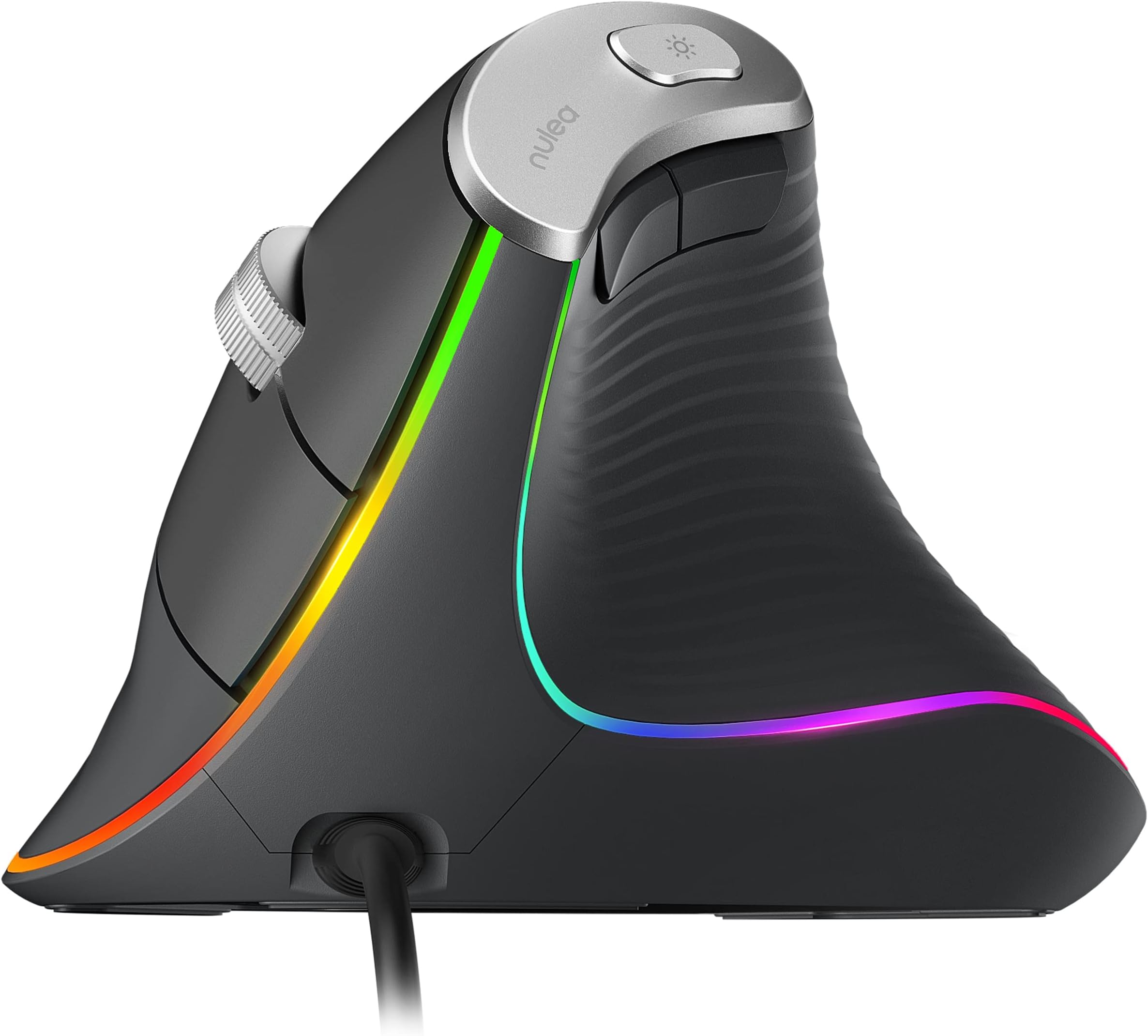
The Nulea M504 is my third type of ergonomic mouse I've used (I've also used the wired Anker Vertical mouse and the wireless Cherry MW4500). What I like: + I LOVE the RGB. It looks nice and there are a lot of modes to choose from. As others have said, you can disable the RGB as well by long-pressing the light button, which is super helpful if you're using the mouse with a computer that has USB ports that are constantly powered (as mine are) or if you plan to use it at work. + The scroll wheel FEELS significantly higher in quality than the two aforementioned mice, especially when clicked. It's by far the widest of the three ergonomic mice I've used. Scroll wheels tend to be the first point of failure in mice for me, so we'll how long it actually lasts. + All buttons have a nice tactile feel and aren't too noisy. + The mouse is light and easy to use. About the same weight as the Anker, but significantly lighter than the Cherry. + The mouse curves out slightly at the sides, giving your arm a little bit of support. The Cherry does this too, but the Anker does not. What I don't like: - The backwards/forward buttons are almost flat against the side of the mouse, making them a bit difficult to find with your thumb sometimes (definitely the hardest to locate among the three ergonomic mice I've used). - The mice buttons are only rated for three million clicks; this is on the lower end for durability, I believe. As somebody who uses their mouse a TON for work, we will see how long it holds up. For me, if I get a year and a half or more out of a mouse before the left/right click buttons fail, I'm happy. The mouse is warranted for 18 months, but Nulea looks like a new company and time will tell how good their customer support is. Other things to note: * This mouse is definitely on the smaller side among ergonomic mice. I measured my hand as somewhere around 7 1/2 inches and the front of my index/middle fingers are almost passing the left & right click buttons. On the Anker and Cherry, those fingers rest comfortably on those buttons. I've attached a photo showing the size difference between the Nulea and Cherry.
H**L
Really nice and easy on the wrist
I love it so much. It's easy to use, has multiple speed functions, it's bright and fun. I'd say it's a really good quality for the price.
R**N
Wonderful to use
TL;DR For ~$18, it's difficult to get a better wired ergonomic mouse than this. Few cons such as non-programmable buttons, base could be more flared, limited DPI modes, slightly difficult to use forward and back buttons. I have been using the Nulea M504 mouse for over a month after purchasing for $17.99 USD and my appreciation for mouse ergonomics has significantly increased. There is an adjustment period since you most likely would be accustomed to the feel of a traditional mouse, but after that it's smooth sailing. My hands have not felt any tiredness or pain ever since. Plug and play, and you're on your way. The cable is 1.8m long so you have some wiggle room, though if your device is any further, you may want to look at their wireless options. All buttons on the mouse are pre-programmed, with no option to change them. This would be good for the typical user, but hardcore gamers and power users should look elsewhere if adding macros to the buttons is a requirement. The pads on the base of the mouse allows for smooth gliding across flat surfaces, with low friction. Using a mouse mat should be the preferred option to reduce the amount of wear the pads get over time. The textured grip is soft to the touch and comfortable in the hand. Some may find their hand slipping at first, but I have gotten accustomed to the feel and in less than a month I don't experience that anymore. One change I would like to see is more of a flared base where the hand can sit without falling onto the surface the mouse is resting upon. The scroll wheel is on the higher end in terms of quality and it is easy to use. Made of metal, it feels sturdy, yet it strikes a decent middle ground with the sensitivity and precision of each up or down movement. Just below the scroll wheel is the DPI button, which has 4 options: 1000, 1600, 2400 and 3200 DPI. As I was not able to get the perfect option with just these, I resorted to also changing the mouse sensitivity within the operating system. The left and mouse buttons are easy to click and I had no problem with the amount of pressure needed to activate them. On the opposite side of the mouse you have two more buttons: the top/left one for going forward such as going to the next page in the browser, and the bottom/right one for going back. I have not found myself using these too often, but that is due to being too accustomed to dragging the pointer and clicking the back/forward button on the screen, as well as the buttons being slightly more cumbersome to use compared to the previous method. Reaching your thumb across to the silver button on top and clicking allows you to cycle through 11 different RGB modes, which includes both static and dynamic lighting. At any point in time you can press and hold the same button for roughly 3 seconds to turn off the RGB lighting completely. One small note is this mouse does not have the ability to remember the setting you prefer, so you will have to adjust it accordingly after you power down the PC or switch to using it with another device.
C**E
Love this vertical mouse!!
Love this ergo mouse! This the first vertical mouse I have ever used and it took almost no time to get used to it! It is very comfortable and responsive! Very accurate and very affordable!
V**N
Good mouse, but can’t handle three-button input
The mouse works fine overall, but there’s one issue worth calling out. It doesn’t register three simultaneous button presses. If you hold left click, right click, and a side button at the same time, one of the inputs fails to register. Most people won’t notice this, but it can cause problems in certain video games where that combination matters.
C**N
Nulea M504 Wired Vertical Mouse, Ergo Mouse with 4 Adj DPI, Backlight Modes, Compatible, Black
Nulea M504 Wired Vertical Mouse, USB Optical Ergonomic Mouse Wired with 4 Adjustable DPI, 11 RGB Backlight Modes, Compatible for Laptop, PC, Desktop, Mac, Black. This Wired Mouse is Battery Free, Quiet, and Well Designed with Great Thumb Support. It is Well Sized for Medium Sized Right Hands. I like its Size, Shape, and Anti-Slip Texture, but After using it for Several Days - I just can't become completely Comfortable with it. It's a Really Nice Vertical Mouse, but for some reason I just can't find a Completely Comfortable Hand Position with this Mouse.
M**Y
My mouse is better than yours
Using it right now!!! Very durable and has held up for a long time. Still going great. Easy to use comfortable to rest my hand one. never had any issues with this mouse. The size fits great for me and the cord has held up through all this time. Worth the price very good quality.
J**Z
La verdad el material es de muy buena calidad, los colores y demas se ven muy bien, no hace mucho ruido los botones, es comodo (si tienes manos grandes como lo han mencionado muchos aqui), pero es bueno, te acostumbras rapido, si acaso el pero si alguien se lo quiere poner es que se queda prendido la luz del mouse aun el equipo en reposo, la verdad no me afecta, pero habra a quien le afecte, pero eso es de cada quien.
ぴ**こ
レビューもいいし値段も高いので間違いないだろうと思って期待して購入しましたが、かなり使いにくかったです。縦型のマウスは元々使ってたのでホールドは問題ないのですが、ポインターが思ったように動いてくれないのと、クリックしてもグラつく感じで一回でクリックできなかったりとかなりストレスの溜まるものでした。 半額以下の安いエルゴノミクスマウスの方がよっぽど使いやすかったです。
C**N
I have a big hand an this mouse fits me perfectly. It took me a while to get used to it, coming from a conventional mouse but I won't go back. Mouse is light, feels good in hand, clicks are not loud, rather quiet I would say, connection is brilliant, I find button positioning ideal for my gaming needs. I find it very comfortable for long hour usage. I find its shape very ergonomically tought. My hand doesn't sweat and doesn't slip. Seems to be made out of quality materials. Used it for a month and so far I am very happy. I had many issues with conventional mouses in the past, not a geek but had a few over 30 years of computing. Is a good product, give it a go.
S**N
Souris optique au design particulier, proposant une verticalité afin de gagner en ergonomie. Cela permet de reposer le poignet et de pouvoir travailler plus longtemps et sans trop ressentir de fatigue en comparaison avec une souris classique. Les effets lumineux sont assez discrets et la couleur rose de la souris est très pâle. Un bouton de rétro-éclairage est présent sur la partie haute de la souris afin d'activer ou non les effets lumineux de la souris (11 modes d'éclairage sont possibles). Dessous ce bouton, on retrouve deux autres boutons. Leur placement est idéal. Les DPI varient de 800 à 3200, ce qui est trop peu pour certains genres de jeux vidéos. La prise en main est agréable mais demande un certain temps d'adaptation. Elle glisse bien sur mon tapis de souris. Elle est globalement bien finie et les boutons sont assez silencieux à l'usage.
Ü**R
Tekerlek bastığımda artık çalışmıyor 25.01.2024 tarihi itibariyle kullanılmaz durumda çok pişman oldum alarak.
Trustpilot
2 weeks ago
1 month ago