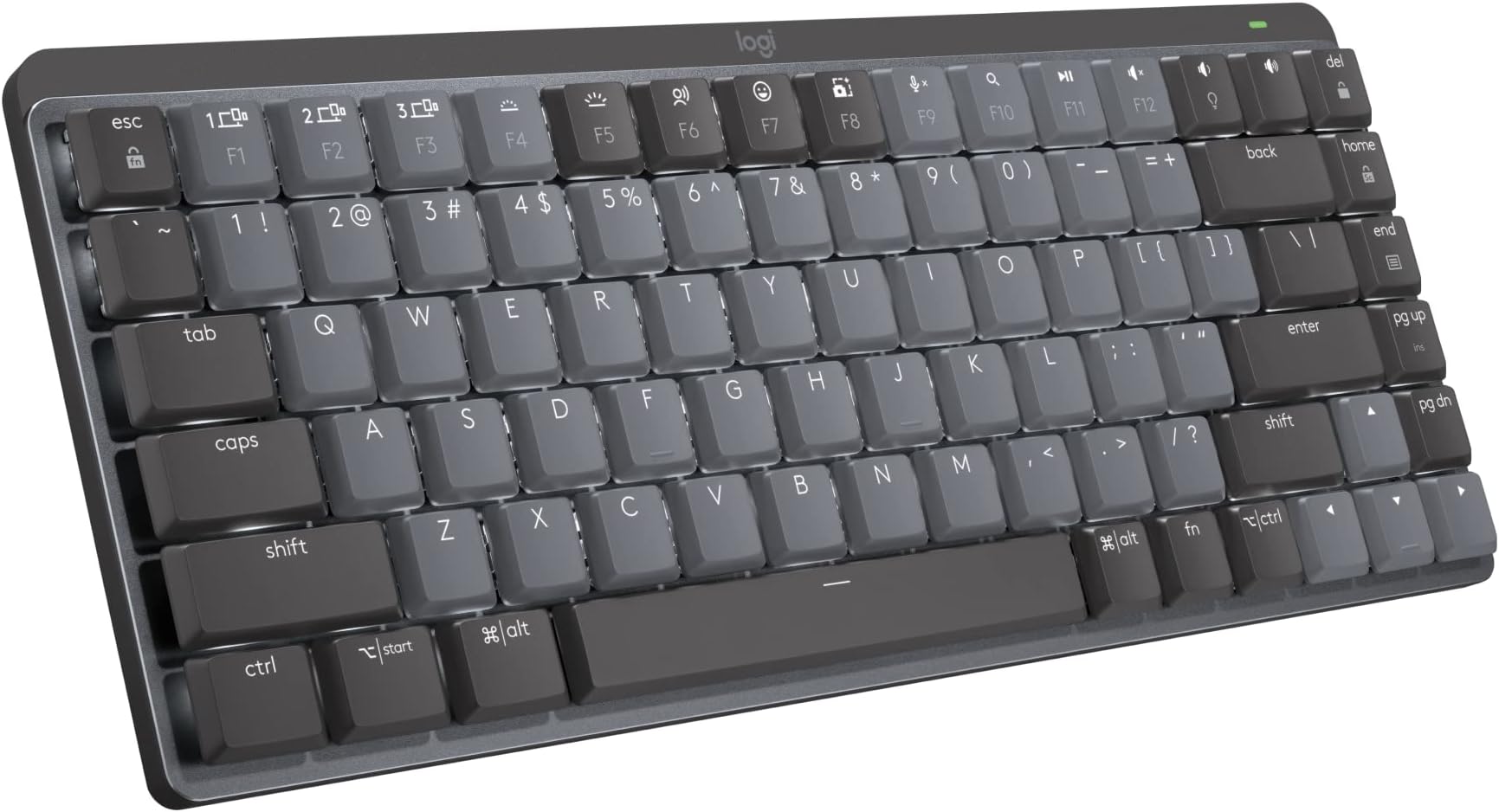
I did a lot of research before buying this keyboard, looking at a lot of other mechanical keyboard, watching sound test videos with different switch types, and ultimately it came down to trusting logitech, good reviews, and the fact that I already had the MX Masters mouse so sharing the logitech bolt receiver is convenient. 2 weeks into using this, I can say that it's a very good keyboard but I'm hesitant to say it's worth $160. Here's the breakdown.This review is for the blue key 'clicky' switchesBuild quality: 4/5It's pretty good, I was shocked how heavy it was but that's good, it sits firmly on the desk. Key's have a very slight wobble to them, which loses 1 point on build. It's not a deal breaker and it's not that bad to be honest, but it is there. The key texture is nice, somehow soft feeling - which it's hard plastic but I don't know how else to explain it. The top casing is a blast textured aluminum with a polished chamfered edge that is subtle but striking if you take the time to appreciate it. I wish more of this metal was used in the bottom casing but also you don't look at the bottom of your keyboard so who cares.Battery life: 5/5It really is the best in the biz and even with the backlighting on I'm experiencing great longevity. I don't think anyone else is matching this battery life.This was delivered on 1/29/2023 and I use it for work (8 hours a day, 5 days a week minimum). Here are the charging updates:Update 4/11/2023: I just charged it for the first time yesterday and I do have the backlighting on.Update 6/6/2023: I'm charging this for the second time now. Looks like frequent use can expect to charge this ~4-6 times a year.Switch feel (blue 'clicky' keys): 4/5I think I had the wrong expectations here, which I feel silly for since I watched numerous videos demoing the sound. It's a 'clicky' sound. I was imagining that dramatic 'SLAP' sound you hear on a typewriter when the printing arm whacks the paper. Well, this is a keyboard, not a typewriter, and 'clicky' is exactly the sound it makes. Like a mouse click, but a little more. I think I really wanted something more, or maybe deeper. That said, it feels very good and the sound is not bad, just manage your expectations if you're like me. Watch the videos, the sound is pretty accurate. I thought maybe people were just bad at recording or had bad mics and I kept telling myself it would be more dramatic in person. It is not.Backlighting: 4/5There is certainly cooler lighting out there with all the RGB individually addressable key lighting and all that on gaming keyboards, so this falls short compared to that. These keys are addressable (don't know if you can control that yourself, but the presets do utilize some individual key effects) but they are just normal white. This is not something I care about, I'm 33, this is for my office, not my dorm room. The lighting is just fine and the effects are sorta cool but I just leave it in static mode. The smart illumination is really something - it just turns on if your hands are hovering over the keyboard and not even touching. How do they do that? Light sensor maybe? Proximity sensor? There is no visible sensor anywhere so they did a great job concealing it if there is one and the effect is very accurate. One area of improvement that sorta has more to do with overall keyboard design is that there is considerable light bleed out of the bottom, but that is due to the design being open under the key to view the switches rather than the keys being nestled into the top casing. Take this for what you will, I like the open design but maybe they could have isolated the lighting better.Connectivity: 5/5Disclaimer - I only use the bolt receiver and not bluetooth. It is faster than BT, as BT has a max capability of 34ms response time but usually sits between 100-300ms, and bolt is 1ms. Just use the bolt. I know it takes up a port but it's way better.I think that's about it, I mean it's a keyboard. It's good and functional but it's not life changing. I would probably pay a little over $100 but not $160 for this.