Buy anything from 5,000+ international stores. One checkout price. No surprise fees. Join 2M+ shoppers on Desertcart.
Desertcart purchases this item on your behalf and handles shipping, customs, and support to Indonesia.
๐ฑ๏ธ Stay active, stay ahead โ the ultimate stealth productivity hack!
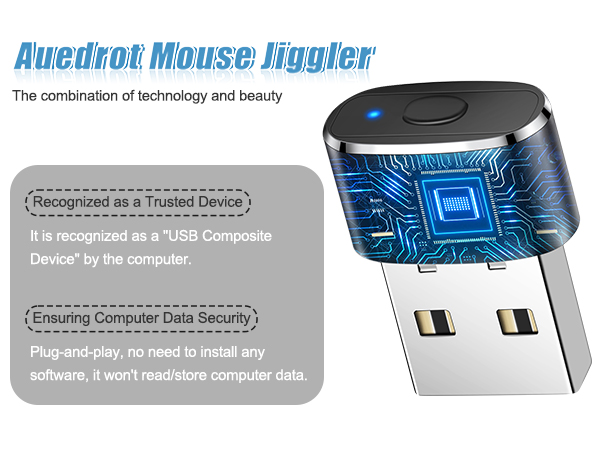
The AUEDROT Mouse Jiggler is a compact, aluminum alloy USB device designed to keep your computer awake by simulating subtle mouse movements. Featuring two selectable jiggle modes and a convenient on/off switch, it requires no software installation and is recognized as a trusted device by all major operating systems. Perfect for professionals in virtual meetings, presentations, and remote work, it ensures your status stays 'active' without manual intervention.


| ASIN | B09YTB1DSB |
| Additional Features | Ergonomic Design, Lightweight, Portable, Wireless |
| Antenna Location | Office |
| Are Batteries Included | No |
| Are Batteries Required | No |
| Best Sellers Rank | #39 in Computer Keyboards, Mice & Accessories |
| Brand | AUEDROT |
| Button Quantity | 1 |
| Color | Black |
| Compatible Devices | Laptop, Personal Computer |
| Connectivity Technology | USB |
| Customer Reviews | 4.7 out of 5 stars 9,713 Reviews |
| Enclosure Material | Aluminum,Metal,Plastic |
| Hand Orientation | Ambidextrous |
| Hardware Platform | Linux |
| Item Dimensions L x W | 0.87"L x 0.43"W |
| Item Type Name | computer-mice |
| Item Weight | 3 Grams |
| Manufacturer | Shenzhen Paisheng Technology Co., Ltd. |
| Mfr Part Number | AUB09YTB1DSB |
| Minimum Required Operating System Version | Android 4.4 KitKat, ChromeOs 134, Linux Mint 1, Mac OS 10.12 Sierra, Windows 10 |
| Model Number | AUB09YTB1DSB |
| Movement Detection | Optical |
| Movement Detection Technology | Optical |
| Number of Buttons | 1 |
| Operating System | Android, Chrome OS, Linux, Mac OS, Windows |
| Power Source | Corded Electric |
| Range | 3.0 meters |
| Special Feature | Ergonomic Design, Lightweight, Portable, Wireless |
| Style Name | 1 PCS |
| UPC | 747165910934 |
| Unit Count | 1.0 Count |
| Warranty Description | 1 Year Manufacturer |
P**O
Perfect for TEAMS presentations and long meetings
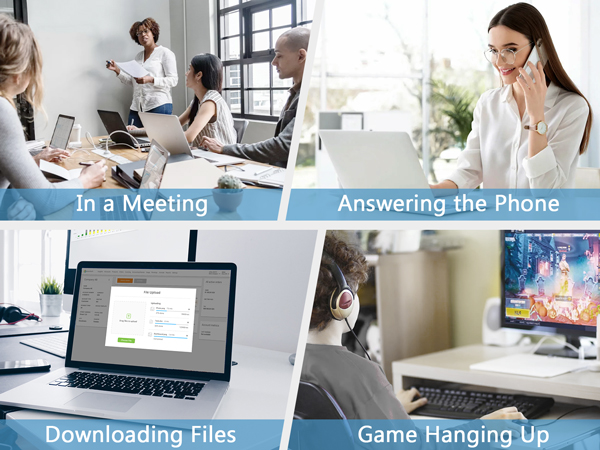
I bought this UEDROT Mouse Jiggler mainly for work, especially during long Microsoft Teams meetings and presentations, and it works exactly as expected. What I liked: +Very useful during presentations: It keeps the computer active without having to constantly touch or move the mouse while presenting, sharing screens, or reading documents during meetings. +Plug-and-play: Super simple setup โ just connect it to the USB port, and it starts working immediately without installing software. +Undetectable operation: Since it behaves like a regular USB input device, it works smoothly without triggering security warnings or requiring additional permissions. +Convenient switch button: The physical on/off switch is surprisingly useful because you can quickly enable or disable it without unplugging the device. +Compact and discreet: Small enough to leave connected permanently without cluttering the desk. What stood out most: For remote work and Teams calls, this became one of those small accessories that make daily work noticeably easier and less distracting. Overall: If you spend a lot of time in virtual meetings, presentations, webinars, or training sessions, this is a simple but very effective tool. Reliable, easy to use, and especially convenient when you need to stay active during long work sessions without constantly moving the mouse manually.
E**U
Small form factor - works flawlessly
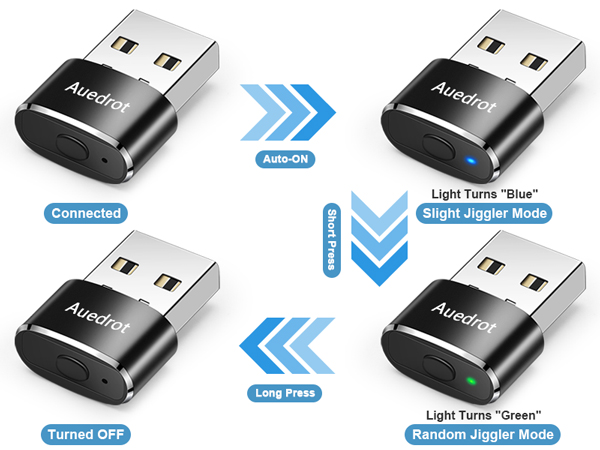
Simply plug-n-play operation. Simple illumination to show which mode is on (or off) without a distracting bright light. No drivers, just simple power and works with or without a mouse. Keeps a subtle movement of your cursor so your computer doesn't go to sleep. A great solution for work computers where setting adjustment or executable files aren't an option. Item is small and unobtrusive. Great value!
I**E
Simple and Effective
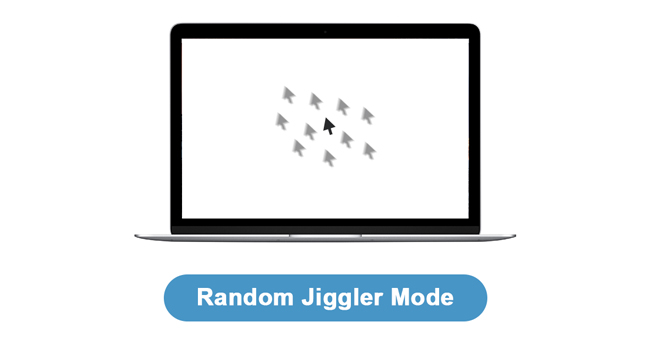
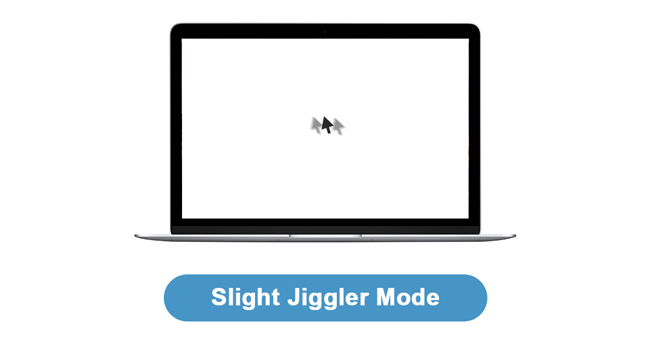
I love that itโs just a USB plug and not a whole other mouse. When I first installed the USB it worked right away. I didnโt have to go through an installation process. First thing I did was check my computer to see if there was a HINT of the USB being used. There was not. Nothing I can find. There are 2 options- blue is a slower move and green is a faster consistent move. I noticed that when i use the โgreen modeโ I am not able to maneuver my mouse how I want BUT when I am on the โblue modeโ I can move my mouse and use it as normal (clicking, moving etc) . Itโs only been day 1. So far I like it . Quality is good, it looks like the USB adapter for my wireless mouse. Not sure about battery life . I assume itโs forever? Compatibility- I used DELL Latitude 7440
K**N
Works Great
This product works great. Just plug and go. Keeps my screen from timing out. The 2 settings make it easy to set how you want.
U**N
Title: Mouse Jiggler Review - The Ultimate Solution for Inactivity Woes!
As an avid computer user, I cannot stress enough how essential Mouse Jiggler has become in my daily life. This ingenious device has proven to be an absolute game-changer, providing a hassle-free solution to prevent inactivity-related inconveniences and frustrations. The Mouse Jiggler works amazingly well! It boasts a seamless setup process - just plug it in, and you're good to go. No complex software installations or configurations are required. This simplicity ensures that anyone, regardless of their technical prowess, can enjoy its benefits immediately. What makes the Mouse Jiggler truly remarkable is its ability to mimic human-like mouse movements. This nifty little gadget ensures your computer remains active even during periods of idleness, preventing screensavers and sleep modes from interrupting your workflow. This is particularly useful during long video conferences, presentations, and any other tasks where continuous activity is necessary. Moreover, I've found Mouse Jiggler to be an excellent tool for maintaining productivity while working from home. With this tiny device plugged in, I no longer have to worry about the inconvenience of having to log in repeatedly due to my computer's auto-lock feature. It has significantly improved my workflow efficiency and saved me countless minutes each day. Beyond its practicality, the Mouse Jiggler also excels in its unobtrusiveness. It operates silently in the background, and its compact size means it doesn't take up unnecessary space on my desk. Additionally, it's incredibly energy-efficient, consuming minimal power while providing maximum benefits. Another fantastic aspect is its compatibility with various operating systems. Whether you're using Windows, macOS, or Linux, Mouse Jiggler ensures a seamless experience across platforms, further contributing to its versatility and widespread usability. Lastly, I must commend the customer support provided by the Mouse Jiggler team. They were prompt in addressing my queries and exhibited a genuine commitment to ensuring customer satisfaction. In conclusion, Mouse Jiggler is nothing short of amazing. Its flawless performance, ease of use, and practicality make it an indispensable tool for anyone who spends a significant amount of time in front of a computer. Whether you're a professional, student, or even a casual user, I highly recommend the Mouse Jiggler to enhance your computing experience and bid farewell to idle frustrations once and for all!
C**S
This is a lifesaver!
I love this little thing! It's a lifesaver for my laptop! My screen goes out every 15 mins or so. It's so annoying having to log in all my personal information. This jiggler works like a charm! It keeps my screen alive. I love it! So practical! I should've bought 2 of them!!
T**A
Works even on Teams
This mouse mover has been a game changer for me. I work in a fast paced environment, and my manager tends to monitor Teams status closely. I donโt always want to announce every short break or quick step away, especially when I just need a few minutes to reset or handle something quickly. This device gives me the flexibility I need. It keeps my status showing as Available on Teams consistently, and it works reliably without randomly shutting off. Itโs simple, effective, and does exactly what itโs supposed to do. Itโs also very affordable, which makes it an easy purchase. The only downside is that it doesnโt last forever. Mine worked for about a year, before I needed to replace it. That said, since itโs inexpensive, buying a new one isnโt a big deal. Overall, I definitely recommend it if youโre looking for a simple way to keep your status active without interruptions.
K**N
Works great and easy to use!
This is great. I had resorted to putting a dish on my space bar because when my work pc sleeps it kicks me out of our main system. You can just barely see the mouse pointer moving but I havenโt been kicked out once since plugging in the dongle. I wish I had found this months ago. It was so easy to use. Just plugged it in and chose my preferred setting.
L**I
Recommend
Worthwhile. Recommend.
G**M
Effective
Really effective
L**A
Muy buenos
Sรบper funcional, no se me ha descompuesto y llevo ya un rato con el. Ya pedรญ otros para regalar.
S**A
Excellent
Very good product
Y**I
Effective and Discreet Mouse Jiggler
๐ Quality: This device is incredibly small and unobtrusive, about the same size as a standard Logitech mouse transceiver. It features a premium aluminum alloy body that feels sturdy and upscale rather than like a cheap plastic dongle. I appreciate the simple built-in light that indicates which mode is active without being a distracting or overly bright eyesore on my desk. โ๏ธ Functionality: The plug-and-play operation is seamless. It is recognized as a standard USB composite device, so I didn't need any software or drivers, which is perfect for work computers with restricted settings. It has three settings controlled by a single button: a "Slight Jiggle" that moves the cursor just a few pixels, a "Random Jiggle" for larger patterns, and a power-off mode. It effectively keeps my screen live and apps like Microsoft Teams active during lunch breaks or side tasks. One minor quirk I noticed is that the unit occasionally turns itself on automatically when the computer wakes from sleep, but a quick press of the button fixes that easily. ๐ฐ Price: At $12.99, this is an inexpensive solution that offers great value for the money. It is a small investment that saves a lot of frustration from constantly having to sign back into my machine. ๐ Overall: I highly recommend this jiggler for anyone who needs to keep their computer awake. It does exactly what it is meant to do, is built well, and is easy to operate. Itโs a reliable tool that ensures I never have to deal with a snooze-mode screen again.
Trustpilot
1 week ago
5 days ago