Buy anything from 5,000+ international stores. One checkout price. No surprise fees. Join 2M+ shoppers on Desertcart.
Desertcart purchases this item on your behalf and handles shipping, customs, and support to Indonesia.
🌬️ Upgrade your comfort game — smart, sleek, and savings-savvy!
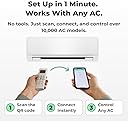
Sensibo Sky is a compact, WiFi-enabled smart controller that converts any remote-controlled air conditioner into an intelligent, energy-efficient system. Compatible with all major voice assistants and featuring advanced climate sensors, it offers remote app control, geofencing, and personalized scheduling to optimize comfort and reduce cooling costs by up to 40%. Easy to install and backed by responsive customer support, it’s the ultimate upgrade for modern smart homes.


| ASIN | B01MU2YSR4 |
| Additional Features | Portable,Eco Friendly,Energy Efficient,Lightweight,Wifi |
| Best Sellers Rank | #14,409 in Tools & Home Improvement ( See Top 100 in Tools & Home Improvement ) #40 in Home Automation Hubs & Controllers |
| Brand | Sensibo |
| Brand Name | Sensibo |
| Color | Gray |
| Connectivity Protocol | Wi-Fi |
| Control Method | App, Remote, Voice |
| Controller Type | App Control |
| Customer Reviews | 4.2 out of 5 stars 5,976 Reviews |
| Global Trade Identification Number | 07290016037098 |
| Item Dimensions D x W x H | 2.17"D x 3.23"W x 0.67"H |
| Item Weight | 2.4 ounces |
| Manufacturer | Sensibo |
| Manufacturer Part Number | SENSKY01 |
| Material Type | Polycarbonate |
| Model Name | Sensibo Sky |
| Model Number | SEN-SKY-01 |
| Mounting Type | Wall Mount |
| Power Source | Corded Electric |
| Product Dimensions | 2.17"D x 3.23"W x 0.67"H |
| Smart Home Compatibility | Smart Home Compatible |
| Special Feature | Portable,Eco Friendly,Energy Efficient,Lightweight,Wifi |
| Specification Met | no |
| Unit Count | 1 Count |
| Voltage | 140 |
| Wattage | 1 watts |
D**H
A+ product!!
Shockingly easy to set up and sync with my old remote from the mini split! Programming a routine was super simple and just what I was wanting out of this device. Turn the AC on and off by temp in the room
P**R
Easy to set up and works when your out.
Tealy happy with this device. Controls all features and took 5 min to set up. So easy. 5 stars my unit is an Acecool. Mini split. It also works over 4 and 5g.
R**E
Great Controller But Light on Features
I have Carrier minisplits, both wall mounted and ceiling cassettes throughout my house. I've tried different brands of controllers trying to find the best one for my situation. Why I bought this: This was the first controller I bought shortly after my minisplits were installed. I've been using it for a little over a year now. I was looking for an external controller that would turn my AC on and off at my own set points. For some reason, most minisplits operate with the fan constantly on in cooling mode, which has resulted in the relative humidity hovering around 80% in my home. This controller will turn on the AC at a set point, and turn it back off at another set point, keeping the RH at a manageable 50 - 60%. Also, the internal thermostats in my miniplits are terrible at maintaining a constant temperature. The rooms in my house are always too cold or too hot when left to run in the factory settings, which can't be changed. This controller overrides the factory settings by actually turning the unit on and off. Note: turning the unit on and off is a setting you can choose. Otherwise, it will operate the minisplit in the same manner as the factory remote. I am also making my home smart with Google Home. This thermostat meshes with Google Home very well. It's pretty cool and convenient to say, "Hey Google, turn on the living room air." I can set the temp and heating or cooling mode with my voice. This is all Google will do. See the end of this review for my comments on Google Home and thermostats. What I like about it: First of all, I appreciate the sleekness of the design. I have it mounted on the wall in my living room. It blends in so nicely that no one has ever asked me what that little box is on the wall. This unit would work well in a bedroom because it has no lights on it. The app is easy to use and offers the full functionality of the Carrier remote control that came with the minisplits, plus other options, including some I don't even use. It's been a while since I set it up, but I remember it being a pretty easy and straightforward process. Every time I tell it to do something, it does it. I have other controllers that aren't as reliable at sending signals to the minisplit. I've never had an issue with this one missing a signal. I can count on it to work every time, even when I'm not home and need to adjust the temperature for the pets. The bad: I'm giving this controller 4 stars only because it doesn't have a display. I would like to be able to look at the controller to see the temps and have an interface to use it like a normal thermostat. It's kind of a pain to have to search for my phone or tablet any time I want to adjust the modes or temperature settings. Google Home has limitations as to what you can tell it to do, so it isn't always as easy as telling Google to do something for you. More on Google Home: *In my original review, I said Google Home can only recognize one thermostat at a time. This may have been true when I first started, but I am now able to add as many thermostats as I have rooms.* There are limitations within Google Home that did not influence my rating of this product. This is just FYI for those of you that are hoping to use Google Home to control all of your minisplits. Google Home does not recognize most of the features of any remote controller like this. For example, I can't ask Google what the relative humidity is in my house, but I can ask basic functions of most thermostats like what the temperature is, what the thermostat is set to, switch between heat and cool, and tell it to turn the air on or off.
M**I
Amazing sopution
Amazing! Huge help to cool down one room while traveling!!
M**E
Simple and effective
So I've had this for about 3 years using it with a window air conditioner can't tell you the brand off that my head it works quite well occasionally the IR broadcast doesn't make it to the air conditioner but that's very few and far between and tends to be when adjusting the volume up or down so it might be off by a degree on occasion it's easy to fix just switch it back to Fan adjust up or down so that the app matches the device and then continue using schedules work great climate react Works quite well I have the issue where my window air conditioner will let it get quite hot in my room if it's cooler outside but I'm allergic to cut grass so sometimes I still need the air conditioner on even when it's nice out so the climate react can help prevent it from getting overly hot in the room when it's set to auto on the air conditioner which is a lifesaver sometimes on top of that if you do pay for the subscription there are a lot of very interesting and potentially useful add-ons I personally I don't use it but I have in the past and since I used it and they have added a lot more capability however I'm not sure how many of them would actually function with my air conditioner which is pretty old it's 10 years old or so but basically as long as it has an infrared receiver this device will work with any air conditioner maybe even heating unit. It'll also keep track of how long the device has been on and when the built-in filter to your air conditioner should be checked which is quite nice to just get a notification on the phone because when my air conditioner it's a little orange light that unless you're standing right in front of it you're not going to notice at least I don't. One last thing I don't have a Lexus I can't State how well it works with that however Google Assistant Works quite well the only issue I have is that you can only set it with Google Assistant to heat cool and fan you can't set it to the auto setting and I don't know if that's the restriction from my air conditioner or if it's because of Google but to be honest it's not the end of the world either and if I need to turn it on remotely having it set to cool is fine and then when I get home or when I can pull out my phone or something I can adjust it.
J**O
Thought My AC Was the Problem — It Was This Controller
I bought this product specifically to keep my shed AC from running all day, so I installed this “magic” controller that everyone seems to love. To my surprise, shortly after installing it, my shed AC started consistently shutting down. At first, I honestly thought the unit could not handle the Arizona heat, or that I had bought a lemon. After dealing with this for a while and trying different settings, schedules, and programming, I finally realized the issue was not my AC unit — it was the Sensibo controller. I also tested the connection to the shed, and the connection was good. I have an HD camera in the same shed that works without issue, so this does not appear to be a basic connection problem. Once I disconnected the Sensibo, the daily shutdown issue stopped. I had also purchased another Sensibo unit because I originally thought it was a great product, especially because of the Google Home integration. I bought the second one for my garage AC unit, but that one would not connect to my Mirage XR unit, so I returned it. Instead of helping manage my shed AC, this product caused me to troubleshoot the wrong equipment and made me think my AC was failing. Between the daily shutdown issue and the second unit not connecting, this has been a frustrating and unreliable experience. I would not recommend it. As you will not get your hefty price point back months later.
J**J
Some limitations initially, but quickly worked it out with their awesome customer service.
Update: I should have updated this some time ago but been putting it off for too long. I initially the device had some limitations for my preferred use, as can be read in my initial review below. However, I contacted Sensibo customer support and they were able to set up a date and time with me to go over the various missing functions. A few days later, the device worked the way I wanted, with all the functions of my Daikin mini-split the way I wanted them to work. What can I say, the device now works the way I wanted. Given it some thought, and it kind of makes sense they cannot have detailed settings for the hundreds (thousands?) of different AC units in the world, right out of the box, but the fact that they're more than willing to work with you to get the device working the way you want, makes up for it all in my opinion, hence the updated 5 stars from originally 4. I'm about to order a second device for another AC unit, they definitely made me a happy customer! :) === Original review: After the installation of a new "dumb" mini split A/C unit, I wanted something that I could use to make the unit more "smart", and after having compared several devices, I felt Sensibo was the one coming closest to what I wanted. Unfortunately, it is not without some dislikes. Let me start by saying that the install was very simple. You place the device somewhere in range of the infrared eye of the A/C unit, plug the device in, make sure you have the app downloaded, and then follow the setup instructions on your app. In my case it started with simply turning the A/C unit on and off while aimed at the Sensibo device, and the Sensibo registered what remote I had. At this point things started to work, almost flawlessly. I'm saying "almost flawlessly" because it had some hiccups. For some reason, when I started using the Climate React function (which basically uses either the actual temperature, feel temperature, or humidity levels to do something), it turned out it wasn't always working (meaning, the log said the device turned on or off, but it didn't actually do anything, no blue indicator light that it was transmitting, nothing). I contacted support, and while I received an answer that did not actually help me at the time, the device miraculously started working correctly. Another thing that did not work right away was, while the device did register the IR signals for my remote for the most basic functions, it did not actually see the other functions my remote and A/C unit has available. It only showed Cool, Dry, Fan, few fan levels and that was about it. My actual A/C unit, however, is capable of so much more. So I contacted support again (who, by the way, is the main reason they are getting four stars, and not just three), giving them my remote control's product number, and I received a quick reply back, telling me that they updated my Sensibo's settings and that I should log out and back into the app. Sure enough, much more functions became available for me to control. I like that I am able to have my A/C unit turn on and off automatically at a specific feel temperature setting through Climate React, which seems to be about right. My A/C unit is capable of doing this on it's own, but that does mean it has to stay on (it switches between cool and fan in that case), so the Sensibo makes it more efficient by using less electricity. Another thing I like is that it is hooked into the Google Homes, and can simply ask Google what temperature it is inside, ask it to turn the A/C on or off etc. One thing I don't like, and this is pretty major to me, as it makes me turn off Climate React at times and use the original A/C remote control instead, is that Sensibo is not capable of controlling my vertical and horizontal fan slats independently. My A/C unit is capable of 3D airflow (up/down/left/right), and while Sensibo is capable of doing that, it is unable to just do left/right or up/down by itself, while my A/C unit does have that capability. I personally don't like the fan slats going up/down, as it blows cold air straight onto us, so I like them to be in the most upper position (my A/C unit calls that the "comfort setting"), Sensibo isn't able to do this, and keeps setting the slats back to the middle position, meaning it blows air onto us. I also like to have my A/C unit automatically blow the air from left to right with the vertical slats, so the entire room gets cool air, but the Sensibo is again incapable of doing this by itself. Meaning I still end up using the original remote from time to time, making the Sensibo a bit obsolete. While I do recommend this product as it works, if I had a better understanding of it all in advance, I would probably not have purchased the Sensibo due to the limitations. The reason I am keeping it and wont be returning is simply because I hope they will update the software at some point, adding the missing features, or perhaps make it self-learning so we can add the missing features ourselves.
M**.
Almost great...
I have been keeping my eye on this product for a long time. Just could not get myself to spend the money on the device when I have a remote sitting right next to me. I just wasn't sure it was worth over $100 to not have to click the remote numerous times throughout the day to keep from being too cold or too hot. But then I got enough points on the California OhmConnect program to get one for free. I must say, I am overall pretty impressed. By the way, I use the Sensibo Sky to operate my DeLonghi Portable Air Conditioner PAC AN280HG1W-3A in a 120 sq ft shed that I call the Home Office in the back yard. Pros 1) Climate react is great. I have mine turn on at 72 degrees and off at 70 degrees. My backyard office shed only needs AC even though the unit can do heat. I have no review in how Sensibo manages super cold weather with a 3-in-1 AC unit. All the computing hardware keeps the shed warm out here even in the winter months. The office is always at the perfect temp in the summer now and I do not have to think about it all day. +1 for Sensibo. 2) The APIs are great. I can do everything that the app can do from Postman or an AWS Lambda Function 3) The iOS app is pretty decent. No real complaints other than the cons below. 4) I have no AC power Sync issues. I see many other that complain of this issue. I only use the Sensibo app or Alexa or an API call to operate the AC. I have put the AC remote away and instructed everyone in the family to not touch the control panel. By taking this step, the AC has thus far ALWAYS been in Sync with the Sensibo. 5) The physical unit is much smaller than I had imagined. Mounted under sit/stand my desk between a powered grommet and the cable tray. Super clean install. Cons 1) No schedule for Climate React. This is a huge con. This is BASIC functionality of any smart controller. By making it a subscription based feature you are basically selling me a $119 *DUMB* AC controller that I have to pay a monthly charge to make it smart. This is just a greedy power play by the manufacturer. If you are going to charge me $5 per month for the unit to be fully functional, then the base unit should only be $39.99. I feel like you are right up there with printer ink. At the cost of ink, the printer should be free. At the cost of your subscription service, the unit should be free. I simply won't recommend paying for Sensibo Plus. I will just use a CloudWatch Event and a Lambda Function to toggle Climate React on and off. Anyone deep in home automation can simply use a Broadlink RM Mini 3 to do all the same functionality as Sensibo for $90 cheaper and no monthly subscription. So, dump the lame monthly subscription and give us a Smart AC controller. I do not mind paying $119 for your unit but if you nickel and dime me with a subscription for basic functions then I will just make my own. 2) Same goes with Geofencing as a plus feature. I will do all of your paid features in HomeAssistant and AWS Lambda. A one time $20 fee for plus features...fine. At $60 per year, your value just isn't there. Overall, I like the unit. It has been good so far. I just really hate the ROI of Sensibo Plus. The value isn't there. Just too expensive and unnecessary. It is right up there with having to pay a subscription for a smart light bulb. One where it turns on and off for free but brightness and color temp can only be controlled for $2.99 per month. Nobody would buy that subscription. I expect very few would buy Sensibo plus. I hope they don't.. Sensibo Plus makes no sense to the consumer and you should expect the consumer to revolt. This would have been a SOLID five stars if there were no subscription model.
J**N
Funciona muy bien con Hisense
Tengo un gimnasio pequeño en otra vivienda en el cual tengo instalado un Aire acondicionado Hisense. Pues resulta que ahora en coge mucha calor superando los 34 grados y eso es un horno, aunque llegara a entrenar y pusiera el aire era imposible y tenia que esperar 1 hora a que mas o menos bajara la temperatura para poder hacer algo. Pues gracias a este aparato se acaba el problema, lo acabo de configurar y he tardado 5 minutos, es muy sencillo. Una vez configurado veo que funciona perfectamente, desde la app se puede encender, apagar, subir y bajar temperatura y velocidad del aire, incluso activar un temporizador!! A mi me salva la vida. Ahora toca esperar que dure mucho tiempo y no llegue un dia y me encuentre el aire encendido, ante cualquier situación no esperada lo escribiré aquí. Por ahora un 10! Ahn, y funciona perfecto tanto conectado el movil dentro de la red wifi como a través de 4G, o sea, desde cualquier parte del mundo.
S**I
Great
The product is perfect, save me being worried especially in summer in this part of the region (Middle east summer time) However only one problem, it is expensive if am going to buy one for each unit. However, the installation was easy and i like the product.
R**A
ممتاز جدا جدا
المنتج بطل وشغال معاي ممتاز. مطلوب منك ريموت مكيفك وتقربه من هذا الجهاز وبعدها ماتحتاج الريموت ،،، كله من التطبيق تشغل وتطفي
X**0
super worth it
100% worth it super-friendly apps and easy to installed it.Just plug and play, and it is done. You just need to download the apps from the Play Store to start using the controller. Just follow the instructions from the apps, and it will only take 5 minutes to complete the process. So far, I don't even need to choose which brand of air conditioner I am using; it is just automatically configured and can be used immediately after you install it. The item was very small, and Compaq is half the size of my phone. The controller has a lot of functions and features that you can try to use, but in the meantime, I just set a few functions on the apps.One of them was that they had a graph where you could see how much you were using the air conditioning either day, month, or year. I'm thinking of getting another one soon because it is much better than the one I had from a third party, which should be compatible with my air conditioner but somehow gave me a lot of issues with connection and always crashed.
Z**E
Fonctionne parfaitement et simple à utiliser
Super produit! je l'ai acheté pour connecter une clim mobile (Whirlpool). Installation très simple et rapide, application iOS intuitive et facile à synchroniser avec l'appareil puis à utiliser. Sensibo me permet d'activer la clim à distance ce qui est très pratique. J'ai un vieux chien qui apprécie d'avoir la clim l'après-midi quand il fait chaud dans l'appart. Plus besoin de l'activer le matin en partant au travail alors que ce n'est pas nécessaire... ce qui m'arrange pour ma consommation et facture d'électricité! L'application permet en plus de régler l'intensité (fort, moyen, faible) et la température. Il est également possible de créer un scénario qui dit 'si la température de la pièce dépasse 20°, activer la clim, etc" ... Je n'ai pas testé l'activation par géolocalisation. Il m'arrive de l'activer "manuellement" via l'appli 20 minutes avant de rentrer. Et il y a aussi une skill Alexa FR, quand je suis à la maison je peux juste demander à Alexa "allumes/éteins la clim"! Produit un peu cher mais je me dis que ça sera amorti grâce aux économies d'énergie. Enfin, le petit plus que j'ai trouvé sympa, lorsque que vous activez votre compte Sensibo, vous recevez un email de leur équipe support pour vous souhaiter la bienvenue et se met à votre disposition si besoin. J'ai tout simplement répondu après 1 mois d'utilisation pour leur faire part de ma satisfaction, réponse personnalisée de l'équipe dans l'heure!
Trustpilot
2 weeks ago
1 month ago