Buy anything from 5,000+ international stores. One checkout price. No surprise fees. Join 2M+ shoppers on Desertcart.
Desertcart purchases this item on your behalf and handles shipping, customs, and support to Indonesia.
🔔 Elevate your doorstep game with smart security that’s always watching.
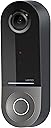
The WeMo Smart Video Doorbell integrates seamlessly with Apple HomeKit Secure Video, offering a wired 16-24V AC powered solution with a massive 223° field of view, HDR 1080p video, dual-band WiFi connectivity, infrared night vision, and two-way audio. It securely stores 10-day motion-triggered recordings in iCloud, providing professional-grade home security with effortless remote monitoring and communication.


| ASIN | B09RYVNG55 |
| Alert Type | Motion Only |
| Antenna Location | Home Security, Night Vision |
| Are Batteries Required | No |
| Best Sellers Rank | #139,382 in Tools & Home Improvement ( See Top 100 in Tools & Home Improvement ) #253 in Video Doorbells |
| Brand | WeMo |
| Built-In Media | Smart Video Doorbell, Setup Guide, Bracket, Left/Right Wedge, Screws and Screwdriver, Power Kit with Connectors |
| Color | Black |
| Compatible Devices | HomePod, iPad, iPhone |
| Connectivity Protocol | Wi-Fi |
| Connectivity Technology | Wired, Wireless |
| Control Method | App |
| Controller Type | Apple HomeKit |
| Customer Reviews | 2.8 2.8 out of 5 stars (273) |
| Enclosure Material | Pp |
| Form Factor | Dome |
| Indoor Outdoor Usage | Outdoor |
| Installation Type | Screw In |
| Item Dimensions | 5.3 x 4.6 x 12.7 centimeters |
| Item Type Name | Video Doorbell |
| Light Source | Infrared |
| Manufacturer | WeMo |
| Model Name | Wemo Doorbell |
| Model Number | WDC010 |
| Mount Type | Wall Mount |
| Night Vision | Night Color |
| Number of Channels | 2 |
| Number of Items | 1 |
| Other Special Features of the Product | HD Resolution, Image Sensor, Night Vision |
| Photo Sensor Technology | CMOS |
| Power Source | Corded Electric |
| Room Type | Living Room |
| Specific Uses For Product | Camera |
| UPC | 745883820092 |
| Unit Count | 1 Count |
| Video Capture Format | MP4 |
| Video Capture Resolution | 1080p |
| Viewing Angle | 178 Degrees |
| Voltage | 24 Volts |
| Waterproof Rating | IP65 |
| Wattage | 6 watts |
| Wireless Technology | Wi-Fi |
| Zoom Type | تقريب رقمي |
A**R
worst piece of garbage i ever bought
i dont waste time writing reviews but i feel i have to point out how bad this doorbell is. look online and you will see how many forum posts with issues there are. i tried everything - resetting to factory / cleaning connectors / changing transformer (changed so far 4 16-24v ones) / moving wifi closer / changed wifi router. still this door bell overheats, randomly disconnects. stays off 99% of the time. it is basically useless. do not buy. i bought it for $300 when it came out. cannot use it. do not buy, save yourselves the headache
A**R
Clear video pictures, easy to set up. Had to get special transform for it, but worth the effort.
R**O
I have used plenty of smart home products, and I usually have a decent experience, but the Wemo Smart Doorbell is hands down one of the worst products I’ve ever dealt with. This thing is a trainwreck from start to finish, and if you’re considering buying it, do yourself a favor and run the other way. Power Kit Nightmare: It Just Doesn’t Work One of the biggest selling points of this doorbell is that it’s supposed to work with your existing chime via a “power kit.” In reality, the power kit is a complete failure. No matter what you do—whether you follow the instructions to the letter, hire an electrician, or sacrifice a goat under a full moon—it simply will not work properly. The chime either doesn’t ring at all, or it makes a faint buzzing noise like it’s dying a slow and painful death. Sometimes, the doorbell completely cuts power to the chime, leaving you with a doorbell that doesn’t actually notify you when someone is at the door. That defeats the entire purpose of a wired doorbell. Unreliable Performance Even if you somehow get past the power kit catastrophe, the doorbell itself is one of the least reliable smart home devices I’ve ever used. The motion detection is wildly inconsistent, sometimes missing people entirely while sending alerts for cars driving down the street. The video feed frequently cuts out, and on multiple occasions, the doorbell just went completely offline for no reason—requiring a full reset to even get it working again. Apple HomeKit Integration? Barely Functional Wemo loves to market this as a premium Apple HomeKit doorbell. In reality, the HomeKit integration is as unstable as the rest of the device. The camera randomly stops responding in the Home app, the chime issues persist, and there are long delays when trying to view the live feed. If you’re an Apple user hoping for a seamless smart home experience, this doorbell will make you regret your decision immediately. Terrible Customer Support You might think, “Well, maybe I can just contact support and get this fixed.” Wrong! Wemo’s support is practically nonexistent. If you somehow get a response, they’ll just tell you to reset the device, check your wiring, or reinstall the app—all things you’ve already done ten times. They have no real solutions for the power kit issue because it’s clearly a fundamental design flaw, not a user error. Overpriced Garbage Considering how expensive this thing is, there is no excuse for it to be this bad. There are plenty of better, cheaper, and actually functional alternatives from brands that actually know how to make a smart doorbell. Wemo completely dropped the ball on this product—it’s unreliable, poorly designed, and an absolute nightmare to install and use. Final Verdict: Avoid at All Costs If you want a smart doorbell that actually works, this is NOT IT. Between the broken power kit, unreliable performance, and abysmal customer support, this product is an absolute waste of money. Do yourself a favor and get literally anything else.
M**A
Je ne recommande pas car il se déconnecte tout le temps. Pas fiable
J**M
Coming over from the Circle View and this is 1000 times better. First, the chime connector is smaller and fits inside the chime box instead of having to go outside on the wall. Second (and most important), it doesn't disconnect in mildly warm temperatures. The Circle View disconnected anytime temps got over 70 degrees and then essentially wouldn't work all summer. It was never in direct sunlight. I've had zero disconnections with this item so far and I'm so grateful I don't have to think about it. The video quality is slightly worse than the Circle View but I don't even care at all as long as it stays connected. The FOV is better than the Circle View and I can see packages right up against the door. This is the best option available for HKSV. I will note that I upgraded my transformer to 24V 40A. People who may be having connection issues either don't have a wifi point close enough or the wrong transformer IMO.
J**S
This replaced a first gen Ring doorbell, as I wanted Apple HomeKit integration and better picture quality. Initially, I was very disappointed with this doorbell - it was constantly reseting, locking up, and the hardwire door chime stopped working. Unfortunately, I waited too long to return it to Amazon, so I decided to request a replacement from Wemo and started checking their support site. It was at this point I noticed the voltage requirement and decided to double check my system. I had assumed my voltage was fine as the Ring doorbell worked reasonable well for many years, but to my surprise I only had a 5v transformer. This doorbell requires 16-24v. I upgraded the transformer about three week ago, and the doorbell has been functioning perfectly since. No more resets and lockups, and the chime works again. I really like the Apple integration. Whenever someone arrives, a photo is sent to my watch. If we are watching AppleTV, a live video will automatically pop up. It also has facial recognition support, although that is a bit spotty. The daytime picture and motion detection are fine for my needs, but I would have to say that the night picture is not the greatest. Installation was pretty easy. I knocked off one start because you have to install an extra piece of wiring in the chime; I did not need to do that with the Ring doorbell. The doorbell is typically pretty responsive when trying to do realtime operations, like starting a live feed. However, it does still fail to connect from time to time. One tip that may help with that issue: After installing the doorbell, go to your router DHCP settings and make sure the modem always assigns the same IP address to the doorbell. Possibly do the same for your Home Hub device (typically AppleTV or iPad).
Trustpilot
3 weeks ago
2 months ago