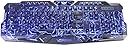
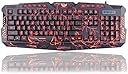
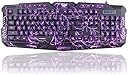
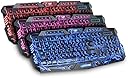
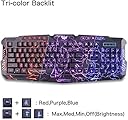
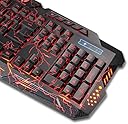
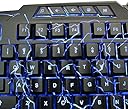
LMTECH USB Wired Gaming Keyboard USB Wired LED 3 Color (Red Blue Purple) Backlit Gaming Keyboard with Crack Pattern for Laptop Desktop Computer Gamers
Product ID: 40758365
Rp1432824
1
Sold byAmazon IndonesiaDelivered byDesertcartCustomer service byDesertcartReturns14 days · 30 with PRO
Buyer Protection · Full refund if your order doesn't arrive as described.
Desertcart purchases this item on your behalf and handles shipping, customs, and support to Indonesia.
Secure transaction
Description
- Three color breathing light cool crack pattern, adjustable color ( red blue and purple )with the adjustable brightness.
- 19 non-conflict keys: Simultaneous operation of up to 19 keys without conflict. which bring you new peculiar experience;The ABS material give you comfortable and cool soft Touch.
- Keyboard functions: FN + SL can change the color (red, blue, purple) of the keyboard, Fn + Up/Down can adjust the brightness of the keyboard. Fn+PS enter cool three color breath mode; Fn+PB: one color breath mode!
- This is a US layout keyboard.
- System requirements: Windows XP/VISTA/ WIN 7/ WIN 8/ WIN 10 / Mac OS X
How to use Once you plug in the keyboard, To adjust the brightness of the LEDs hold the FN button and tap the up arrow to increase brightness and the down arrow to decrease it. To adjust the solid colour hold the FN button and tap the SL button. To make the current colour "breathe" hold FN and tap the PB button. To make the LEDs cycle through the colours while "breathing", hold FN and press the PS button. Note The PS, PB and SL buttons can be found on the keyboard above the Home and Delete buttons. Package Included 1* 3 Color Backlit Gaming Keyboard
Common Questions
Yes, all products are sourced directly from authorized retailers in the US, UK, UAE and India. We maintain strict quality control processes and verify each product before shipping. All items come with applicable manufacturer warranties and are covered by our standard return policy.
Delivery times vary by destination country, typically ranging from 3-9 business days. Each order is fully trackable through our system. We handle all customs clearance and use reliable courier partners for last-mile delivery. You'll receive regular updates about your order status via email and our app.
Desertcart is an international e-commerce platform operating since 2014. We securely process thousands of orders globally each day. Every product goes through our quality verification process before delivery, and we provide end-to-end order tracking, 24/7 customer support, and a comprehensive returns policy to ensure a safe shopping experience.
Our prices include the product cost, international shipping, import duties, customs clearance, and local delivery charges. We handle all customs and import procedures, ensuring there are no hidden fees upon delivery. PRO members receive additional benefits including free shipping.
Trustpilot
TrustScore 4.5 | 7,300+ reviews
Shop Global, Save with Desertcart
Value for Money
Competitive prices on a vast range of products
Shop Globally
Serving millions of shoppers across more than 100 countries
Enhanced Protection
Trusted payment options loved by worldwide shoppers
Customer Assurance
Trusted payment options loved by worldwide shoppers.
Desertcart App
Shop on the go, anytime, anywhere.