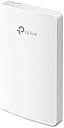
🚀 Elevate your workspace Wi-Fi game with invisible power and smart control!
The TP-Link EAP235-Wall is a high-performance AC1200 dual-band wireless access point designed for multi-room environments like offices and hotels. It delivers combined speeds up to 1167 Mbps with MU-MIMO technology, features four Gigabit Ethernet ports including PoE pass-through, and integrates seamlessly with Omada SDN for centralized cloud management. Its ultra-slim design mounts easily on standard wall boxes, providing secure, high-speed Wi-Fi with advanced guest authentication options.
| ASIN | B08MWYZ1Z8 |
| Are Batteries Included | No |
| Best Sellers Rank | #41,882 in Computers ( See Top 100 in Computers ) #172 in Wireless Access Points |
| Brand | TP-Link |
| Color | Black |
| Connectivity Type | Wi-Fi |
| Customer Reviews | 4.1 4.1 out of 5 stars (79) |
| Date First Available | 6 November 2020 |
| Item Weight | 320 g |
| Item model number | EAP235-Wall |
| Manufacturer | TP-Link |
| Operating System | RouterOS |
| Product Dimensions | 14.3 x 8.6 x 1.97 cm; 320 g |
| Series | EAP235-Wall |
| Voltage | 48 Volts (DC) |
| Wireless Type | 802.11ac |
M**O
Ottimo prodotto, gestibile da programma dedicato. Potente e discreto. Risolve problemi di connessione se gestito in mesh
A**Y
Ottimo prodotto, facile e flessibile la configurazione tramite app. Dotati di funzioni solitamente presenti in prodotti di fascia alta. Installati in una struttura Casa Famiglia per distribuire il segnale WiFi nella struttura. Comodo il fissaggio su 503, anche se in questo caso li ho dovuti installare su scatola da canalina in quanto la 503 incassata a parete era già occupata dalla presa tv. Gestiti tramite controller che dà la possibilità di configurare e personalizzare tutto il sistema. Giusto rapporto qualità prezzo.
E**L
L'applicazione richiede la versione 3 e il prodotto era nella versione 1 Sono riuscito d usare solo parzialmente le funzioni
N**R
Likes…slimline fitting on standard wall box. Looks good with no wires or power supplies Easy to connect up to ethernet cable - need to have the cable in the wall of course and with a connector rather than bare wires. Transfers full speed from my virgin hub > 200mbps Dislikes = could not connect via web browser “server not found”, but using iphone app method it worked no problem. Instructions could be clearer to point out that you need to change the SSD (network name and associated password) to same as your existing wifi. Notes: remember this needs power from the ethernet connection, so make sure you feed it from a PoE device. I bought a small 5 channel PoE+ switch that i daisy chained with existing switch. ( i need about 15 ethernet port to supply all the bits and bobs in my house!). Perhaps the daisy chaining was reason i could not set up from the browser. Anyway phone app worked just fine. Took about fifteen minutes. Definitely recommend and will buy again for another part of my house.
M**O
This is really an update to the EAP225-wall that fixes its flaws - i.e. updates the ports to be gigabit and increases the transmission power of the antenna's to match the equivalent normal AP (EAP225). We have had a EAP225-wall for a year in a spot where high bandwidth wasn't needed so the 100mbps limitation wasn't a factor. We ideally wanted one of these in our office, but needed 1gbps ports due to having FTTP so we hoped that TP-link would finally fix the flaw and they did by releasing this 'new' product the EAP235-Wall. Its literally the same externally, internally its more powerful in transmission power and has a better internal switch. These have enough power on their own to cover a very wide area, but due to lack of fast roaming might not make sense for offices, but are perfectly fine for home use where fast roaming really isn't needed. One point is that if you are running these via the controller these require version 4 of the controller - the older models used version 3, so you have to upgrade the controller and then all the AP's. Its worth the effort though as the Version 4 controller is light years ahead of the version 3. Just takes a bit of time and backup all your settings manually before hand.
Trustpilot
2 months ago
3 weeks ago