Desertcart purchases this item on your behalf and handles shipping, customs, and support to Indonesia.
💼 Own the stage with precision and style — the ultimate presenter for the modern pro!
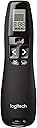
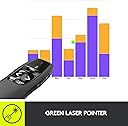
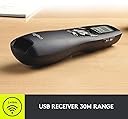
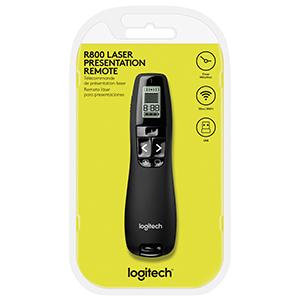
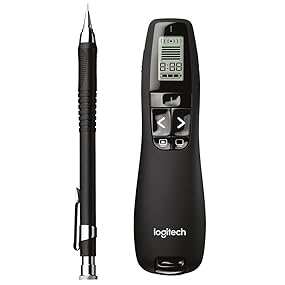
The Logitech R800 is a professional-grade wireless presenter featuring a bright green laser pointer visible even in bright rooms, a 30-meter wireless range with reception-level indicator, and an LCD display offering silent or vibrating alerts. Designed for seamless control, it includes intuitive slideshow navigation buttons and a storable USB receiver for easy setup and portability, making it the go-to tool for impactful presentations.


| ASIN | B002GHBUTU |
| Additional Features | Alcohol-Free |
| Battery Type | Alkaline |
| Best Sellers Rank | #6,623 in Office Products ( See Top 100 in Office Products ) #17 in Presentation Pointers |
| Brand | Logitech |
| Built-In Media | Logitech R800 |
| Button Quantity | 5 |
| Color | Green |
| Colour | Green |
| Compatible Devices | Air Conditioner |
| Compatible devices | Air Conditioner |
| Connectivity Technology | Wireless |
| Connectivity technology | Wireless |
| Controller Type | Button Control |
| Customer Reviews | 4.6 out of 5 stars 3,957 Reviews |
| Global Trade Identification Number | 00097855061591 |
| Item Dimensions L x W x H | 13.4L x 3.8W x 2.8H centimeters |
| Item Type Name | Logitech Professional Presenter R800, Wireless Presentation Clicker Remote with Green Laser Pointer and LCD Display |
| Item Weight | 0.03 Pounds |
| Manufacturer | Logitech |
| Max number of supported devices | 1 |
| Maximum Number of Supported Devices | 1 |
| Maximum Range | 100 Feet |
| Mfr Part Number | R800 |
| Model Name | R800 |
| Model Number | 910-001350 |
| Number of Batteries | 2 AAA batteries required. (included) |
| Special features | Alcohol-Free |
| UPC | 097855061591 |
| Unit Count | 1 Count |
S**R
Good one.
Good quality product. I like the ergonomic design and the green light. Perfect for presentation.
R**S
This is the one with the green laser
Great bit of kit, I've just them for years.
L**R
Solid piece of kit
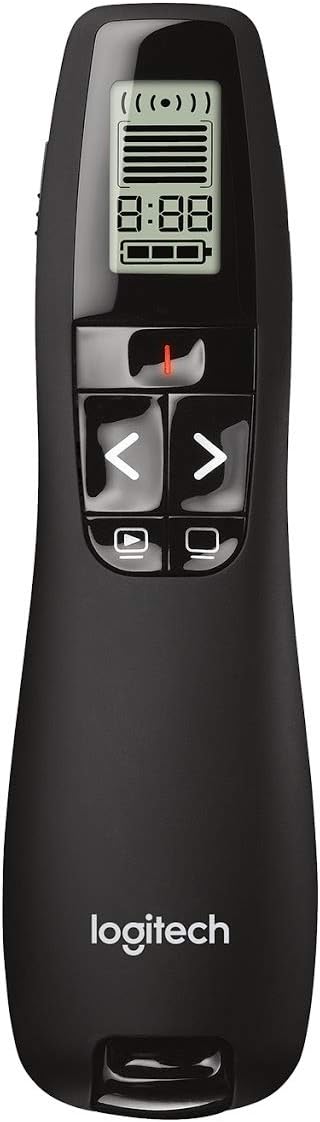
20+ years of college lecturing experience here, in rooms from 10 seats to 500+. I’ve used a lot of “it’ll do” tech over the years, and the Logitech R800 feels like a legit, durable tool rather than disposable plastic. Range and reliability: In 100+ seat auditoriums, the USB receiver holds a stable connection, and the range is more than enough for walking the room, stepping into aisles, and teaching from the back without missed slide advances. Laser visibility: The green laser is easy to see on most projection surfaces and shows up well even for students sitting far back. It’s been consistently visible for both younger and older eyes. Timer = real-world helpful: The built-in timer is a surprisingly useful backup. Many classrooms either don’t have an obvious clock or it’s behind you, and the timer keeps you from doing the “lecture drift” where a 2-minute concept becomes a 12-minute side quest. Size and “don’t lose it” factor: It’s the right size for a pocket and comfortable in-hand, but not so tiny it disappears into the shadow realm of lecture clutter. If I set it down while moving around, it’s easy to spot. (I may add a small strip of reflective tape for low-light rooms, but that’s a personal preference, not a requirement.) How I carry it: It fits perfectly in my pocket presentation kit that travels everywhere with me (see photo). If you’re the type who teaches in multiple rooms or campuses, that portability matters. TLDR: If you lecture, train, present, or teach and need something that just works without drama, the R800 is a solid buy.
C**K
Remote works well, though wish buttons had more raised/defined edges
I do a lot of public speaking and have used and gone through several remotes. I decided to upgrade my personal one to this remote and used it for the first time about a week ago. PROS: it is very responsive, has good range, and the green laser pointer shows up clearer and is easier to spot than the red one in my opinion. CONS: in other remotes, the buttons are raised more, have more definition, or “bumps” on them so you can identify them without looking. I didn’t realize how accustomed I was to those as I generally memorize all my presentations and try to avoid looking down so I can keep eye contact and focus on the audience. I had to keep looking at the remote when I wanted the laser pointer to ensure I was pressing the right button and not a “blackout” button by mistake. The forward and reverse slide buttons were easy to be able to “feel” but I kept second guessing myself with the pointer and had to look down, which I don’t like doing. I am sure with use I will get used to it, but a raised “bump” or something tactile to distinguish this button would have been helpful!
R**Y
No Bluetooth?
Works great! Sad that there’s no Bluetooth function though
A**S
Best Presenter out there. Amazing Range. But the Screen is a Gimmick.
This is the best presenter out there. The green laser is pretty awesome and shows up in the day easily. The range is fantastic. My favorite feature is the timer. I had to give presentations all summer in front of thousands of people. I had to be exactly 7 mins. I loved that this vibrated to let me know how much time i had left, and I amazed people that I was able to land perfect 7 minute presentations down to almost the second without using a confidence monitor or timer on stage. I like that this comes with a nice carrying case and I also like that the usb dongle fits into the body of the device. The range of this blows other presenters out of the water. I have had range problems in the past when my computer is way in the back of the auditorium in the graphics booth and Im hundreds of feet away on the stage. This presenter doesn't skip a beat and even shows you your range status on the screen if you want to see it. I virtually never used the screen though. I thought it was a little pointless, I would almost have preferred it was removed and they could have made the device smaller. The only bad thing about this presenter is its' size. Its very comfortable to hold, but I wish it was the length of the R400, which is equally comfortable but because of no screen, it is shorter and doesn't poke out of your hand. The ergonomics of this are designed in a way that it pokes out from your hand (so you can see the screen i suppose). The screen is a gimmick honestly, I don't know how you would realistically look at this screen DURING a presentation. There is no backlight and it would just be too hard to see and definetely too hard to glance at. If you do a lot of presenting you know that you have to spend 99.9% of your time looking at the audience. Even looking down for 2 seconds will horribly distract everyone. I usually allow myself 2 times to glance at the confidence monitor during a presentation and I do it for less than a second. I am just making sure I am on the slide that I expect to be on. So the screen on this device would be way too distracting to actually use. Aside from the fact that it would be too hard to see in the dark, you would have to pull your hand up to your face too see it. I can't imagine anyone uses it. Aside from the screen which I think they should just remove, or make it smaller and pull it lower on the device so I can use it during setup, but not during the show. I think this is the best presenter out there. The range and timer alone are reason enough to get it if you do anything serious with presenting. If you present very casually, and infrequently then it might be overkill. The R400 might be a better choice in that case. But if you present on a stage, then you really need the added range, and the green laser if you want to use this in a large setting or auditorium. Just be careful, after a few months, you will have a list of people requesting to borrow this thing for their own presentations. Powerful people just say no ;-)
L**G
R800: It's good with a few issues
I'm going to list my issues with this device and then what I like about it. The receiver is huge. It's longer than most of my flash drives. It sticks out 1.8 inches/45.5mm when plugged in. This is extremely annoying as the image on the box is a stubby USB receiver Furthermore, inserting the receiver into the remote DOES NOT turn off the remote. I had to choose an alternate USB port as the one I wanted to use was in a bad position for such a long receiver. I also can't leave it plugged in when I'm on the move like a stubby receiver. Other customer images show what I'm talking about. As other images show, they replaced the nice case with a useless bag. It takes batteries. Seriously? It should have been rechargeable through USB, with a USB-C connector. The laser is good on everything except the TVs I use. It works great on my glass whiteboards, but my TVs do not show it well enough for me to see it well, let a lone the class. I tried multiple color backgrounds in PowerPoint to no avail. Not really the laser's fault. It works great on regular PC monitors, but it does reduce its usefulness, and that is why I chose a device with a green laser. The timer is ok, but I use a clock at the back of the classroom. So, I don't use it. It has vibration alerts, but you can't tell it when you wan them to go off. So, that's not useful. They seem to evenly space themselves out based on the time you set. Start/stop slide show works as expected just as forward, reverse, and blank screen. The remote is comfortable in the hand. It is one of the more comfortable remotes I've used. It's made in Malaysia, not the other place. It is a good presenter, but it could be better.
Trustpilot
2 weeks ago
1 week ago