

Desertcart purchases this item on your behalf and handles shipping, customs, and support to Indonesia.
⚡ Elevate your Surface setup — power, ports, and performance in one sleek dock!
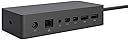
The Microsoft Surface Dock 2 transforms your Surface device into a powerful desktop workstation with a 199W power supply, dual 4K monitor support at 60Hz, and a comprehensive array of ports including 4 USB-C (Gen 2), 2 USB-A, gigabit Ethernet, and audio jack. Designed for professionals seeking seamless connectivity, security, and a clutter-free workspace.
| ASIN | B01BOVBQ4C |
| Best Sellers Rank | #57,748 in Computers ( See Top 100 in Computers ) |
| Brand | Microsoft |
| Color | Black |
| Colour | Black |
| Compatible Devices | Microsoft Surface Book, Microsoft Surface Pro 3, Microsoft Surface Pro 4, Products: Microsoft |
| Compatible devices | Microsoft Surface Book, Microsoft Surface Pro 3, Microsoft Surface Pro 4, Products: Microsoft |
| Customer Reviews | 4.4 out of 5 stars 656 Reviews |
| Global Trade Identification Number | 00885370996425, 00889842013771 |
| Hardware Interface | Ethernet, USB 3.0 |
| Hardware interface | Ethernet, USB 3.0 |
| Item Dimensions L x W x H | 13L x 6W x 3H centimeters |
| Item Weight | 550 Grams |
| Manufacturer | Microsoft |
| Mfr Part Number | 1661 |
| Model Number | PD9-00011 |
| Number of Items | 1 |
| Number of Ports | 4 |
| Product dimensions | 13L x 6W x 3H centimeters |
| Total USB ports | 4 |
| Total Usb Ports | 4 |
| UPC | 885370996425 889842013771 |
| Unit Count | 1 Count |
R**T
Very Happy
pondered on this purchase for a little while as its not cheap... and finally got fed up with my mess of wires and USB boxes. I also run two screen off my surface using the one video port on the Surface and a USB socket... I also have various backup drives, wireless mouse and keyboard dongle etc etc. to plug in and never mind audio speakers which tend to work better plugged in than with bluetooth. The clincher was two of my USB 3 splitters causing problems ... if you put cheaper product under load don't expect it to perform well in the long term. So I took the plunge and shelled out the cash for what I hoped would be a product of a similar quality and build as my Surface 4... anyway plugged it in and it was all just working with no hassle. I immediatly used ALL the sockets, video, audio, network and all the USB ports two of which plugged with 4 way splitters in each meaning that I have 10 USB 3 ports available to me and it has worked like a dream... I have not checked out everything yet but file transfer speeds have improved immeasurably. I am having no video problems all my screens are working well and it is so simple just plug the docking station into the power socket and it all runs from there while it also charges your Surface.... The build is good as well, it has that "it won't break if you drop it" feel... alltogether a good purchase ... I also understand that it will be forward compatible with the next generation of Surface computers so looks like I'm in clover, at least so far as this docking station is concerned.... I gotto say than none of this kit is cheap but I have been a surface user since the Pro 2 and this stuff just keeps on working unlike, two other laptops that I have bought in the last three years so as you can tell I am a happy bunny!
E**T
Ne fonctionne pas
Bonjour Le dock ne charge pas la tablette Cordialement
C**G
Großartige Erweiterung für ein älteres Surface pro 3
Diese Dockingstation erweitert mein altes Surface 3 enorm. Es hat schon immer gestört, das nur ein USB-Anschluss an dem Gerät war. Jetzt kann man Tastatur und Maus über USB anschließen und hat den Anschluß am Gerät noch frei. Auch das Laden über die Dockingstation klappt wunderbar. Alles in allem macht das Gerät incl. des mitgelieferten Netzteils einen sehr wertigen Eindruck und war als refubished ungefähr 80% unter dem Normalpreis. Auch erwähnenswer ist, das der Verkäufer superschnell versendet. Einen Tag nach der Bestellung hatte ich das Gerät in Händen, 3 Tage früher, als von Amazon gesagt.
R**N
Imprescindible para usar la surface como equipo de sobremesa
Si quieres usar la surface como ordenador de sobremesa es imprescindible para poder conectar los puertos de la impresora, monitor, usb, toma de audio... simplemente se conecta la toma de corriente que viene del dock y listo, no hace falta conectar nada más, por lo que mientras se utiliza se está cargando la surface.
B**N
Works great
Works like a charm
Trustpilot
1 week ago
2 months ago