


Buy anything from 5,000+ international stores. One checkout price. No surprise fees. Join 2M+ shoppers on Desertcart.
Desertcart purchases this item on your behalf and handles shipping, customs, and support to Indonesia.
๐ Elevate your workspace with the ultimate 7-in-1 USB-C hubโconnect, charge, and conquer!
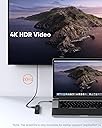
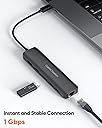
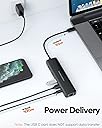
The CableCreation 7-in-1 USB C Hub is a professional-grade multiport adapter featuring 4K@60Hz HDMI output, 100W Power Delivery charging, dual USB 3.0 ports, SD/TF card readers, and a Gigabit Ethernet port. Compatible with MacBook Pro/Air M1/M2, iPad Pro/Air, Dell XPS, HP, and more, it delivers fast data transfer up to 5Gbps and stable wired internet connectivity in a compact, durable design ideal for modern professionals.




| ASIN | B08FWMWGTD |
| Additional Features | LED Indication |
| Best Sellers Rank | #441 in USB Hubs |
| Brand | CableCreation |
| Color | 4K/60Hz 7 in 1 Black |
| Compatible Devices | USB flash drives, SD & TF card readers, keyboards, mouse, monitors, Ethernet-compatible devices, 4K HDMI-equipped monitors/displays/TVs, laptops (such as MacBook Pro, Air, Dell XPS, HP, and others with Type-C ports), iPads Samsung Galaxy S series, other devices that support Power Delivery DisplayPort 1.4 Alt Mode Compatible Devices USB flash drives, SD & TF card readers, keyboards, mouse, monitors, Ethernet-compatible devices, 4K HDMI-equipped monitors/displays/TVs, laptops (such as MacBook Pro, Air, Dell XPS, HP, and others with Type-C ports), iPads Samsung Galaxy S series, other devices that support Power Delivery DisplayPort 1.4 Alt Mode See more |
| Customer Reviews | 4.4 out of 5 stars 2,015 Reviews |
| Data Transfer Rate | 5000 Megabits Per Second |
| Enclosure Material | Plastic |
| Global Trade Identification Number | 06972327757780 |
| Hardware Interface | USB Type C |
| Item Dimensions L x W x H | 5.37"L x 1.38"W x 0.54"H |
| Item Weight | 0.13 Kilograms |
| Manufacturer | CableCreation |
| Mfr Part Number | CableCreation |
| Model Number | CD0754 |
| Number of Ports | 7 |
| Operating System | Windows 10, 8, 7, Vista, XP, Mac OS X 10.6 or later, Linux 2.6.14 |
| Special Feature | LED Indication |
| Total USB Ports | 2 |
| Total Usb Ports | 2 |
| Warranty Description | 24-month warranty |
A**N
Surface Book 2 - Works very well - Great purchase
I recently bought this hub to replace my surface dock 1. (I do not recommend purchasing a surface dock). The reason that I bough this hub is because the surface dock does not supply enough power to my surface book 2 to keep it charged while in use. This hub allows me to do the following. 1. Use the original charger that came with the surface book which is 90W rather than the 60W charging on the surface dock. This allows me to keep my laptop charged while it is in use. 2. Allows me to run at 2K @ 60Hz. I had to do quite a bit of research to figure out if this would work. The surface book 2 can support up to 2560x1440 resolution @ 60Hz when using a hub. The reason for this is because when using a usb-c hub 2 PCI-e lanes are dedicated to video while the other 2 are dedicated to data transfer. So as long as the display you are connecting is less than or equal to 2560x1440 then this adapter will work at 60Hz. I am personally using a ultrawide monitor that has a resolution of 2560x1080 and it runs at 60Hz. 3. still allows for me to be connected through ethernet and be able to plug in my mouse and keyboard. Overall I would highly recommend this hub to anyone that has a device listed on the compatibility list and don't plan to use a display over 2k resolution. Any laptop that is older than about 2019 will not have DP1.4 to be able to accommodate 4k@60Hz. The guild quality is great, it feels very solid. The only complaint that I have is that there is a light that constantly blinks when the ethernet is connected but that is it.
J**C
Versatile and Reliable: Essential Daily Companion for Over 2 Years!
Outstanding Product! I've been using the CableCreation 7-in-1 USB C Hub with Ethernet daily for the past two years, and it has been an absolute game-changer for my setup. This hub is a powerhouse that has seamlessly connected my laptop providing a range of connectivity options in one compact device. The 4K@60Hz HDMI port delivers stunning visuals on my external monitor, making every visual experience top-notch. The inclusion of 100W PD charging has been a game changer, efficiently keeping my laptop topped off when plugged in. I've been able to become a video call king, thanks to the stable and speedy Gigabit Ethernet port. The hub's two USB 3.0 ports have been fantastic for connecting peripherals like my mouse, keyboard, and webcam. The build quality is robust, and this hub has stood the test of time, maintaining its reliability and performance even after continuous daily use. Overall, this USB C Hub has exceeded my expectations in every aspect. It's a must-have for anyone seeking versatility, reliability, and exceptional performance in their daily/home office tech setup. Highly recommended!
D**N
Not bad, works with the steam deck
It will feed as much power as you need to the steam deck. You can use the original power supply for the deck to power this adapter. It is fully compatible with the arch Linux + photon OS that they give you. I also used it once for Windows with very mixed results but I CAN'T blame this adapter. The USB C port on my Dell laptop is flaky. It was working for a while then stopped. I haven't tried it on any other systems yet.
H**R
Affordable, Minimal/Portable and Functional
I have a brand new Dell Precision 5770 workstation laptop. The only connections it has are 4 USB-C. One is for the power cord. My requirements for a hub or docking station were fairly straightforward and few: - HDMI external monitor (Cintiq) - 3 x USB 3 or 2 - 2 x USB-C to charge iPhone/iPad (if possible) - PD/Host USB-C (130W to laptop) - Minimize effort to connect/disconnect laptop for on the go I bought three different "docking stations" and none of them could do all of the tasks I needed (all over $100). ALL of the docking stations I tried couldn't handle or provide a 130W input/output. The only hubs that can handle 130W to the computer were Dell docking stations which are really expensive ($200-450) for a solution that really isn't very important IMHO. Also, regardless of the hub, none had more than 1 USB-C output max. So my stated goal is to stay under $200 max and to accomplish all of the above. Turns out I am better off with this product. While it doesn't have PD/Host connection for my power cord, it wasn't really necessary to begin with. I now have one USB-C for power and one USB-C for all the important external connections. I have two spare USB-C on the left side of the laptop open. The only "gripe" I could make is that the connection cable could be another 6" long to help hide the cables more on the desktop. Otherwise, it's nice to only spend $40 instead of $250-400 for a massive Dell brick I don't need.
E**A
A great bargain 4K 60Hz HDR hub
Updated on 8/12/2022. Cable Creation's customer services is more than helpful. It turned out that the original unit is a defect, so they sent in a replacement unit that resolved my issue. The following review updated per the experience with the replacement and I updated my rating from 3 to 5 stars. ========================================================= I purchased this hub in the hope to to achieve the following goals for my Lenovo ThinkPad X1 Yoga on Windows 10: 1. HDMI port to output 4K 60Hz HDR contents to external monitor - succeed. 2. One of USB 3.0 port to an external hard drive for media content - succeed. 3. One of USB 3.0 port to a Flirc remote dongle for remote control - Replacement fixed this problem. 4. PD port to ThinkPad X1 Yoga power adapter for power source - succeed. 5. Ethernet port to provide hard wire internet connection - Replacement fixed this problem. Couple notes - The HDMI port on this hub indeed support 4K 60 Hz HDR output which is pretty impressive. - The Ethernet port on this hub achieves Gigabit internet speed except some exception (explained below). - This is a USB 3.0 hub, NOT a Thunderbolt dock, so do not expect any bandwidth higher than 4.8 Gbit/s (600MBps). Issues I encountered so far (most of them resolved with the replacement unit) โข - Replacement fixed this problem - USB 3.0 port does not work as expected. Tried and connected multiple devices to either of the USB 3.0 port without success. Devices tried: Couple different USB flash drives, wireless mouse dongle, Flirc remote dongle, smart phone, etc. None works. The only time one of these two port works is when connecting to an external hard drive that has it own power supply - Replacement fixed this problem - โข - Replacement fixed this problem - Only one of the USB 3.0 port can be used at one time (it can be a defect in my case) for external hard drive. If you have two external hard drives that you want to connect to it simultaneously...good luck - Replacement fixed this problem - โข 4K 60Hz HDR works if your content play back locally (say on your external hard drive). Streaming 4K 60Hz HDR content will result in stutter about every 10 seconds. If 4K 60Hz HDR "streaming" is what you are after, this may not be a hub for you. โข - Replacement fixed this problem - Ethernet speed dropped dramatically if USB 3.0 port is occupied by another application. In my case the speed dropped from 920 Mbps to 10 Mbps when I'm playing a DSD file on my external hard drive via foobar2000 - Replacement fixed this problem: Ethernet speed dropped from around 914 Mbps to 729 Mbps with the replacement, not a deal breaker in my opinion. โข This hub runs rather warm even without heavy workloads.
D**.
Some audio issues
The hub seems to be working fine and doing its job except for a couple of small annoying issues. When an application starts playing some audio (a song, a movie, or a system notification) there's a second or two of crackling sound, but then it gets played without any distortion for the rest of it. That's not a big problem when watching videos or listening to audio tracks, but short Windows notification sounds being usually a couple of seconds long nearly always come out as distorted. That is when using it with a monitor that has an audio out. With my TV, there's no distortion, but there's short silence in the beginning of the audio instead. Maybe the start of the audio stream gets corrupted and the TV figures that out and doesn't try to output it, while the monitor doesn't care. But neither of that happens when I connect my laptop directly using built-in HDMI port and bypassing the hub. The hub seems to have a built-in DP->HDMI converter, because the system shows the second screen being connected via DisplayPort, so it could be a bug in that converter or some kind of compatibility issue with my Acer Swift 3 laptop. The video works OK with 4K@60Hz as promised which not many of USB-C hubs can do, but sometimes when waking the laptop up from sleep, it sees the external monitor as some generic 640x480 screen and wouldn't switch to 4K until you reconnect either the monitor to the hub or the hub to the laptop. These two issues is why I'm deducting two stars from this otherwise good product.
G**H
Very good
Very good product ๐๐ป
W**N
Edited: Works with Steam Deck on certain TVs
I had originally given this product 1 star as it would not work with my Steam Deck. I had originally contributed the malfunction to the usb-c hub not supporting 1366x768 resolution on my Element LCD TV. I should have tested the usb-c hub before posting. Iโve discovered that the usb-c hub does work on my 27โ Dell gaming monitor and my 55โ Sony LCD. I believe the issue is solely with the 37โ Element LCD TV. Iโm changing the my rating from 1 star to 5 stars as the usb-c hub has plenty of USB-A ports, HDMI, and Ethernet port for a low price.
Trustpilot
2 months ago
1 day ago