๐ Unlock your carโs hidden potential with Kiwi 3 โ diagnostics that keep you in the fast lane!
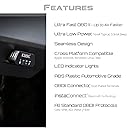
The Kiwi 3 Bluetooth OBD2 OBDII Diagnostic Scan Tool by PLX Devices is a compact, ultra-efficient automotive scanner compatible with Android, iOS, and Windows mobile devices. It delivers 4x faster data transfer with low power consumption, supports all US vehicles manufactured after 1996, and integrates with popular third-party apps, making it a must-have for professional-grade vehicle diagnostics and real-time performance monitoring.


| ASIN | B016X3L0O2 |
| Brand Name | PLX Devices |
| Customer Reviews | 4.1 4.1 out of 5 stars (808) |
| Global Trade Identification Number | 00897346002832 |
| Manufacturer | PLX Devices Inc. (USA) |
| Manufacturer Part Number | kiwi3 |
| Model Number | kiwi3 |
| Operating System | Windows,Android,Ios |
| Power Source | Vehicle Powered |
| Screen Size | 0.68 Inches |
| UPC | 897346002832 |
A**R
Simple. Elegant. Solid. The Best OBDII Available!
I spent a lot of time researching OBDII devices. I wanted a device that would provide ALL of the data provided by my car. I wanted a device that was platform agnostic (iOS or Android), compatible with the latest apps, and one with Bluetooth connectivity. The KIWI3 has it all and works simply and flawlessly. I have been using the device for over 6 months now, including on a 2,000+ mile road trip from Seattle to Phoenix and back. I ran the DashCommand app non-stop on my retired iphone6 to get fuel economy readings and more. I have not once experienced a connectivity issue, and it instantly connects with my phone when I launch DashCommand. And it even allowed me to Diagnose an Air Intake Leak. The dealer wanted $125 just to plug their diagnostics computer into my car. The KIWI3 paid for itself in that one use! And it continues to be helpful in providing detailed info on fuel consumption and economy, making me more efficient driver. And for those that commented that the KIWI3 does not have its own companion app, that is about to change! They are releasing their own custom app this summer, and it looks like it might even replace may go-to app, DashCommand! I can't wait to try it out. So look no further. This is the best OBDII device available as of mid-2017!
T**Y
Best all around OBD Scanner
I did my homework before I made this purchase. There are a couple of OBD readers on Amazon that I considered. OBDLink is OS specific meaning that you can only buy a device that works for either Android or iOS not both. BlueDriver is mostly for diagnostics and does not offer the performance features and lacks app support. The product is over hyped with marketing and design is a bit ugly for my taste. Carista app supports mostly vehicle specific diagnostics. Then you have the Chinese knock off with the inflated reviews. I donโt feel comfortable plugging those cheap hardware into my cars. I made an informed decision to go with the Kiwi 3 because itโs the best all around OBD scan tool Iโve found. It can do diagnostics, performance parameters and works for both Android and iOS. There is a lot of app support and there is also a beautifully designed Kiwi OBD native app that looks a lot like my Tesla Model S dash. My first experience is out of the box is that the unit will very small and slim. It connected right away for my Range Rover Discovery and Mazda Miata without any issues. Iโve had good success with reading/resetting my codes with Kiwi OBD app. The data comes in quick, especially on my Discovery where itโs using the high speed CAN bus. Well engineered unit and I recommend Kiwi 3 OBD scanner for auto enthusiasts for monitoring, diagnostics, and more.
D**N
A Good "Generic" Scan Tool
This is not what I had hoped it was. I was hoping 'they' (meaning the new generation of smarties) had figured out a way to incorporate a small plug-in device with a smart phone, to emulate a real professional diagnostic scanner. This is not that at all. Even with the additional purchase of several of the 'PRO' version apps, this is not a professional tool. It is fine for those looking for 'basic' information, and the drive/trip logging functions work well. EDIT 12/29/2017: Scanners are complicated. And I am not the most qualified person to be trying to explain them, especially in such a limited space as a review on Amazon. But I will try. I categorize scanners into 4 categories. 1. Basic Scanners- These get Codes and Erase Codes. They are very cheap. 2. Generic Information Scanners- The 'Standards' (laws/rules) require a LOT of information be available to ALL scanner manufacturers, without any additional payments to the auto manufacturers. This info includes codes, freeze frame, clear codes, data of sensors and actuators, and the state of the onboard monitors. This information is available to all, for free. All you need is a generic scanner to access it. 3. Vehicle Specific Scanners- These get all the generic information, but also get information for a specific vehicle. But this has to be paid for. That is why Snap-On Scanners cost so much. They have to pay the manufacturers for the additional information. And it is worth it to a professional. With these scanners you can access all the modules...Body, Transmission, Instrument Cluster, Tire Monitors, Anti-Theft, Auto-Temp Control, Lighting Modules, and MANY more. You can make the car do its own testing...like of the EVAP system, or on Fords, do a complete system test. You also get diagnostic information (built into the scanner), that is vehicle specific. With the Generic, they give you lists of what MIGHT cause the problem. With vehicle specific, it tells you what to check, the color of the wire, and in what order to check it. A big difference. Every car is different, but the difference between Generic and Vehicle Specific scanners is ENORMOUS. 4. Manufacturer Specific Scanners- Each manufacturer has its own specific scanner. The manufacturer (the car dealer) is the only one authorized (by law) to re-program their own computers. There is a big heated debate about this. But for now the thinking is; only certain trained individuals, at specific known locations, are allowed to do this. They want to keep close track of this. (I used to do this.) 5. Trip or Drive Loggers and Planners-Not really a scanner (in my view), but these do access information from the OBD 2 connector. This KIWI device is what I figure is a Generic information scanner, with a Trip/Drive Logger add-on. It actually shows quite a bit of information. And the graphs are very nicely done. I actually like this thing, even though many of its functions are still being worked on. (To be added later it says.) I honestly do not know if any cheaper devices will do what this one does (and I don't feel like experimenting), which is why I have decided to keep it. But what I wanted was a way to supplement my Snap-On scanner. You see...the vehicle specific part of the Snap-On scanners only works up to the year they are currently updated to. So if my scanner is updated to 2015, I can only do the specialized diagnostics on vehicles up to 2015. Anything after that, I can only do the Generic capabilities.
B**N
One of the better obd2 readers available
Pros- The real time information updates extremely quickly with this device. I don't think it can get much faster. I use an app to display a boost gauge and temperatures, and it seems to update quickly and is pretty accurate. Device is tiny and can be left plugged in indefinitely. Great to be able to pull out your phone and get diagnostic information immediately Connects very fast and is completely seamless. Cons - A bit pricey considering you can get the same information from a similar device for 1/4 the price. But this really is hassle free, and you can tell it's a premium product, you'll get what you pay for. I wish there were better apps out there for the iPhone that supported this device. Apps like Dash command feel dated, and obd fusion is okay, but seems limited in features. Would love to see service schedules from different manufacturers build into an app, and get notifications on upcoming maintenance. Certainly can't fault this device, but I feel the device has a lot of power left on the table that could be unlocked with future development support.
M**.
il prodotto arriva (dopo che il correire ha fatto tribulare) e funziona, il problema che solo questo non basta, ti serve l'app (se lo fai dal telefono, so che ci sono dei programmi anche per PC ma non li ho provati) giusta, spesso e volentieri sono quasi tutte con funzioni bloccate a pagamento, quindi spendi un bordello per vedere su un'app quello che giร vedi a cruscotto... Fate attenzione e scegliete prima l'app di diagnostica poi comprate un connettore che sia compatibile.
R**Q
Works perfect!
M**E
Never used any other OBD diagnostic or scanning tool before so I'm not an expert, but this one works out of the box. It might be more expensive than others I have seen but i liked the fact that it's compatible with both Android and IOS. I only used it with Bimmercode software on IOS and its been flawless so far.
N**1
First unit was faulty, but the help chat was helpful in establishing that it was a dud and Amazon's replacement service was a model of efficiency. The new unit works perfectly, although I would note that it doesn't fit my Subaru Forester because the moulding round the socket on the Forester prevents it. It works well on my other two cars.
D**E
Il prodotto รจ ben fatto, ma per quanto mi riguarda non ho potuto provarne le funzioni. In quanto sulle mie auto non poteva leggere i valori.
Trustpilot
1 day ago
1 month ago