


🔐 Elevate your security game with the TUXEDO Touch – where smart meets sleek.
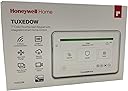
The Honeywell TUXEDO 7" Touchscreen Security and Smart Controller is a hardwired, battery-free keypad that enhances existing VISTA security systems. Featuring a high-resolution touchscreen, support for 232 Z-Wave Plus devices, and live viewing of up to 8 IP cameras, it offers seamless smart home integration and real-time monitoring. Customizable branding and OTA updates make it a future-proof upgrade for professional security setups.
| ASIN | B08H5SVZ5M |
| Batteries | 2 AAA batteries required. |
| Best Sellers Rank | #2,083 in Home Security Systems |
| Customer Reviews | 4.2 4.2 out of 5 stars (38) |
| Date First Available | September 1, 2020 |
| Display Type | LCD |
| Is Discontinued By Manufacturer | No |
| Item Weight | 1.3 pounds |
| Item model number | TUXEDOW |
| Manufacturer | Honeywell |
| Operating Temperature | 5 Degrees Celsius |
| Product Dimensions | 1 x 1 x 5 inches |
| UPC | 194160000786 |
R**D
Great Thermostat
Great thermostat. Enable me to control temps in two locations. Solved my problem of original thermostat location being too close to the attic which caused false temp reading in primary area. Rich
S**R
Works Great
Programming and installation was straight forward, really like the look and layout of the screen. So far no problems.
G**Y
Get the non-zwave 6290W and a Hubitat Hub instead
The reason you would want the TuxedoW touchscreen alarm keypad with zwave is so you can set up zwave automations using the alarm door/window/motion sensors and/or the alarm status from your Honeywell / Ademco Vista alarm panel. But the zwave controller may not be capable enough to do what you want. For example, you can switch a zwave-controlled light switch on from motion detection from an alarm motion sensor and have it switch off on a timer or other event. But the logic capabilities are too limited to integrate the sensor and switch well enough to make it behave like a competent occupancy sensor/switch; like reset the off timer if motion continues to be detected. At least I couldn’t figure out how to do it. A real home automation hub, like Hubitat, has built-in occupancy sensor logic. If you want to give a home automation controller access to alarm and sensor status, Konnected makes an alarm panel interface that will create that bridge through your home network. It is a nice touch screen alarm keypad to replace/supplement your existing keypad attached to your Honeywell Vista alarm system. But get the non-zwave alarm panel 6290W, a Hubitat and a Konnected alarm panel interface instead. If you only want one-way communication from the alarm panel, then you DO need this TuxedoW plus at least 2 Zooz zwave relay/sensor combos with the outputs of one connected to the inputs of the other and one Zooz connected to TuxedoW zwave network and the other connected to the Hubitat or other home automation controller zwave network to get the two zwave controllers to “talk” to each other. See Hubitat forums. You might also be able to give your home automation controller access to your alarm status/sensors through the paid Total Connect service. But if that is possible, your automations would be dependent on your internet connection.
N**E
Pretty good keypad
Works fine with my alarm system. Adds z-wave support and IP camera support. Programming is a bit more difficult, and make sure you read up on it before installing so you don’t make assumptions!! It can lead to locking you out of your alarm system if you’re not an experienced installer!
H**C
Neat alarm controller
This is the neatest alarm keypad I’ve ever used!! It displays pictures via smart card talks when there’s an alarm or trouble on the alarm system, and you can control your z-wave stuff and view security camera footage all from this controller!! If you have a new vista panel you can also program that panel via this keypad!! For some reason it’s not recommended but I had no problems programming a vista 20p with this keypad. If you’re on the ledge about buying it and you’re reading this review, I was the same way, but I took a chance and so should you!!! You’re going to love it!!!
A**G
Fabulous functions but programming challenging
It’s very easy to install. The programming, however, baffles even experienced DIYers. It does not define acronyms when first mentioned. I doubt if this product has been beta tested by ordinary homeowners. This product is essentially for pro installers to program.
E**Z
Easy plug and play !
I had the old Tuxedo version alarm panel and I took a gamble and replaced with this newer one and it works perfect easy replacement.
A**C
Nice looking but a few bugs
I installed two of the 6290W in October of 2019 connected to a Vista 20 panel. A few months after the 2 year warranty expired one of the panels started randomly(?) rebooting and freezing on the startup screen. The restart/reboot procedure did not solve the problem. Physically removing power from the unit for an extended period (24 hours+) resulted in the 6290W returning to normal operation for awhile. A few months of recording the reboot/freeze events resulted in an event every 30-35 days. Being a PIA I decided to replace the panel. The TuxedoW unit is basically the same as the 6290W but with additional features (Weather icon, ZWave, and IP camera support). For a few extra $ I decided to try that unit. After a couple of weeks the TuxedoW works (mostly) OK. Once, the unit did stop going into screen saver mode. A reboot fixed that problem. I will continue to monitor and add to this review if things change.
Trustpilot
4 days ago
5 days ago