

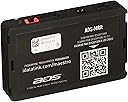

Idatalink Maestro ADS-MRR
Product ID: 2479120
📊Engine data display on touchscreen
🔄Universal compatibility with 2006+ major brands
🎛️Retains factory steering wheel controls & amp
Desertcart purchases this item on your behalf and handles shipping, customs, and support to Indonesia.
🎵 Upgrade your drive, keep your vibe — all factory features, zero compromise!
The Maestro ADS-MRR is a universal radio replacement and steering wheel interface module designed for select 2006 and newer Chrysler, Fiat, Ford, GM, Honda, Subaru, Toyota, and VW vehicles. It enables installation of modern touchscreen receivers while preserving factory convenience features like OnStar, SYNC, and steering wheel controls. Compatible with select Kenwood, Alpine, Pioneer, and JVC units, it also displays engine performance data and retains factory amplifiers when used with the appropriate vehicle-specific harness (sold separately).

| ASIN | B00E4W1644 |
| Best Sellers Rank | #44,433 in Electronics ( See Top 100 in Electronics ) #472 in Car Audio Receivers |
| Customer Reviews | 4.5 4.5 out of 5 stars (1,648) |
| Date First Available | July 24, 2013 |
| Item Weight | 0.8 ounces |
| Item model number | ADS-MRR |
| Product Dimensions | 2.88 x 4.18 x 0.75 inches |
| Warranty | 1YR Manufacturer Warranty |
J**B
Fantastic (with minimal limitations) in Mk2 Audi TT
Very impressed with this module. This review is to give specifics of what does and does not work in this specific vehicle and hardware combo. Vehicle is a 2011 Audi TT-S (Mk2, 8J). Radio is Pioneer AVIC-W8500NEX. This module does not let you retain the factory amp, which my car had. There are at least 3 possible types of factory systems for this car: Concert radio without factory amplifier, RNS-E radio with factory amplifier, and Bose radio with factory Bose amplifier. I had the RNS-E with amp combo, so I had to manually bypass the factory amp (in the driver's side hatch compartment). Firmware setup was kind of difficult because you need Internet Explorer (not Edge, Chrome, Safari, etc.) and there are some specific Java and such updates that you need. During setup, you get to decide what your steering wheel buttons do. There are separate functions for press and hold for when you press each scroll wheel in and for the voice button. There are also ways to set a function for when you hold scroll up or hold scroll down, which doesn't really make sense, so I didn't set anything for those. Also, you can't program anything to the Mode button. I was able to make volume, seek, mute, source change, call answer, and Siri all work. Scrolling the volume is actually just as responsive as it is from the factory, except when you're on the gauge display, when there's a slight lag. Song and call information does appropriately display on the factory gauge cluster in the top 1/3 segment. HOWEVER, you have to set it to MFD type 2 in the settings menu on the radio, AND it doesn't scroll. The top line says the source type for awhile after changing it, then changes to the song title. The second line shows the artist, then changes to the album name. This all works regardless of the source type, interestingly including wireless CarPlay, which I didn't expect. The gauge display screen has a ton of options for gauges to show, and it can show up to 5 at a time. There's about a half second lag, but it's still very cool. I forget all of the options as you have to configure them when you set the firmware up, but there are two presets that I set as you can see in the pictures. You can have it record peak values and set indicator lights for when any parameters go out of range. The second screen that can be displayed isn't particularly useful. The door open indicators, battery voltage, and check engine light tool all work, but tire pressure analysis doesn't work on mine (it may on other trim/option levels). I had a check engine light and was able to see the specific code and clear it with ease. The section for climate control doesn't work (probably doesn't work on any TT's), and the parking sensor section doesn't work, but may if you have that option on your car. The unit also does some other things like allowing you to retain your factory Bluetooth functionality (so you can use the factory microphone and vehicle Bluetooth connection), but I preferred to use the Pioneer Bluetooth instead. The unit also provides +12V ignition, VSS, parking brake, and reverse light wires during installation, which drastically simplify things. Overall, I couldn't be more pleased with this unit. Many sites say they don't recommend replacing the radio in this car, but I see no detriment at this point as long as you know how to bypass the factory amp and use the Maestro module (VW1 harness is also "required" for use...I'm sure you could hardwire it somehow, but it GREATLY simplifies the installation...and there's a ton of space behind the radio to put modules, wires, harnesses, etc, FYI)
J**K
Perfect companion for my Ford Transit Connect
My Ford Transit Connect needed a re-vamp so I bought a JVC KW-Z1000W 10" floating display unit and bought this Maestro RR unit to retain my steering wheel control. A whole lot of research was required but I gotta say the instruction that the software from iDataLink is superb and very straight forward. Here's some of the highlights of installing this guy for my Ford. 1. Steering wheel control retained - not only I'm able to control volume, skip and rewind buttons, I'm able to use my SYNC talk button as a SIRI trigger for Apple CarPlay. 2. Vehicle error notifications displayed in codes - this might depend whether your stereo supports this feature or not, but normally when an engine light comes on you'll have to take your car to the dealership to figure out what the issue is. Fortunately, RR is able to translate the language and display to your stereo screen. 3. Rear view camera automatic trigger - if your stereo unit has camera support, you no longer have to wire your camera to the rear light to trigger the camera - somehow RR is smart enough to signal to the stereo that the car is in Reverse and shows the rear camera right away. 4. Vehicle information - this is also dependent on your stereo but RR is able to communicate to your stereo about your car's status which also shows car voltage and tire pressure. It also shows basic information you see on your dashboard but that might not be necessary. Overall, I could not be happier to retain all the original function and make this work like this. Wiring is simple enough as long as you follow the wiring diagrams depending on your car model. Have fun!
B**Y
Great buy and it gives you so much flexibility with your install
I purchased the iDatalink Maestro ADS-MRR adapter along with a new Pioneer ADR-4200NEX double din radio for my 2012 GMC Yukon XL. I haven't installed a radio in about 20 years and the last time I did it I recall connecting the black, red and white wires with a few speaker wires and I was done. I was a bit nervous that it would be a lot more complex this time. In fact, I wasn't sure I could do it. To my pleasant surprise it was extremely easy with the iDatalink. I had to order a bunch of different wiring harnesses. I used Crutchfield's website to help me figure out which harnesses I needed to buy. There were two required for use with the iDatalink. You can also find them on the iDatalink Maestro website. Once I got all my harnesses it was just a matter of sitting there for about an hour connecting the wires (you just match the colors). Then, I plugged the iDatalink Maestro into my PC and went to the Maestro website to program it to my vehicle. My Yukon is what I consider a complex system. I've got several steering wheel controls, a rear factory installed radio and a ceiling mounted TV console. The Maestro website made it easy. You just tell it which vehicle you have and what the steering wheel configuration is and it does the rest. It even gives you the option of customizing or changing what the different buttons on the steering wheel do. When you've got it set up the way you like you just program the iDatalink box, then plug in all the wiring harnesses (6 or 7 wiring harnesses in all get plugged into the box and just a couple of wires go to the actual radio). Very easy! One of my favorite features is the vehicle data. One of the harnesses plugs right into my car's computer port and it pulls data like speed, RPM and so forth to display on my Pioneer radio. Pretty cool. Don't think you can't do this yourself just because there are a lot of wires and it looks complex. It really wasn't that difficult. The hardest part was actually trying to fit all of the wires into the small space behind the radio, but ultimately it all worked out and the installation turned out great.
T**T
Complex unit that simplifies the install.
Basics: installed in 2017 4-runner with factory JBL system. Used with an Alpind ILX-207. Overall the install went smooth and no issues. I am at an expert level of install and this is the first I have done in a few years....needless to say it made it easy. Used with the harness and picked up the satellite and USB harnesses....all went as planned, until going to connect OTA radio antenna. I ended up stopping by a local shop to get the adaptor. I did have two questions for tech support and they were as helpful as they could be. They knew their product inside and out, assisted with a wire color outside their product, and what turned out to be a compatability issue between the rear camera and Alpine, they made a couple of suggestions that ultimately did eliminate questions. I had everything wired, programmed, and installed within 2-3 hours. The only downside that I have seen so far is as mentioned above it turns out after some research that the Aloine head unit and the factory backup camera do not play well together. Video is OK. Again has nothing to do with the maestro unit. Otherwise it does show tire pressures and currently they are all incorrect. I have to do some investigating, but if that is the only quirk....I am OK with that.
J**R
Works well, but seems to have a couple issues
This is my second Maestro device. The first had an issue where some relay would randomly reboot my radio once per drive and it would stop displaying track info on the car's information screen, and occasionally it would also disable the steering wheel controls. Not great, but it worked. That radio I was using eventually burned out an internal capacitor and took the Maestro with it, so I bought a replacement. This go around I chose Maestro again hoping I just got a bad unit last go around, same car, same radio manufacturer. This radio has a speed input for the car, whereas the previous one didn't, and here's why that's important - when Car Play is enabled I can hear the speed input ticking from the car wheel sensor through the Maestro. Very faint, but with low volume settings it's very much there. Also, it will occasionally just crash Car Play. Once a month maybe, but I'll check my radio screen for map info and it's gone and replaced with message that the Car Play function isn't available due to a Maestro error. Press "OK", and then Car Play, and it works again. When it works, it works well. Annoying issues for how much this unit costs, though.
M**T
See what's going on with your car
This is the one of the coolest devices I've ever seen. It talks to your car and passes the information it gets through to the Head Unit, and it works really well. The software for it is easy to use, the guides on installing it make sense, and the company even has a support forum where you can talk to their engineers to get help if you need it. Be sure to buy the right harness for your car(you can check their website to see which one you need), and follow the wiring diagram from the website exactly. It does include some cables, but since I had the GM5+ harness they weren't needed. My only gripe is that some of the connectors on the Maestro didn't fit all the way in at first, so they may want to do a little QA on those- I just had to mess with them a bit until they were snug. This does allow you to see all the info about your car on the head unit - tire pressure, fuel level, diag codes, Transmission Fluid Temp, and tons of other stuff. It also let's you keep your steering wheel controls, and their software let's you customize what each button does. The unit is also small enough to fit under the head unit or in the dash, so you don't have to worry about finding room for it. Overall this is a cool product, and you can tell a lot of time and money went into developing it. Definitely worth buying if you're upgrading your radio.
S**Y
Features specific to your vehicle. Amazing unit!
I have been installing aftermarket stereos in my vehicles since I started driving in the 80s. It has been a few years since I have done one, and I was amazed at how far the technology has come with units like this Maestro ADS-MRR. I was able to program it specifically for my older truck I just purchased - a 2014 F-150 with a tiny, stock 4.3" screen. During programming, it showed a diagram of my steering wheel buttons as I chose what function I wanted to use with each button - very specific and VERY helpful! There was no guesswork. One word of caution - I used a MicroUSB cable I already had connected to my computer and it did not power on or cause the computer to recognize that a new USB device had been connected. I knew the cable was good, so I thought maybe the unit was bad or needed something else done. I tried a different cable and had the same result. When I used the cable that came with the unit, it lit up and connected just fine. I don't know why - it is just another MicroUSB cable, but for some reason, my others did not work. The one supplied is a little beefier, so maybe that was it. The unit works great. Setup was not difficult. The instructions are not as thorough or understandable as the video they had for my vehicle on their website. Using the two together helped make the installation easier. All in all, I highly recommend this unit. I am thoroughly pleased with the result and have a fantastic stereo setup in an older truck.
D**O
Fabulous addition to my aftermarket radio
I'm glad I got this. Not only do I get working steering wheel controls that I can reprogram, but I get 10 user selectable gauges (5 per page) to display my vehicle info from the car's OBD II. (coolant temp, exhaust temp, intake temp, 1/4 mile, 0-60, RPM, throttle position etc.) The gauge options are dependent on what is available in your car's OBD II system. The fuel gage didn't display correctly and iDatalink guys told me they only pass what the car sends & perhaps on my next full fuel up it may "learn" the correct status. My factory gage said 55% while the radio display said 23% You can add additional steering wheel controls by programming a "Long Press" unlocking additional control for your aftermarket radio. I used my "Source button" to answer calls and a long press to hang up. I kept the default option of a long press on the "Vol -" to mute the speakers but programed long presses on my seek +/- for "siri" and "show gauges". All programing is done via USB on a PC (no Macs) using Internet Explorer only. (Uses ActiveX) So you will need to remove their box from your car to reprogram it unless you can get to the USB port on it and use a laptop. There website is easy to navigate and pick the correct vehicle from their database. Install their software and plug in your adaptor and you can begin. I installed a 2015 base model Kenwood 6702s with Apple Carplay and am pretty happy with how this product enhanced my Kenwood and my experience in my Nissan NV.
K**C
Used product with missing cables
Not happy. It was not advertised as a used product. It arrived with half of the cables missing.
A**R
Great product and great Support.
Great product and great Support. Hooked this up with DMX1037S and it goes along very well. The support personals via the 12voltdata forum are excellent. They are fast to attend to the queries and helps. Easy to install as long as you follow their installations and have a bit of knowledge on the radio wires.
A**.
Incredible Product
The factory stereo in my 2009 Ford Escape was very closely integrated with the medium speed CAN bus. There was no ignition +12V or illumination wires present in the connector, as both those signals were sent serially over the bus. The Sync (APIM) module, the Satellite Radio Receiver (SDARS) module, and the auxiliary display above the vents (FDIM module) are all only controllable via this bus. I was extremely pleased to find that this neat little product was capable of retaining ALL of those network functions with my new aftermarket radio. It provides the necessary switched 12V outputs for accessory and illumination, it can retain full Sync functionality (personally I have it disabled), full factory satellite radio (including channel names, artist/title of tracks, presets, etc), and it even displays the current time and date on the auxiliary display (time synced from the aftermarket radio, which itself syncs from GPS). It also provides a bunch of other useful feature, such as VSS (vehicle speed sensor) pulsed output, reverse lamp output, and parking brake output. The built in steering wheel control interface also works great. I love that you can flash the firmware and settings easily over USB, and all you need to do is create a free account. I found a minor bug/limitation with my specific aftermarket radio, where the auxiliary time display takes up to 60 seconds to "refresh". This means upon startup it spends up to 60 seconds displaying a completely wrong time/date. I contacted idatalink support, and within a day they had figured out what was going on, and they'll be releasing a patch to work around this limitation in the near future. If you want to upgrade your stereo, but your factory radio is CAN bus dependent, I highly recommend this product! I don't think any other competing product comes close to this level of integration (especially since most aftermarket radios have built in support for this interface).
P**0
Excelente, no para principiantes.
Una maravilla de integrador. Funciona a la perfección, aunque si requiere dedicarle un buen rato, y el cableado tambien requiere de atencion, pero bien vale la pena el esfuerzo
C**Y
Install aftermarket stereos in your newer vehicles and keep factory amp/sub/steering wheel controls
I have a newer Civic with Honda's premium audio system with factory amp and subwoofer, and integrating those into a system with an aftermarket deck is pretty much impossible without something like this. That isn't the only benefit, you can also retain your steering wheel controls for your stereo, and if you have a compatible stereo, integrate things like tire pressure sensors and OBDII code reading INTO YOUR STEREO. You can also have your installer set custom functions for your steering wheel controls if you choose, and a bunch of other cool features. Be aware, along with this module, you will need the applicable Maestro wiring harness to go with it, which in my case was an additional $50, but in my opinion it was worth it in order to keep the factory components and retain my steering wheel controls. The other features are icing on the cake. Worth the cost.
Trustpilot
1 month ago
4 days ago