⌨️ Fold, connect, and conquer your workflow—anywhere, anytime!
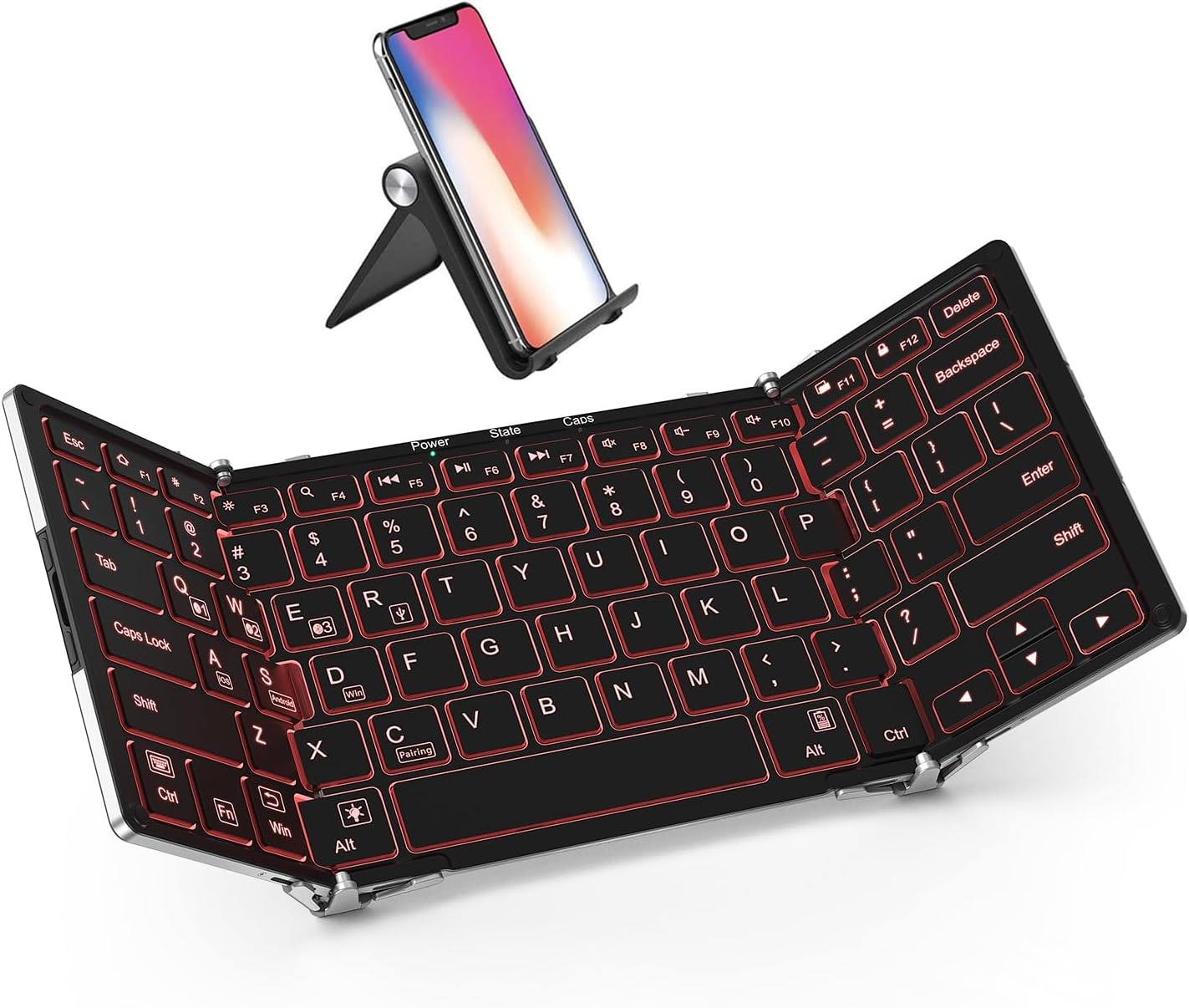
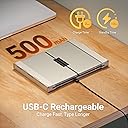
The iClever BK05 is a premium tri-fold wireless keyboard featuring tri-color backlit keys, Bluetooth 5.1 connectivity with seamless switching across 4 devices, and a durable aircraft-grade aluminum build. Designed for professionals on the move, it offers up to 5 months of battery life (with moderate use), USB-C fast charging, and broad compatibility across Windows, macOS, iOS, Android, and Chrome OS devices—perfect for multitasking millennials craving portability without compromise.


| ASIN | B018K5EJCQ |
| Batteries | 1 Lithium Polymer batteries required. (included) |
| Best Sellers Rank | #268 in Tablet Keyboards #2,094 in Computer Keyboards |
| Brand | iClever |
| Color | Silver |
| Customer Reviews | 4.1 4.1 out of 5 stars (3,078) |
| Date First Available | November 26, 2015 |
| Hardware Platform | Laptop, Smartphone |
| Is Discontinued By Manufacturer | No |
| Item Dimensions LxWxH | 6.46 x 4.65 x 0.63 inches |
| Item Weight | 9.9 ounces |
| Item model number | IC-BK05 |
| Manufacturer | iClever |
| Number of Processors | 1 |
| Operating System | iOS, iPadOS, macOS, Android, Windows 8/10/11, Chrome OS |
| Power Source | Battery Powered |
| Product Dimensions | 6.46 x 4.65 x 0.63 inches |
| Series | iClever BK05 Bluetooth Keyboard |
A**R
This is THE portable wireless/wired keyboard for any device.
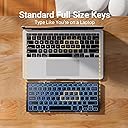
I went though 3 competing portable keyboards before finally deciding to keep the iClever BK05. This is the the closest typing experience to my Macbook Pro that I could find in an ultra portable wireless keyboard. I recently built a headless server that sometimes operates as a home theater PC, attached to my home theater gaming projector. I wanted a wireless keyboard for that computer that gave me a similar experience to my Macbook, but could also operate wired via USB so that I could use it for the computer BIOS setup in the even that I decide to change my hardware, fan curves, overclocking, etc. Since I more typically use my computer headlessly with remote access from my Macbook, I knew that I wanted a small keyboard that I could stow away when not in use. This would be a perfect keyboard for an IT professional working on headless servers. The BK05 is the bare minimum in size, while still offering full size keys. The keys are nearly identical in size to my Macbook, the layout size is also almost identical. You can see the how close it is in my photo the perspective makes it looks slightly larger but it's not actually any bigger it's the same. The keystroke feeling is actually slightly better than the Macbook in my opinion. They're slightly heavier and have a more tactile, albeit still soft click. It's overall a very quiet keyboard, especially when compared to a mechanical keyboard, but it's still slightly louder than the Macbook keyboard, particularly the space key. Key actuation distance is slightly longer than the Macbook keys, but still very much a chiclet low profile key. I actually prefer this type of keyboard over a mechanical keyboard. Very nice for typing. There are a few distinct layout differences from my Macbook... namely the position of the control, command/win, fn, and alt keys, which takes some getting used to, but I'm accustomed to switching between macOS and Windows systems so it's not a problem for me. One of the features that I love most is the ability to pair with 3 devices and to be able to easily switch between them. I've setup the first device as my Macbook, the second, my Android phone, and the third my Windows PC. Pairing was fast and easy every time. The backlight is effective albeit slightly uneven. It serves its purpose just fine. The best color for visibility is the green and I also like the red for low-light typing. Charging is easy and relatively quick and I've yet to run it out of battery. I just store it away plugged into a USB cable to make sure it stays topped off. Stability is good even on a lap as long as your legs are supporting underneath the hinges and not just on the outer flaps. Feels real solid on a tabletop when the outer feet support pads are rotated out. It also feels really durable, but time will tell. I'll update if I have any issues, but there have been none so far
B**D
Freakishly handy. Auto-correct tip below.
Welp. I was ready to dislike this thing. I had another keyboard that I really liked except for a problem with the right - hand Shift key being in the wrong place. It worked for years...then I lost it. Then, right after I ordered this one, I saw there was an upgraded version of my old one. They fixed the Shift key, and added a switch to lock it in place while open. But I was too late to cancel the order.... Curses! Right? Well...not really. I expected this one to have a few issues. It doesn't. I mean, the letter "X" isn't backlit. But the auto-on feature works perfectly. The keys work perfectly. It seems quite solid. And YMMV, but it even works in my lap if I'm moderately careful not to dump it on the ground. Nice little gadget. The colors and backlighting strike me as mostly silly: after all, I touch-type and it generally sits right in front of my phone, which lights it up just fine. But they're fun. One more thing. I've been using it for days, and have never charged it. Guess the battery works as advertised too. Sweet. UPDATE: I've used it for a few more days. Still haven't charged it. It still works really well. I did notice that the "Caps" light never comes on even when caps lock is activated. And I'd prefer that the keyboard "remember" that I had the lights turned off rather than defaulting to "on" every time. But I'm mentioning these things only to be complete. It's still an awesome little keyboard. Pro tip: the keyboard has no configurable settings under Android. I found the auto-correct to be extremely irritating. Turns out it sort of "inherits" the auto-correct settings from whatever other keyboard was in use before it connected. So I installed another (software) keyboard, turned off auto-correct on that, and then re-connected. Does exactly what I wanted now. If you don't have auto-correct with this thing but want it, that's how to set it up in reverse too: just install a keyboard with auto-correct first. It's a bit cumbersome, but not too bad. I also play around with Google's handwriting recognition keyboard sometimes, so I switch fairly often. Keeps things fresh. But YMMV. {8'>
A**N
Extrem nützliches Produkt mit einem kompakten und eleganten Design. Es kommt mit einer nützlichen Tragetasche und USB-Kabel. Ich habe mit Macbook Pro über Bluetooth und das Kabel verbunden. Ich habe es auch mit meinem Android verbunden. In allen Fällen funktioniert es absolut gut, was es zu einem sehr nützlichen Produkt macht. Ein bisschen teuer, aber ich werde es wegen seines Designs empfehlen.
P**U
Ce clavier est tout simplement génial. Tous les détails ont étés pensés. Bon, le mien est en qwerty mais ça ne me dérange pas (je sais où sont les touches dont j'ai besoin et je tape vite). Il y a aussi à dispo chez le vendeur la même version en azerty, donc seulement bien faire attention.
B**H
So far, I am very happy with the keyboard - the build quality is solid, it connects and functions over Bluetooth very well with my Huawei Android device - once paired, it creates a connection as soon as I open the keyboard up so there is no faffing about trying to get it connected. It also works perfectly well over USB to my MacBook (when working from home, my MacBook lid is shut as I use an external mouse/keyboard, and external monitors - the iClever keyboard is particularly handy during conference calls as it is near silent compared to my rather 'clacky' Logitech keyboard!). There is no mobile stand with this keyboard, so I recommend buying a cheap, folding stand as a companion (I bought these: https://www.amazon.co.uk/dp/B0794SV8L7/ and they do the job at a sensible price). The keyboard comes supplied with a soft, faux velvet storage pouch (it's rather well made too) and there is plenty of room in the pouch to store a folding stand along with the keyboard - sorted! Other reviewers complained that the backlight is, by default, off when opening the keyboard, making life difficult when trying to use it in a darkened environment. This is now changed - every time I open my keyboard, the backlight is on by default. Personally, I'd prefer it to remember the previous state, so that the keyboard will start with the backlight in whatever state it was when the keyboard was last used (I almost always have to turn the backlight off, so it's a (minor) inconvenience). The key action is comfortable and very quiet (the LED backlight is really cool, though I wish it didn't hit the battery life quite so hard...). I'm using the keyboard as I type this review... One minor criticism; under Android, the "Esc" key currently acts like a "Home" button (indeed, it has a 'Home' icon on it!), taking me back to the phone's home screen. Personally, I think this function is not ideal. In my opinion, the "Esc" key (under Android) should perform the function of the "Back" button - this is a significant distinction. Some apps require the "Esc" key function. For example, many terminal emulator applications (e.g. JuiceSSH) make use of the "Esc" key on a hardware keyboard, but on the iClever keyboard, this exits the app and goes back to the Home screen - not useful... I have, however, discovered that I can work around this issue by using the "Win+Backspace" combination to simulate the correct "Esc" key function... One other point, when the back light is turned on, the is an extremely subtle 'buzzing' noise coming from the backlight LEDs. So far, it's not been loud enough to be annoying (you really need to be in a very quiet environment to notice it at all), but it is there, nonetheless. Clearly not a big enough issue for me to award less than five stars, though! All in all, I'm very happy with the keyboard. I travel a lot on business, so I'm constantly in and out of airports. Using the keyboard makes life far easier for keeping in touch with the office - quicker and more convenient than getting out the laptop, and then having to tether it in order to send emails, etc. Having used the keyboard for a few months now, I can happily recommend it.
A**L
Este producto es de buena calidad, sumamente práctico y cómodo con las dimensiones adecuadas a un teclado normal.
D**.
Received the keyboard today only & is working fine. Had some hickups in delivery, but with the help of Mr. Mahesh I recweived the keyboard. Mr. Mahesh was fully supportive & cooperative during the transaction. Once again thank full toMr. Mahesh & also i-clever as they responded immediately when ever I generated any query.
Trustpilot
5 days ago
1 week ago