Buy anything from 5,000+ international stores. One checkout price. No surprise fees. Join 2M+ shoppers on Desertcart.
Desertcart purchases this item on your behalf and handles shipping, customs, and support to Indonesia.
🔧 Upgrade Your Drive Game!
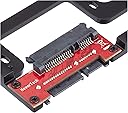
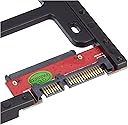
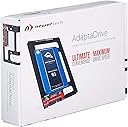
The NewerTech AdaptaDrive is a versatile converter bracket that allows you to install any 2.5-inch SATA hard drive or SSD into a 3.5-inch drive bay. It supports SATA 3.0 for high-speed data transfer and is backward compatible with older SATA versions. Designed with an open airflow structure and a robust aluminum frame, it ensures your drives stay cool and secure. Plus, it comes with mounting screws and a 5-year warranty for added assurance.


| ASIN | B005PZDVF6 |
| Best Sellers Rank | #218 in Enclosures |
| Brand | NewerTech |
| Built-In Media | AdaptaDrive |
| Color | black |
| Compatible Devices | brecket |
| Connectivity Technology | SATA |
| Customer Reviews | 4.8 out of 5 stars 1,935 Reviews |
| Enclosure Material | Aluminum |
| Global Trade Identification Number | 00811643011755, 05053973896625, 07133363457594 |
| Hard Disk Form Factor | 2.5 Inches |
| Hardware Interface | SATA 3.0 Gb/s |
| Hardware Platform | Universal |
| Item Dimensions L x W x H | 3.98"L x 5.78"W x 0.35"H |
| Item Weight | 99.22 Grams |
| Manufacturer | Newer Tech |
| Material | Aluminum |
| Mfr Part Number | NWTADPTADRV |
| Model Number | NWTADPTADRV |
| Product Dimensions | 3.98"L x 5.78"W x 0.35"H |
| Supported Devices Quantity | 1 |
| UPC | 811643011755 |
| Warranty Description | Manufacturer Guarantee |
R**C
The adapter frame appears to be aluminum and very sturdy, but very light
This worked out perfectly on my HDD to SSD upgrade on iMac 7,1 (mid 2007) 20inch. The adapter frame appears to be aluminum and very sturdy, but very light. I know some people mentioned they had a DOA or soldering was bad and had a short, and someone mentioned the included screws did not fit. However, I was lucky and did not encounter any issues. I chose Samsung 850 EVO 2.5inch 1TB drive for my upgrade for better warranty and read/write speeds. I spent 3-5 days skimming through forums catching up on others that have my same Mac, but I couldn't find anyone specifically saying this SSD would work. Huzzah, it did! For anyone else out there that want to stretch some more years out of their old iMac, I did start with this reputable manufacturer's website wizard to check on what works for my Mac.[...] I already got my system upgraded to 4GB RAM, but why did I decide to upgrade my 320GB HDD this late in the game?? Well, funny thing. I thought I had a bunch of malware on my old HDD, as it was booting up, shutting down, running apps super SLOW. Usually, slowness is a good indication. Now, my OCD really wanted to nuke those malware bytes in memory, so I elected to run a 35 pass drive wipe. This probably pushed a near 10 year old drive over the edge with it's worn out moving parts. Firing up the old Mac OS X Lion installation CD, then eventually getting all the way to downloading El Capitan after the usual updates, the installation wizard detected S.M.A.R.T errors and stopped the installation. When I upgraded the RAM, the system did seem like it got a boost, and well, this system overall is still working very well for web surfing, so I checked out what other people had to say about their old iMacs. Looking at the Mac's System Profile and Apple.com tech specs, it was very hard to find specifics to what level SATA the mobo is running. It appeared to be SATA i. In the Crucial wizard, you will find the suggestion is for a SATA iii drive (SATA 6.0Gb/s). I found on some forums where people were saying the Mac's old HDD is actually connected to SATA ii. After my installation, I can confirm, YES, the Mac is on SATA ii (3.0 Gb/s). For novices like me in this realm, each level SATA is apparently backwards compatible. I found this following article, [...] Ok, I'm sure some of you are still asking, why go with a SATA iii 1TB SSD Drive? For me, I'm thinking ahead. When this iMac is completely done and useless even with web surfing, then I can still repurpose this SSD on a new system. Samsung 850 EVO - 1TB - 2.5-Inch SATA III Internal SSD (MZ-75E1T0B/AM) I followed the build steps exactly and worked out perfectly. Even though, this video is for HDD to HDD upgrade, it will work with the Samsung SSD. [...] when you use this or a similar adapter. NewerTech AdaptaDrive 2.5" to 3.5" SATA Drive Converter Bracket For anyone that wants to just start fresh with a new OS install without cloning your old drive, when you go through the Mac OS X installation CD, and your drive is not listed, it is because you need to go up to the Utilities menu and format the drive with Mac OS X Extended (journaled) with GUID. I hard restarted the system 3 times before I realized that I needed to format the new drive, so the installation wizard can read the drive. In the end, my iMac got a rebirth with the new and much faster drive. It is booting up, shutting down, and launching apps way faster. Keep in mine, when the SSD is backwards compatible, it will not reach it's full drive potential. Check out the details that I posted above from SanDisk
R**O
It’s a game-changer!
I recently purchased the NewerTech AdaptaDrive 2.5" to 3.5" Drive Converter Bracket and I must say, it has truly lived up to its promises. The installation was straightforward and the build quality is top-notch. It allowed me to seamlessly replace the SATA HD in my 27” iMac with an SSD, significantly improving the performance of my machine. I highly recommend this product to anyone with a 27" iMac looking to upgrade their hard drive to an SSD. It’s a game-changer!
J**N
Used to upgrade the original HDD in my iMac 14,2 Late 2013
Upgraded the original Apple HDD in my iMac 14,2 Late 2013 to 1TB. NOTE: since SSDs are smaller (2.5") than the old HDDs (3.5") it required a SATA SSD 2.5” to 3.5” Converter Bracket adapter. I used it with a 1 TB SATA SSD Samsung 870 EVO. I removed the mounting posts from the old HDD and installed them in the adapter so it fit the Apple OEM HDD mounts. Works great - runs faster and cooler.
D**E
Hot-Swapping SSDs Couldn't Be Easier
I purchased four of these adapters for use with some Samsung 1TB SSDs and a Cooler Master HAF X tower. The adapters are solid and well-constructed. The SSDs fit comfortably and snugly, even before screwing them down. The holes matched up perfectly. In turn, I installed the adapters in the tower's hot-swap drive trays (again, the holes aligned perfectly) and experienced no trouble with my RAID 5 array. Admittedly, I haven't performed any speed tests yet, but on the surface, all appear to be perfectly effective (and invisible) pass-through connections. When installing the hot-swap drive trays, I sometimes have trouble mating the drives to their backplane connectors. It's just a bit finicky, whereas a traditional 3.5" hard drive in the same slot has no such problem. The adapters are rigid and true, so I don't suspect they're to blame. I could toy with the positioning of the HAF X's backplane and shape of the hot-swap drive trays, but it's really not important to me. A couple of tries, and they're in.
A**L
Great solution for my Apple iMac 27" 5K Retina
This adapter is a high quality product, and worth the money. I recently did some upgrades on my Apple 5K iMac 27" late 2015 model. I had to replace its Retina screen, and while I had the display off, I upgraded my hard drive too. This adapter worked perfectly. No additional heat sensors or anything required. Steps: I removed the old 3.5" drive, transferred the small black drive mount screws from the old drive to the NewerTech AdaptaDrive bracket, slid in the new SSD/bracket in place, anchored the drive to it (screws provided with the bracket), and then screwed the whole assembly back into the iMac hardware mounts where the old drive was. It took maybe 15 minutes. I attached my new 5K display (with some additional tools and adhesive purchased from iFixit), and boom, I'm back in business. iMac is humming along nicely. Great adapter product. Highly recommend!
K**.
Talking ‘bout a complete versatile bracket design for 4,1 & 5,1 Mac Pros!!!!
These adapters are used in my 2010 MacPro 5,1 SSD upgrade to the four storage drives. The installation is very easy and the screws fit the SSDs good. By the way, each adapter came with extra screws. These adapters actually mount onto the original HDDs storage brackets and install back into the Mac Pro. The design is very simple and good for these computers!!! This is also the same adapter use to upgrade a late 2009 27” iMac HDD to SSD!!! So this adapter has its advantages and versatility across the boards for these computers. This also gives these Mac Pros a lot more space internally which can help to keep these computers cooler because these machines can give off some heat, especially the dual CPU models which I know personally!!! This a very valuable purchase because there are other storage brackets out there for these Mac Pros which means you are swapping out hardware and now have a clutter of extra brackets lying around the area. But, these adapters are add-ons which means you keep what you have without the clutter.
F**S
Perfect, Quick & Easy SSD Adapter
All metal construction, very solid and sturdy. I used this in a 2008 Mac Pro in one of the Mac Pro's slide out drive bays. My new SSD drive fit perfect in the bracket and the bracket fit perfectly into the Mac Pro. Simple, straight forward installation. Only thing - it would have been nice if I didn't have to screw the SSD into the bracket. A snap or slide lock would have made it even better. Never-the-less it was an easy installation and everything lined up perfectly with no problems. Perfect for Macs since this adapter bracket keeps all the pins where they should be as though it where a 3.5 inch drive. Some of the PC centric adapters don't take positioning into account and they won't work in some hard drive installations. However, this adapter worked perfectly for my installation.
C**D
Awesome SSD adapter for Mac Pro!
I bought this to adapt my 2.5" SanDisk SSD Plus to my Mac Pro's SATA port via the 3.5" drive sled. It works quite well and gives a firm hold between the SSD and drive sled. The adapter is made out of painted metal (not sure what kind) and attached at the end is a SATA adapter. The adapter itself has a nice heft and solidity to it. It fits my MP's drive bay very well and the SSD slipped right in place when assembled. The package includes: 1 drive adapter 8 screws 1 instruction manuel/user guide
F**H
半年で壊れました
アダプターを介したSSDが認識されないことが増え、交換後半年のSSDが壊れたかと思いきや、原因はこのアダプターでした。 たまに認識されない接触不良のような症状から一週間を待たず完全に認識しなくなりました。 海外にハンダ不良を疑う声がありますが、自分もそのような印象を持ちました。
J**E
much need product
just as described, fit perfectly
C**.
Apto para el iMac 21,5" finales 2009
Después de leer reseñas de productos similares, parece que este era un poco más caro pero compatible con mi modelo de mac. Me ha gustado que la caja incluya tornillos e instrucciones. Es un buen producto aunque sea un poco más caro que los demás. Vale la pena y es totalmente compatible con el iMac 21,5" de finales 2009. **Nota: Esta es mi valoración personal por un producto adquirido con mi dinero. Ante el aluvión de reseñas patrocinadas en Amazon, añadiré esta nota en cada una de las mías, ya que considero que tiene más valor conocer la opinión de un cliente real que un "reviewer profesional". [...]. Gracias.**
A**I
Adattatore semplice e pratico
Si tratta di un adattatore per installare un hard disk da 2,5" nello spazio e sui supporti di un disco classico da 3,5". Interfaccia sata. Prodotto solido e ben costruito, svolge bene il suo compito. Usato per aggiornare un iMac rimpiazzando il vecchio HD da 3,5" meccanico-magnetico con un nuovo ssd Crucial, ha svolto benissimo il ruolo per cui era stato acquistato. Arriva dotato anche di un set di viti per bloccare il disco da 2,5" nel supporto. Inoltre lo spessore esiguo (che però non inficia la solidità) consente una maggiore versatilità nell'installazione in ogni contesto. Consigliato.
M**4
IMAC MID 2011 - HD durch SSD austauschen
Ich habe in meinem IMAC MID 2011 die 500GB HD Festplatte gegen eine SSD Samsung 850 Pro 512GB ausgetauscht. Dieses war für mich der Weg mit dem geringsten Hardware Umbauaufwand am IMAC. Der Austausch der Hardware alleine dauert keine 1/2 Stunde. Der NewTech Drive Converter wirkt sehr hochwertig verarbeitet und ist aus Metall, die SSD Samsung 850 Pro passt perfekt darauf und wird mit den mitgelieferten Kreuzschrauben darauf befestigt, alles wirkt sehr solide und professionell, perfekter Sitz, nichts wackelt. Der Einbau in den IMAC stellte kein Problem dar, die IMAC Anschlusskabel der HD passen ebenfalls genau für den Drive Converter. Vorgehensweisen zum IMAC HD Tausch (öffnen des IMAC und Durchführung des Tausches) findet man diverse im Internet. Von der alten HD werden auf der einen Seite zwei Führungsstifte (eingeschraubt) zur Einsteckfixierung des Converter Rahmens übernommen, sowie von der anderen Seite der HD eine Befestigungsschiene (verschraubt) zum festschrauben des Converter Rahmens im IMAC. Der Converter passt perfekt, würde ich bei Bedarf sofort wieder kaufen.
Trustpilot
1 month ago
1 month ago