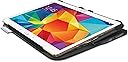
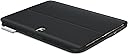
⌨️ Elevate your Galaxy Tab S game — type smarter, protect better, stand out effortlessly!
The Logitech Type S Folio Keyboard Case is a sleek, Bluetooth-enabled keyboard case designed exclusively for the Samsung Galaxy Tab S 10.5. Combining a thin, lightweight profile with a durable Essential Protection System, it offers versatile dual-view stands and precision scissor-switch keys for a premium typing experience on the go. Perfect for professionals seeking a stylish, all-in-one productivity and protection solution.
| ASIN | B00KJIXEL0 |
| Additional Features | Foldable |
| Antenna Location | samsung-galaxy-tab-s-10.5 |
| Best Sellers Rank | #1,951 in Computer Keyboard & Mouse Combos |
| Brand | Logitech |
| Built-In Media | Logitech MX Master 2S Wireless Mouse |
| Button Quantity | 6 |
| Color | Black |
| Compatible Devices | samsung-galaxy-tab-s-10.5 |
| Connectivity Technology | Bluetooth |
| Customer Reviews | 4.2 out of 5 stars 872 Reviews |
| Enclosure Material | Plastic |
| Global Trade Identification Number | 00978551069718 |
| Hand Orientation | Ambidextrous |
| Item Weight | 0.96 Pounds |
| Keyboard Description | Bluetooth |
| Keyboard Layout | QWERTY |
| Manufacturer | Logitech |
| Model Number | 920-006401 |
| Number of Keys | 6 |
| Power Source | Wired |
| Recommended Uses For Product | samsung-galaxy-tab-s-10.5 |
| Special Feature | Foldable |
| Style Name | Compact |
| Switch Type | Scissor-Switch |
| UPC | 097855106971 |
| Warranty Description | Warranty on Labor |
B**N
Love it!
Got mine today, love it!! Seems to be very high quality. Looks extremely professional. When the case is closed it looks great, feels light, feels great. The material really strikes me as high quality material. This is really a steal for 20 bucks, the box it came in was really nice! I feel like I really got a great product. The keys feel very nice, I feel like I can type on it just as fast as a normal computer. I really like this. It didn't take long to setup and get connected via bluetooth, I don't know why but the first few attempts to get it connected did not work. It kept prompting me to type in a code, after I typed it in it would say the device could not be connected. It was my 4th or 5th attempt and it finally connected. Other than that small issue, it has been great. It would be cool if there was a way to make the tablet prop up when it is slid all the way to the back, that way you could use the keyboard and have multiple options on how the tablet is propped up. If you want to use the keyboard, there is only one prop option, which isnt bad at all, it works perfectly and is probably the best prop option to have. However, with that said, it would still be cool to have at least one other way to type and have the tablet propped up. I love it though! Excellent product, it rocks!!!
C**Y
OMG! This Keyboard is Great!
OMG! This is a great keyboard! And using it with the Samsung Galaxy S is a sheer delight. I upgraded to the new Samsung and fell in love. I reached for the old keyboard and tried to make it work but, alas, it would not so I ordered the Logitech. I have several options in my house for an internet device: a Surface given as a gift. A Samsung laptop which my wife uses and my full-blown Office Desktop Computer but I continue to reach for the Samsung/Logitech combination as my favorite duo. The keyboard works great. It connected immediately and is always "on". It rarely needs to be charged and works as a great case. The best part about it is that it feels and types like a keyboard. The keys move. There is a great tactile sensation and, if you type well, it will do a great job for you. I know that there are quite a few cheaper keyboards available: don't be fooled. The Logitec Type-S is the Real Deal.
Y**N
The best choice, lightweight and comfortable
It's my second time I got a tablet keyboard, when I saw this one for the first time, I was really interested on it, and I selected the best choice. It's slim, lightweight, a perfect size, and the keyboard feels really smooth and comfortable. It's looks really expensive, but have a great price. The design is beautiful and it's hard cover, and the magnets stays in their place. It works perfectly, without any problems, except the first time I configured, it's really hard to enter the pin to connect, it's too long than normal 4 digits Bluetooth pin, it's too long and disappears when you trying to press enter. You need to be really fast enough to type the long pin. But I won as fast typing and connect the keyboard finally.
T**Y
best case for the galaxy tab s
needed a cover/keyboard combo to suit my needs ive bought recently a samsung galaxy tab s for me and my wife overall im satisfied, its my first bluetooth keyboard (case) setting it up went fairly smooth ive been looking for a good case price/quality and to be honest you wont find better then this ive been using it a few days, ill start with the bad things: - no documentation provided by logitech for use only for setup - bit tricky with special characters, where on the on screen keyboard you can access them by long pressing - has FN key combinations but very little for special characters - around the keyboard keys its a fingerprint magnet for me personally logitech should provide some more information because not beeing able to type special characters like: €, ñ, ó, é, í since i live in Colombia and i travel alot they should at least provide some software to make use of FN programmable keys the good things: - places the tablet in a good viewing angle, clicks together at the base with a strong magnet - the keyboard once paired you can connect and disconnect in 1 second by switching it on/off - very responsive keyboard, no lag or anything... - battery lasts 3 months, have yet to be tested but for sure this wont ever be a problem ever - very good quality build, strong and professional on the backside half of the case if rubber (in form of faux leather) as anti slip - closes with magnet and switch automaticly screen on/off when opened/closed - all ports accessible when closed/opened for aux, charging cable, memory card, speakers are not covered also delivery by amazon went fast, nicely packed and the logitech packaging is also very good i almost feel bad throwing the box in garbage it closes by magnet and very durable box it includes a small 30cm mini usb cable for charging ill add some pics for the keyboard case
R**.
Used and defective sold as new.
Received a used product in an open box. Missing documentation and defective. Tired of Amazon sending used and defective products as new. Totally unnecessary waste of time and money having to return products!
P**S
Case and tablet combo , means my Macbook Air is getting neglected.
I like the product as it turns my tablet into a powerful mini note book with a touch screen.Tablets are great but sometimes typing on the touch screen is less appealing when you have a lot of words to write. The combo of keyboard and touch is great allowing you to type and touch the screen to insert the cursor for editing and navigating around the page.The position and angle is secure and makes two handed typing easy with it balanced on your lap. Bluetooth connection is instant and the rechargable battery in the keyboard has a long usage time so you only have to recharge occassionally. I don't like screen protectors so the case gives protection when folded closed and you can slip it into a shoulder bag easily and it doesn't weigh you down. I like Galaxy Tab S 10.5 and it just got better with this case . High res screen , great sound, Octo core speed,upgradable memory and usable key board/case , I'm sorry Apple my Macbook Air is looking a little neglected now.
C**N
Good Buy, works great
Logitech Type-S keyboard: purchased to use with Samsung Tab S. I just want to say that I am as far from being a techy person as they get. I want no hassle, no waiting, no worry about if its going to work, I do not want to have to call the help line, read tiny little printed instructions or have to go online for a video or blog to figure out how to use something. I want it to work the first time, be easy, and not give me any trouble. Well, this key board delivered. ** Keyboard Fit exactly. ** Blue tooth connectivity was not hard to figure out. ** The keys compress and spring back so the feel is like real typing,( which is a plus for those of us who remember using an actual typewriter. ** The keyboard and case fold over so I can use the Tablets touch screen if needed and not have the keyboard exposed. ** I can also go from the keyboard and use the touch screen for zooming, choosing apps, going online etc. ** I elected to have a touch screen that did not have a tracking box for a mouse as some offer because of the size and I don't mind using the touch screen function on the tablet. ** The keyboard and case also act like a stand for watching videos. ** Battery life seems very long for the keyboard, I will occasionally charge it when I charge the tablet and I have yet to run out of juice. **I am sure the keyboard function keys do a lot more cool stuff but I have not investigated and am happy with just being able to do a little word processing like write this review without having to boot my husband off the regular computer. It gets five stars, and I did not get a discount to review this product it works great.
D**R
Another nice product from Logitech but the tablet is too close to the keys
This is a very well made case and the keyboard keys are comfortably spaced and have a nice feel to them. The case seems to protect the tablet well and turns it on and off as it should. There is a smartly engaging magnet that holds the tablet securely upright. Another magnet even helps keep things together when the tablet is laying flat, face-up. It is quite nice to hold this way and one of the main reasons I selected this case. Why am I rating it 3 stars instead of 4 or 5? 1. The keys are too close to the tablet. I am constantly, lightly tapping the screen by mistake and the tablet of course registers this as a tap instruction so it totally screws up whatever it is I'm doing by changing the page, moving the cursor, or whatever. I'm trying to get used to it and be more precise with my fingers when I reach for the top row, but I wanted a keyboard where I could just relax my hands and fly with the keys. 2. The backspace key is too small. I am sad to say that I use that key a lot. If I were a better typist, maybe I wouldn't but I'm just used to a full size keyboard, where I've developed a nasty habit of using my right ring finger instead of my pinky finger on the backspace key, which I can do without reaching on a keyboard with a large backspace key. I'm trying to re-train myself but still, the backspace key is very small. I think too small. 3. I wish there was a semi-angular position maybe halfway between flat and upright. This would be good for using the on-screen keyboard or watching a video while perched more directly overhead. 4. Piano black gloss surfaces are a questionable design decision. It seems like every fingerprint and spec of dust is plain to see. A matte surface would have been better. #2, 3 & 4 are not deal breakers for me but #1 pretty much is. Or at least enough to make this 3 stars instead of 4. Having to avoid hitting the screen makes me have to "think small" when I'm typing and I was hoping with a 10.5 inch tablet that there would be enough room for a key layout that I could just let my fingers fly. I used to have an iPad Air with a Zagg Folio and I could fly on that keyboard. What I didn't like about that one was it didn't fold with the tablet face up to just use in "tablet" mode; it could only be used in "laptop" mode. I wanted this one to be the one and it fell just short. Depending on your typing style, you may really like it, but I think it is just ok.
Trustpilot
1 week ago
2 weeks ago