🖋️ Elevate your digital creativity—because your ideas deserve precision and freedom.
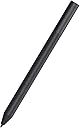
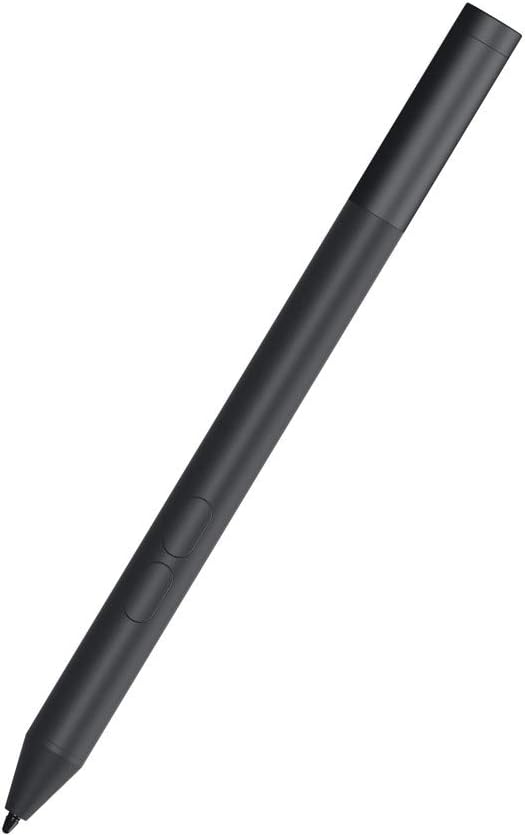
The Dell Active Pen PN350M is a sleek, wireless stylus designed specifically for select Dell 2-in-1 laptops. Featuring 1024 levels of pressure sensitivity and palm rejection technology, it delivers a natural writing and drawing experience. Its magnetic snap-on design ensures it’s always at hand, while compatibility with Microsoft Pen Protocol guarantees seamless integration. Lightweight and battery-powered, this pen transforms your device into a versatile digital canvas.


| ASIN | B07SRFVWB2 |
| Are Batteries Included | Yes |
| Batteries | 1 AAA batteries required. (included) |
| Battery description | Alkaline |
| Best Sellers Rank | 75,020 in Computers & Accessories ( See Top 100 in Computers & Accessories ) 209 in Graphic Tablet Pens |
| Brand | Dell |
| Colour | Black |
| Customer Reviews | 4.0 4.0 out of 5 stars (1,235) |
| Date First Available | 1 April 2019 |
| Delivery information | We cannot deliver certain products outside mainland UK ( Details ). We will only be able to confirm if this product can be delivered to your chosen address when you enter your delivery address at checkout. |
| Guaranteed software updates until | unknown |
| Item Weight | 17.8 g |
| Item model number | DELL-PN350M-BK |
| Manufacturer | Dell |
| Product Dimensions | 43.69 x 14.73 x 5.08 cm; 17.86 g |
| Standing screen display size | 5.4 Inches |
N**Y
Love the Design
Whilst I always wish that the pens for the Dell laptop would last as long as the laptops do I can honestly say that I have not been disappointed with this replacement pen. It is sturdy and easy to use and has actually lasted longer than my last Dell pen so that makes it a good buy. It was also less expensive than my first replacement stylus so overall I'm very happy with it.
A**R
Rubbish service and company
Gone round in circles with this company trying to return this useless pen. It doesn't work. Don't buy! There are better pens out in the market
A**P
Not great performance
I use it mostly for signing contracts so no great finesse needed which is good. The pen seems a little "shakey" when writing, giving a slightly unnatural look to signatures. I was going to use it to replace my old tablet for drawing but don't think that will work. @dell, an i missing something?
B**S
Failed Under Warranty
All was working ok at first, then under 8 months old the outer paint coating started to bubble off, once the coating comes off the pen then shorts out like an earthing strap but using your body, this then stops the pen from working. These are cheap rubbish pens, avoid at all costs, seller unhelpful as well and refused to replace it or refund me.
U**A
This worked perfectly fine with my dell inspiron 5410 2 in 1 laptop, it's palm rejection is fine and you can make a very good handwriting by this pen, good for students who r into digital notemaking..
A**R
A decent pen. I bought it for my Dell Inspiron 5591 as it was recommended. If it feels pricy, then look for the surface pen, it's being sold for $99.99 most of the times. It has a reasonable price. It has 1024 levels of pressure, more than enough for me. I bought this thing to take notes at school and it's just great. For those who never used the electronic pens, your laptop or tablet becomes an infinite notebook or art book. Everything is with you, no paper waste, let's go in the future. Yeah, it's not a new technology, but i think you understand what I mean. Also, it works with Microsoft Pen Protocol, so it does have a little lag, but also has a very good palm rejection as opposed to the Wacom Protocol which has no lag and bad palm rejection. For me palm rejection is more important, I'm not a speedrunner, I take notes. With that scenario you can't spot the lag.
F**O
Arrivata con batteria e funziona alla perfezione, però è fondamentale andare in "Bluetooth e dispositivi->penna e windows Ink" e attivare la modalità "ignora l'input tocco quando uso penna" in "impostazioni aggiuntive per la penna". Senza questa impostazione si é costretti a scrivere senza toccare lo schermo e di default l'impostazione è disattivata; così invece si può scrivere in tutta tranquillità.
R**Y
Good
K**U
It was perfect for my laptop. Just popped a battery into it and it was working right away.
Trustpilot
1 month ago
4 days ago